One on a VPS, and it is set up with my primairy domain (domain1.com) - this is my ‘main’, it receives mails from any domain towards my domain.
The second is a relay on my network, it acts as an ‘in-betweenstation’ for apps and devices running on my network and relays all incoming mail to the main MX over the VPN connection for domain1.com.
The third is on a node with it’s own samba domain (domain2.com), own mail app and a nextcloud instance. The idea behind it is to have a single node that acts as Nextcloud server, with its own user database and own MTA. This MTA is not reacheable from the internet for security concerns.
In my DNS records for Domain2 the MX entry points to mail1 on the VPS.
i’ve made sure that it will accept this domain by entering the mail app via runagent and in Python invoke this command: agent.bind_user_domains([“domain2.com”])
To avoid mails being bounced back with a 554 5.7.1 : Relay access denied
But now that the relay accepts the domain, it bounces because the user is unknown.
I have set a relay receiver rule on the main MX for domain2.com to relay to the MX for domain2 but mails still bounce on MX1 because the user is unknown.
How can i adjust the main mail server so that it just relays? for it’s own domain its a good thing to check the addresses, but for a relay domain, it should just relay;
I went through that guide before but initially it didn’t work. Tried again and now it relays fine.
I have the Nextcloud setup with the mail app now. I get very strange behaviour.
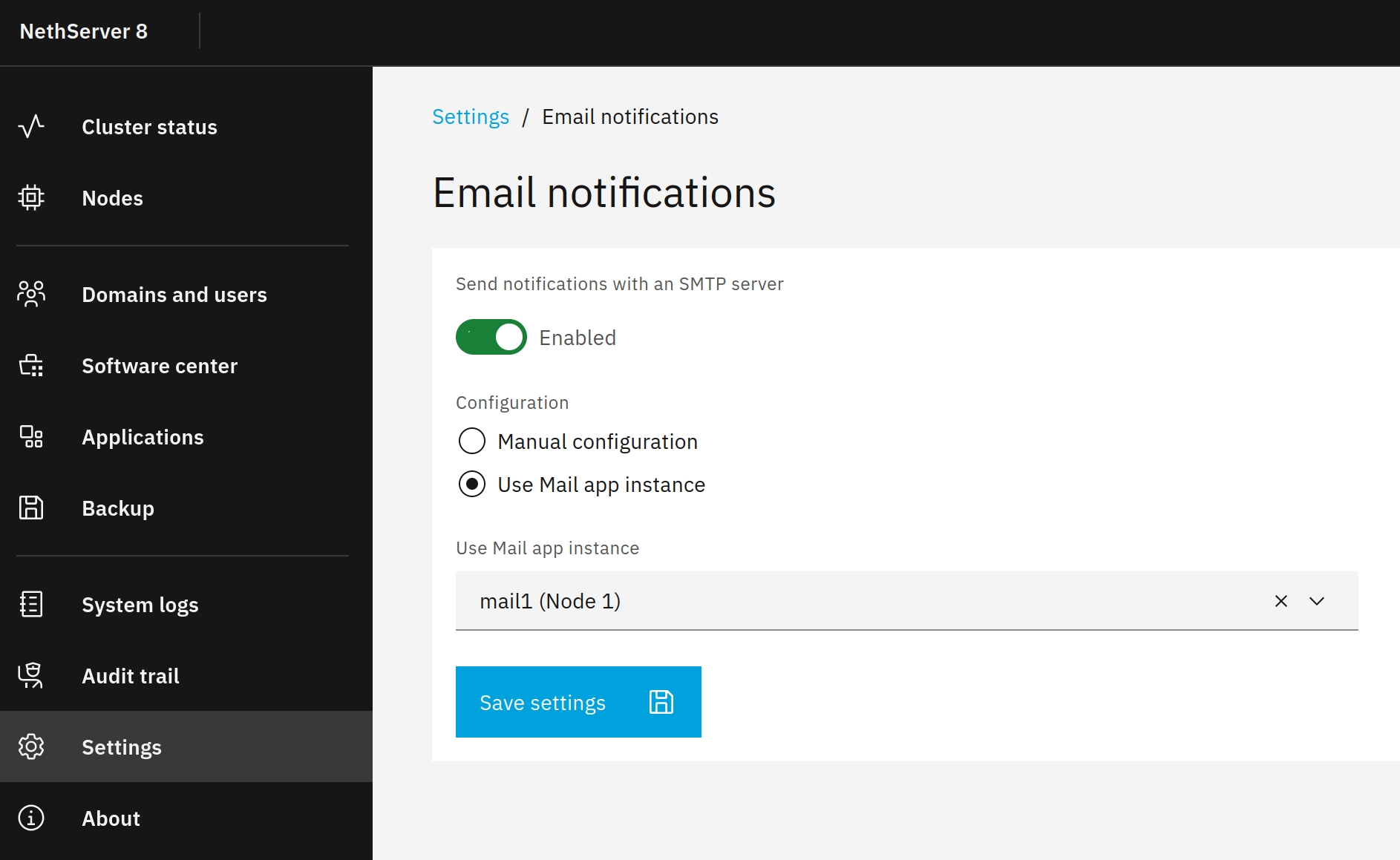
The system smtp mail settings point to relay 2 Basic settings), and i did not set that, but it’s the wrong MX. i also cannot cange that setting, so it is a setting that’s inherited from NS8. In the nextcloud data folder there is a smarthost.env file and if i VI that file to the right settings after entering the container with
runagent -m nextcloud8 bash
it just reverts to the wrong settings
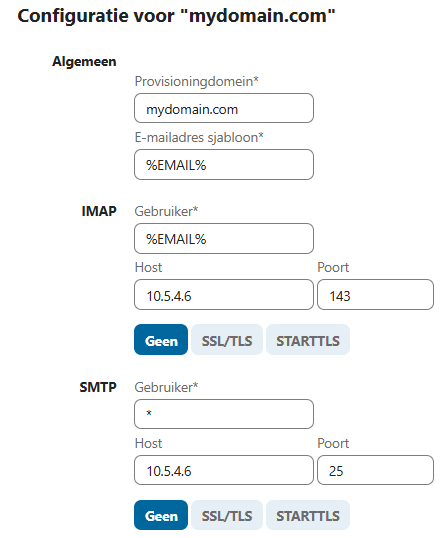
And in the Groupware settings i set the IMAP and SMTP to let the mail app use my dedicated MX (MX3) the mail app retrieves the mails but i can not send any mails from the mail interface.
I have another Nextcloud instance for another domain, and the settings work.
Also: there is NOTHING to find in the logfiles. If i try to send a mail the Nextcloud interface just blunty says ‘can not send mail’ but in the logfiles from all my 3 mx’es there is no entry for nextcloud trying to send, and in the logfiles from Nextcloud, there is no error, nohing about my action for what could be the problem for sending those mails. It is as if Nextcloud doesn’t try and doesn’t log anything.
So the mail saga continues. And i’m sure that it’s not the MX that is the problem, because it can receive files.
On my other nextcloud server, this config works. And the MX setup is the same except for the domain. I’ve tried to toy with the SMTP user, but doesn’t change anything. And of course if the user setting would be wong i would see rejects in the log file. Also tried other ports and encryption mechanisms, but it just looks as if it never leaves nextcloud.
maybe i’m looking in the wrong logs or something, but i’m stuck with this one.
Any idea?
Thanks, @mrmarkuz i really apprecate your input. You were the first to answer my first post in 2020 also.
I’ve checked that page, but it doesn’t look like what i’m trying to do. It looks like the mail settings for an individual user, i’m trying to do the settings in the groupware settings, in this way that when a user logs in, they have their mail available without having to log in.
I have another nextcloud instance where above configuration works with these exact settings. When i add a new user in the Samba directory and log in with that new user, user can immediately use the mail app and start sending/receiving mails without further configuration.
I tried using the hostname also, with a valid DNS entry - no luck.
The NS8 mail app is very reachable from IP, since it does retrieve mails from the IMAP server running on the same node.
Ah that explains this. But these are in the basic settings, and i have it set up so the ‘mail provider’ setting uses the user settings, not the system settings. This is a working config on my other NXT instance.
Yeah, definitely! Back then i only needed a VPN gateway. Now i’m running 4 nodes in a cluster with 1 VPS node, sort of hybrid cloud. It’s amazing to see how NS evolved, matured and is still rocking on!
Well, i called them my 3 MX’es, but i’m referring to my 3 nodes that have the NS8 mail app installed. In none of the 3 log files i can find an entry that would prove that NXT is trying to send through it. No rejects, not even a connection attempt from the NXT instance.
So that leaves me baffled a bit. NXT CAN reach the server, otherwise it would not be possible to receive mails. Mailboxes are ok too, if i send a mail from Gmail to an account, it immediately shows. Only SMTP does not work, like it’s somehow firewalled inside the NXT container. And if i check the nextcloud logs for that node also not a single entry that shows that NXT would have tried to send the mail, nor any error.
It looks a bit like the action of sending is never actually done from within Nextcloud.
Very strange behaviour. I was thinking that i screwed up initially and did a full reinstall of the NXT container, but still: no luck.
There’s a 304 (not modified) and 500(internal server error) showing up.
There’s a timeout between clicking on the ‘send’ button and the message that states ‘Could not send mail’
The 500 shows up immediately after that message.
So maybe i am facing a bug somewhere? But the strange thing is that both my Nextcloud enviroments are exactly the same version: Nextcloud Hub 25 Autumn (32.0.1) and Mail version 5.6.5.
I tested sending mails in Nextcloud and it worked when I setup the mail account per user but it didn’t work when I use the Groupware settings.
I used the mail server hostname, SSL encryption (port 993 for imap and 465 for smtp) and the mail address as username.
I found that even if a mail address is set for a user in the user domain, it’s overridden by the address that’s set in Nextcloud so maybe one needs to use %USERID%@domain.tld instead of %EMAIL%
Hi @mrmarkuz,
I updated to 5.6.6 also, no luck.
I found a ‘lookalike’ bug in the Nextcloud/github bug reports:
So maybe i should move the question to Nextcloud community.
I only hope that given that Nextcloud is running in NS8 and has it’s customisations, that they will take a look at it and not reject because it’s a customised container.
That would get me stuck inbetween platforms.
But i’ve asked the question, i’ll see if i’m welcome to move my grief to Nextcloud.
Thanks again! I’ll pick in on this post when there are updates, and post a groupware connection working setup if i get past this.