NS8 on Debian 13 VM behind NethSec VM. Purchased business subscriptions for both thru the link in the NS8 UI (my.nethserver.com). I was able to copy/paste the token to register the NethSec server, but the token field in the NS8 UI is greyed out, so I can’t paste and register the server. Any ideas as to why? I am using Nextcloud and Wordpress with no problems (yet), so I would think my NethSec firewall is configured okay. Thanks for any help you can offer.
I’m sorry, the subscription is only available for Rocky Linux, see Subscription — NS8 documentation
Is that due to updates only guaranteed to work with Rocky? Guess I wished I would’ve read into that better. I actually didn’t read into it at all. Does that mean I need to request a refund, or do I need an Enterprise subscription, although the latter looks like it’s for resellers? I’m just using it at our office, for business purposes.
It’s hard to support different distributions as it would need much resources. That’s the reason to concentrate on one distro.
You could migrate to Rocky to be able to use the subscription, see for example Moving Neth8 Debian→Rocky-linux
Yikes! It’s currently working well the way I have it, so I’d hate to migrate already. Already have accounts for customers setup and Team Folders. I would have to start all over. I was hoping to be able to keep it all updated and working well together, hence the subscription. Crud.
No, the apps including data can be moved from the Debian to a Rocky system.
Do you have a link showing how to move app data from the Debian to the Rocky? How about user accounts? Will I have to recreate all of those? Thanks.
It’s possible to replicate the user domain, see User domains — NS8 documentation
So, I’ve created a VM and imported the Rocky gcow2. I downloaded the backup file from the Debian VM. When I go to restore the Debian backup in the Rocky VM, using a browser on another Linux VM that is on the same VLAN, the NS8 UI tells me ‘invalid gpg file’. I was hoping I wouldn’t have to go through all the steps in the forum post you shared - that it’d be as simple as restoring a backup, rather than first creating or joining a node. Am I underthinking this?
Just enter the same backup destination that you had in the Debian VM, in the Rocky VM.
Get the data encryption key from the Debian VM and use it in the Rocky VM backup destination to be able to read the backups as they’re encrypted, see Moving Neth8 Debian→Rocky-linux - #2 by mrmarkuz
This way it should be possible to restore the backup on the Rocky VM.
Do I create a new cluster first, in the Rocky installation, then do a restore, or do I have to join a cluster from the Debian installation, or what?
Both is possible.
Either restore from backup on a fresh cluster or join the old cluster and move the apps.
Thank you for always being patient, Markus. I am totally new to understanding docker containers, clusters, and nodes, not to mention pretty green at NS8. I dabbled a year ago maybe, but now I’m taking the plunge. I keep recreating the Rocky VM and trying different steps, to no avail. Here’s where I start off each time:
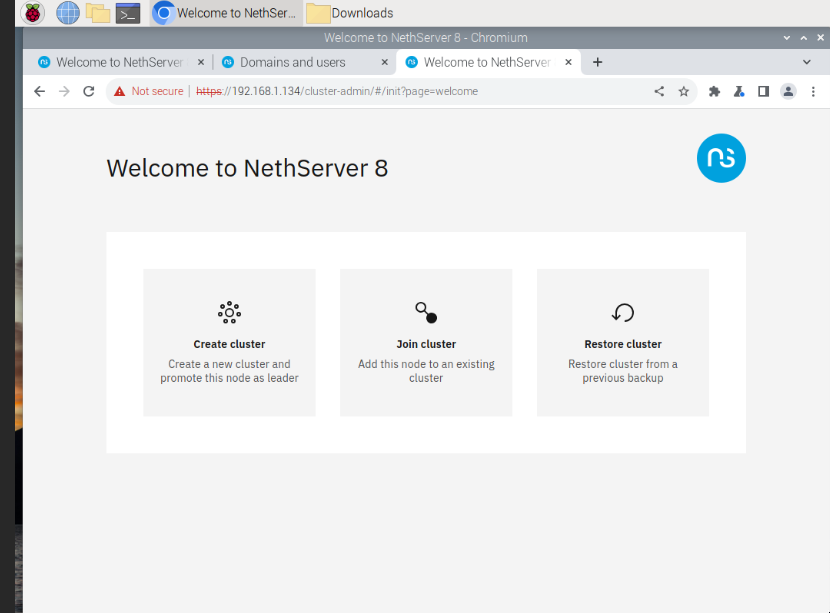
If I choose ‘restore cluster’, then ‘restore cluster from backup’, I then drag and drop the cluster backup I made in the Debian NS8 UI, and type in the same encryption password I had created, which is where I get the ‘invalid gpg file’. If I copy and paste the data encryption key instead of the password, I get the same error. You mention above to just enter the same backup destination. This is a brand new Rocky VM that I haven’t done anything with, meaning, this is the first screen and my starting point each time. Do I need to create a cluster first, in order to then create a backup destination?
Update: I have to add to this, since trying to run backup for the Debian NS8 in the UI again, so I can download it and try restoring it in the Rocky NS8. I am now getting an error in the Debian NS8, saying some backups failed. I don’t know which log to look over to see why. I did try deleting the destination and creating a new one. Each time the backup fails.I can SSH in with WinSCP and look over logs, if I know the directory. I’m assuming it’s not /var/log.
Yes, just create a new cluster and then add the old backup destination.
Which backup destination are you using?
I recommend to follow the cluster logs either in the cluster admin or on CLI by executing
journalctl -f
and then rerun the backup to catch the errors.
You can run the backup from the UI:
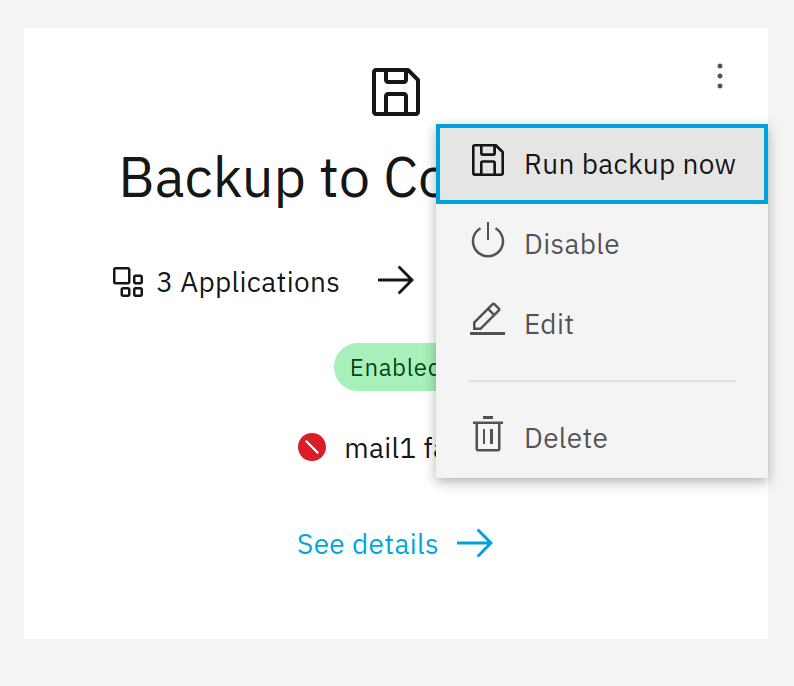
I originally used local storage destination for node1, on the Debian NS8 VM, which I never copy/pasted the encryption key, for later reference. I’m guessing it’s failing the backup now because I already had a local backup at one time. What directory is that destination and backup in? Can I just delete it from shell and try creating a destination again in the UI and run a backup?
The local storage is intended to backup to an USB disk, see Backup and restore — NS8 documentation
Did you configure it correctly?
Without configuration the backup files are in /var/lib/containers/storage/volumes/rclone-webdav/_data
Maybe it’s easier to backup to a NAS so there’s no need to copy files.