MadPatrick
September 19, 2025, 3:46pm
1
Hi Guys,
I need a bit help on this because my OpenLDAP and AD, so i can not configure Samba to do a test.
Is it easy to link all the samba share to this disk or do i need to perform so manual actions?
mrmarkuz
September 19, 2025, 4:56pm
2
Manual actions are needed, see this thread .
Another way would be to install the samba app on the new disk, see Disk usage — NS8 documentation
You could use some virtualization for testing.
MadPatrick
September 19, 2025, 5:11pm
3
Thanks MrMarkuz,
I was hoping NS8 was a bit further than this old thread.
Thanks and Yes i can use VM, but i need to seed up a good test VM some day
1 Like
MadPatrick
September 20, 2025, 3:06pm
4
I’ve setup an VMtest NS8 and add the AD and Samba
Only i have tried to understand the posts but i can get to the 2nd disk linked so all the samba share are stored on this.
For the home it may keep as it is. I want only large storage share
MadPatrick
September 20, 2025, 3:27pm
5
i’ve manage to get it working, but no sure it is proper way and holds updates??
I mount the 2nd disk to the podman folder
/dev/sdb1 /home/samba2/.local/share/containers/storage/volumes/shares/_data none bind 0 0
Then change owner to samba and the net folder are stored there now
1 Like
mrmarkuz
September 21, 2025, 8:19pm
6
I think updates are working.
The alternative method is to mount it from the samba “shares” volume like explained here
1 Like
MadPatrick
September 22, 2025, 2:52pm
7
How should this be for samba.
mount /dev/sdb1 /mnt/disk00
runagent -m samba1 podman volume create --opt=device=/mnt/disk00/ --opt=type=bind samba1
mrmarkuz
September 22, 2025, 3:09pm
8
To check the available volumes:
[root@node ~]# runagent -m dokuwiki1 podman volume ls
DRIVER      VOLUME NAME
local       dokuwiki-data

[root@node ~]# runagent -m samba1 podman volume ls
DRIVER      VOLUME NAME
local       homes
local       shares
local       data
local       config
local       timescaledb
In the case of the samba shares, it’s the shares volume so the command should be
runagent -m samba1 podman volume create --opt=device=/mnt/disk00/ --opt=type=bind shares
1 Like
MadPatrick
September 26, 2025, 5:52pm
9
Am i doing something wrong?
runagent -m samba2 podman volume create --opt=device=/mnt/disk00/ --opt=type=bind shares
Error: volume with name shares already exists: volume already exists
LayLow
September 26, 2025, 6:15pm
10
What does “runagent -m samba2 podman volume ls” tell you? Previously it was samba1, so are you trying to mount an already mounted share on samba1 also on samba2?
MadPatrick
September 26, 2025, 6:27pm
11
DRIVER VOLUME NAME
local homes
i’ve no samba 1.
1 Like
mrmarkuz
September 26, 2025, 6:55pm
12
You need to create the volume before it is created by the samba app itself.
Remove the user domain and reinstall it. Before finally configuring samba (enter admin user/password etc), go through following steps:
Prepare the mountpoint:
chown samba3:samba3 /mnt/disk00
chmod 700 /mnt/disk00/
Create the shares volume:
runagent -m samba3 podman volume create --opt=device=/mnt/disk00/ --opt=type=bind shares
Now you can finish configuring samba and the created shares should be visible in /mnt/disk00
1 Like
MadPatrick
October 1, 2025, 6:46am
13
Thanks
1 Like
MadPatrick
October 1, 2025, 5:23pm
14
I tried to install samba shares, but i’m unable to do this
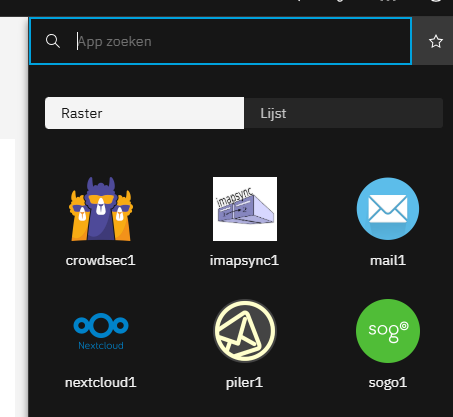
Samba has been installed as LDAP, but i can not see the Samba File share menu
mrmarkuz
October 1, 2025, 8:31pm
15
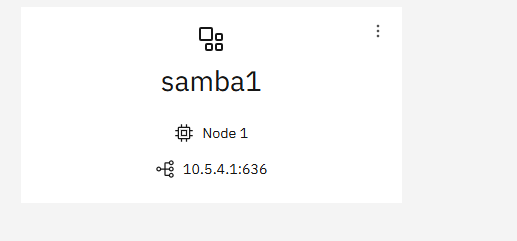
It seems you didn’t set the local interface as the screenshot shows the wireguard IP 10.5.4.1 instead of some private LAN address. In this mode the samba file server isn’t shown in the app drawer.
See also Samba file server missed? - #2 by mrmarkuz