Samba file server missed?

NethServer Version: Nethserver 8
Module: samba

Hi,

I would like to create a Samba share for users but I can’t find the Open file server link…

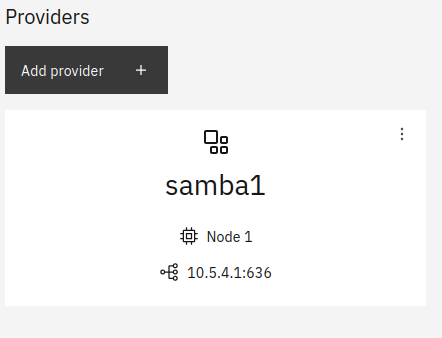
I created users before, but now the link is missing as shown in the image.

How can I solve it?

Thank you for your help

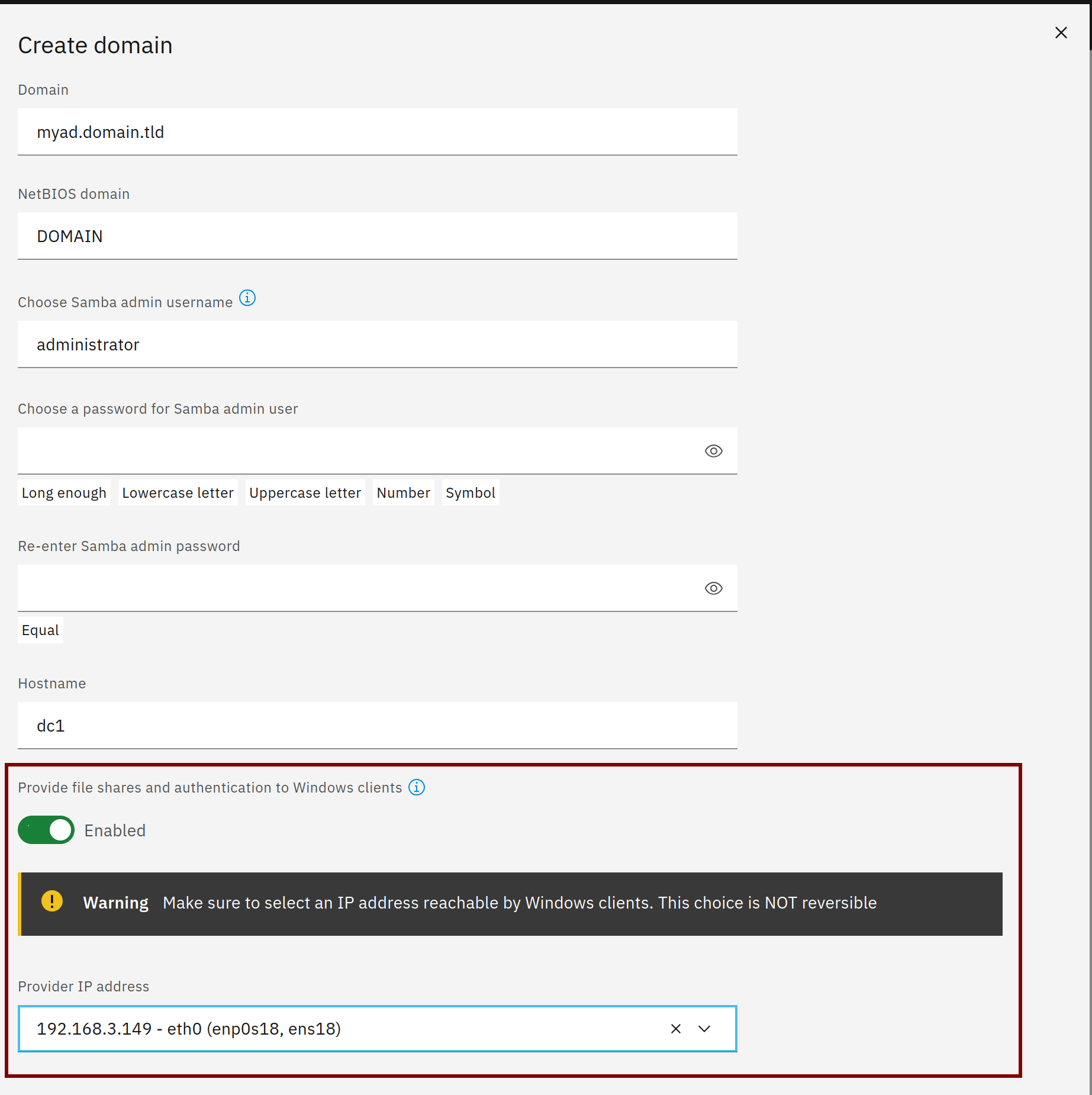
Is it a migrated samba user domain from NS7 or did you miss to enable the file server when installing the samba user domain?

When the file server isn’t enabled Samba binds to the wireguard IP as shown in your screenshot so it can only be accessed by the NS8 nodes and not by clients.

1 Like

NS7 domain not migrated. I probably didn’t enable the file server when I installed the samba user domain, but I don’t remember…

If this happens, can the file server be enabled afterwards or does the samba user domain need to be deleted? If so, how?

Thank you for your help

To remove the user domain:

If I remove the user domain, will the users also be deleted?

Aren’t we misunderstanding each other?

I created the user domain when installing NS8, I haven’t migrated anything from NS7 yet.

Yes, the users will also be deleted.

No, I don’t think there’s a misunderstanding.
I asked about the migration because if you migrated there’s another solution, see NethServer 7 migration — NS8 documentation

You could try to apply the migration solution by setting a local IP manually but this only works when you have only 1 (ONE) samba instance. Warning! If there are more samba instances/replicas you could damage your AD.

This will be a lot of work. You may remember we worked a lot on customizing the users’ email addresses in the form firstname.lastname@domain.ltd and for the sogo login, this email address should be used instead of the username. Then I’ll have to redo these, it’s quite a bit of work…

However, maybe we would be better off with a new installation?

I don’t want to migrate yet because I still don’t see many details clearly and there are always new problems.
1 Like

Sorry for confusion, you don’t need to migrate but if you just have 1 samba instance you could try the solution that’s also used for migration:

Adapt the IP to the right LAN IP and samba1 to your samba instance:

api-cli run module/samba1/set-ipaddress --data '{"ipaddress":"192.168.1.123"}'

After executing the command the file server should be available, you may need to refresh the browser.

1 Like

I was able to repair, create, and configure the file server using the command.

Thank you for your help

2 Likes