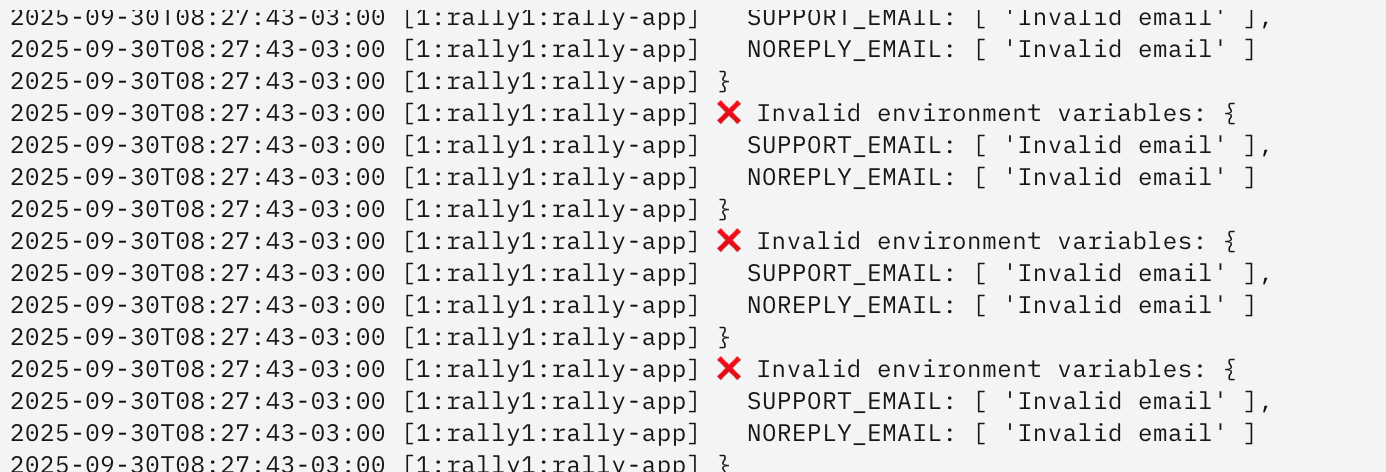
After the installation, the application does not come up.
I tried different emails and the wildcard* domain.
Thanks,
After the installation, the application does not come up.
I tried different emails and the wildcard* domain.
Thanks,
thats weired, what were you doing to get this error kindly? so we can investigate
MAybe we have the same issue we had with joplinserver a while back
It’s the same here.
The environment variables in rally.env are empty after configuration.
NOREPLY_EMAIL=
SUPPORT_EMAIL=
I think I found at least one reason for the bad gateway issue. Some containers want to use the host IP address so it’s not reachable when using pasta network.
A solution is to use slirp4netns:allow_host_loopback=true as network.
Adapt rally.service as follows:
ExecStartPre=/usr/bin/podman pod create --infra-conmon-pidfile %t/rally.pid \
    --pod-id-file %t/rally.pod-id \
    --name rally \
    --network=slirp4netns:allow_host_loopback=true \
    --publish 127.0.0.1:${TCP_PORT}:3000 \
    --replace
Should resolve the issues, within About an hour or so:
Will also try to add, the additional Env aded recently under Configuration Options - Rallly
Thanks, ill test this theory with PostalServer as well, and see if we still have the issues or not.
yes, i had assumed it was soemthing to do with pasta, as i noticed, newer versions od podman, impelmented a different network.
4 posts were split to a new topic: Logs in system logs page are empty
api-cli run update-module --data '{"module_url":"ghcr.io/geniusdynamics/rally:dev","instances":["rally1"],"force":true}'
Here you can test
but it is advisable to setup the email so that you can get the code for invitation