To install the newest version 9.2.2 you may just get the tar from here…this way we bypass the not working install procedure.
# Download and put glpi in right place
wget https://github.com/glpi-project/glpi/releases/download/9.2.2/glpi-9.2.2.tgz
tar -xzf glpi-9.2.2.tgz
mv glpi /usr/share/
# Set owner to apache
chown -R apache:apache /usr/share/glpi
# Create httpd conf for glpi
cat << EOF > /etc/httpd/conf.d/glpi.conf
Alias /glpi /usr/share/glpi
<Directory /usr/share/glpi>
  Require all granted
  <FilesMatch \.php$>
     SetHandler "proxy:fcgi://127.0.0.1:9000"
  </FilesMatch>
</Directory>
<Directory /usr/share/glpi/files>
  Order Deny,Allow
  Deny from all
  Allow from 127.0.0.1
  Allow from ::1
  Allow from localhost
</Directory>
EOF
# Install PHP 56 and extensions
yum -y install nethserver-mysql nethserver-rh-php56-php-fpm rh-php56-php-mysql rh-php56-php-mbstring rh-php56-php-gd rh-php56-php-ldap rh-php56-php-imap rh-php56-php-opcache sclo-php56-php-pecl-apcu rh-php56-php-xmlrpc
# Create database and user
mysql
create database glpi;
grant all privileges on glpi.* to glpi@localhost identified by 'SECRET';
exit;
# Restart services
systemctl restart httpd
systemctl restart rh-php56-php-fpm
Browse to https://yourNS/glpi and install.
Enter credentials, user glpi and password SECRET - please change the password for security reasons!
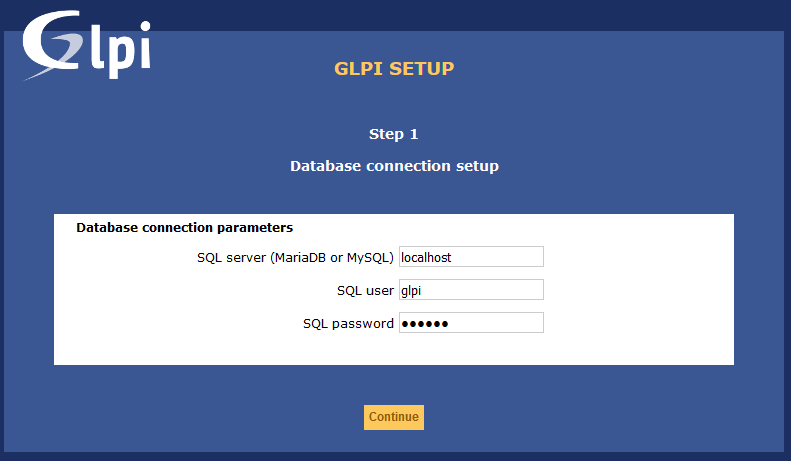
Choose glpi database

When ready just remove the install.php and change password in UI else the dashboard will show warnings…
rm -f /usr/share/glpi/install/install.php
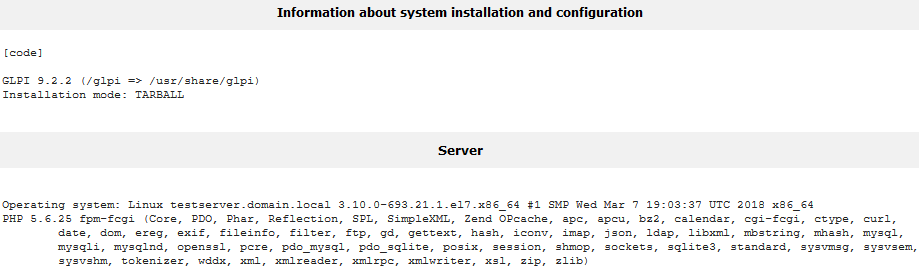
@fausp, do you want to test?