How to reset HAM / SPAM trainings and re-train manually?

I thought I could reset the training that had taken place over time, as I suspect that my users had misclassified some emails (moving them to or from the JUNK folder).

I tried to do this via

redis-cli -s /run/redis/persistent.sock --scan --pattern 'BAYES_*' \
  | xargs -r redis-cli -s /run/redis/persistent.sock DEL

redis-cli -s /run/redis/persistent.sock --scan --pattern 'RS_*' \
  | xargs -r redis-cli -s /run/redis/persistent.sock DEL

But the statistics do not change.

How can I manually retrain rSpamd afterwards using rspamc learn_ham and rspamc learn_spam?

I did:

:~# runagent -m mail1
~/.config/state$ runagent -m mail1 podman exec -ti rspamd sh

But can’t find the necessary paths like

rspamc learn_ham /var/lib/nethserver/maildir/user@example.com/Maildir/cur

I also want to adopt my old solution for NS7 to NS8, but I’m lost…

1 Like

You could remove the rspamd-redis volume but usually it’s not needed to remove the statistics about the already learned spam/ham as it’s retrained.
For example if a mail was learned as spam and you set it as ham using rspamc, it’s not spam anymore.

It needs to be done in the dovecot container, using the rspamc-wrapper.
It’s explained in the ns8-mail README.

3 Likes

I haven’t dared to implement the recommendations above yet, especially since I wouldn’t know how to remove the redis volume

But rspamd is a total pain. I’m using the filter with the same settings I’ve had for years on NS7.

I have practically all relevant senders on the whitelist; I move false-positive emails to the inbox and vice versa every day.

Even so, for example, tons of emails end up in spam even though they’re on the whitelist. And sometimes they end up in the spam folder, sometimes they don’t.

This is especially annoying with one-time codes that are sent via email as a second factor.

It’s really bizarre behavior, and it’s becoming increasingly frustrating.

Ideally, I’d like a “reset” button to restore the default settings.

It would be helpful if they were listed in the documentation, but they’re missing there, too.

What else can I try to get a functional spam filter back?

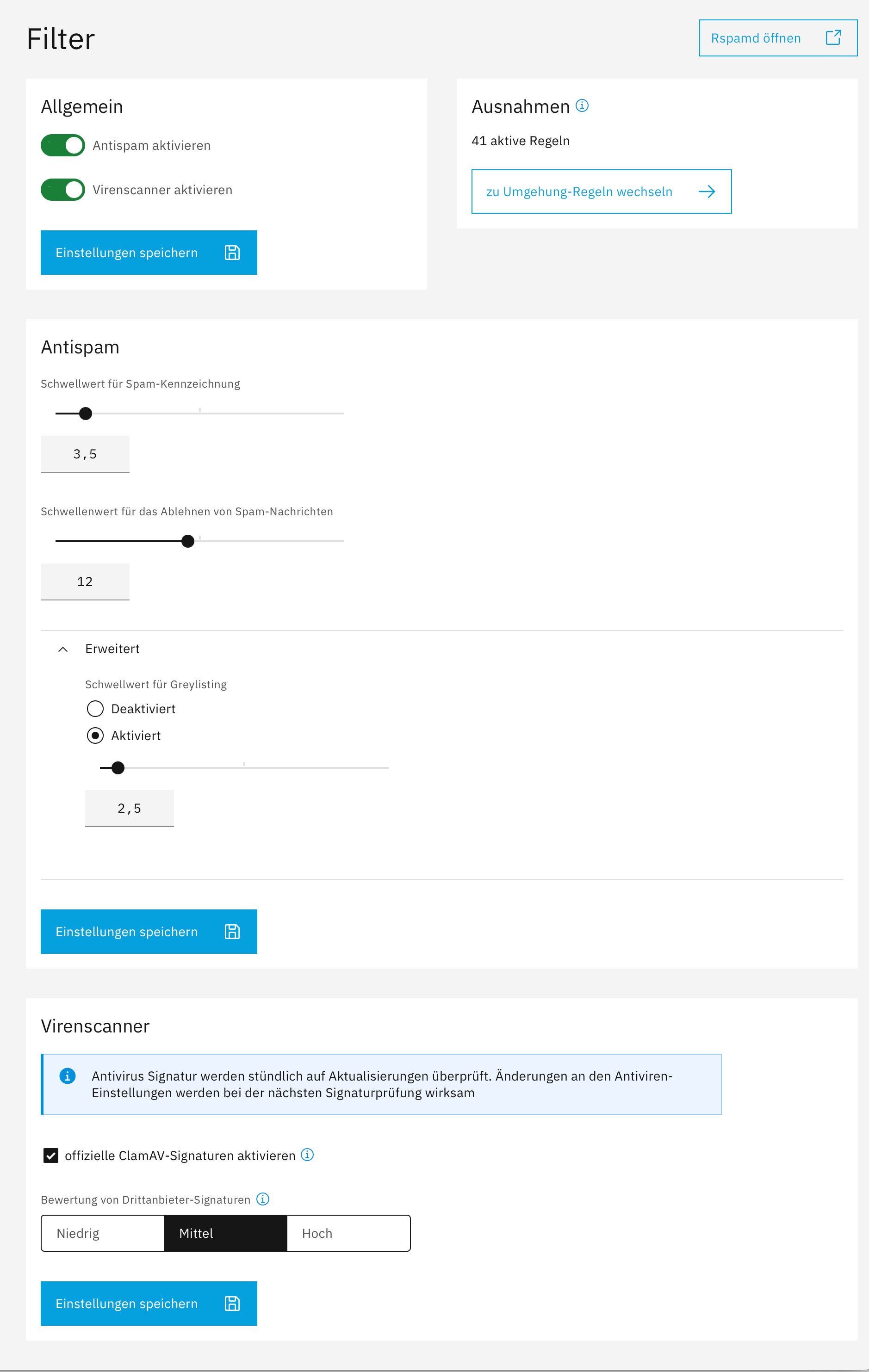
I adjusted now to…
Threshold for marking as spam: 6
Threshold for rejecting spam messages: 15
Threshold value for greylisting: 4

Hi @capote !

I also fight against rspamd lately. The good news is that I had some success.

First of all, whitelisting doesn’t work the way we think : some other rule might send emails to the junk folder anyway.

Could you share some examples of headers for false positive and false negative emails so that we can debug further ?

I personally encountered a case where I had to create an account at spamhaus and activate their Data Query Service (DQS) to improve the filter performance. See Rspamd DBL checks disabled because of the use of an open DNS?

1 Like

Hi Matthieu, thanks for your reply.

I can’t provide you with any samples right now, since I had corrected everything manually.

After switching to the standard values I looked up, I’ve noticed an improvement.

I almost suspect the problem was sitting in front of the computer again…

I’ve now come up with three scenarios that I’m going to test:

Profile Spam Score Reject Greylisting Goal
Cautious 8 20 6 As few false positives as possible, but rather more spam in the inbox.
Balanced 6 15 4 Good compromise between protection and false positives, close to rspamd “Standard.”
Strict 4 12 3 Significantly stricter filtering, increased risk of false Positives.