the smtp are not being set that may be the reason
That’s consistent with the error reported in the logs:
2026-05-25T15:05:18-04:00 [1:vaultwarden1:vaultwarden-app] Both `SMTP_HOST` and `SMTP_FROM` need to be set for email support without `USE_SENDMAIL`
So how to fix that? It apparently doesn’t pull its settings (or at least SMTP_FROM) from the system’s email alert settings. Does a field need to be added to the app configuration pages?
Let me adding fallback fields in ui
Quick fix can edit the vaultwarden.env
then run
systemctl --user restart vaultwarden.service
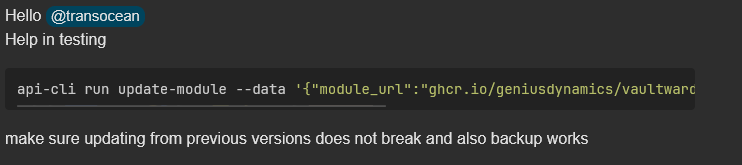
Any news @kemboielvis22 ?
Sorry my items were stolen this week
but let me check on this and give a way to solve the issue
1 Like
Hello @transocean To be able to change you admin token
Just replace it with a new token

Replace the hashed token with the new one you need
incase of any question ask
So how does this work? I’d noted this up-thread as well:
I notice that whatever I enter there is replaced by something completely different after I save the settings; I presume that’s the “hashed” version (even though it doesn’t look anything like any hash I’ve seen). So whatever I enter there is saved as the “admin token” (i.e., password), that’s what I use to log into the admin portal, and what’s later shown for this field is a “hashed” value?
Yeah its a hashed version its supposed to be a argon2 hashed version so when you save your admin token it hashes it using argon2
https://github.com/dani-garcia/vaultwarden/wiki/Enabling-admin-page#secure-the-admin_token
If you want the unhashed token you can find it in the vaulwarden.env
runagent -m vaulwarden1 cat vaultwarden.env | grep ADMIN_TOKEN_UNHASHED
Incase of any question you may ask
2 Likes
Thanks. Looking forward to a resolution to SMTP_FROM.
Edit: and once that’s addressed, perhaps you could consider adding configuration for SSO?
I feel like I’ve done this about 20 times already. But whenever I try to log in as an admin, I get the error message shown in my screenshot above.
I have tried on my end The solution provided worked On my end
can you try hashing the admin Token separately set it in the vaultwarden.env
then restart the container
runagent -m vaultwarden1 systemctl --user restart vaultwarden-app
Please gib me the right command for to do this.
Updating ADMIN_TOKEN
- Editing vaultwarden.env
runagent -m vaultwarden1 nano vaultwarden.env
- Update the ADMIN_TOKEN with hashed version of your password using argon
- Update the ADMIN_TOKEN=hashed text of your password using argon
- Also update the ADMIN_TOKEN_UNHASHED=with unhashed version of your password
- Restart Container
runagent -m vaultwarden1 systemctl --user restart vaultwarden-app
incase of any question ask
https://argon2.online/ You can use this to hash you password to argon2
After manually editing the .env file to set SMTP_FROM, Vaultwarden now starts and I’m able to log into the admin portal. Can’t send a test email, though; I get this error:
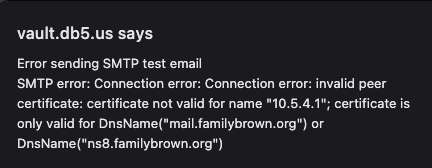
Checking the box for “Accept Invalid Hostnames” gets around that, but then I get this:
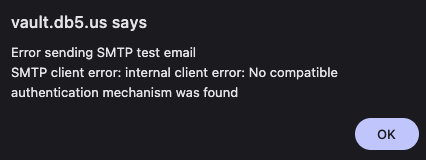
This is really feeling like, at best, a beta, not release 2.something.
I found that for working mail notifications via a mail instance following steps need to be done:
The SMTP settings in vaultwarden.env need to be adapted.
SMTP_FROM needs to be filled.
SMTP_AUTH_MECHANISM needs to be added as empty and SMTP_USERNAME and SMTP_PASSWORD must not be set at all or commented out.
SMTP_SECURITY needs to be added and set to “off”.
SMTP_AUTH_MECHANISM=
SMTP_FROM=user@domain.tld
SMTP_HOST=10.5.4.1
#SMTP_PASSWORD=
SMTP_PORT=25
#SMTP_USERNAME=
SMTP_SECURITY=off
Because SMTP_USERNAME and SMTP_PASSWORD are also set in smarthost.env it must be removed or commented out in the service:
To edit the service file:
systemctl --user edit --full vaultwarden-app
Comment out --env-file=smarthost.env \:
ExecStart=/usr/bin/podman run --conmon-pidfile %t/vaultwarden-app.pid \
    --cidfile %t/vaultwarden-app.ctr-id --cgroups=no-conmon \
    --pod-id-file %t/vaultwarden.pod-id --replace -d --name  vaultwarden-app \
    --volume vaultwarden-data:/data:Z \
#    --env-file=smarthost.env \
    --env-file=vaultwarden.env \
    --env=vaultwarden_* \
    --env USE_SENDMAIL=false \
    --env LOG_FILE=/data/vaultwarden.log \
    --env WEBSOCKET_ENABLED=true \
    ${SERVER_IMAGE}
Restart the services:
systemctl --user restart vaultwarden
In the Vaultwarden admin diagnostics page you can check the values by “Generate Support String”. smtp_username and smtp_password should return “null”.
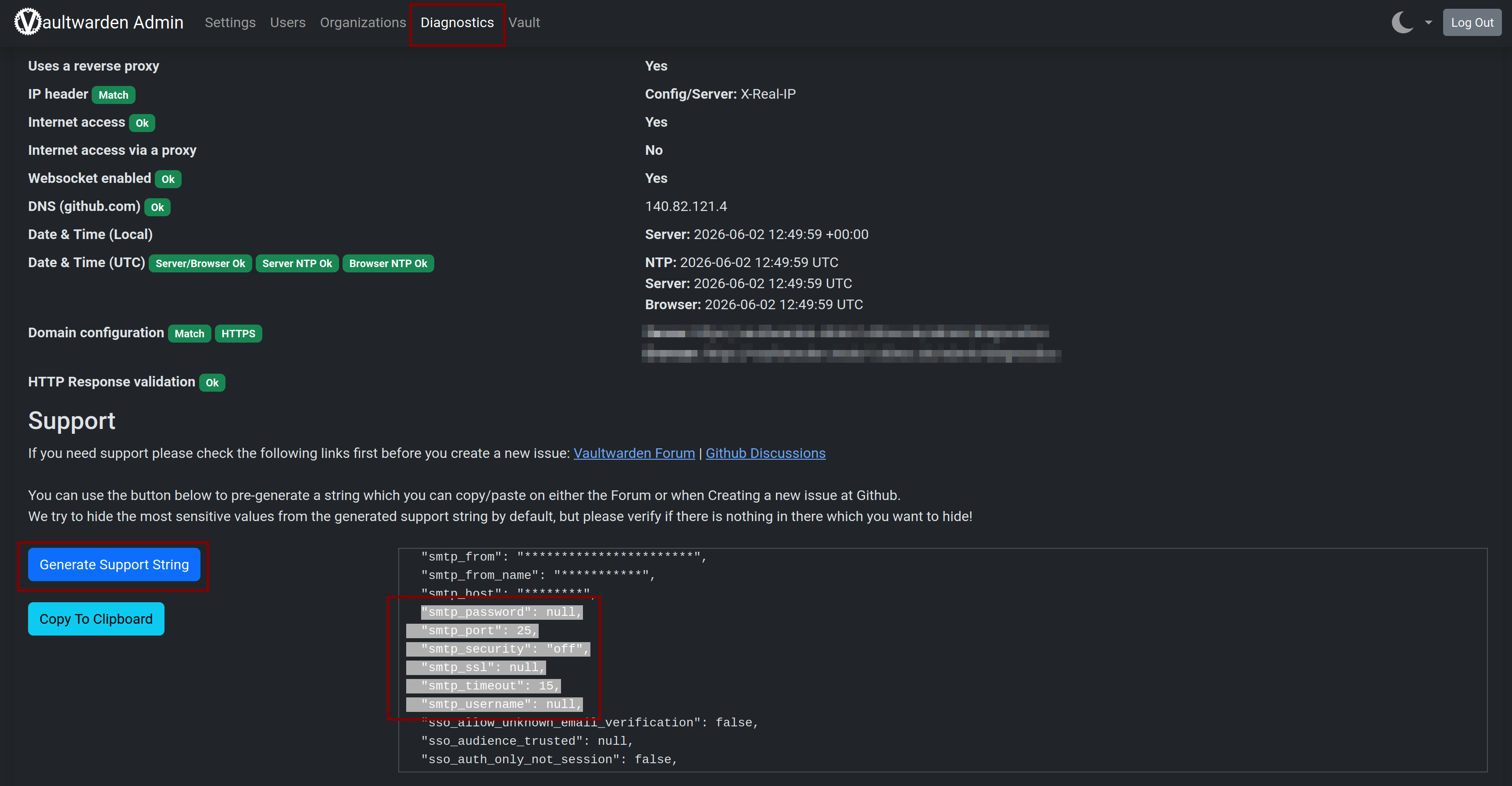
I found the solution here: SMTP errror, no encryption: internal client error: No compatible authentication mechanism was found · dani-garcia/vaultwarden · Discussion #2607 · GitHub
3 Likes
I was able to get it working in a different way:
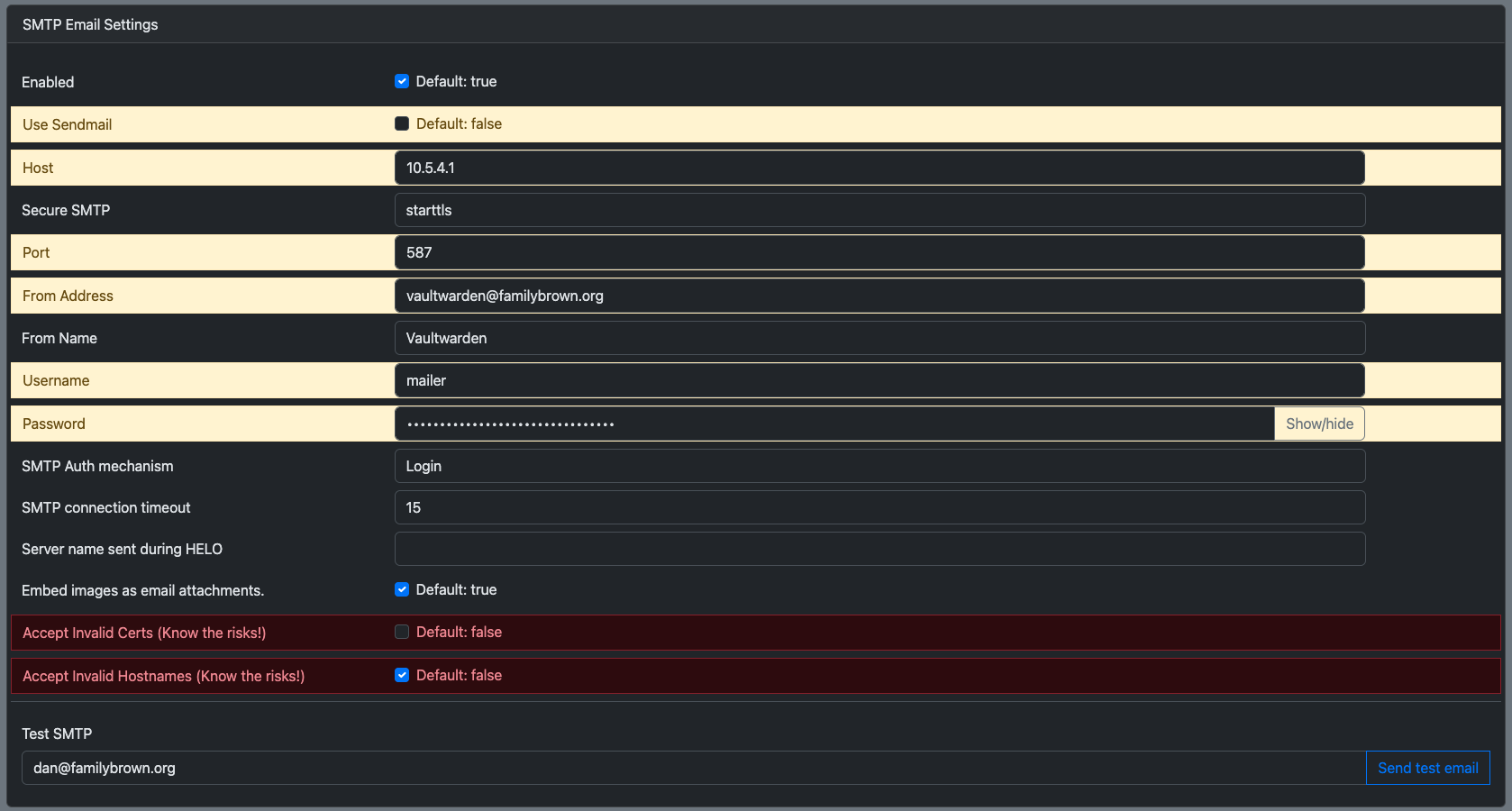
“Login” does need to be capitalized here. mailer is a user I’ve set up in NS8 for just this purpose.
But really, if this can’t be auto-configured (which IMO it should be, if it’s being installed in a cluster–and especially in a node–with a running mail server), the relevant configuration fields need to be exposed in the NS8 UI. “Hand-edit the .env” file really shouldn’t be the answer for the 1.0 release, much less the 2.x release, of a NS8 app.
3 Likes
You’re right.
Auto-configuration is possible for sure, I just wanted to show which variables need to be added/adapted/removed to make the notification via mail instance work. (without need to setup a user)
Unfortunately disabling authentication and SSL/STARTTLS, which is needed for using the mail instance, is handled differently from app to app.
1 Like
i love this community… lots of love to you all.
2 Likes