I tested it and both methods work. (using not or changing the blocks)
You need to configure the app once more to apply the change…
I changed the button setting to Enabled on the left and Disabled on the right in the Settings.vue file. After clearing the browser cache several times, it finally displayed the set state.
However, after further changes, it no longer appears. I don’t understand what happened, it displayed the state correctly for a while, but now it doesn’t.
Could you test it?
Thank you for your help
One detail escaped my attention. When reversing the button state worked, the 70firewall file was also originally modified to reverse the condition you suggested. The two together solve the problem according to sensible control.
Based on the displayed captions, it now works fine for me. Enabled opens (allows) the Firebird port on the firewall, and Disable blocks (closes) it.
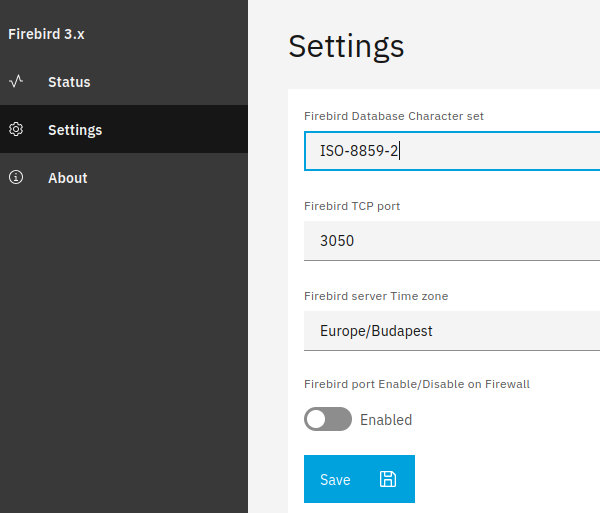
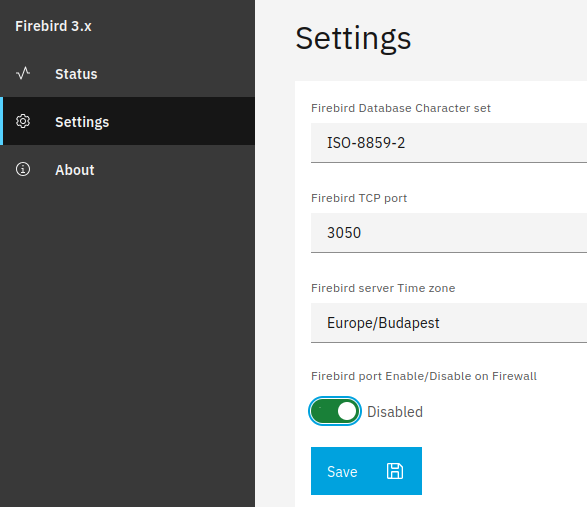
I checked the operation locally and via VPN with Telnet. Firebird is continuously accessible via VPN regardless of the setting.
In the current state, the Disabled marking is “Green” contrary to the original logic, but changing this would be possible by modifying the css and/or js files, but this would probably override the settings of similar buttons, so I would not deal with this.
Please check it out and share your comments with me.
Thank you for your help
That’s ok, via VPN you can always access it.
Did you change the caption of the toggle? I’d revert it as green should be enabled and grey should be disabled, anything else is confusing IMO.
I have restored the button to its original state. Enabled is marked Green and Disabled is marked Gray.
I’m thinking about the FIREBIRD_IMAGE variable. I don’t see how I’ll be able to install two versions if they’re going to run under the same name…
Currently the Install new instance button is grayed out, you cannot install another Firebird instance…
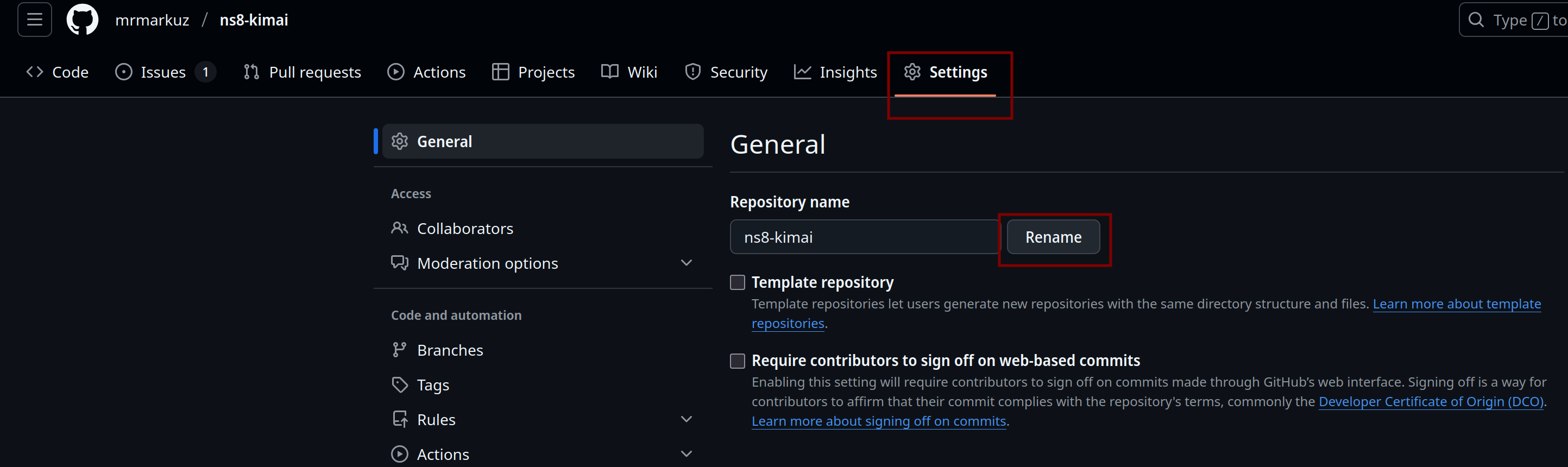
I understand that, I remembered well that there is some kind of limitation on the naming. How can I rename the github module? If I rename it now, I will have to reinstall it, right?
I’ll probably first create a new project for Firebird 2.5.9 called ns8-firebird2.5.9-ss. Will this work?
The app instances will have different names like firebird1, firebird2 etc.
That’s because you didn’t release a stable version tag (ie. 1.0.0) and put it to a repo yet. That’s the requirements to be able to install the app from Software Center.
Without it you need to install manually from CLI.
In the Github settings you could rename it but I’d leave it as is and try the firebird version dropdown.
I don’t know about the hyphen and points but a number should work, for example GitHub - geniusdynamics/ns8-n8n: NEthserver 8 Module for n8nio
As said, I’d try to use the dropdown instead of different firebird projects.
If for some reason one or both of firebirds need to be reinstalled, what will their names be? Now if I reinstall, firebird1 will become firebird2… The names will get mixed up and it will be impossible to know which is which…
We should give descriptive names so that we know which version is which, e.g. firebird259ss or firebird3011sa…
The question is, what more does it offer if you choose from a drop-down menu instead of different Firebird projects?
Also because it’s almost certain that someone else will need a different version…
It’s possible to set more descriptive names for the apps, see Applications — NS8 documentation
You don’t need to maintain 2 or more apps. For example I have 2 meshcentral apps (one with and one without mongodb) and I’m thinking about using a dropdown to combine them to 1 project.
But hey, you’re the dev and you can do as you like. Maybe it’s just a matter of taste…
This is a compelling argument, one that is truly worth considering.
Unfortunately I have no idea how to create a ComboBox. Creating a ComboBox can be done under Settings, but the problem for me is where the box should select FIREBIRD_IMAGE. Where and how should I specify the two different images and how should the ComboBox display them for selection?
This is different from creating a switch, although you gave the idea for that too…
1 Like
I’m going to open another PR. You’re right, it’s more difficult as we need an action to fill the combobox. For example ns8-dnsmasq/ui/src/views/Settings.vue at 1962aa17627fff8b2c33ae4fb28e59d6d1b450ba · NethServer/ns8-dnsmasq · GitHub
EDIT:
I opened a Pull Request using a textfield instead of a dropdown as it’s easier just to show how it could work.
I found that when you change version from 3.0.11 to 5.0.3, it doesn’t work without removing the volume.
runagent -m firebird1 podman stop -a
runagent -m firebird1 podman volume rm -a
So I recommend to install a new firebird instance for testing instead of updating your working firebird3 app.
@mrmarkuz Thank you for the suggestion that you use PR to help understand how the version changes.
I tried to edit the files on my computer based on the PR, but either I messed something up or unfortunately there is an error in the PR because I get the following error message.

After the modification, the previous data in Settings will disappear and you will have to set it up again, but due to the error message, you cannot…
However, the Version text field does not appear in Settings. I cleared the browser cache, restarted the firebird container and NS8, but nothing has changed so far. I was forced to restore the previous state for now.
It occurred to me that validation-inpu.json and validation-output.json were not modified. Could this be the cause of the problem?
You changed more than there were in my pull request for example this and this which could be the cause of the error from the screenshot.
I can’t reproduce, it’s there after upgrade and fresh install…
No, I don’t think so. The new firebird version field isn’t validated which of course should be done but it shouln’t break the configuration.
I reinstalled the app from my repo and configuration worked without errors.
I applied the PR to avoid possible errors of manual editing. The Version text field still does not appear on the Firebird module Settings page. I cleared the browser cache and restarted NS8 but the Version text field still does not appear on the Settings page. This is the case on Rocky Linux.
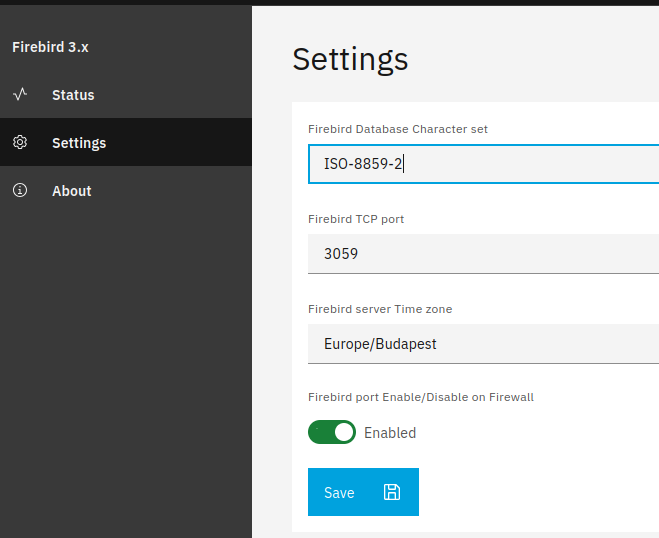
I installed NS8 on a Debian and after that update the Version text field appears without having to clear the cache of the same browser or restart NS8 on Debian.
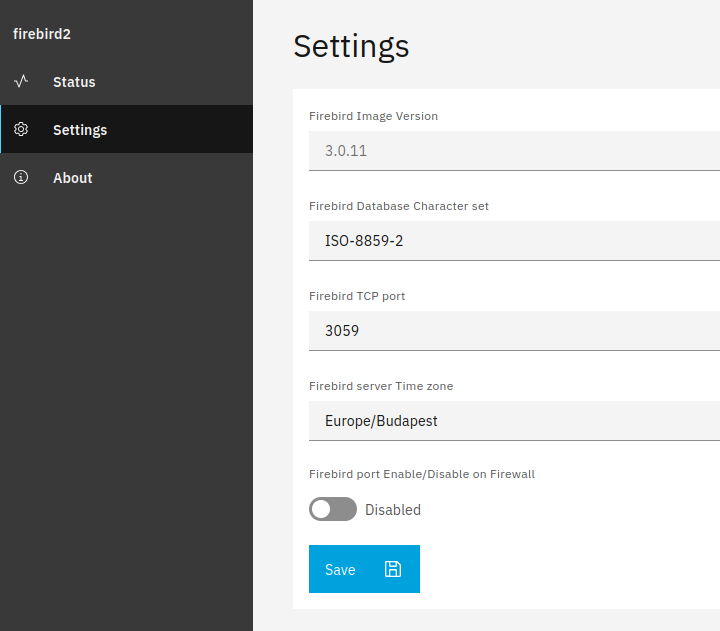
What’s wrong with NS8 running on Riocky Linux? This problem occurs with every update on Rocky Linux…
Please check the logs, maybe there’s a permission issue?
Which command do you use to update?
I don’t see any error entries in the log. I use the following command to manually update the module:
api-cli run update-module --data '{"module_url":"``ghcr.io/sipi58/firebird:latest","instances":["firebird5"],"force``":true}'
Now, half an hour after the update, I cleared the browser cache again and the Version text field appeared. It’s completely incomprehensible why this happens regularly…
Thanks for the solution, I’m still working out the solution in principle… It seems I’m a bit slow 
I understand where and how the text field gets the data, but I don’t understand how the ComboBox will read the data if I replace the Text field with the ComboBox in Settings.vue.
Maybe I can solve it so that FIREBIRD_IMAGE appears in the firebird-app.srvice file…
Maybe it’s a copy/paste error but there are backticks (“`”) in your command that shouldn’t be there, following command should work:
api-cli run update-module --data '{"module_url":"ghcr.io/sipi58/firebird:latest","instances":["firebird5"],"force":true}'
Do you use one of the supported browsers? See System requirements — NS8 documentation
It’s not simple, there’s an action that fills the values for the combobox, see for example ns8-imapsync/imageroot/actions/list-tasks/20read at df5bc6582fbab72cf5bd273a8681b80ebc447ae0 · NethServer/ns8-imapsync · GitHub and ns8-imapsync/ui/src/components/CreateOrEditTask.vue at df5bc6582fbab72cf5bd273a8681b80ebc447ae0 · NethServer/ns8-imapsync · GitHub
You could search on NethServer Github for “nscombobox” to find other examples.
It’s definitely a copy/paste problem because I’m using the same one as we’ve written about several times. This command works on Debian…
Yes, I use Firefox, rarely Chromium. Unfortunately, the problem occurs in both.
Thanks for the link, I will study it and get back to you with my questions.
1 Like
If you’re committing to your repo, it takes some time until the package is built. If you upgrade to fast, you’re upgrading to the old package which could be the cause of the issues…
@mrmarkuz I am looking for a solution for selecting ComboBox in Firebird versions. It’s quite difficult to understand how NS8 works in this regard.
The task would be to be able to choose which of the two Firebird versions should be installed in the Settings. I would set this as a fixed value in the 10configure_environment_vars file. This would be, for example.
# FIREBIRD_IMAGE=docker.io/firebirdsql/firebird:3.0.11
version = data.get(“version”,“3.0.11”)
and
#FIREBIRD_IMAGE=docker.io/mladenp87/firebird-2.5-ss
version = data.get(“version”,“2.5-ss”)
Unfortunately, I can’t find an example on Nethserver github where you can choose from two or more fixed values with the ComboBox. There’s nothing about it in the Dev manual either…
Can you give an example of this?
Thank you for your help
1 Like
I opened a pull request to show how to fill values for a combobox.
You can’t use 2 completely different images (one official firebirdsql and one unofficial mldatenp87) as they use different volumes and that doesn’t match to the service file.