I’ve installed Nethserver 8 as an internal server in the local network.
Multiple users have been created and also some public mailboxes.
Is there any way to periodically fetch emails from a (remote) catch-all mailbox (remote mail server, e.g. *@example.com) and deliver them to the local users (and local public mailboxes)?
Maybe with a default user/mailbox for emails that can’t be matched/delivered?
I did not find anything in the documentation or configuration.
There was some discussion years ago (NS7) regarding this, see
Is a sieve filter an alternative? For example a special account with Sieve rules distributing messages fetched by Impasync from the multi drop remote account…
Thanks for providing this solution! I’m gonna test it. One follow-up question: Are the filters also executed when Roundcube is not open (on the server)?
And: is there any way to get around the mentioned limitations (spam check/virus check/auto reply)?
set postmaster "info@example.com"
set no bouncemail
set no spambounce

poll pop.remoteserver.com tracepolls proto pop3 uidl auth password port 995 timeout 60
    localdomains "example.com" user "*@example.com" password "<PASSWORD>" ssl keep to *
All emails are delivered to existing users and mailboxes. If a user doesn’t exist (e.g. not.existing.user@example.com), the mail is delivered to the postmaster (in this case specified as: info@example.com)
But with the downsides
it’s not manageable in the UI (but doesn’t need to be touched when a new user is added)
I’m not sure, but I think the same limitations (virus/spam/auto-reply) apply
@mrmarkuz I also saw your ns-8fetchmail implementation, but can’t get it running (the cronjob doesn’t start, maybe there’s some additional configuration needed?).
Is this still maintained?
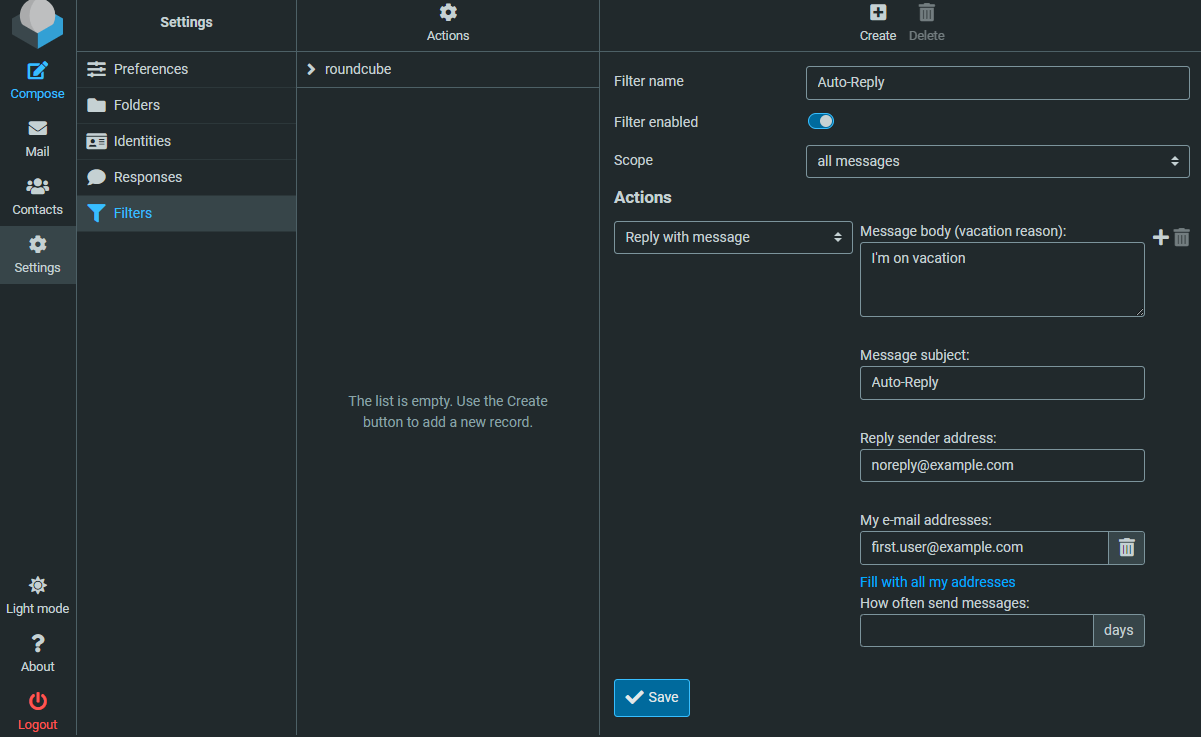
I set up a auto-reply filter. The filter works if I send an email internally, but not when I use fetchmail for delivering the email from the remote server.
Any idea why the auto reply email is not sent? Where or how can I check why this doesn’t work?
You could check the logs of the mail app to maybe find infos why the mail isn’t sent. The issue could be that the autoreply is just sent once per sender.
Dec 01 18:11:42 zeus2 dovecot[1001644]: lmtp(first.user)<9327><2a80Bk7MLWlvJAAAt2YSYA>: sieve: msgid=<5327709799a5f5efa31849832860ca9d@example.com>: vacation action: sent vacation response to <second.user@example.com>
Dec 01 18:13:43 zeus2 dovecot[1001644]: lmtp(first.user)<9392><sCIDDMfMLWmwJAAAt2YSYA>: sieve: msgid=<1602613901.316303.1764609174048@email.ionos.de>: vacation action: sent vacation response to <someexternal.user@external.net>
The difference is the domain in the msgid (the SMTP host configured in the Mail Relay is smtp.ionos.de). Maybe the SMTP host doesn’t accept the message. Can I check this anywhere? I don’t find anything related in the logs.
Sorry for so many questions…
Update
Seems it’s a misconfiguration. Sending to from internal Roundcube to an external email address works, but when the sieve vacation action is triggered, the verbose log shows something like
[...] 3A7808203F7: to=<someexternal.user@external.net>, relay=smtp.ionos.de[213.165.67.113]:587, delay=1, delays=0.46/0.01/0.49/0.04, dsn=5.0.0, status=bounced (host smtp.ionos.de[213.165.67.113] said: 550-Requested action not taken: mailbox unavailable 550-Sender address is not allowed. 550 1M6DOg-1vSLHM0tc8-002uGo (in reply to MAIL FROM command))
I currently can’t figure out what the vacation sieve filter sets as sender address. Seems it’s not the “Reply sender address” configured in the filter as this would be a valid address.
If I configure the Mail-Relay (of the Nethserver 8 Mail App) with a Default rule (to send every email regardless of domain), I can send out emails (any email with domain example.com) with Roundcube, accepted by Ionos.
For the vacation filter I configured the same email address as the internal address, first.user@example.com for “Reply sender address” and “My e-mail addresses”.
But Ionos refuses the auto-reply email with
Dec 2 11:12:28 postfix/smtp[581]: D54539446A4: to=<test@external.net>, relay=smtp.ionos.de[213.165.67.97]:587, delay=0.58, delays=0.09/0.01/0.45/0.03, dsn=5.0.0, status=bounced (host smtp.ionos.de[213.165.67.97] said: 550-Requested action not taken: mailbox unavailable 550-Sender address is not allowed. 550 1N95mR-1wBGOp1pbz-00sxVn (in reply to MAIL FROM command))
If I configure the NS8 Mail-Relay to only send for example.com, I can send out mails with Roundcube (like above), accepted by Ionos.
But Ionos refuses the auto-reply email with
Dec 2 11:08:14 postfix/smtp[463]: 37E29948454: host mx01.ionos.de[217.72.192.67] refused to talk to me: 554-kundenserver.de (mxeue103) Nemesis ESMTP Service not available 554-No SMTP service 554-Invalid DNS PTR resource record 554 [...]
So it seems the auto reply email has a different domain configured for the sender (not example.com).
Is there any way to check the vacation email? I don’t see the email in the logs (though looking at the journal’s verbose logs).
As expected, the filter works as configured (and is working for internal email), this is the result.
Performed actions:

 * send vacation message:
    => seconds : 604800
    => subject : Urlaub 7
    => from    : noreply@example.com
And: if I set the Mail/Settings/Relay/Always BCC address to an internal email address, the vacation email is also forwarded and received, only the Relay to the external email address fails.
I tried an NS7 as smarthost using a default relay rule on NS8 and it worked.
Maybe there’s a way to check the logs at ionos?
Maybe you need to create a “noreply” account at ionos so the sender address “noreply@example.com” is allowed?
Did you already try to remove the “Reply sender address” and just keep the “My e-mail addresses” field in the Roundcube filter so the mail should be sent with the user mail address instead of “noreply@example.com”?
Please also search for “vacation” in the mail log to hopefully get some info about the sent vacation mail.
EDIT:
Maybe it makes a difference how fetchmail is configured, my config looks like: (192.168.10.123 is the LAN IP of the NS8)
poll my.mailserver.tld proto imap port 993
    user "markus" password "secret" ssl keep is "markus@example.com" here smtphost 192.168.10.123
I now debugged the SMTP session and it looks like when the email is received with fetchmail the vacation filter creates a reply email without a from address (but only for the email to be sent to the external address? ).
This is what I found in the verbose logs:
Dec  2 15:41:06 postfix/smtp[1263]: > smtp.ionos.de[213.165.67.97]:587: MAIL FROM:<> SIZE=754 BODY=8BITMIME
[...]
send attr reason = host smtp.ionos.de[213.165.67.97] said: 550-Requested action not taken: mailbox unavailable 550-Sender address is not allowed. 550 1MG90u-1vIo4E0nlM-00HJG8 (in reply to MAIL FROM command)
Does it make any difference in which context fetchmail runs?
I tried it now with a not-catchall variant (close to your fetchmail configuration, single email address, but POP3) and it also gave me the incorrect result (vacation email bounced).
I’m going to wipe the server and reinstall it, maybe the countless failed NS7 migrations cause the problem. Though I completely uninstalled NS8 and reinstalled it today.
I’m gonna close this thread and open a new one, the problem now is not directly related to the topic.
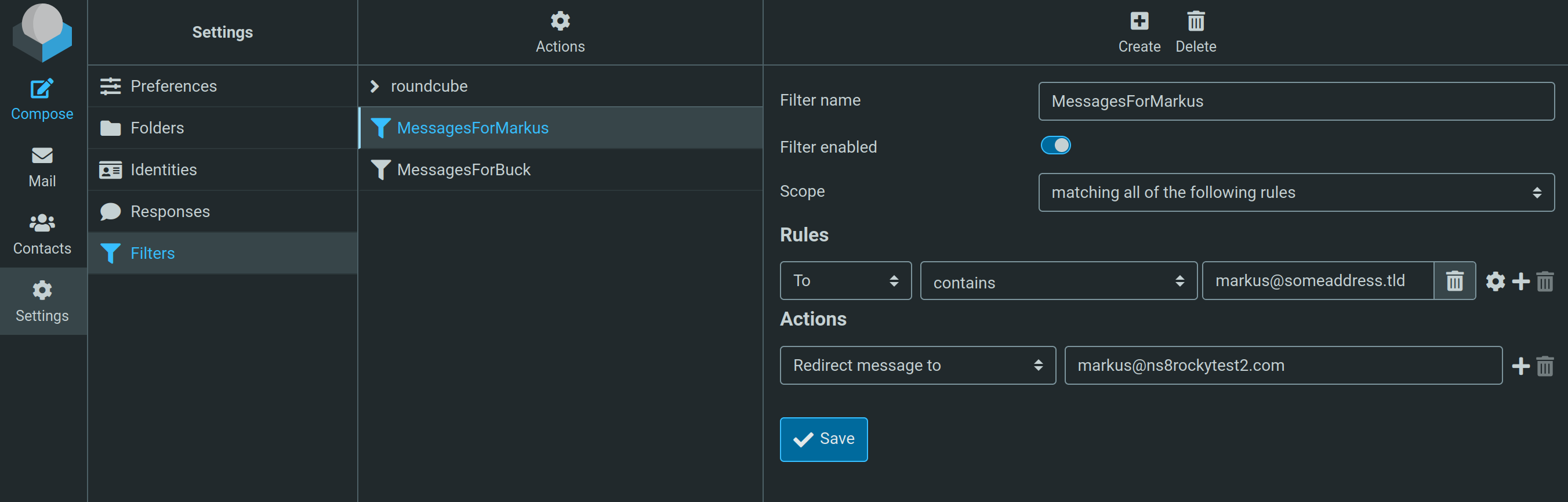
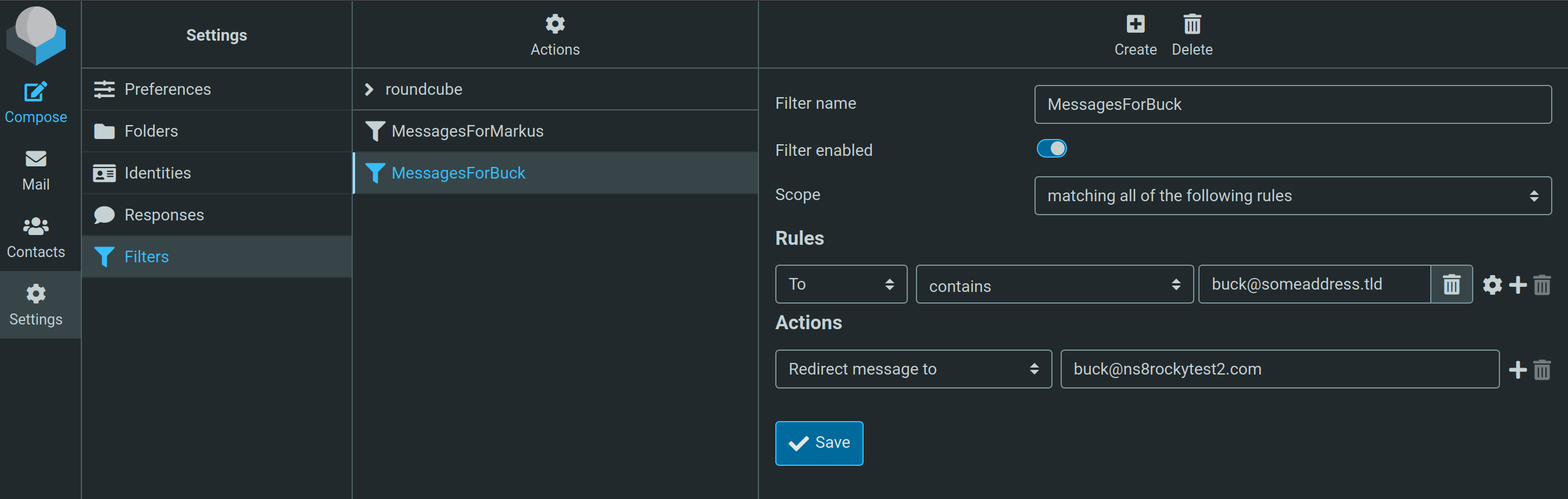


 ).
).