In relation to this: ERPNEXT: The most agile ERP on the planet in NS8 - App - NethServer Community
We are Happy to Announce a New Version of Erpnext, Which is a Significant and Major Milestone release for Nethserver, ANd SUpports Erpnext Version 16
Which was Released Officially In January Releases · frappe/erpnext
Our Release Notes
You can find the Release Notes of Our v4 App Module, for erpnext version 16 Here:
Release 4.0.0-beta-1 · geniusdynamics/ns8-erpnext
Innovations and Improvement.
- Ability to Select Custom erpnext Version

We now Support both Version 15 of erpnext, as well as Version 16. If you already have verson 15 installed, and have customiztions not yet migrated to versio 16, you can still Retain and Maintain your installation of Frappe Apps on V15.
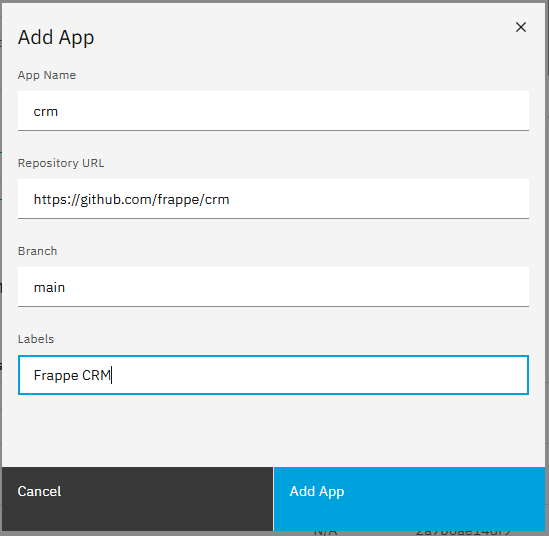
- Ability to Dynamically Add, Edit or Remove, frappe Apps you dont need, or would like to install and build
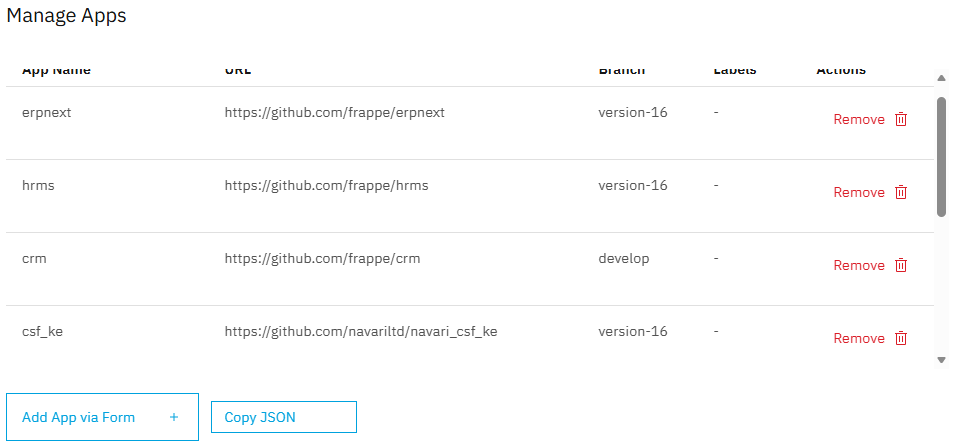
You are Now in control, and any of the Thousands of ERPNEXT Apps, you should be able to Self Install on your Frappe Instance on Nethserver
- Bundles Apps Installation with App.json config
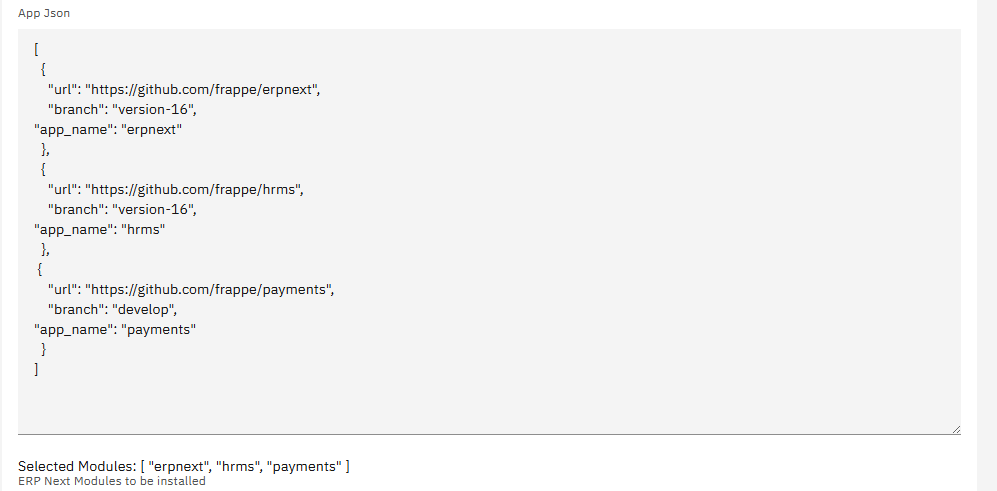
You can Self Create a List of Applications you would like to Bundle in your Installation, and NS, will Build the corresponding Docker Image, with the Relevant Apps pre-packaged for your consumption.
- Direct Migration from V15 to V16
You now have the Ability, to Effectively nd Efficiently Migrate From v15 of erpnext, to V16, and Nethserver Will handle All the Underlying processes.
NOTE:: Make sure your installed Apps, Are Already on V16, or have v16 support branches.
Reduced Server Resources Consumptions.
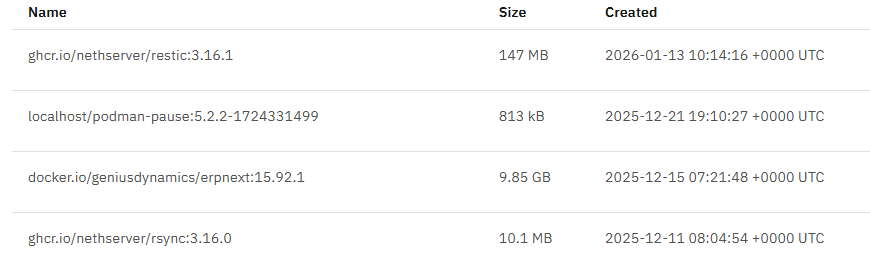
Above, Older Image Size of Erpnext, Regardless of which Apps you isntall.
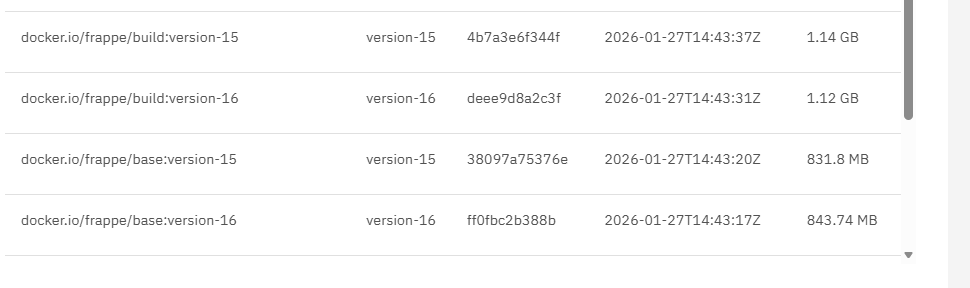
ABove, The New Size of Dynamic Image Build for erpnext.
- .No ERPNEXT Limitations
You Should Be in A Position to Install Any Standalone Frappe Application,
Frappe CRM
Learning Management Sytem
Build
Insights
etc, Without the Need for erpnext, from the Frappe Ecosystem.
This presents Endless Possibilities.
Ldap/AD Host Support
You can Now Join your eprnext instance
Installation:
You can Do a Manual installation of the New Version of Erpnext from
add-module ghcr.io/geniusdynamics/erpnext:4.0.0-beta-1 1
After Installation
Add Your App.Json file,with List of Apps you wish to install, or Add Github Repos One by One, through the Add Apps Popup Form.
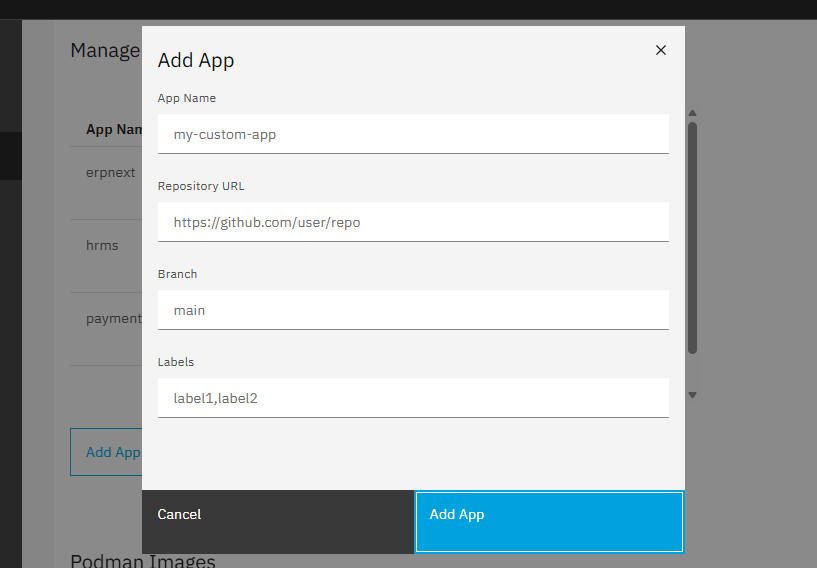
Chose the Apps you would like to install, from the Built Images
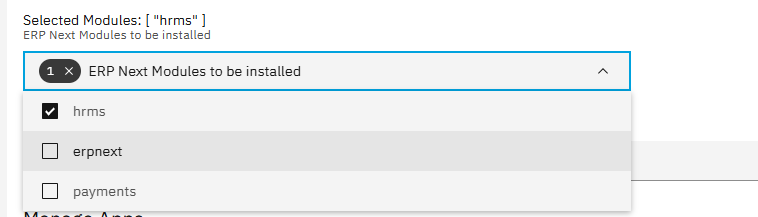
You Don’t have to install All Apps on the Docker image
Configure you Application.
Nethserver will Build a New Custom Docker Image, on LocalHost, and Make it Available for you to install Apps
Updating to this Version
Some Breaking Changes, With Manual Actions have been introduced with this new version,
While We worked so hard to Make sure everything is as seamless as Possible, We assure you it will not result in lsoe of data, or Configuration,
Identify the Apps, you have installed in your current version

Then RUn Update command
api-cli run update-module --data '{
  "module_url": "ghcr.io/geniusdynamics/erpnext4.0.0-beta-1",
  "instances": ["erpnext1"],
  "force": true
}'
After Updating, Add the Appjson of the Apps you have installed, or any other relevant Apps you Wish to have istalled.
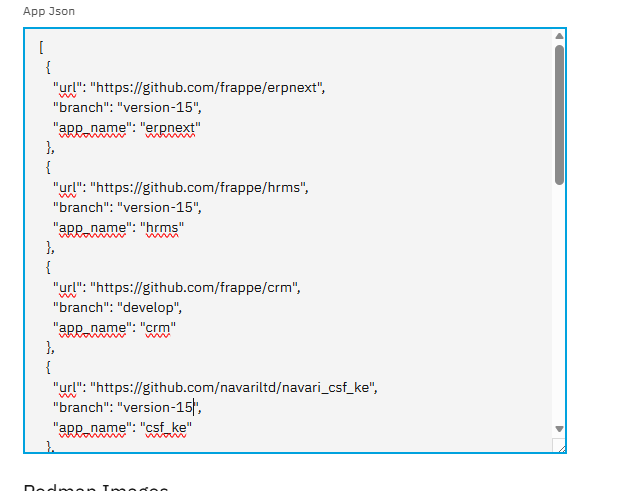
Chose erpnext v15 on the VErsion selector, then
COnfigure Module.
Your new Image should be built, and eprnext configured, and Updated to the latest version.
Additional Upgrade instructions, and Manoeuvrability have been added here: geniusdynamics/ns8-erpnext: ERPnext Module for Nethserver 8 Free and Open Source Enterprise Resource Planning (ERP)
You should even be able to Upgrade to Version 16 as well, but remembers, to Update Appsjons, for other Apps, to corresponding Branches.
Happy Testing, and Usage, Looking forward to your Feedback.
Happy new Month,