App requests - Tailscale and Headscale

Thanks about the magic DNS. I’m going to add the base_domain to the UI.

I guess we need 2 lists, one for the nameservers and another one for the split DNS list.
Another way would be retesting headplane as it supports the DNS settings…

Is there another configuration setting that’s important to have in the UI?

I just added issuer, client id and client secret to the UI but there are more options. Maybe we need to configure the scope or enable pkce?

It’s possible to edit the config.yaml file and restart the services to apply the custom config.
It’s overwritten when the headscale-app is reconfigured from the UI.

Edit config.yaml:

runagent -m headscale1 nano config.yaml

Restart services:

runagent -m headscale1 systemctl --user restart headscale
1 Like

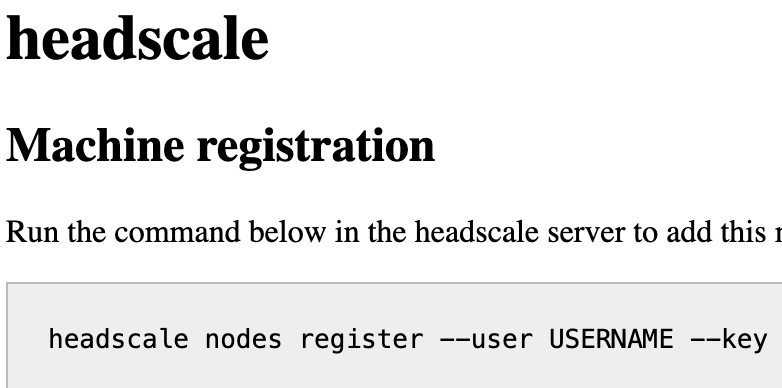
I noticed that the config on the docs page had quotes around the URL, client id, and client secret, so I added them. No change–when I go to Tailscale on my client computer and add a new account on the new server, it immediately sends me to this web page:


I don’t see anything obviously wrong in the config, but I haven’t used it with Headscale before.

I don’t think I’d changed anything else in my current production Headscale server.

1 Like

Thanks for testing!

Is there something useful about oidc auth in the logs?

Authentik should be supported, except of encryption, see OpenID Connect - Headscale

You could try the config setting

only_start_if_oidc_is_available: true

to test if headscale is able to reach the oidc server.

I tried that, no change.

Good question, and there is:

2025-08-18T16:24:48-04:00 [1:headscale1:headscale-app] 2025-08-18T20:24:48Z FTL home/runner/work/headscale/headscale/cmd/headscale/cli/serve.go:24 > Error initializing error="creating new headscale: creating OIDC provider from issuer config: Get \"https://authentik.familybrown.org/application/o/headscale/.well-known/openid-configuration\": dial tcp [2605:a142:2073:5369::1]:443: connect: connection refused"

Interesting–that is an IPv6 address that belongs to the server, and I do have an AAAA record pointing to it, but it seems NS8 is refusing connections to that address.

Is Authentik running on the same server?

It is, using Martin’s app.

1 Like

It could be a podman network limitation that makes the host unreachable.

Could you please try the following? We had similar issues with collabora and onlyoffice.

Edit the headscale.service file:

runagent -m headscale1 systemctl --user edit --full headscale

Add the --network=slirp4netns:allow_host_loopback=true option as shown below:

ExecStartPre=/usr/bin/podman pod create --infra-conmon-pidfile %t/headscale.pid \
    --pod-id-file %t/headscale.pod-id \
    --network=slirp4netns:allow_host_loopback=true \
    --name headscale \
    --publish 127.0.0.1:${HEADSCALE_TCP_PORT}:8080 \
    --publish 127.0.0.1:${HEADSCALE_UI_TCP_PORT}:8081 \
    --replace

Restart headscale:

runagent -m headscale1 systemctl --user restart headscale
1 Like

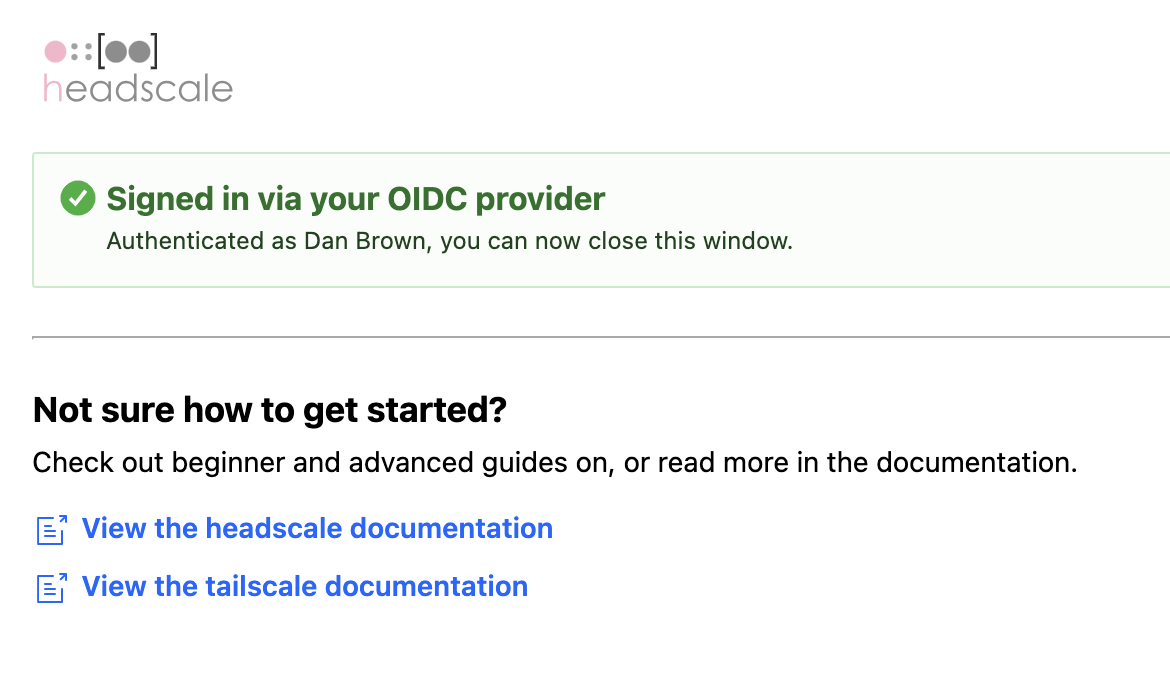
That seems to have done the trick. I’m already signed in to Authentik on this browser, so when I went to add the account to Tailscale, it showed me this page:


…and I’m good to go.

1 Like

Great, so OIDC is working! In the next update the network option will be included.

1 Like

The only remaining question for me on the OIDC configuration is what (if anything) I should enter for the Redirect URI in Authentik. Right now I’ve set it to a Regex of .*, which would allow any redirect URI, but I’m thinking it should probably be narrower than that–but I don’t see anything in the Headscale docs to answer that question. Maybe I should try just leaving it blank and see what happens.

1 Like

Maybe following redirect URI is working?

From OpenID Connect - Headscale

Redirect URI for your identity provider (example: https://headscale.example.com/oidc/callback).

Looks like that page has seen significant updates since its stable version, which I’d linked to above, and the development branch does indeed answer the question–thanks.

That version of the page also makes it look like PKCE is recommended. Perhaps add a toggle for that?

1 Like

Yes, I’m going to implement the toggle.

EDIT:

New version available in Software Center: Release 1.0.1 · mrmarkuz/ns8-headscale · GitHub

EDIT2:

New bugfix release: Release 1.0.2 · mrmarkuz/ns8-headscale · GitHub

1 Like

Related, maybe someone might find interesting Tailscale and RustDesk: Secure remote access to all your desktops

3 Likes

It took a while, but I’ve moved most of my devices over to this Headscale installation. It’s working just fine. SSO via Authentik works, magic DNS works, split-brain DNS works. Now I can drop, or repurpose, one of my VPSs. Thanks!
2 Likes

Thanks for the nice feedback and pointing out the important features of the app.

I’d still like to see Headplane implemented, but this is able to get the job done.

1 Like

this usually feels so good. NS8 has done this for me too. Condense numbe rof VMS and amount of logins, i had to manage before..

1 Like

Well, mostly working. My NS8 system has joined the tailnet, but it’s unable to communicate with anything else on the tailnet:

➜  ~ tailscale status
100.64.0.11     ns8                  dan@         linux   -
100.64.0.9      blv-cube             dan@         linux   -
100.64.0.1      danmacbookpro20132   dan@         macOS   -
100.64.0.15     danmacmini           dan@         macOS   -
100.64.0.8      emily-iphone         emily@       iOS     -
100.64.0.2      imaging-lenovo       dan@         windows offline
100.64.0.4      imaging-mele         dan@         windows offline
100.64.0.7      laptop-2utpcmam      dan@         windows offline
100.64.0.6      localhost            dan@         iOS     -
100.64.0.3      opn                  dan@         freebsd -
100.64.0.5      opnsense             dan@         freebsd -
100.64.0.10     qidi-q1              dan@         linux   -
100.64.0.13     truenas-home         dan@         linux   idle, tx 7800 rx 0
100.64.0.14     truenas-ugreen       dan@         linux   -
100.64.0.12     wxbox                dan@         linux   -

# Health check:
#     - Some peers are advertising routes but --accept-routes is false
➜  ~ tailscale ping wxbox
ping "100.64.0.12" timed out

I expect this is something to do with the built-in firewall, but not why. wg0 and tailscale0 both belong to the trusted zone:

[root@ns8 ~]# firewall-cmd --zone=trusted --list-interfaces
tailscale0 wg0
1 Like

Are you using ns8-tailscale on the NS8? I think you’re locked up in the container. I hope to find a solution.