Wireguard MTU not propagated to clients configuration files

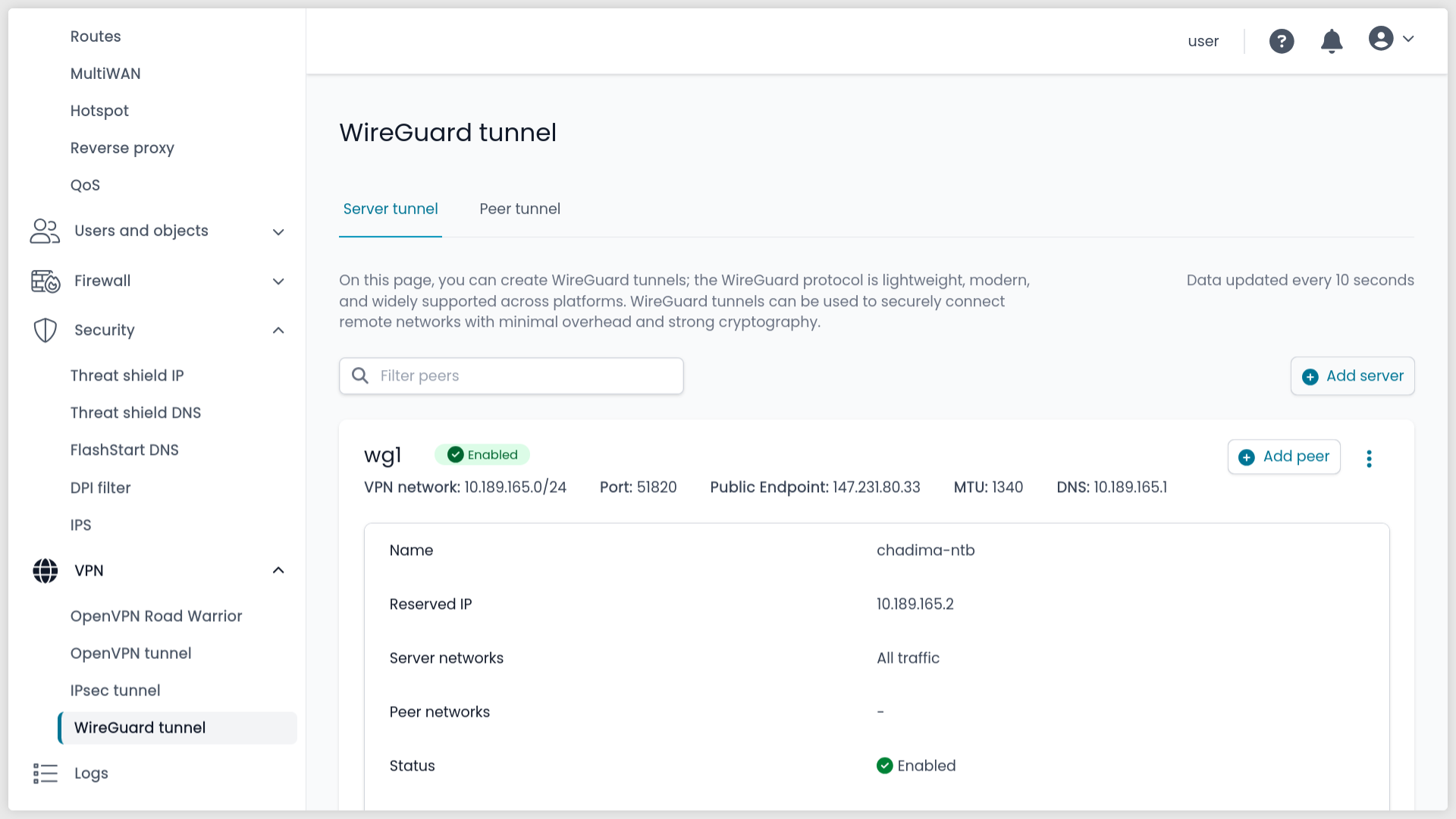
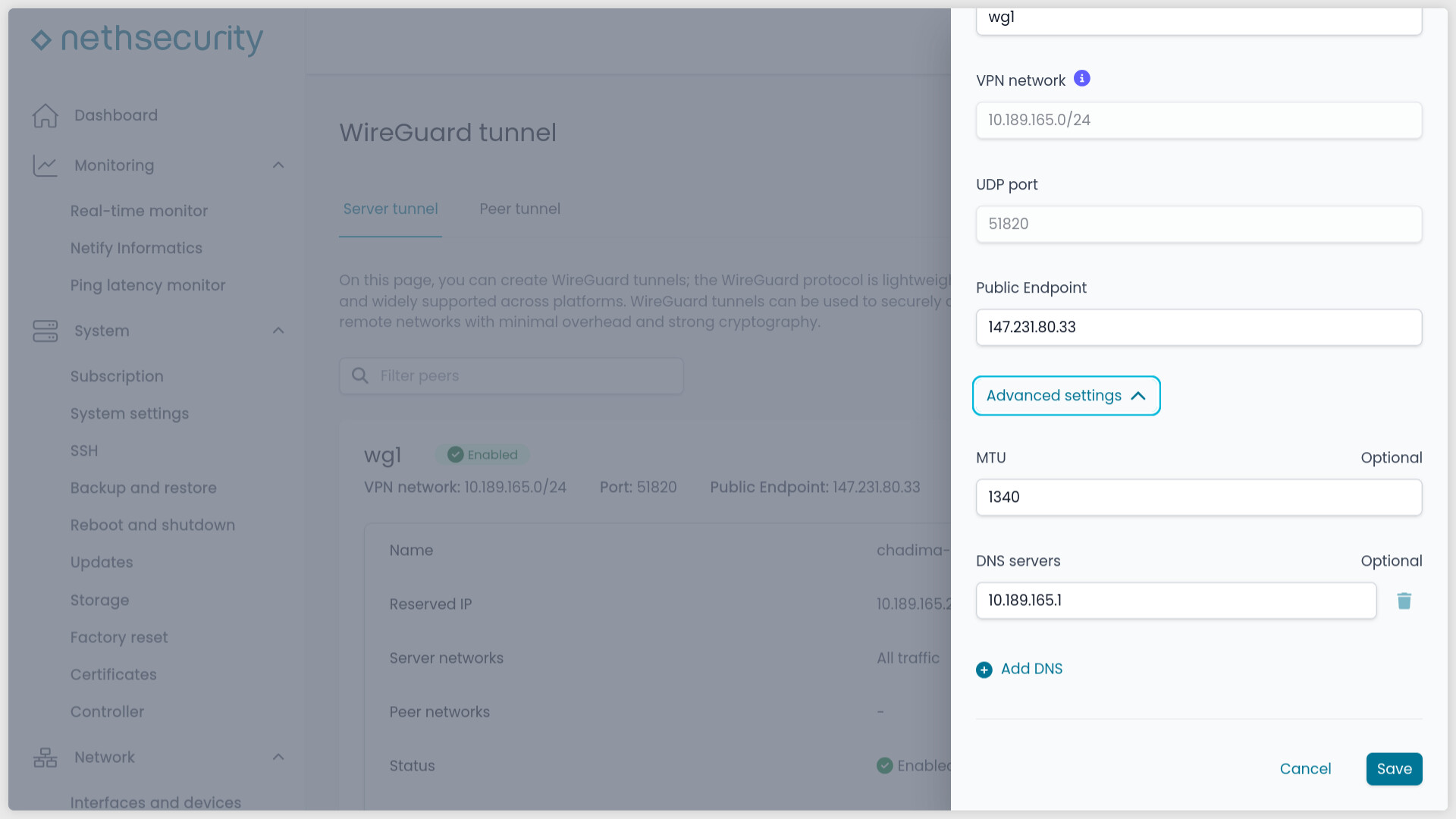
If the MTU parameter is filled in WireGuard tunnel → Edit tunnel → Advanced settings

the expected behavior is that the generated configuration file for a peer should contain the MTU.

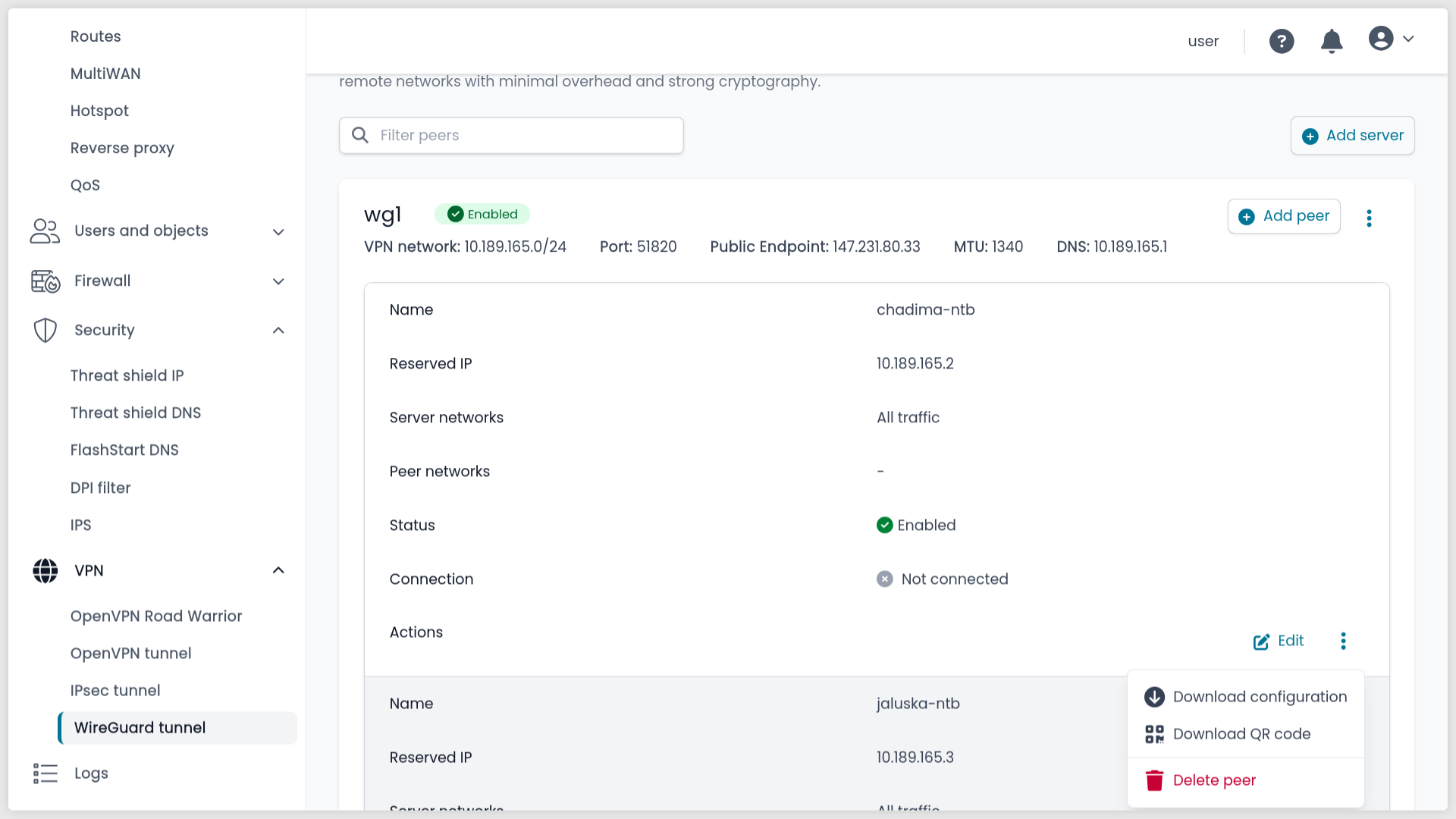
Wireguard tunnel → Download configuration:

But the downloaded configuration file lacks the MTU parameter:

[Interface]
# Name = chadima-ntb
PrivateKey = xxx
Address = 10.189.165.2
DNS = 10.189.165.1

[Peer]
# Name = wg1
PublicKey = xxx
PresharedKey = xxx
AllowedIPs = 0.0.0.0/0, ::/0
Endpoint = 147.231.80.33:51820
PersistentKeepalive = 25

It should contain in this case:

[Interface]
...
MTU = 1340

[Peer]
...
1 Like

actually the MTU value is added to the Wireguard device on the server side of the tunnel

config interface 'wg1'
        option proto 'wireguard'
        option private_key 'xxx'
        option listen_port '51820'
        option ns_network '10.189.165.0/24'
        option ns_public_endpoint '147.231.80.33'
        option ns_name 'wg1'
        option disabled '0'
        option ns_type 'server'
        option mtu '1340'
        list addresses '10.189.165.1/24'
        list ns_dns '10.189.165.1'
ifconfig wg1 | grep -i MTU
UP POINTOPOINT RUNNING NOARP  MTU:1340  Metric:1

but mostly you want to leave the server side of the Wireguard tunnel on default 1420

and change only the client/peers MTU…
changing only the server side will not work for most clients

2 Likes

What do you think @Tbaile ? Should I open a feature request about allowing to change the Wireguard peer MTU?

From the other topic:
This is more of an opinion on how to properly create a VPN tunnel on a server for multiple peers,
but at this point Nethsecurity is going against the recommendations and best practices.
And the MTU configured this way will not work for peers connecting over “bad” network providers.
For example some bus and railway carriers, hotels etc.

It’s caused by a network configuration error at the provider.
If the provider has a smaller MTU on the route to the internet than the standard one, because they probably have the connection wrapped in another VPN layer, but the WiFi of the provider won’t tell your computer and the network stack of your OS.
Anything TCP (including TCP OpenVPN) will work but not UDP (Wireguard).
VPNs that set the normal MTU on TUN connections in UDP mode fail epically, because longer datagrams are silently discarded, instead of rejected it with an error.
So you need to reduce the MTU on the VPN network interface of the peer using the UDP protocol so that it can pass through those providers.

That is the reason you need to change the MTU for the peers and there config files, not the server MTU. The need of changing the servers MTU is very unlikely and rare, because most of the servers are not using networks with these problems.

This means only to add to the downloaded .conf file and QR code a line:

[Interface]
...
MTU = xxx

[Peer]
...

We can, of course, no problem. If you want to do the honors :grimacing:

I wish more people are aware of how networking works as you do :folded_hands:

I left this out for the following:

  • If you need to edit the MTU of every client, it’s probably a server-side issue, this is why the MTU applies to the server
  • You usually don’t need to edit the MTU into the peer, and if you do it’s a client-only configuration, I left the information out of Nethsecurity configs

But I still need to tweak the Wireguard implementation, so it can be done no problem.

1 Like

I opened a feature request:

1 Like

Maybe unrelate, but still I thought I ask. @mrmarkuz is your wg-easy module MTU discussion related?

Thanks.

With wg-easy it’s possible to change the client/peer MTU.

1 Like

no - this is incorrect
if you need to edit the MTU of every client, you still need to do it only on the client/peer site

reason:
you assume that all your clients will use WiFi on a hotel chain which has a stupid network
so you have to set every client MTU (lover)
setting the server MTU will not help
because the client will try to establish the connection with standard Wireguard MTU 1420
and on a bad network not a single datagram (UDP packet) with MTU 1420 will pass through
so there will be no connection

changing the MTU on the server site is necessary only
if there is something similar on the server internet connection
like a server with all traffic routed through a VPN etc.

3 Likes

I hoped Wireguard was a bit more robust on that note, but noted, will apply your suggestion :folded_hands:

1 Like

So, there is a good reason to have a default value for the peers MTU. Like other Wireguard web UI have. If there is a field for setting MTU, it Is never for the server side.

Btw. The same applies for OpenVPN over UDP… This Is not about Wireguard beeing not robust but about the TCP/IP stack and most commercial VPN don’t work for clients on these “bad" networks…

1 Like

Only after reducing the MTU to 1390 did the WG connections remain stable in Deutsche Telekom’s LTE network. Previously (with the standard MTU), traffic simply collapsed after a certain amount of time.

This primarily affects all my iPhones, Macs and iPads, provided they access the internet via a personal hotspot.
Now I can make effective use of my automation, which automatically activates WG outside my own Wi-Fi network.

1 Like

1390 Is exactly the number, when you encapsulate Wireguard in to another VPN…

1 Like

But I don’t use any other ones. Not even Apple’s own ones.

The provider does…

1 Like

The same 1390 helps on Czech railways, buses, a lot of hotels etc.

1 Like

btw: You have an intereristing profile

Thanks :slight_smile: That information is actually quite old; I haven’t updated it in a while.

Following disruptive changes among the shareholders at Fortebet (the largest sports betting company in Uganda, with a presence in Rwanda, Zambia, Kenya, South Sudan, Nigeria, Tanzania, etc.), the IT department was completely outsourced to a company connected to one of the shareholders. Consequently, my time as CIO ended.

I was subsequently offered a ‘dream job’ as Head of Software Development for the largest IT company in the Czech Republic (an outsourcing partner for Skoda Auto, Hyundai, Coca-Cola, Pepsi, etc.). I had previously managed cybersecurity and tier labels projects for them, and we had a great working relationship.

However, I decided to take a different path. Even though my degree is in Psychology and Pedagogy, I wanted to start doing the technical work I had previously only managed. So, I am now a System Administrator for a large research organization—or, as I jokingly say, ‘only a stupid worker.’

I handle everything from the ground up: hardware, networking, WiFi, and IT infrastructure (using Ceph and Proxmox), as well as email, identity management, cloud services, DevOps, web hosting, and AI servers. Essentially, all services for the users are locally hosted. Web presentations are locally hosted (more than 50 projects) and for our developers, I manage the local GitLab and CI/CD pipelines for deployment. I manage a large academic node with cca 2000 users. I like my job. In a moment I will redo an automatic system of Docker/Kubernetes images updates from distant and local image repositories.

I really like my job and I love the open source technologies I’m using. Nethsecurity is one of them. I have already migrated firewall for users and firewall for guests and eduroam to Nethsecurity. The next goal is to migrate a firewall for all servers and a big network router for five /24 public subnets and more than 10 subjects using it (to unify the technologies). Btw. the “big router” (and the server firewall too) is OpenWRT and I’m already testing Nethsecurity Snort package on this firewall :rofl: with a 25Gbps uplink.

2 Likes

It took me a minute to digest what I have been reading and from what I understand from what I have read is that:

  • You have worked in/with/responsible for/with 9 countries in EMEA
  • You were responsible for 5 global brands of the like of Cocal Cola / Fortune 500
  • You had 20 different key reposnisble IT roles
  • You have a minimum of 12 highly valued skill-sets
  • You are looking for a job
  • You have your car B license, so you may drive a normal car
  • You can let old hardware make magic happen
  • You had no time to add to your Github profile for the last 4 years
  • You can use the ‘I’ refrence in one post 17 times

That is HUGE to say the least, are you for hire please?

(Sorry for using ‘You’ 9 times, but there was nobody else to refere to.)

:slight_smile: