
No, that doesn’t work.
I’ll show you what I get, then you may understand.
In not saying the return key doesn’t get me logged in, I just came read anything or do much with all this happening…
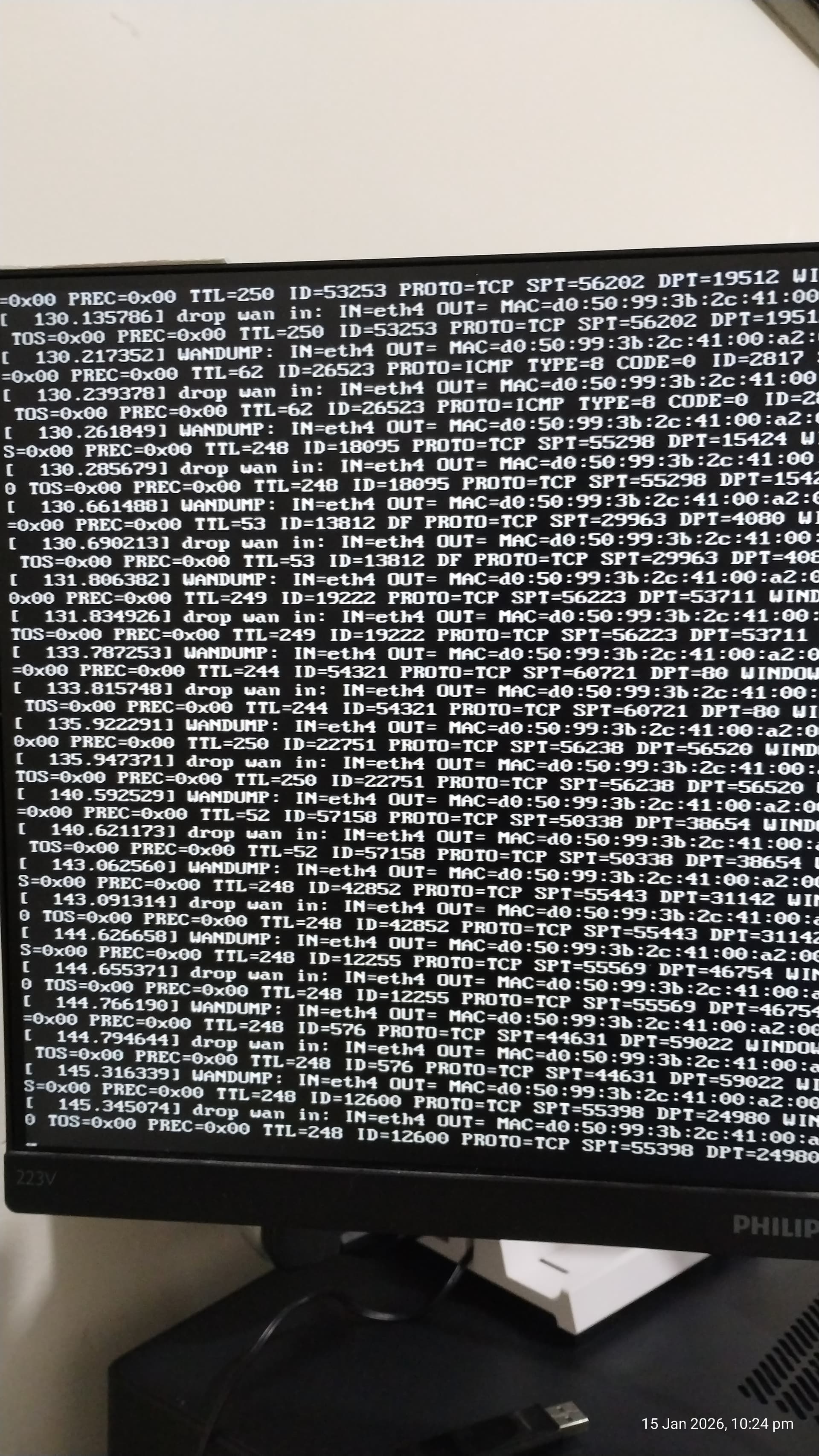
Literally line after line appearing on the screen….
Edit: I should mention that I can’t even log in using SSH… I put in the correct password for the user and it just doesn’t accept the password. So I can’t log in that way either before you say that.  I know what you thinkin.
Edit2’: I do the fdisk to align the system up from the old version and drive testing and all that to prevent issues. If it was a freshly wiped drive then I wouldn’t have to. It isn’t really necessary, but I do it just to be on the safe side.
Just like that instruction to do the extract and image at the same time, I do the things at separate times to reduce the possibility of failure. Means I don’t have to keep extracting it to image it each time. Saves time, resources and money. I did image to the drive maybe 20-30 times when I kept buggering things up on the firewall and locking myself out and more with the way the settings worked.
But I learned how the system works now so I have no issue with and have everything set up for now.
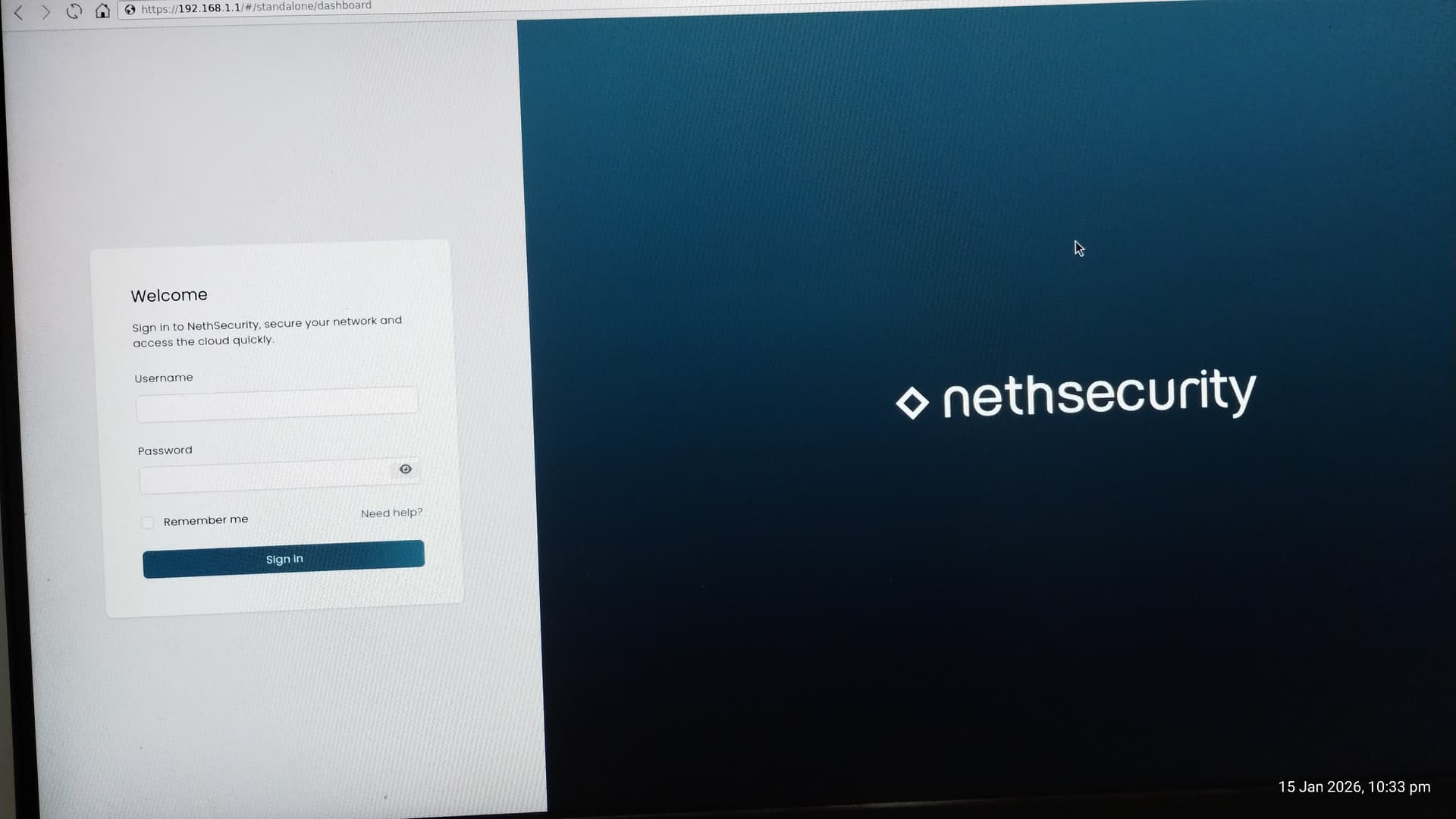
Maybe the interface assignment changed.
Please try to switch LAN and WAN cables.
No, hasn’t changed.
I had to do other things to get SSH access, which I really want to close that off asap…
Root login is just bad… it should be connect as user then su to root…
After a fresh install there’s just root. It’s possible to disable password authentication and use SSH keys.
How did you get SSH access?
I had to allow root to be able to log in. very dangerous. I had already created other users but it doesn’t let anything but root log in.
It’s explained in the OpenWrt Docs:
Hi @DRWhite
making a WiFi access point from Nethsecurity is not the best idea.
NethSecurity is an open-source Unified Threat Management (UTM) firewall designed to protect networks for Small and Medium Businesses (SMBs) and enterprises (like pfSense or OPNsense).
It uses NGFW (Next-Gen Firewall) DPI (Deep Packet Inspection) technology to detect applications (Layer 7).
It is a customized downstream rebuild of OpenWrt, a popular Linux operating system for embedded devices and routers.
Vanilla OpenWRT is neither a UTM nor NGFW and it is possible to use it on x86 devices, but it’s more of a trade off. In contrast to that Nethsecurity excels on x86 and offers network protection.
But OpenWRT is excellent for embedded devices and routers and WiFi access points.
Use a dump AP (in bridge mode) with OpenWRT together with Nethsecurity as the main firewall.
Most UTM’s and NGFW support WiFi only as a controller with external devices in bridged mode.
I know only some Fortinet, Sophos and WatchGuard products with integrated WiFi.
Ahh, okay, so I have to manually add it in the files rather than it being added in the UI.. Makes perfect sense now. And no, I don’t use SUDO, I remove it always.
I want the protection, but I also want the availability of having all the features that I need for protecting my network.
Having it as an access point isn’t a bad idea.
I mean NethSecurity, I’m finding, is missing a tonne of security options that is available in the basic OpenWrt. OpenWrt appears to do everything that Neth does and more. And Neth has a more broken system than they do.
I want control over the network, not have another 10 devices that have the wifi connections from the phones and laptops to then be passed through the one cable to the firewall that handles it all, meanwhile the devices can talk to each other and everything can communicate since they are connected to something other tan the main firewall system (NethSecurity).
So I’m actually ADDING security to my network by having the WiFiAP in the Neth box rather than having other devices do the WiFi access.
OpenWrt runs just perfectly on x86 and x64 devices. It does what Neth does, but without the issues, and with much more that I can actually do what I want, even add a VPN properly, and set up the WiFiAP with multi-SSID as well as separated and segregated connections with MAC restrictions so I can have everything separated.
So, if NS is using OpenWRT as it’s base, and OpenWRT can do all this with ease, and has just as much security as NS…
You say “next-gen” firewall… but I don’t see anything “next gen” about it, I see the same technology and systems that I was using in unix based systems back in 2001. Just with a pretty UI that has less functionality than I need because it doesn’t let me actually have control over things as it is EXTREMELY limited in what it lets me do.
OpenWRT is excellent for everything. NS I believed was going to be so much better as ti was supposed to be improved security and better control over things. But NS has seemingly failed in both areas and you seem to claim that you are next gen when you all use the same 25+ year old technology.
And yes, I am actually running an OpenWRT on my systems to run as comparison to see what NS is actually adding and doing differently so that I can actually try to fix your web interface that doesn’t work, as well as add more functionality that enhances security… But OpenWRT has a lot of that functionality already, so I think I need to wait for 8.7 to be fixed so that I can run a comparison with Neth properly as you may have things in 8.7 that I haven’t seen yet due to your WebUI not working….
All in all, OpenWRT has the functionality and excellent features, brilliant security and all.
There are a few things that these systems need for better use…
Neth didn’t have the features I want to look at getting added wither, in 8-25. So if 8.7 has the features then I won’t need to implement it, but if it doesn’t then I will have to add it in and make it work.
I just remembered that I used to run WiFi access points on x86 (with desktop PCIe slot reduction to mini PCIe - the cards themselves were professional cards with support for AP mode in Linux from Compex). The most terrible thing was the mess of wires to the antennas in the case (two cards and each 4x4 MIMO), some reasonable antennas (the most compact was probably this: https://compex.com.sg/shop/antenna/flatant-8x8-2/ ) and then powering these cards and cooling them… Those normal WiFi cards (USB and PCIe) for desktops that also have their own antenna(s) are not suitable for this purpose, because they either do not have support in OpenWRT/Linux at all or work only in client mode or cannot work reliably 24/7 with high throughput and many connections (part of the card runs in software - SoftMAC).
Well, the point is that even though I wanted to have a firewall on the same computer, I always ended up with virtualization (with PCIe passthrough) and one virtual with a robust firewall and the other virtual with a dump AP specialized for WiFi with a simple OpenWRT or Debian. You can’t have one tool for everything…
Try a bridged AP configuration (sometimes known as a “Dumb AP” or simply an “AP”).
you can still use Luci in Nethsecurity or the CLI (the same Luci and CLI as in OpenWRT)
and btw next-generation firewall (NGFW) is a technical term for the third generation of firewall technology, combining a conventional firewall with other network device filtering functions, such as an application firewall using in-line deep packet inspection (DPI) and an intrusion prevention system (IPS)
https://en.wikipedia.org/wiki/Next-generation_firewall
Mine is just a minipcie card with 2 antenna, it is jsut for a basic home networking connection to cover the house and yard, it’s an 8 db gain antenna on them just for that reason.
Mine has AP mode, and under Devuan I run it Multi-SSID mode with hostapd.
But it just doesn’t have enough security on it.
And you can have one tool for everything. It’s just hard to find that tool that works.
oh, DUMB…. in your message earlier you said DUMP….
Still, Woudl love to get another router working even just for now… the one I have is the AX5400 and I can’t get it to work properly with the DHCP pass through or getting an IP on the WAN port form the Neth box.. Driving me insane…
how do I access LuCi in Neth?
Ahh okay, so it took them about 10 years to give that functionality a name?
I was doing all that with my firewalls back in 1995 and earlier. So, next generation… nahh, it was first generation….
I myself am sometimes dumb.
Netifyd in Nethsecurity is application aware.
| Feature | 1st Generation | 2nd Generation | 3rd Generation |
|---|---|---|---|
| Type Name | Packet Filtering | Stateful Inspection | Application Layer (NGFW) |
| Approximate Era | Late 1980s | Early 1990s | Mid-2000s to Present |
| OSI Model Layer | Layer 3 (Network) & Layer 4 (Transport) | Layer 4 (Transport) with some Layer 3 awareness | Layer 7 (Application) |
| Primary Mechanism | Stateless Inspection: Checks individual packet headers against a set of pre-defined rules (IP, Port, Protocol). | State Tracking: Monitors the “state” of active connections (e.g., TCP handshakes) to ensure packets belong to a valid session. | Deep Packet Inspection (DPI): Inspects the actual payload of the packet to understand the application and content. |
| Key Functionalities | Filtering based on Source and Destination IP addresses, Port Numbers, and Protocols (TCP/UDP). | Maintains a State Table to remember open connections, utilizes Dynamic Packet Filtering, and blocks packets that are not part of an established handshake. | Application Awareness (identifying specific apps like Facebook vs. Skype), Intrusion Prevention (IPS), User Identity Management, and SSL/TLS Decryption. |
| Visibility | Low: Can only see “an envelope,” not the letter inside. Does not know if a packet is malicious, only if it is allowed. | Medium: Knows if the “envelope” is part of an ongoing conversation, but still cannot read the letter inside. | High: Reads the “letter” inside. Can see if a valid-looking packet actually contains malware or prohibited data. |
| Performance | High Speed: Very low processing overhead. | Fast: Slightly more overhead than 1st Gen, but efficient. | Variable: Requires significant processing power due to deep inspection. |
| Major Limitation | Cannot detect attacks within legitimate traffic (e.g., a virus sent over an allowed port like Port 80). | Vulnerable to Application Layer attacks (e.g., SQL injection) since it doesn’t inspect the payload. | Higher cost and complexity; latency can increase if hardware is underpowered. |
can refer to a TP-Link or ASUS or even other AP’s
but all support bridged mode (with tp-link it is a little bit more complicated)
use a PC or server for a firewall on bare metal or virtualized
and the AX5400 as a bridged AP - normal and most common solution
(and you can even use/add the Devuan as (another) bridged AP
and use anything you like as the main firewall…)
Voilà
If I could bridge it easily I would, but I can’t find anything to tell me how to do that. That is my problem.
I only want to use it as an access point and hub essentially.
If I had 5 machinse to do tha with , thne I would. But I don’t have that, I have the one I have to try to get all this done with due to limited space and all. my main PC runs Qubes, and I run about 90-120 virtuals regularly. my servers run Devuan, my server systems at work don’t have WiFi or anything so there is no issues there, I use Devuan to handle all the firewalls, routers, web servers, mail servers, detabase servers and more. So I know I can do a lot with Devuan and set everything up like that. but for home I want something that I can use, as well as my family to be able to get things done. So That’s why I need something for end users like NethSecurity or OpenWRT. So that non-it people can do things.
I know TPLink are home based systems, and that is one detriment. I’d preferr at least a D-Link, which is designed as SMB…
If you know how to do what I can’t find how to do with this stupid AX5400 I’d be happy to hear about it.