This has always bothered me but it’s not something I’ve wanted to start a thing over until now.
I just updated Crowdsec. NS v 1.1.3.
Now, if I want to know what the changes to Crowdsec are before updating I have to go to the NS GitHub and find the line that shows the docker package change which tells me the v of Crowdsec so I can then go to Crowdsecs GitHub and see what happened with Crowdsec.
After updating I can look at the NS Crowdsec package page and under About I see v1.1.3, well … that’s not really about crowdsec is it, so I go to Status and scroll down to the images and I see 1.7.6 Debian.
So that’s two different ways of searching and clicking several times to find out what is really updated with a package. It doesn’t seem that newb friendly, especially when we have an About page that should really just say which version of Crowdsec is installed.
Now, the reason for this is I just updated Mail, so I wanted so see what version of dovecot is running… well the NS ui package page for Mail doesn’t show anything but the version # for NS mail for all the packages installed…. so Mail - About; 1.7.7, Mail - Status Postfix; 1.7.7, Mail - Status Dovecot 1.7.7, etc.
So now it’s a dozen clicks through to look at the changes for Dovecot and Postfix and clam and etc.,
So it just seems that any NS user should be able to go to the Applications and see with a click what version of the main packages of any application that’s installed.
Same with dnsmasq, same with samba but… if I look at roundcube I can see that it’s Roundcube 1.6.14 in the image list.
I believe all the primary packages should have their version numbers in the same place for all the Applications for ease of use.
As regards the mail app, maybe we could use the “upstream_name” like “Dovecot 1.2.3 | Postfix 2.3.4 | ClamAV 3.4.5 …”
When an upstream image is used, the right version can be found in the image list. If the images are self-built, they just show the NS version and not the upstream one.
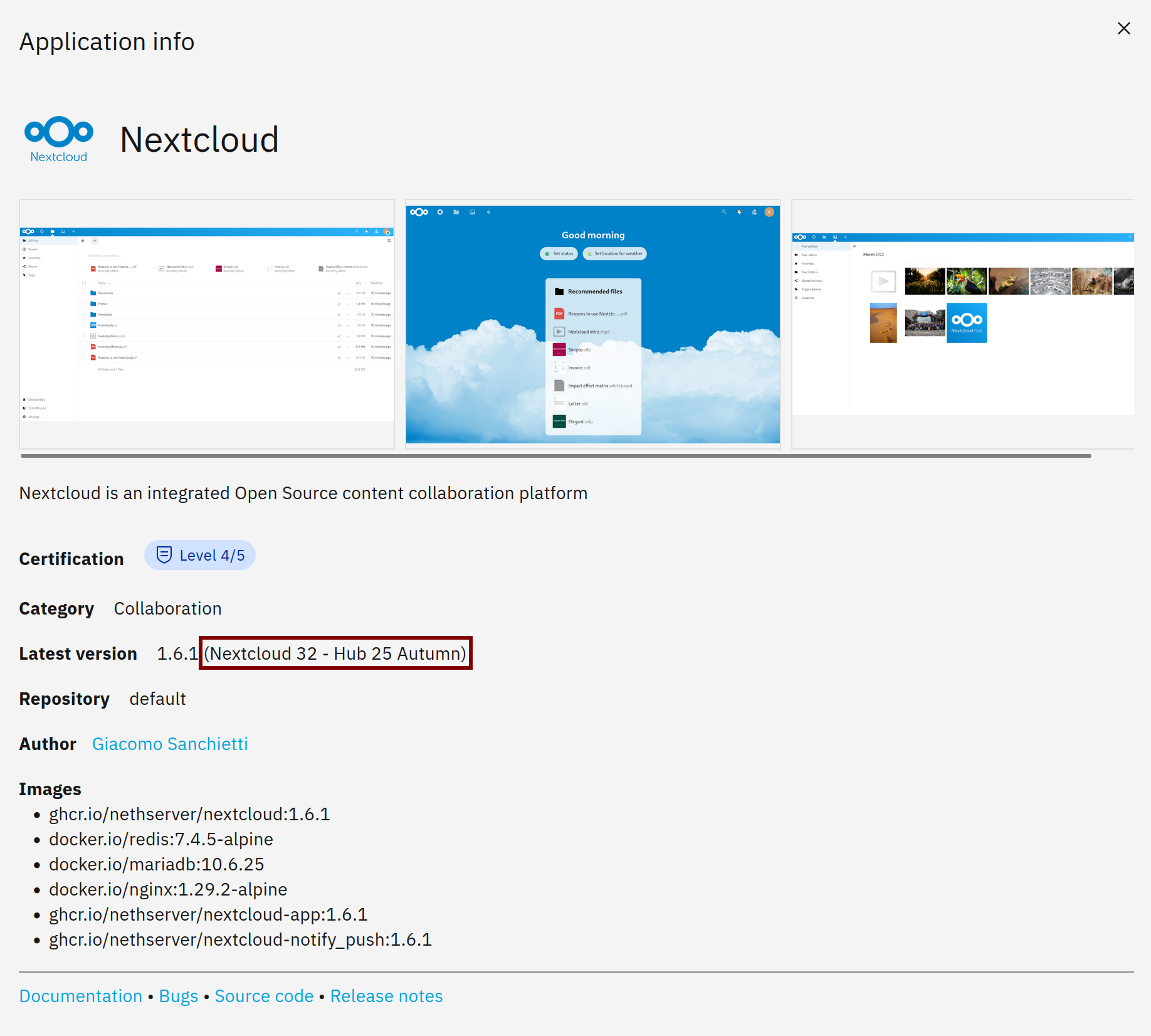
It’s funny you bring up Nextcloud. I didn’t dwell on that on purpose but here’s the thing, 32 isn’t enough.
We’re at 32.0.1, you don’t know that unless, like most other apps, you dig for it. We’re behind as we all know. So the fast access in one place to the actual version # is important, especially if you have end users having an issue with something in your infra that’s fixed in v 32.0.5 or even 33. Then you can plead for a push from the NS crew for your reasons or choose to delay an update until you can handle things on your end.
And I don’t mean every package, we have so many, I just mean the main pkgs.
Let’s see what we have now. The Releases page on GitHub includes an Assets section with CycloneDX JSON SBOM files. The contents of container images are detailed in those files, and they can be viewed with a tool like Sunshine - SBOM visualization tool.
It’s not a one-click, UI-integrated feature, but the full information is already available: just download the JSON files and browse them with an SBOM viewer.
As you might expect, container images include a large number of packages, while you’re typically interested in only a few of them. Which ones? I agree that the already mentioned upstream_name may be sufficient for some applications like Nextcloud, but it’s an oversimplification for others.
We could compile a UI table of packages at build time and embed it in the About page, or a similar section.