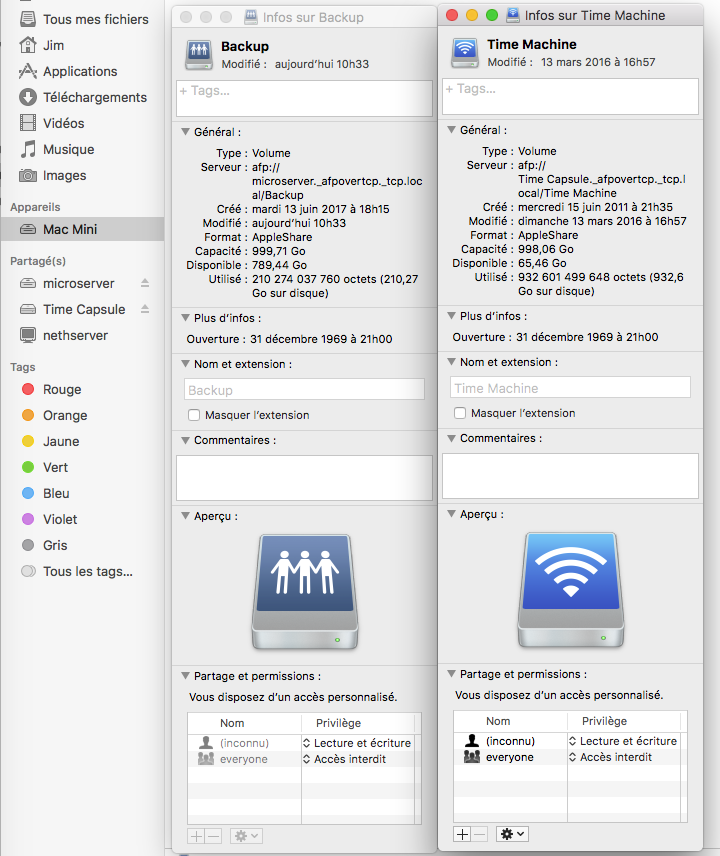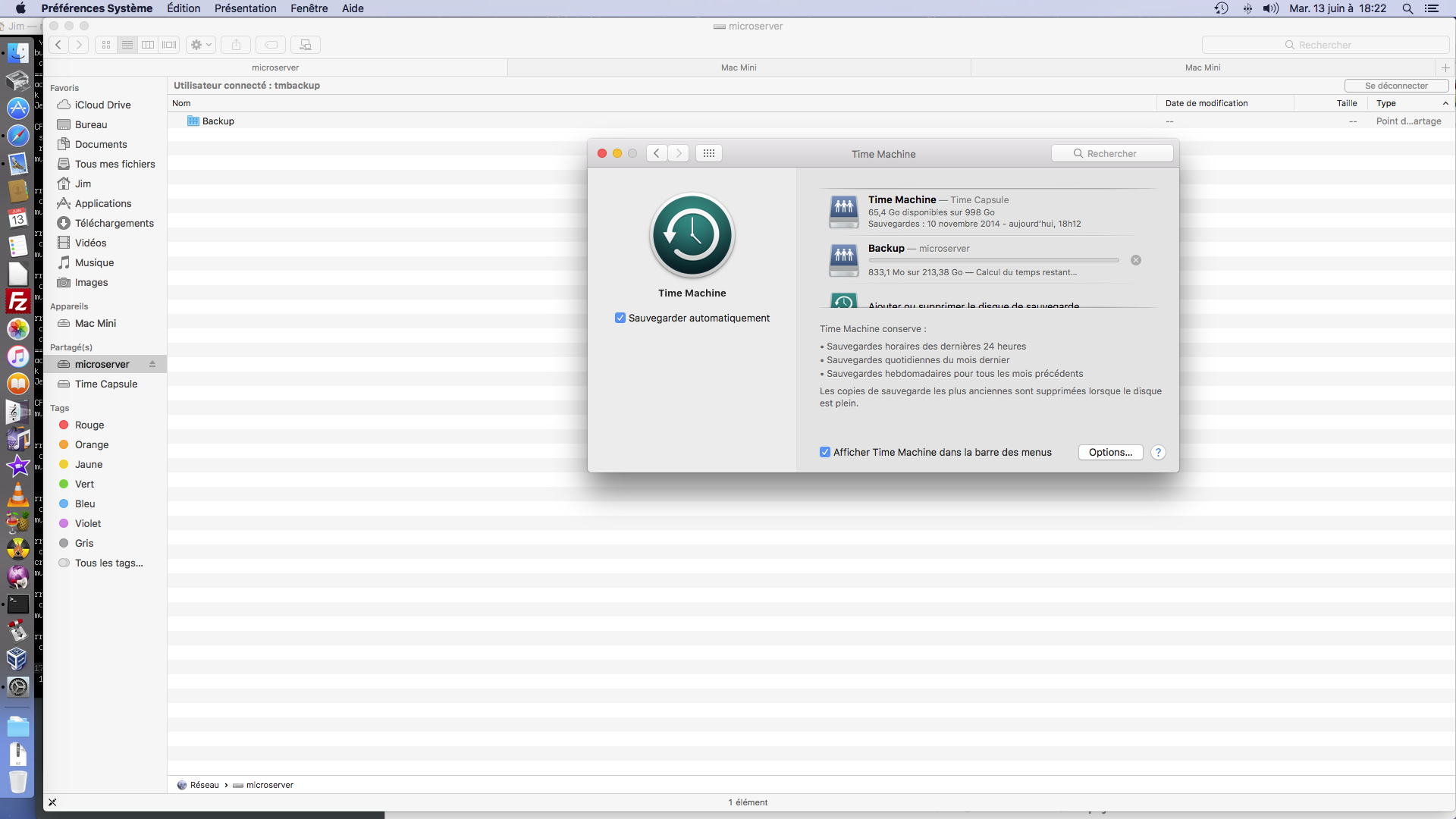
My first clean Time Machine Backup on the Microserver 
It’s without Samba ! I did the old traditional AFP way.


I will work with the Samba integration with a virtual machine, less stress.
@discobot I’m happy, did you want a beer? 
My first clean Time Machine Backup on the Microserver
It’s without Samba ! I did the old traditional AFP way.
I will work with the Samba integration with a virtual machine, less stress.
@discobot I’m happy, did you want a beer?
I was looking on the ClearOS site, and I find this:
Apparently… that’s work!
With the ea = auto mean that with or without samba
Is the workaround with samba is here /etc/e-smith/templates-custom/etc/samba/smb.conf ?
First of all, congrats @Jim, it seems you’ve found a good upstream package!
Do you think integrating it with the samba/shared folders namespace would be valuable? Or you would rather focus on providing the “Time Machine” storage?
Apart from Time Machine, can a Mac user access shared folders via SMB today?
Today, a Macos can access a smb share throught the Finder, with the actual Samba implementation.
All the workaround is the Time Machine integration:
All the difference between the Netalak I compile/made and the Clearos package is the version between the Netatalk 3.1.8 and the 3.1.11 there’s lot of improvement…
Which, if supported by samba on NS, can be achieved with some custom fragments
IIUC I’m afraid Fullsync is still not available from upstream packages. Samba project itself has an open bug.
If we limit AFP/netatalk to a single, well-known, “Time machine” special shared folder we could bypass any further integration with Samba. Isn’t it?
The link to the RPM you provided points to a Fedora copr repository. You could get in touch with the maintainer and ask him if he can bump to 3.1.11… and if he still wants to maintain it! 
Not at all…
In the afp.conf
Or
Use the [home] section… in this case each user will use it’s own /home shared folder.
Edit:
These parameters are set in the smb.conf and in Afp.conf
Interoperation with Samba
Recent Netatalk and Samba can store metadata in the compatible format.
Using this way, the following access becomes possible.
from Mac to Netatalk
from Mac to Samba
from Windows to Samba
This feature can be used for Fedora and EL7. It can not be used for EL6 because Samba of EL6 does not include vfs_fruit module.
Netatalk
Using “vol preset” option, the same configuration is set for all volumes.
Using “ea = samba”, Extended Attributes become compatible with Samba.
Edit “/etc/netatalk/afp.conf”.
Ex:
[Global]
vol preset = my default values
[my default values]
    ea = samba

[Homes]
    basedir regex = /home

[Test Volume]
    path = /export/test1

[My Time Machine Volume]
    path = /export/timemachine
    time machine = yes
Samba
Setting various options in [global], the same configuration is set for all shares.
Three vfs objects (catia, fruit and streams_xattr) provide enhanced compatibility with Apple SMB clients and interoperability with a Netatalk.
Using “hide files”, the invisible files created via Netatalk are hidden from Windows. Use “hide files”, not “veto files”.
If you use Fedora 24 or EL7, don’t use “fruit:locking = netatalk” because it has a bug. This bug is fixed on Fedora 25 and later (Samba 4.5.8).
Edit “/etc/samba/smb.conf”.
Ex:
[global]
foo = bar
baz = qux
ea support = Yes
vfs objects = catia fruit streams_xattr
fruit:locking = netatalk
fruit:encoding = native
streams_xattr:prefix = user.
streams_xattr:store_stream_type = no
    hide files = /.DS_Store/Network Trash Folder/TheFindByContentFolder/TheVolumeSettingsFolder/Temporary Items/.TemporaryItems/.VolumeIcon.icns/Icon?/.FBCIndex/.FBCLockFolder/

    read only = No

[homes]

[Test Volume]
    path = /export/test1

;[My Time Machine Volume]
;   path = /export/timemachine
I think it could be better to ask him and the Netatalk mail list
I become to start to be crazy…
Yesterday, I just setup a VM Nethserver instance, and setup samba on it… nothing more…
No avahi, nothing even.
Andthe MacOS already view all ressources on the network a different way:
Yesterday… The Time Machine resource had the same icon as the Backup Microserver recourse!