I think it is more of a browser thing, but there was some php directive to force a file download.
How should work:
NethServer GUI -> Gateway -> Web proxy -> Proxy tab -> right click on “http://yourip/proxy.crt” -> select “Save link/target as…” -> save the certificate._
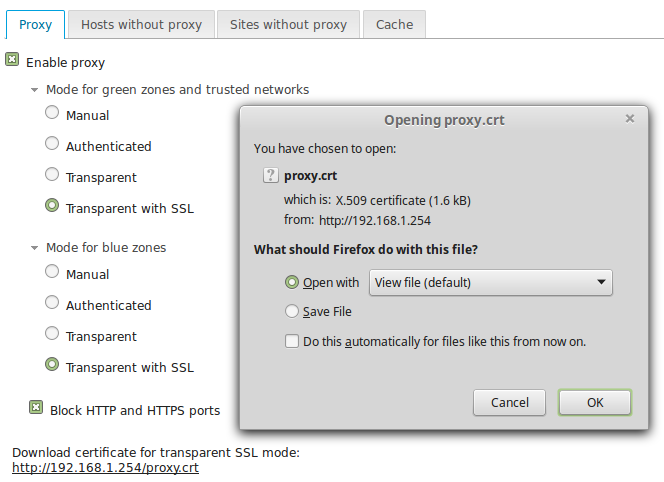
Linux Mint 17 + Firefox 47: left click, right click -> Save link as…, open in new tab, all three methods show a download window.
VM with Windows 10 (not up to date):
- IE11 at defaults cannot access the server-manager (shows only the grey background), to get access had to uncheck compatibility view for intranet sites; http://yourip/proxy.crt shows the certificate.
- Edge: shows the certificate but cannot download it. There isn’t a Save as… option (I’ve read it might be ready with a recent update).
- Firefox 48: Right click -> Save link as… works. Left click or open in new tab shows the certificate content. Can be saved using CTRL+S or save as… menu.
Windows 7 + Firefox 47/48: Same as with Windows 10.
Chrome (in Linux Mint, Windows 7): shows the certificate content unless right click -> Save as…
When the certificate is shown it can be saved by CTRL+S or Save as… menu.