Happy to be an user of a Nethsever/Nethesis product again!
Switched from Opnsense to NethSecurity as a router and after kicking the tires on a PC Engines apu4 (amd X64_86) running it on aarch64 nanopi rs4 now.
To get it running on arm there where some head-scratches and glitches on the way:
It took me a while to figure out the needed contend for the target file. In the end it turned out to be very similar to a (linux)kernel config, which can be made by running make menuconfig in the builder-container and find the differences in .config (diff)
With the refactoring of the builder the dependencies for building uboot are omitted (zlib1g-dev, python3-setuptools, swig, python3-pyelftools, python3-dev)
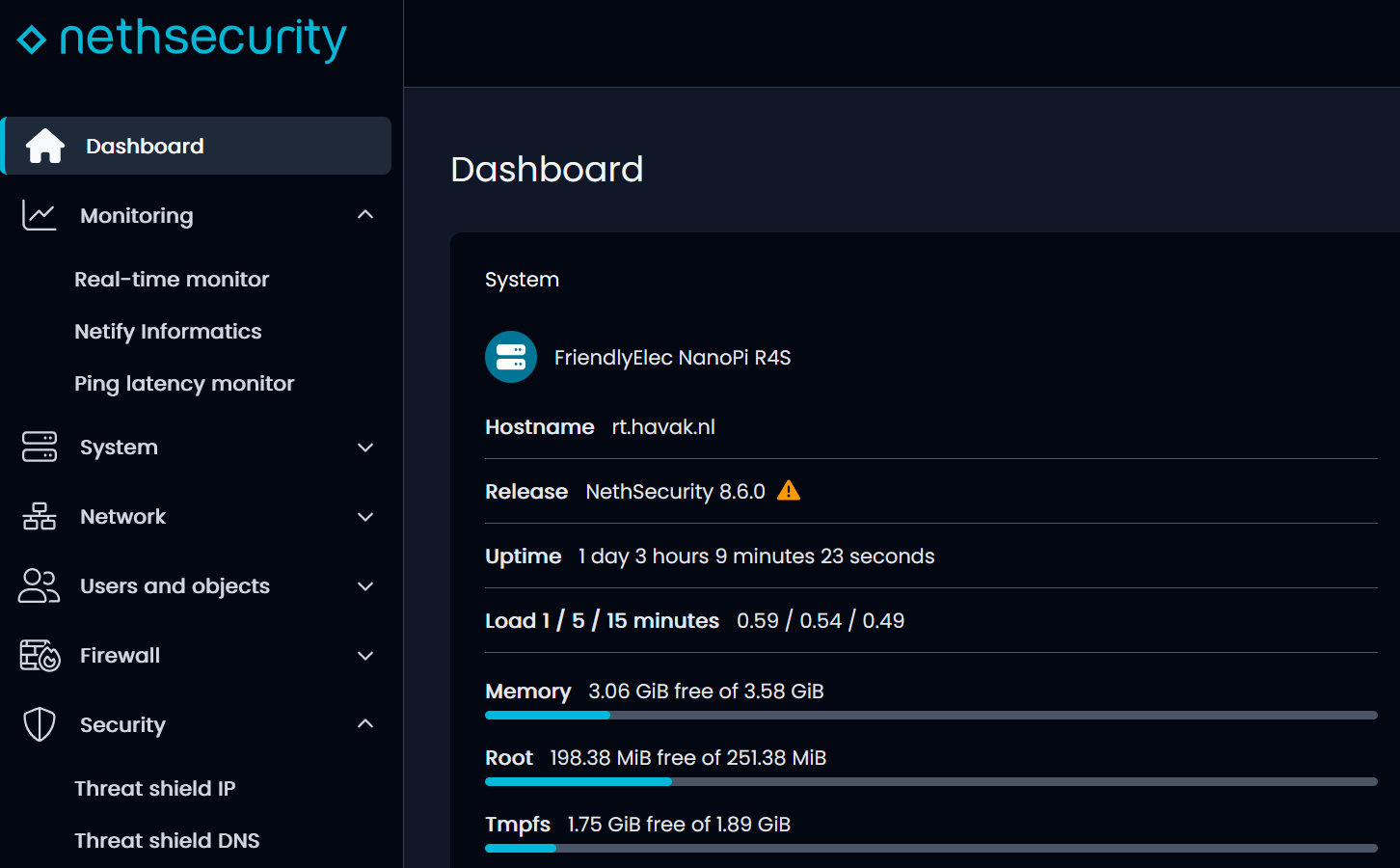
It tuns out because my build did not create an config for dpi the UI could not display any “object” such as DNS-records or IP reservations. Because of the missing config for dpi the UI choked here with UciExcNotFound for all objects.
Here the proof (with kudus for those who got the system displaying right!):
Nice job!
Could you kindly provide the .manifest file that the build produced? So that the missing packages can be addressed even when building on another architecture. This will help dramatically!
The missing dpi config file, could be due to a custom builds missing the netifyd plugins. This is intended due to a commercial agreement with Nethesis that allows us to re-distribute such components. A simple touch of /etc/config/dpi is all will take.
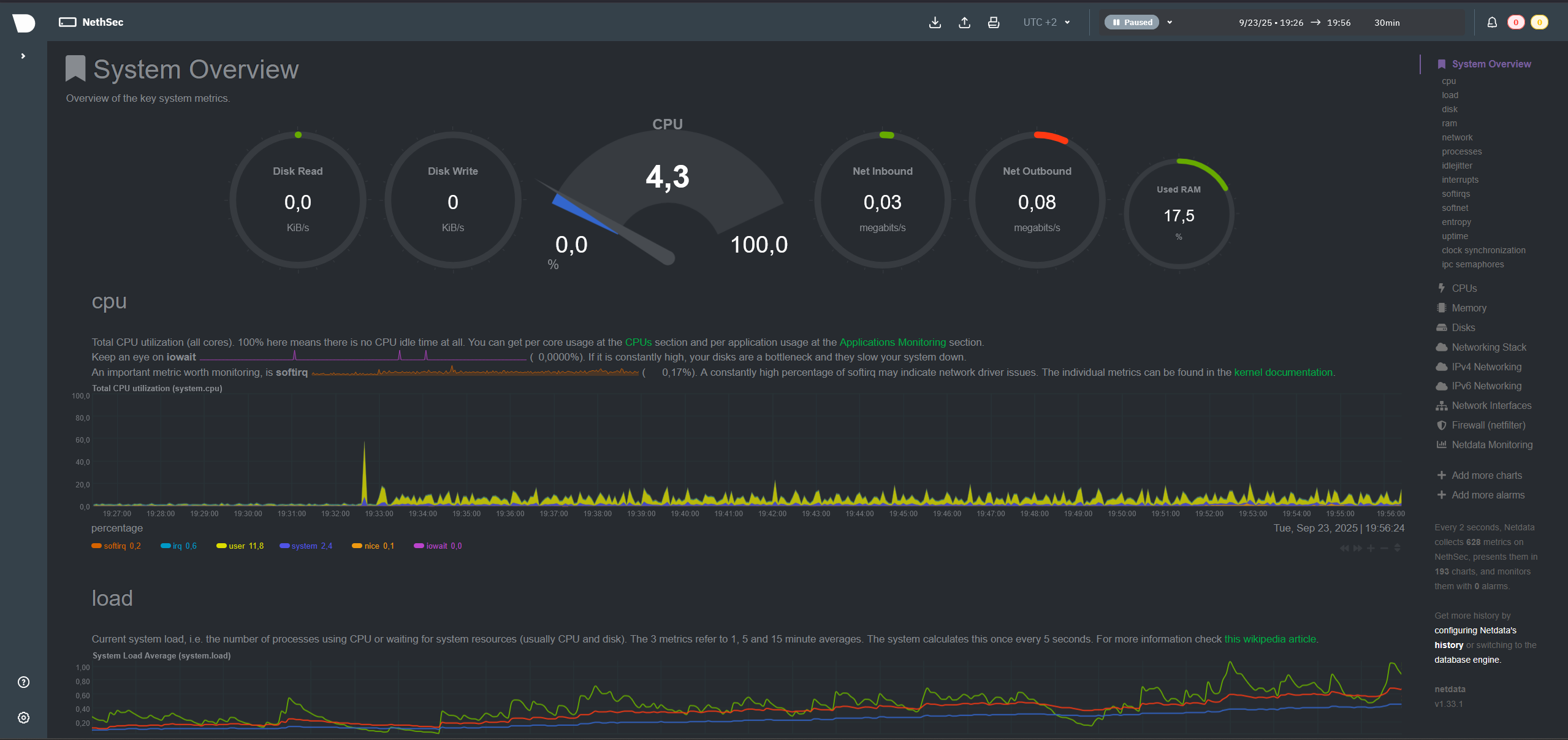
I am pretty sure that info in real-time monitor is broken (no data), but everything else should work just fine!
This will however change based of what traffic analysis you choose to enable, for instance if you enable IPS, you’ll see in top that CPU usage will go up due to the system analyzing all the flows that are currently passing through.
This is data that comes from the software that we re-distribute, the same that is missing from the local compilations. Netdata will still work, but it cannot be setup with data retention sadly…
It sure will! But no functionality will be applied, for instance the DPI filtering for the applications won’t work even if configured.
thanx, this works fine to test if my ISP delivers what is in my subscription because I have a modest (read cheap) subscription of 100 Mbps it does not push the nanopi R6S** to the limits.
Speediest results are aprox. 135 Mbit/s down and 270 Mbit/s up at a cpu load around 25%**.
**Note I could not resist to buy yet an other arm device… I have 2 lan’s so need 3 nic’s and noticed an USB NIC (which worked after installing the kernel-mod) shuffled the NIC names eth0 and eth1. Besides that this device has 3 PCIe NIC’s, 2 PCIe 3.0 (2 lane) Realtek’s 8125BG and one PCIe 2.1 8211F. Would not call them “enterprice grade”, still decent NIC’s.
So still looking for a local test setup without using the actual internet (ISP) connection.
iperf3 seems to be the go-to command line tool, so going to to set up something.
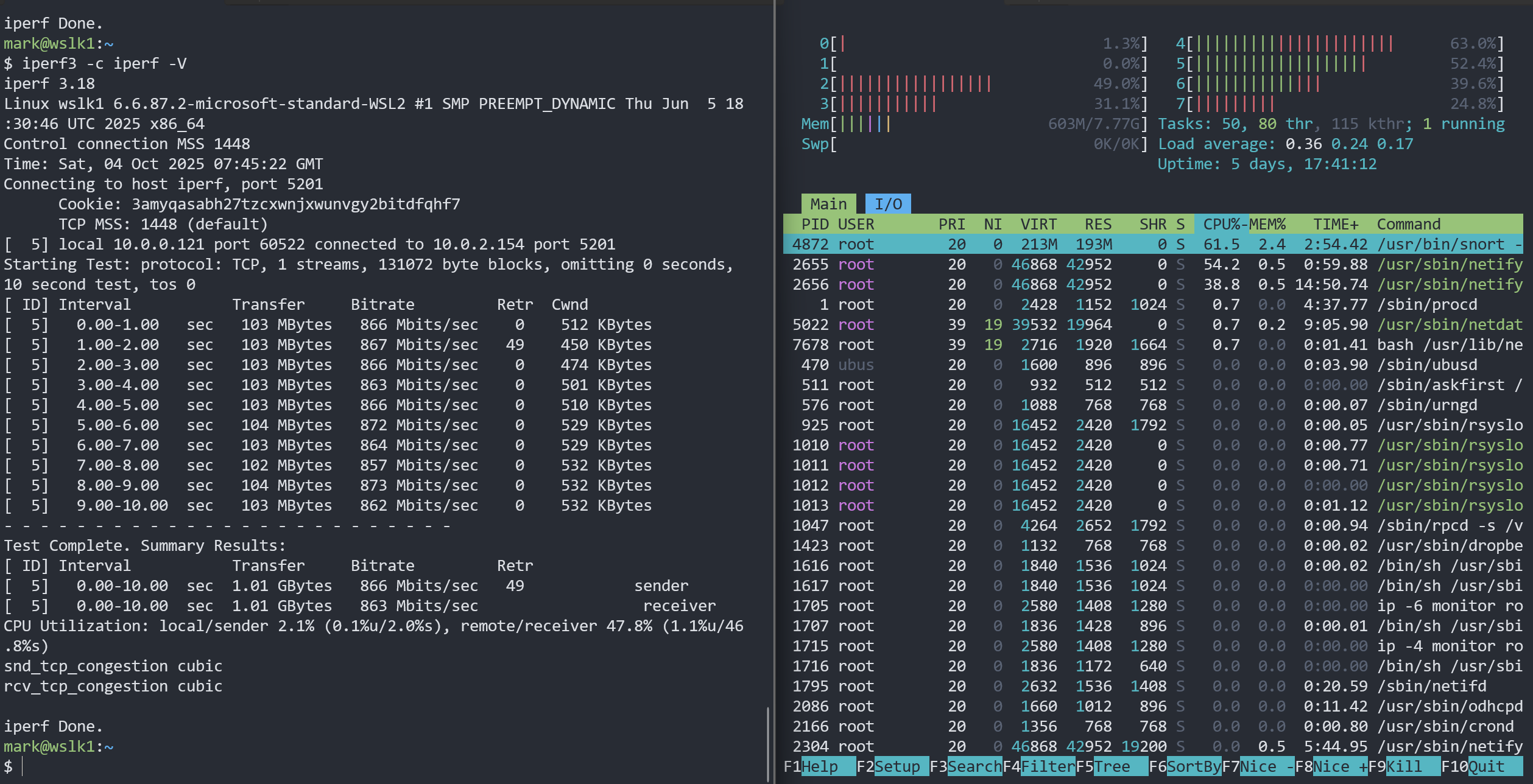
first premature results from lan1 to lan2 are hopeful
(On the right htop running on the Nethsecurity device)
You can see that both netifyd and snort are keeping tracks of the traffic, this will likely hinders the max speed you can have on the device when using such testing utils (unless you want to analyze real-world scenarios, in that case it’s fine)
You can compile the whole system for it, but we cannot give an official support yet.
At the moment if you compile nethsecurity by yourself, Deep Package Inspection monitoring and filtering won’t work since it’s something that we compile ourselves from a private repo.
Planning to tackle this issue in the next releases, we need to update netifyd to v5 and some things might change
Quite pleased using Nethsecurity for a couple of weeks on my arm64 bit device as my home gateway/firewall. Even the in-place-update to 8.7.1 went flawless.
Meanwhile, to have a testing playground also build the armsr (arm-system-ready) target which is a (virtual)server specification. It can boot with a generic qemu-uboot or with uefi. In other words, an image verry similar to the Nethsecurity image for x86_64; suitable to boot with qemu; even emulated on x86_64. I rearranged my development package repository a bit, here are my latest results.
Observations making a custom image sofar:
One of the challenges which stands out making your own custom image, especially for an alternative arch, is the package repository url is hardcoded in several places. I tried to solve this by introducing an Environment variable for this. Failed to fix the package ns-plug, which has the repo-url hardcoded in several places. In the end just replaced the url with find and replace in (all) files. How can one replace a piece of a script (bash/sh) file with a (environment) variable at build time?The only way I can think of is invoking sed in the makefile, and do not like this solution.
Other than that, I found just one place where the arch is hardcoded: in the file distfeed-setup. My solution works, as stated, probably better to keep it hardcoded but determine the target-arch at buildtime. (see question above)
As hinted in another thread it is unfortunate the config-file of DPI (the only closed source piece) is one of the triggers to launch the first-boot wizard. Can’t we just drop a file (first_boot) in /var/spool like on ns7?
Speaking of the DPI-plugins; Beside legal issues is there a technical problem to (cross)compile these for alternative arch’s? If it is a technical problem, I’m volunteering to work on that and willing to sign whatever on-disclosure agreement on this matter.
Last question: How can running Nethsecurity on alternative arch’s evolve further in future?
If there is appetite to work on this my suggestion is to start with the implementation of the armsr target. Reasoning is it can be tested with qemu, even emulated. Moreover, uboot and efi are part of this target so the (build)requirements for these are also going to be covered.
What you work on as always is awesome Mark! Kudos to you!
This can be achieved by leveraging the custom scripts, or changing the Makefiles of such components, other solutions don’t come to mind right now. OpenWRT is mostly based off bash command lines ran through the walls to change stuff, not much can be done on that side.
This might get solved with next release, we updated netifyd to v5 and we have the ready-to-distribute files of the software now, no need to compile them.
The issue is not technical, is an agreement that we have with Netify folks, we can compile the open source tools that they provide (as anyone), however some plugins are distributed closed source and need a licence, we can only re-distribute them.
From the upcoming version no closed-source compiling will be needed, since folks at netifyd gave us already compiled binaries. We might need to figure out how to handle multiple archs of said binaries, but it can be done.
I know for a fact that ARM was on the table, however it kinda slipped across many other things to do
Now that we hit feature parity with NSEC7, we might have the means to go through this road.
Still try to run stuff, such as Nethsecurity, on low power(consuming)hardware..
Bought a darn cheep (€38) smart-switch with 8 2.5G ethernet ports + 1 (unused) 10G sfp to enhance my humble testing environment:
iperf3 server is a fanless mini pc : Intel Celeron J1900/8G(ram)/4*(intel)i226 NIC's
router/firewall is a NanoPI R6S running Nethsecurity: rochchip RK3588S/8G/2*(2.5G)realtek RTL8125BG + 1*(1G) RTL8211F
iperf3 client is OrangePI 5+: rochchip RK3588/16G/2(2.5G) realtek RTL8125BG (fun fact: the OrangePI 5+ is running Armbian with pxvirt a Chinese alt-arch port of Proxmox)
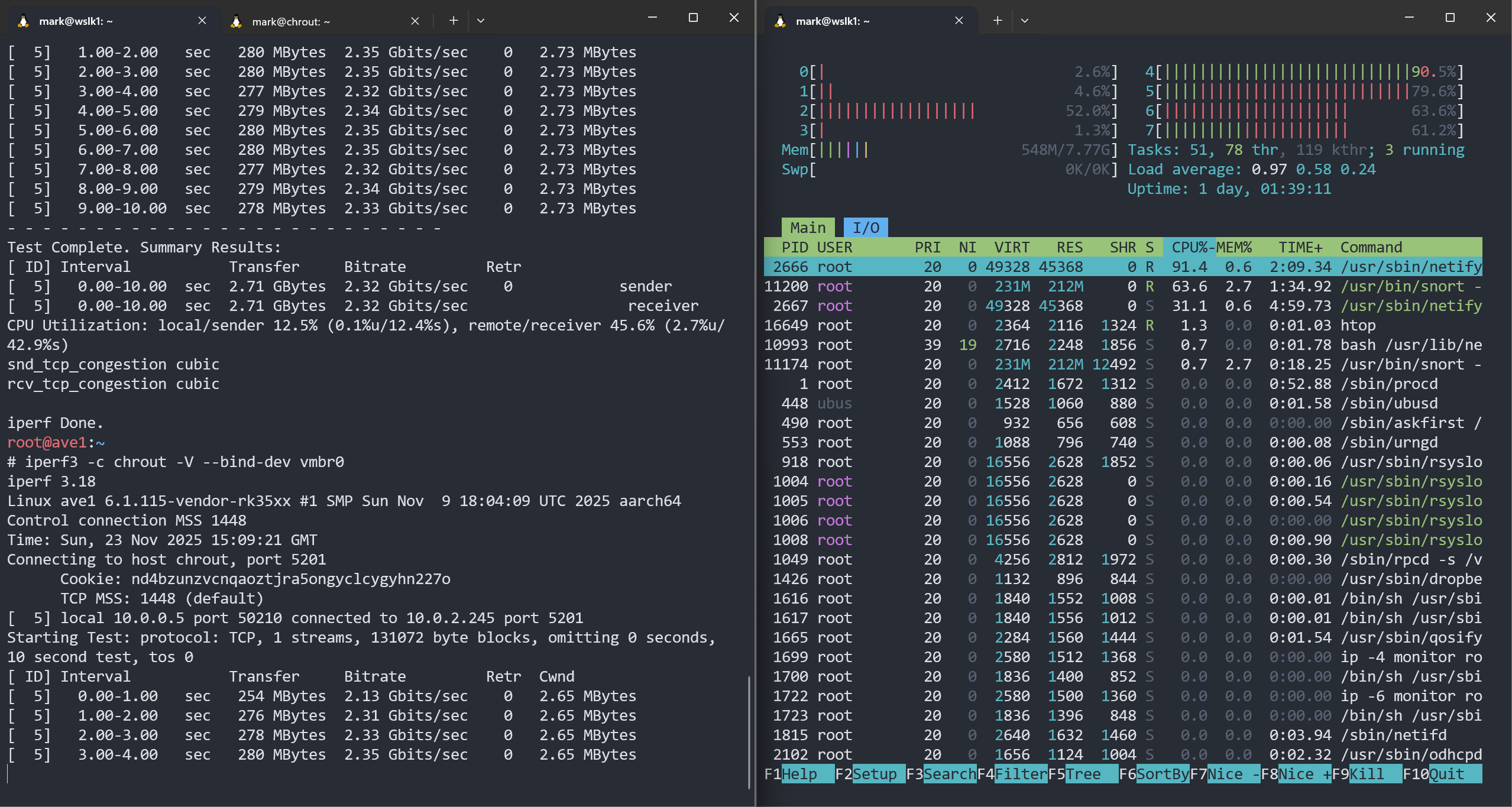
As shown below on de left the throughput put from LAN to LAN (through both 2.5G ports of the router) is 2.32Gbits/sec On the right htop running on the (nethsecurity) NanoPI R6S shows the load during these tests.
Also tested from LAN to WAN (2,5G port to 1G port) which resulted in a throughput of approx. 940Mbits/sec
My conclusion:
The router/firewall has more than enough throughput to serve my 100 Mb/s internet connection and I could have bought much cheaper hardware for my needs…
I have confirmation that they are working to integrate the openwrt builds into the CI system, allowing us (and others) to have packages ready to go for OpenWRT. I’ll let you know when something comes up!
Always fun to look for an good deal However as it stands now the build nethsecurity for arm64 is not possible since the upgrade to netify 5.x because it pulls in (pre)compiled binaries. Hence the hope it materializes soon…
I stiil can offer an image running the netify opensource 4.x build from the openwrt source tree, which of cause does not offer the premium functionality (and ns-dpi compatibility)
Many thanks for your work. However, I am not a frontrunner on dev, ARM en fruitpi stuff, so I need to wait and sit it out before something ‘ready to go’ becomes available.
Hence my thoughts on hoping to see a NethSec reference device with basic HW capabilities (NanoPiRS5) and full NethSec capabilities. At a pricerange of about 100 coins. From there maybe the userbase can grow into the domestic market and expand the userbase for feedback and develop more for more exotic fruit-HW.
ps. this thread has always been in the back of my mind.


 However as it stands now the build nethsecurity for arm64 is not possible since the upgrade to netify 5.x because it pulls in (pre)compiled binaries. Hence the hope it materializes soon…