Before transition to Nethsecurity, I was running x86 firewalls on OpenWRT.
On OpenWRT we were using these apps:
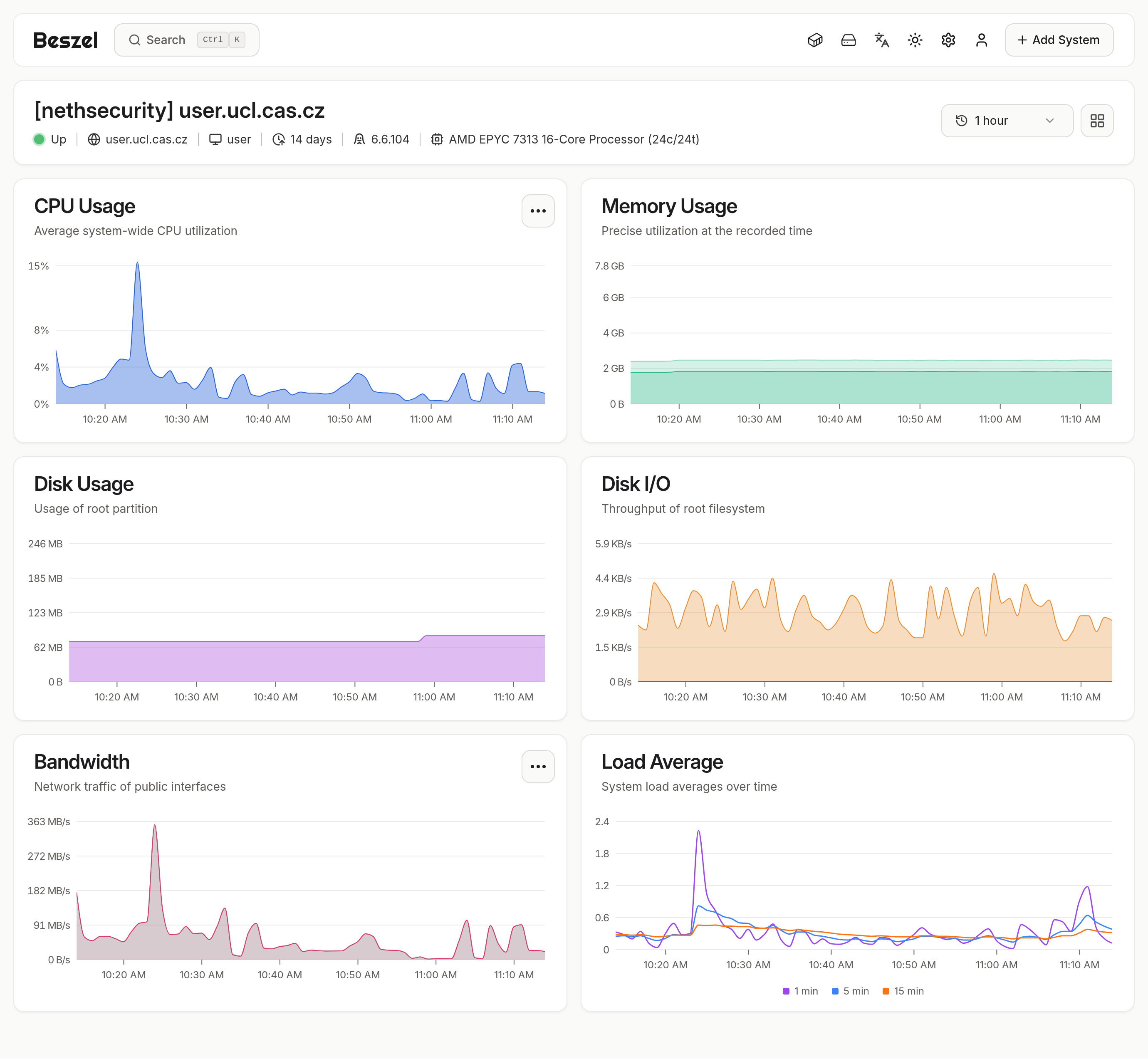
For monitoring Beszel https://beszel.dev
Just because all our other servers are running the same tool and OpenWRT is supported.
And it is working great on Nethsecurity.
Because we operate an open AP, eduroam wifi and connection for 4 academic institutions,
we have a legal obligation to store connection data of all clients.
For this purpose we use Cisco standard Netflow (we use opensource server nfsen-ng).
And the firewall send data to this server using standard OpenWRT package softflowd. It would be nice to have this package included in the Nethsecurity repository…
The other stuff we were using on OpenWRT are Crowdsec and Wazuh agent.
All the Openwrt firewall were managed via OpenWISP.
For log management we are using Graylog and its perfect working on Nethsecurity through rsyslog.
Since you have tons of additional stuff running off the machines, do you mind if I ask what are the complete usages of each tool? Might be something we plan forward or we can work something out.
Also, you already have plenty of monitoring, do you mind sharing how many clients do you have and how much space does it take to store all of it? We actually internally discussed some of the planning ahead in this regard, so any info is welcome!
I’ll see what I can do, might not be too much of an hassle.
I have install Beszel Hub for monitoring my Proxmox Server @antonin.chadima What is the step-by-step to install and run the beszel agent on nethsecurity? @Tbaile Will you put it in the nethsecurity beszel agent repositories?
In commercial environments, Cisco’s NetFlow protocol is probably the de-facto standard for network traffic accounting. OpenWRT includes a softflowd package as a NetFlow probe. softflowd listens promiscuously on a network interface and semi-statefully tracks network flows. These flows are reported using NetFlow v1/v5/v9/IPFIX datagrams (softflowd is fully IPv6 capable: it can track IPv6 flows and export to IPv6 hosts). Afterwards any NetFlow compatible collector should work with softflowd. A search for NetFlow Analysis software will yield multiple choices for various platforms, both commercial and open source.
It would be nice to have this package included in to the Nethsecurity repository.
Beszel monitoring agent:
This is duplicitous to Netdata monitoring. We went from Zabbix to Netdata and now we are using Beszel for a time and we like it for the simplicity. We are using Beszel for firewalls, VM’s, containers, bare metal and hypervisors.
The installation is simple: In the BesZel UI - Add system → Binary → Copy Linux command and execute in the Nethsecurity terminal. After major upgrade you have to reinstall the agent (Edit system → and copy the relevant command for the system, and execute again…).
I think, there is no need for special support of Beszel agent. The need of reinstall after major upgrade is inconvenient, but this is the same for any extra packages…
The reinstall after the flashes is sadly a recurring issue with OpenWRT. The auto-reinstall scripts never worked for us reliably, so it has been left off for now.
Will ping back again when it gets released into the repos
It seems that no beszel package has been made for OpenWRT yet. Seems that there’s no official build for it.
If you are uncomfortable with the agent install command but you still need to scrape off the data, netdata will provide a scrape interface under `https://<firewall’>:19999/api/v1/allmetrics?format=prometheus`. Beszel server however seems very easy to install, I can see why it’s preferred over the usual prometheus stack.
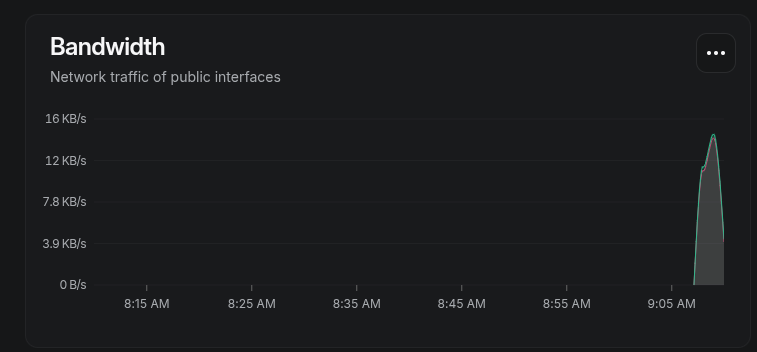
I try to run this command on nethsecurity but i receive this output:
root@fw01:~# curl -sL https://get.beszel.dev -o /tmp/install-agent.sh && chmod +x /tmp/install-agent.sh && /tmp/install-agent.sh -p 8090 -k “ssh-ed25519 xxxxxxxxxxxxxxxxxxxxxxxxxxxxxxxxxxxxxxxxxxxxxxxxx” -t “xxxxxxxxxxxxxxxxxxxxxxxxxxxxxxxxxxxxxxxxxxxx” -url “https://beszel.mydomain.tld”
Creating a dedicated user for the Beszel Agent service…
Downloading and installing the agent…
Downloading and installing agent version 0.17.0 from https://github.com …
Failed to get checksum or invalid checksum format
This is what NetFlow was intended for.
Use softflowd
Afterwards you have to setup a NetFlow collector.
(we are just switching from nfsen-ng to ntopng)
You have plenty of choices for a network flow and traffic monitoring tool, and they are mostly collecting Netflow data from routers/firewalls and sFlow from switches (and SNMP from both).
Hi
I try to install softflowd on every nethsecurity i have and NtopNG on Proxmox VM that’s running on a Server in Cloud.
For send data from softflowd to the collector(NtopNG) i think to use a VPN Mesh like Tailscale for send data securely.
What do you think about the installation? Any advice?
Generally speaking, nprobe is necessary or at least highly recommended for correctly and efficiently sending NetFlow (or IPFIX) data to ntopng. nprobe acts as a gateway and converter between the raw NetFlow data from your devices and the analytical core of ntopng. For a professional and functional deployment of ntopng with NetFlow/IPFIX data, nprobe is a de facto necessity.
nprobe (NetFlow/IPFIX Probe) is designed to receive data flows (flows) in protocols like NetFlow v5/v9 and IPFIX from routers, switches, or other devices. More importantly, nprobe processes this raw data, filters it, enriches it with additional metadata, and (crucially) sends it to ntopng using an internal, more efficient protocol (like ZMQ), not the original NetFlow directly.
ntopng (Next Generation Traffic Monitoring) is used for network traffic analysis and visualization. Although it has limited capability to receive raw NetFlow/IPFIX directly, it is primarily designed to receive data that has already been processed by nprobe.
nprobe converts incoming NetFlow data into an internal, compact, and efficient format (usually ZeroMQ - ZMQ), which ntopng expects and can process best. Processing raw NetFlow data is demanding. nprobe reduces the load on ntopng by performing the initial data processing (aggregation, enrichment). Without nprobe, ntopng would lack much of the useful information and metadata that nprobe adds to the flow.
Install softflowd on NethSecurity (via an OpenWRT package).
Install nprobe and ntopng on a server (for example, via Docker).
Configure softflowd to send NetFlow data to nprobe and ntopng.
I’ve install NtopNG+Nprobe in native mode on a VM Debian on a Proxmox Server in Cloud.
I never use NtopNG so i’m looking around the Dashboard, but the question is how can i divide the istance for all the router/firewall i want to monitor? Like a Multi-Tenant Setup
Thanks.