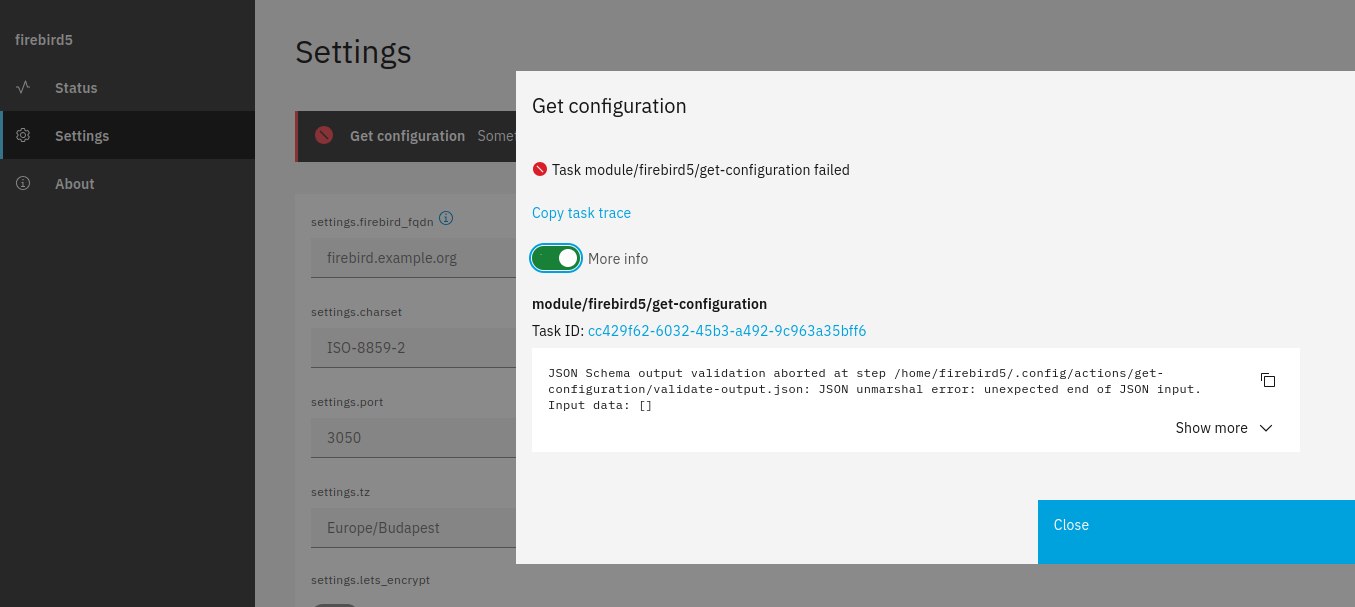
Crazy, I had to delete the cookies and cache associated with the IP address to refresh the browser. Firefox and Chrome have been having constant problems lately…
Thank you for helping me solve the problem @mrmarkuz
Just remove the validate-input.json file in the meanwhile. You could setup the validation later. Every field needs a correct validation and the pattern \\. doesn’t work for all fields.
I removed the validation-input and validation-output files for testing. I entered different data than what was in the environment file and saved it. The save was successful message appeared on the screen, but the environment file was not changed.
I modified the translation file but it has no effect on the display, the Setting page has not changed. Should I check the settings of some variable?
I’m starting to understand the modifications and suggestions you made, and they work. The validity check has now been removed from the package, but it will need to be put back in at the end.
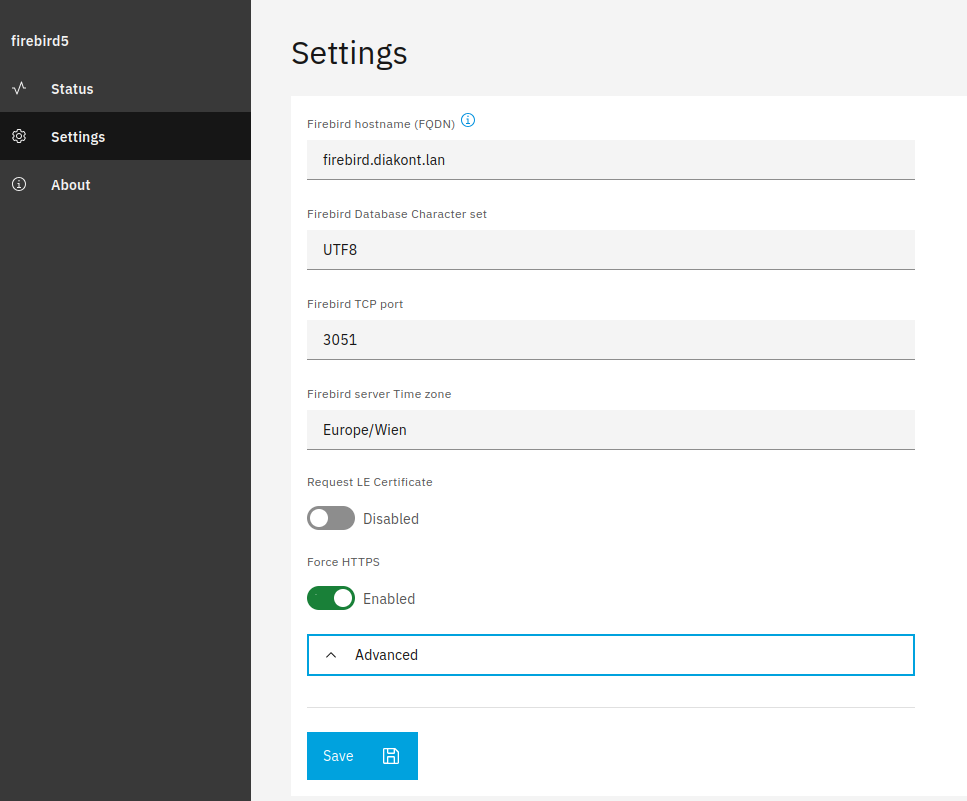
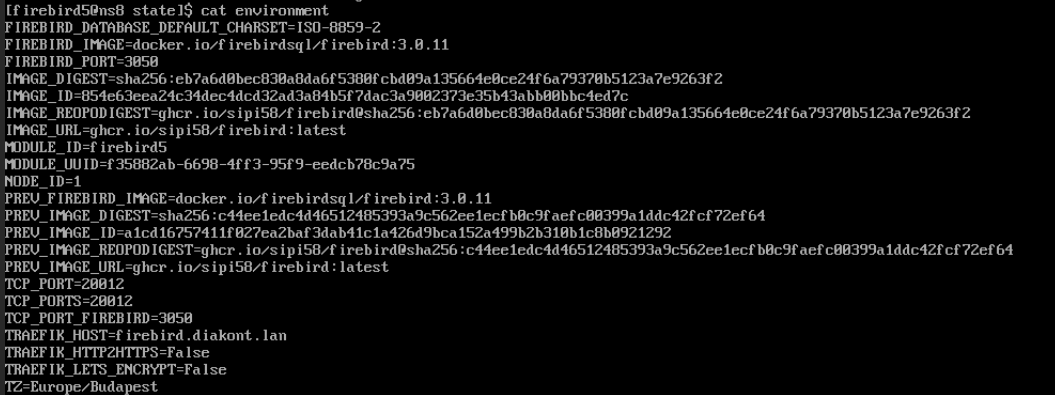
After the update, the values set on the Settings page will appear in the environment file. The image shows the settings, below is the content of the environment file:
But I messed something up because there is a FIREBIRD_PORT=3050 and a TCP_PORT_FIREBIRD=3051 and TCP_PORT=20012 and TCP_PORTS=20012 are the same.
I don’t think the two Firebird ports are the right place, and I think redirecting Treafik from the public port to port 305x should be a port range if we want to run multiple Firebirds on the same node.
The TCP_PORT and TCP_PORTS are internal env variables that define the port or the ports that traefik redirects to. In your case this isn’t needed as there’s no web interface and you open the port directly so you could set tcp-ports-demand=0here
I’d use the FIREBIRD_PORT variable to define the port and abandon the TCP_PORT_FIREBIRD.
So one can define the firebird port in the UI and it’s possible to install multiple firebird instances which listen on different ports.
In the firebird.service file you could change the published port like this:
To make the new port available, the service needs to be restarted, so you need to edit the services fragment and change it like here so the service is enabled and restarted.
The firewall needs to be configured when the port is changed. You could add a fragment like in create-module to the configure-module action using the replace option, see Firewall | NS8 dev manual
Unfortunately, unpleasant problems came up so I didn’t have time to deal with the problems.
In the meantime, I thought about accessing the individual services, because the protection of the test NS8 server in the local network is solved, but if it has to be placed on a server farm, then the only solution is to close all ports and only allow access via VPN.
There is no openVPN for NS8 and Wiregurd can only be used with Nethsecurity. I can’t find a module or option to create a VPN in NS8, but someone please correct me if I’m wrong.
Nethsercurity is mentioned in several places as a solution for this, but this has to be installed as a separate server and a direct connection to the NS8 server has to be established. Although I couldn’t find a description of this… This can only be solved on a server farm by renting a dedicated server, it’s not possible on a VPS.
Is it possible that I’m trying to develop the Firebird module with your help in a completely unnecessary way, because I won’t be able to use it for the intended purpose?
While searching for a solution, I found that there are no descriptions or guides for NS8 like the ones previously made for NS7 by developers or forum members (I remember even making them myself). Maybe I just didn’t find them?
After many other problems, restoring connections, data, etc., I managed to get back to work on the project. I made the recommended settings and went through all the files.
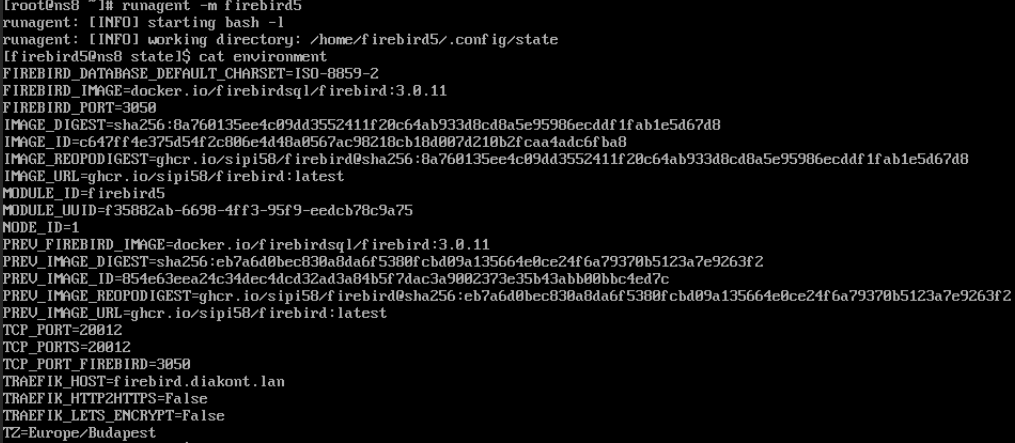
FIREBIRD_PORT and TCP_PORT_FIREBIRD still exist, and even TCP_PORT and TCP_PORTS exist despite the setting. Despite editing the 70open-port-Firewall file, Firebird is still available on TCP port 3050.
Unfortunately, it seems that I can’t create a WG VPN for NS8. Even though I have a static IP address, the NS7 backup server is running and getting a Let’s Encrypt certificate. I can’t make another server (NS8) available so that it can also get a certificate. Unfortunately, I can’t configure WG-Easy for the connection to test whether Firebird is accessible via VPN… Unfortunately, the Firebird Settings don’t work either, and running a second Firebird fails.
Do you have any ideas for a solution and testing the VPN?
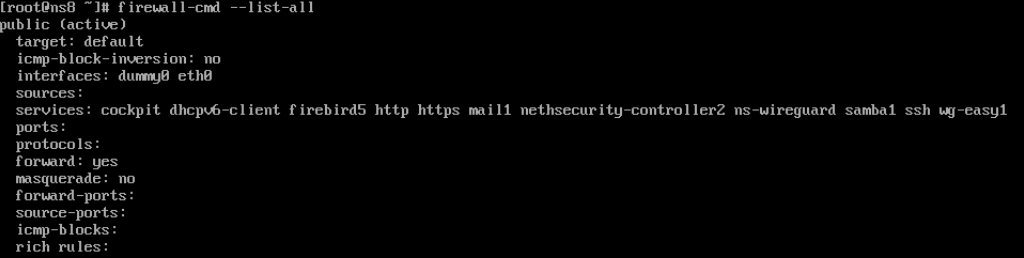
I wonder why there are so many ports open on the firewall, but I think in the end I will have to set it so that only the WG VPN port is openfor security reasons…
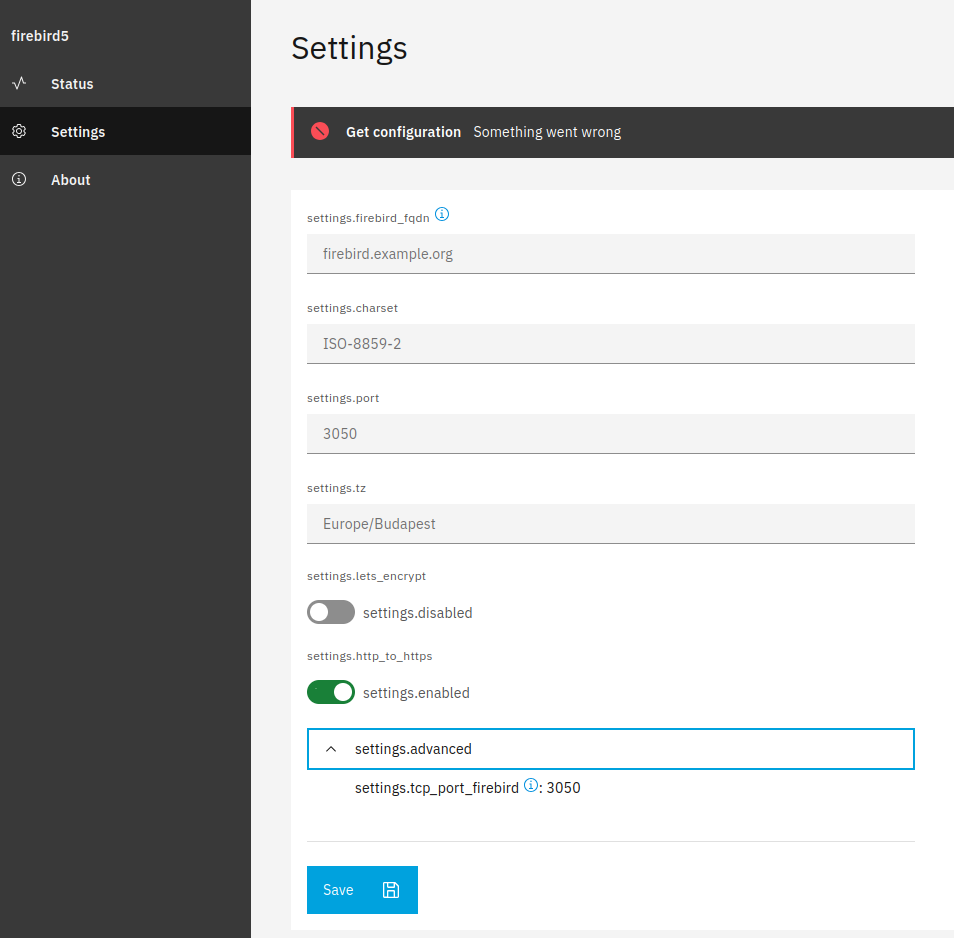
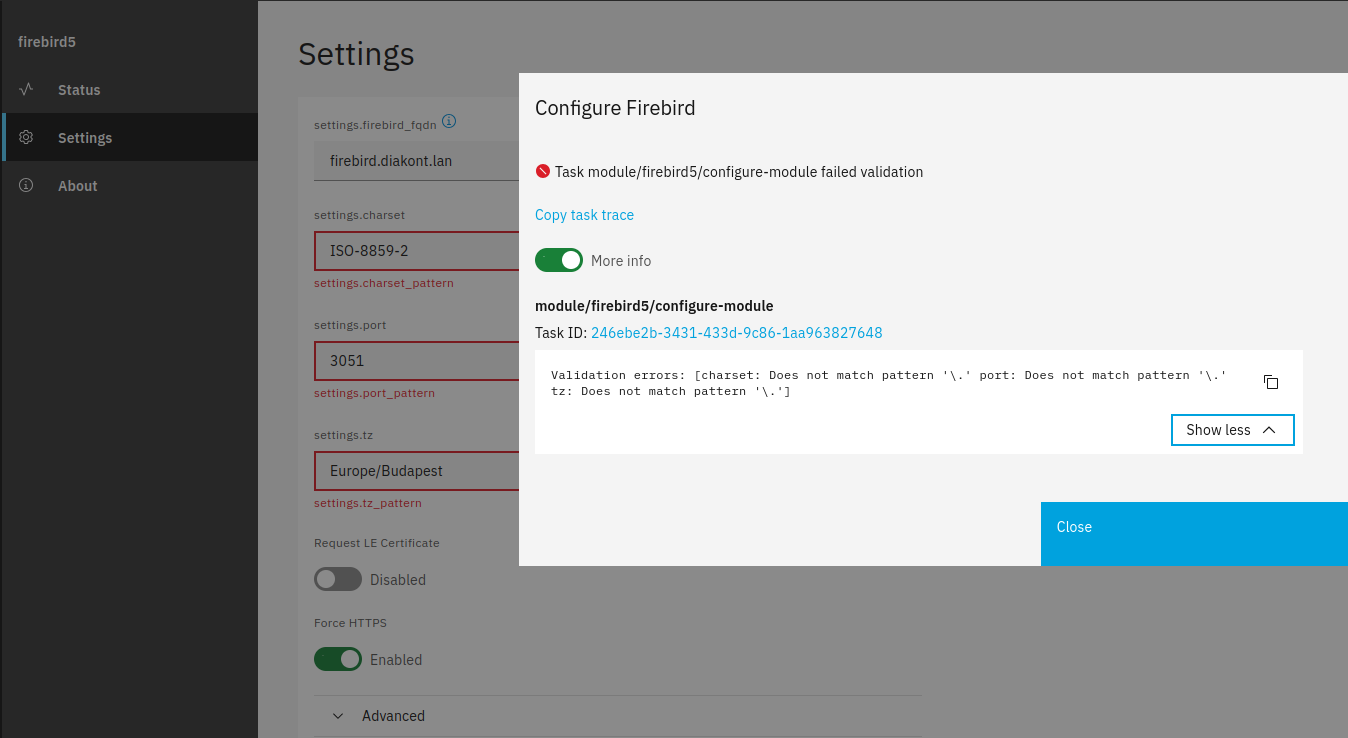
It seems that the firebird5 port is open on the firewall, but in the Settings module the port field is empty, only the suggested 3050 is dimly visible. I type 3050 in the port field and save, but the error message below appears.
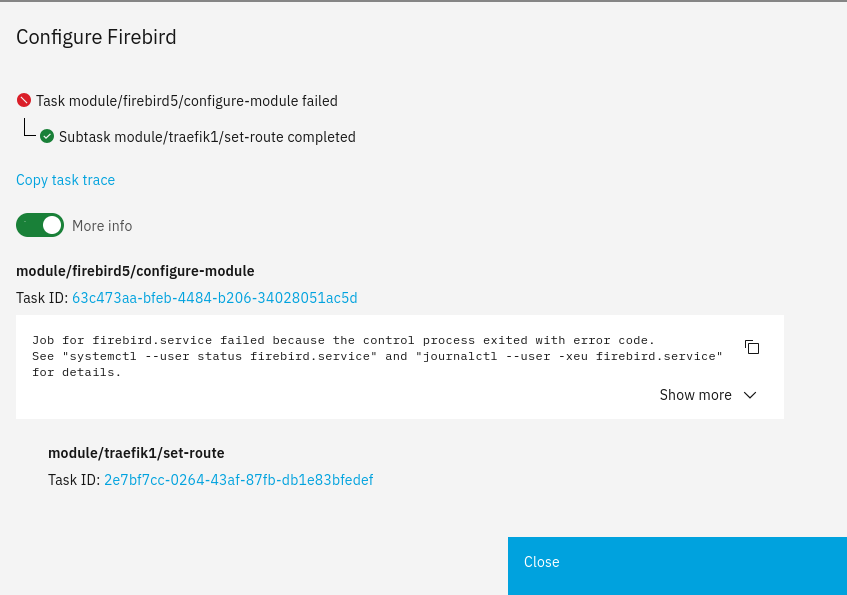
Firebird cannot start due to an error, this image appears after starting:
By default NS8 caches the app images by tags (in your case latest) to not always download them.
This is nice but when you’re developing you need to download the changes from the repo. This could be done by updating including the "force":true option.
Please only use this option, when you’re developing and never for usual app updates, as it will overwrite the app even with older/wrong versions.
So I think you need to use following command to really upgrade the app from the repo:
api-cli run update-module --data '{"module_url":"ghcr.io/sipi58/firebird:latest","instances":["firebird5"],"force":true}'
Some browsers (i.e. Firefox) need a hard refresh to show the UI changes correctly.
Just the ports that are needed by the apps are open.
To get more information about a service and it’s port you could use
firewall-cmd --info-service=firebird5
Yes, that’s ok, the variables aren’t deleted automatically.
I recommend to remove and reinstall the app (if you use the latest tag, you need to upgrade after install to get the right image) to get a clean environment.
Thank you for your suggestion, you suggested this before, so I’ll update Firebird this way.
I cleared the cache in the browser, but the situation remains unchanged.
Should I really delete and reinstall Firebird? Then I can start all over again, editing security.fdb, uploading databases, etc. It will take a long time…
In the Firebird5 - Node 1 log I found the following:
2025-09-13T20:10:28+02:00 [1:firebird5:systemd] Starting Podman firebird.service...
2025-09-13T20:10:28+02:00 [1:firebird5:podman] Error: cannot parse "${FIREBIRD_PORT" as an IP address
2025-09-13T20:10:28+02:00 [1:firebird5:systemd] firebird.service: Control process exited, code=exited, status=125/n/a
2025-09-13T20:10:28+02:00 [1:firebird5:podman] Error: reading pod ID file: open /run/user/1019/firebird.pod-id: no such file or directory
2025-09-13T20:10:28+02:00 [1:firebird5:systemd] firebird.service: Control process exited, code=exited, status=125/n/a
2025-09-13T20:10:28+02:00 [1:firebird5:systemd] firebird.service: Failed with result 'exit-code'.
2025-09-13T20:10:28+02:00 [1:firebird5:systemd] Failed to start Podman firebird.service.
2025-09-13T20:10:28+02:00 [1:firebird5:systemd] Dependency failed for Podman firebird-app.service.
2025-09-13T20:10:28+02:00 [1:firebird5:systemd] firebird-app.service: Job firebird-app.service/start failed with result 'dependency'.
2025-09-13T20:10:28+02:00 [1:firebird5:systemd] firebird.service: Start request repeated too quickly.
2025-09-13T20:10:28+02:00 [1:firebird5:systemd] firebird.service: Failed with result 'exit-code'.
2025-09-13T20:10:28+02:00 [1:firebird5:systemd] Failed to start Podman firebird.service.
2025-09-13T20:10:28+02:00 [1:firebird5:systemd] Dependency failed for Podman firebird-app.service.
2025-09-13T20:10:28+02:00 [1:firebird5:systemd] firebird-app.service: Job firebird-app.service/start failed with result 'dependency'.
2025-09-13T20:11:09+02:00 [1:firebird5:agent@firebird5] task/module/firebird5/d77e4ff0-a990-49eb-8cfd-cb54c72f90ee: get-status/20read is starting
2025-09-13T20:11:10+02:00 [1:firebird5:agent@firebird5] task/module/firebird5/d77e4ff0-a990-49eb-8cfd-cb54c72f90ee: action "get-status" status is "completed" (0) at step validate-output.json
There seems to be a problem with the ${FIREBIRD_PORT} variable.
I can’t get the Let’s Encrypt certificate. My public IP address is registered with the NS7 backup server in DNS and it works. I redirected port 443 on the router to the local IP address of NS8. My Mikrotik router has DDNS service and when I turn it on, it also points to my public IP address. I tried to request a certificate for traefik1 for the DDNS FQDN because the NS8 server name is ns8.domain.lan which is not a standard public server. It didn’t work, I got the following error message:
2025-09-13T19:48:10+02:00 <3>2025-09-13T19:48:10+02:00 unable to generate a certificate for the domains [``hgw0a49badp.sn.mynetname.net``]: error: one or more domains had a problem: <3>[``hgw0a49badp.sn.mynetname.net``] invalid authorization: acme: error: 403 :: urn:ietf:params:acme:error:unauthorized :: 94.21.177.63: Invalid response from ``http://hgw0a49badp.sn.mynetname.net/.well-known/acme-challenge/-EHz4k-0XC2L4FMv0r9rA2WycJ7jj6ye-iiumJNA79g:`` 404 <3>
This could be a FQDN problem, although I don’t know how to solve it, renaming all FQDNs of NS8, using them, etc. is an impossible task without reinstalling and configuring. The separate problem is that I can’t check users’ mail in the test environment, and there were a lot of problems with that.
I did a fresh installation of the app on another NS8 cluster and it just worked.
No, it’s not necessary and I didn’t know that the firebird config including DBs takes a long time. My intention was to tidy up the environment file so you don’t have the old env vars but it shouldn’t be an issue if they are there.
There seems to be a missing } at the end.
Could you please share the output of following command: (content of the firebird service)
Thanks, I had to restart NS8 for the ACME setting to take effect. After that, I received the certificate almost immediately. Next, I will try to configure WG VPN with WG-Easy.
Thank you very much, this manual editing helped, I didn’t have to reload the databases, edit security.fdb, etc. Firebird has started and I can connect to it from the local network and the databases are accessible with the client program.
Now comes the WG VPN, I don’t know how to set it up yet but I hope I can figure it out.
In the meantime, I make any settings on the Firebird module Setting page, it saves but the environment does not change. For example, I changed the port from 3050 to 3059 but it is still available on port 3050. I think the same is true with character encoding. Is this related to the previously disabled checks?