Retrieving UID and GID - Samba users

Hello,

Is there a way to find the UID and GID of domain users that have been created?

Regards,
Gerald

Sorry, I need to explain this in more detail.

While copying files back and forth, the permissions for the users in the Samba directory got completely messed up.

The general shared folders are working again, but I’m still having issues with one of the home directories.
How can I find the UID within the SAMBA container?

1 Like

To get for example the UID/GID of Administrator from inside the container:

runagent -m samba1 podman exec samba-dc id Administrator

Yes, I received the following answer, but what UID should I use with the chown command if I want to change the ownership of the directory? I know the group and the user name now, but I don’t know the UID.

root@SCHA-Nethserver8:/home/samba1/.local/share/containers/storage/volumes/homes/_data# runagent -m samba1 podman exec samba-dc id ulrike
uid=1026(SCHREINEREI\ulrike) gid=100(users) groups=100(users),1026(SCHREINEREI\ulrike),1017(SCHREINEREI\allgemein),1019(SCHREINEREI\info),1010(BUILTIN\users)

OK, I think you want to know the UID that the samba user has on the host.

You could calculate it, see podman/troubleshooting.md at main · containers/podman · GitHub

But I think it’s the easiest to do it in the container so you just can use user and group names instead of IDs.

Enter samba-dc container

runagent -m samba1 podman exec -ti samba-dc bash

The shares are located in /srv/shares, for example:

chown root:users /srv/shares/testshare

After the changes exit the container:

exit

EDIT:

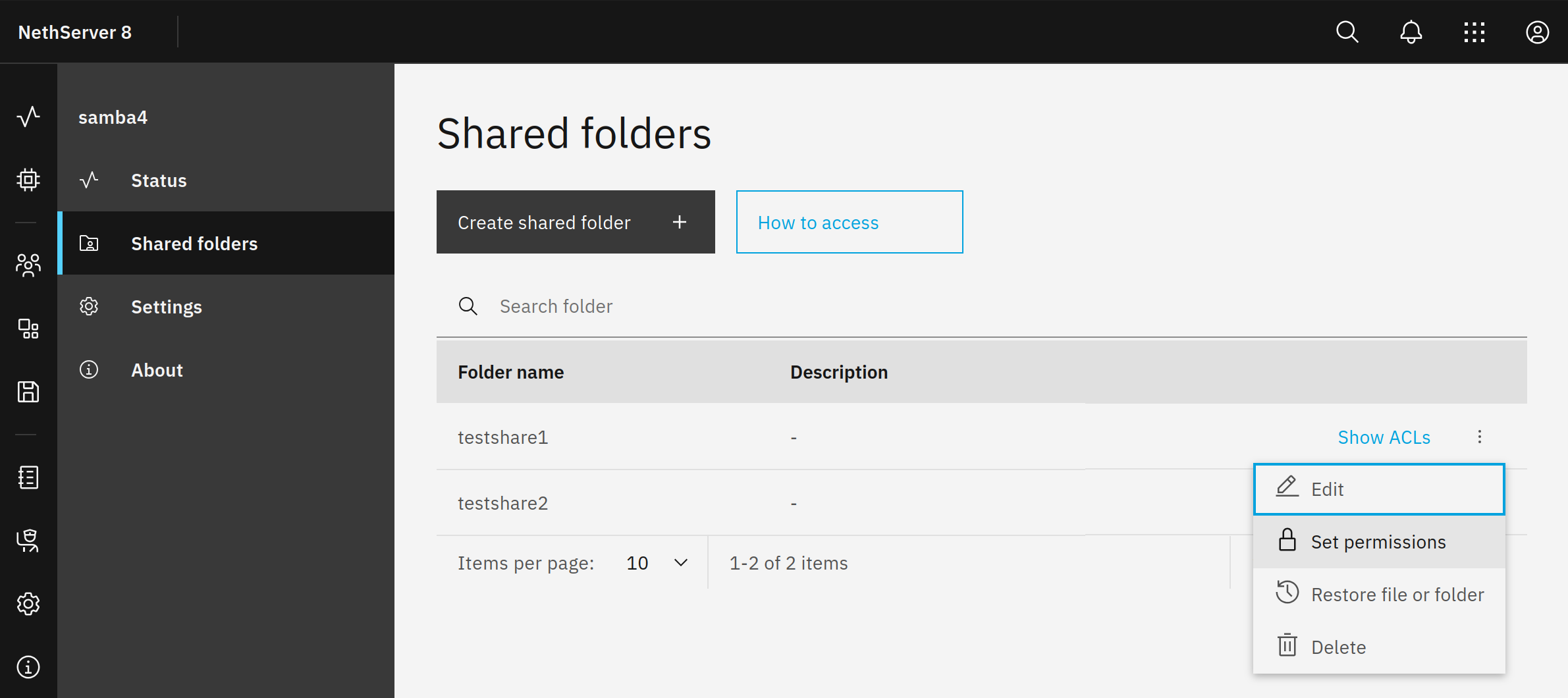
Maybe it’s enough to repair the permissions from the web UI:

This refers to the home directory; it works fine for “regular shared folders”.

Here’s a quick idea:

  • Manually backup the user’s data
  • Delete the user
  • Create a new user

Should that work and solve the problem?

The home directories are located in /srv/homes. You could compare the owners/permissions with a working home directory of another user.

That should work.
I’m not sure if the users home directory is deleted when the user is removed so please check and delete it manually if needed before creating the new user.