jmartens
August 25, 2026, 4:48pm
1
I think I have found an issue I would consider a bug as it cripples the backups.
Scenario to reproduce:
Install at least an additional application
Include it in a backup schedule
Make sure backup is created according to schedule
Remove application
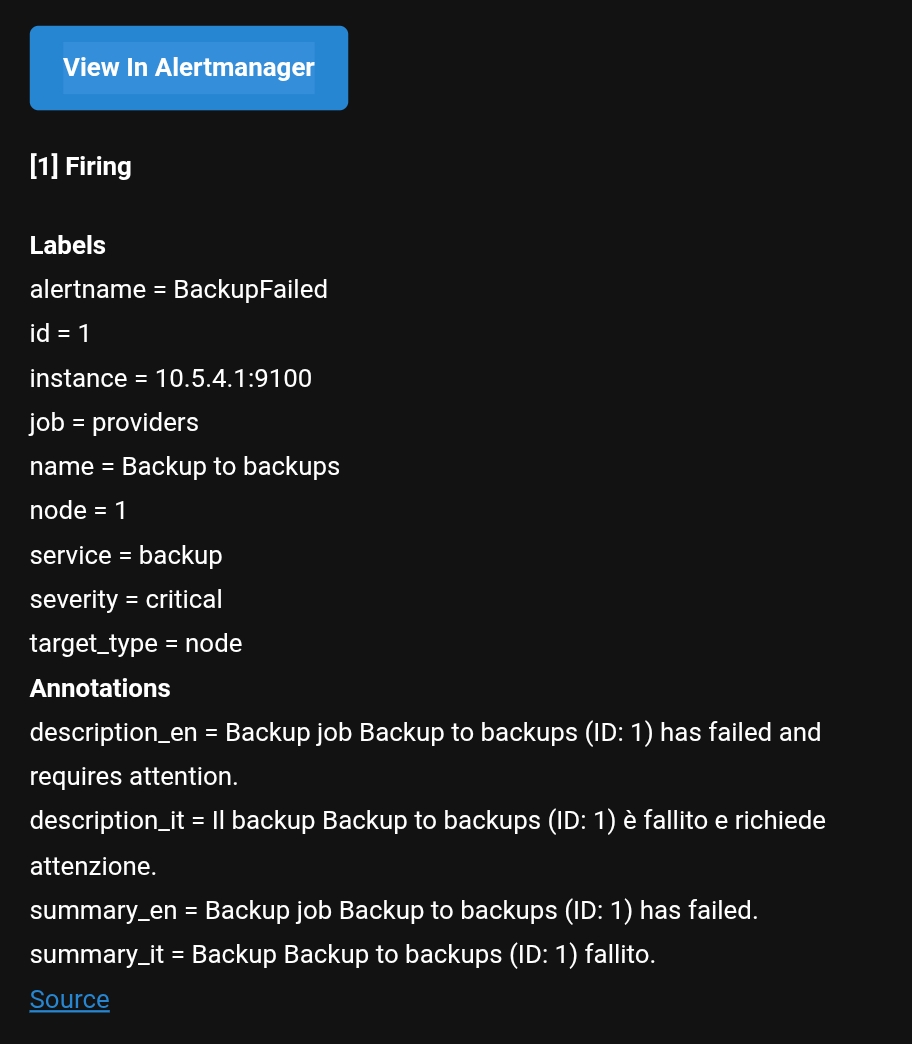
Observe backup failure notifications
Expected:
Removed application should be removed from backup schedule automatically upon removal
Backups should continue w/o backup of removed application as before.
pike
August 25, 2026, 5:00pm
2
jmartens:
Backups should continue w/o backup of removed application as before.
with a warning status instead of Completed or Error and with a specific message into the notification body lil “was not able to backup %Container% - not present”
jmartens
August 25, 2026, 5:09pm
3
This was the email message. I repeatedly got every 3h or so
dan
August 25, 2026, 5:12pm
4
If I might tag onto this, really, you should be able to configure “back up all installed applications.” If you later install new ones, they’ll be backed up; if you later remove one (or more), the backup will include only what’s installed. And that would address this specific issue too.
mrmarkuz
August 25, 2026, 6:16pm
5
I can’t reproduce the issue, after removing an app it’s not available in the backup schedule and it’s not included in the backup anymore.
Please check the system logs , select cluster logs and search for “runagent” to find more details about the error.
Example log output:
2026-08-25T19:55:01+02:00 [1::runagent] checkmk3: starting backup 1 at Tue Aug 25 17:55:01 2026
2026-08-25T19:55:04+02:00 [1:checkmk3:runagent] Repository is present at path 9a76e875-0120-5d64-b642-c20ef85a3c92/checkmk/31645f3b-a2a2-4f42-9777-fef4c13f115a
2026-08-25T19:55:05+02:00 [1:checkmk3:runagent] using parent snapshot 5f68208d
2026-08-25T19:55:05+02:00 [1:checkmk3:runagent] processed 1507 files, 11.497 MiB in 0:01
2026-08-25T19:55:05+02:00 [1:checkmk3:runagent] Files:           2 new,     8 changed,  1497 unmodified
2026-08-25T19:55:05+02:00 [1:checkmk3:runagent] Added to the repository: 99.495 KiB (21.383 KiB stored)
2026-08-25T19:55:05+02:00 [1:checkmk3:runagent] Dirs:            0 new,    19 changed,   416 unmodified
2026-08-25T19:55:05+02:00 [1:checkmk3:runagent] snapshot 86931544 saved
2026-08-25T19:55:08+02:00 [1::runagent] ----------------------------------------------------------------------------------------------------------
2026-08-25T19:55:08+02:00 [1::runagent] keep 3 snapshots:
2026-08-25T19:55:08+02:00 [1::runagent] 86931544  2026-08-25 17:55:04  node1                   last snapshot  /srv/state/environment    11.497 MiB
2026-08-25T19:55:08+02:00 [1::runagent] 5f68208d  2026-08-25 17:51:13  node1                   last snapshot  /srv/state/environment    11.493 MiB
2026-08-25T19:55:08+02:00 [1::runagent] 3 snapshots
2026-08-25T19:55:08+02:00 [1::runagent] 043ad551  2026-07-17 19:01:05  node1                   last snapshot  /srv/state/environment    11.070 MiB
2026-08-25T19:55:08+02:00 [1::runagent] Applying Policy: keep 5 latest snapshots
2026-08-25T19:55:08+02:00 [1::runagent]                                                                       /srv/volumes/checkmk-app
2026-08-25T19:55:08+02:00 [1::runagent] ID        Time                 Host        Tags        Reasons        Paths                     Size
2026-08-25T19:55:09+02:00 [1::runagent] checkmk3: backup 1 completed
2026-08-25T19:55:09+02:00 [1::runagent] Backup 1 completed successfully