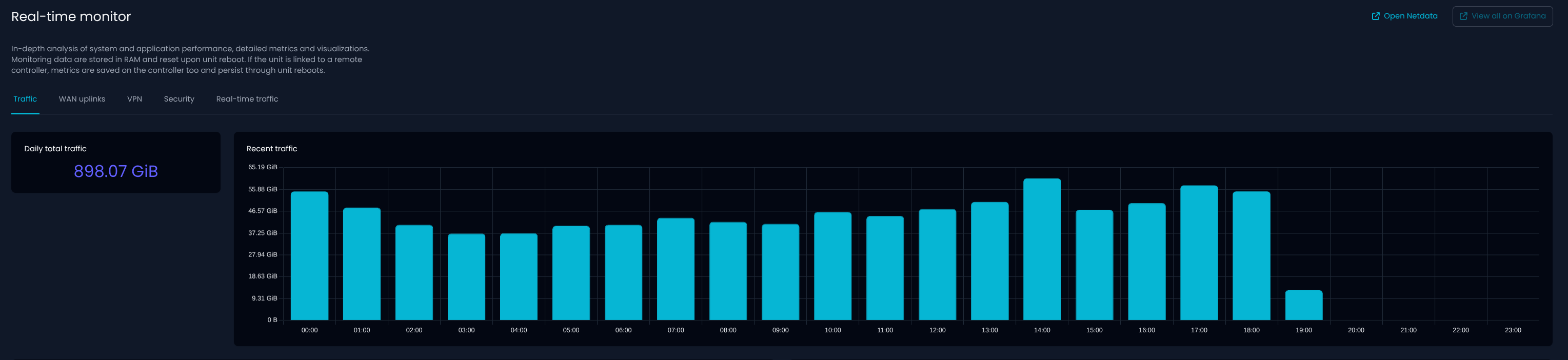
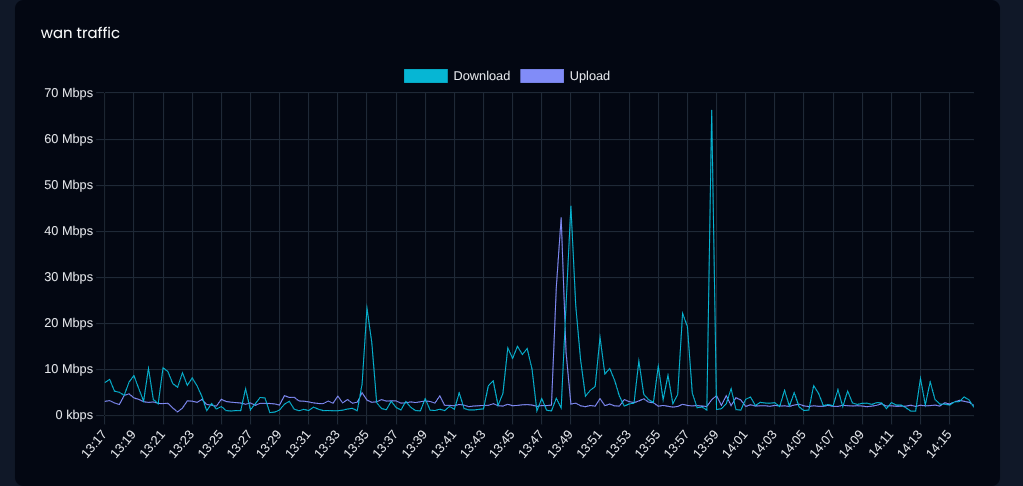
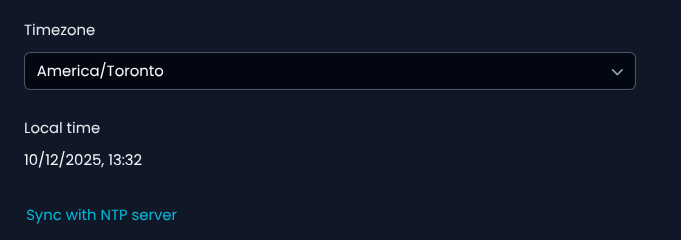
On the page Real-time monitor -> Traffic in the graph, my time is off by 5 hours, i’m assuming it’s using UTC here and not EST. I know it’s taking my NTP, and TZ settings, as I can see them on the command line, and everywhere else within the gui the time is correct.
I changed the timezone for testing and couldn’t reproduce the issue. To apply the new time immediately I rebooted the device.
Real-time monitor / Traffic shows the changed time.
The WAN uplinks / wan traffic still shows the old time but I guess it takes some time until new data is grabbed.
Did you setup the timezone under system settings / general settings / timezone?
In this case I don’t think it’s about a wrong / not working timezone list.
I found that the Real-time monitor / Traffic page seems to use the timezone that is set in NethSecurity but for the Real-time monitor / WAN uplinks the timezone of my local device / browser is used.
I’ve tested a number of different TZ’s and at no point does it change. I’ll set it back to my local, and reboot and see if it takes the change then. But I would think that a change + save + apply would do the trick without having to reboot.
Reboot fixed the time.
Guess i had the TZ set wrong the last time it rebooted.
I guess the real questions is; If the underlining OS has the correct info, why does the GUI require a reboot to have that take effect, and how many other changes require that same thing, but are maybe more invisible than time would be?