No matter the browser, I can’t access the UI from a fresh Rocky 9 install on a new Proxmox VM, i.e., not the prebuilt image. I did the NS8 curl install from the command prompt of the Rocky VM console, rebooting afterwards.
I’ve tried using both LAN (from another VM) and WAN (from different browsers). They all warn me the connection isn’t private and when I click on ‘proceed’, I get the 404 Error Requested URL Not Found. I feel like I’m missing a step somewhere. Thanks for any ideas.
The typical 404 error generated by Traefik on NS8 is a plain text message like this:
404 page not found
Your browser could be reaching some other host. What is the URL?
Look at the console login prompt of NS8, it should report the correct cluster-admin URLs, one with the host name, the other with the NS8 node IP address. Did you check them both?
The browser tab says 404 not found. The browser window is white and says ‘The requested url was not found on this server.’ Trying to access the NS8 UI with either the public IP (NethSecurity VM’s WAN IP port forwarding both 443 and 22 to Rocky-NS8 VM LAN IP) or using the LAN IP from another VM on the same LAN, generates the above. I have also tried the latter using the hostname, only to have the same effect. There is never an NS8 login prompt since I’m getting a page not found error. I also tried using the domain name for the Nethsecurity server, combined with the port forwarding rule, and get the same page not found error.
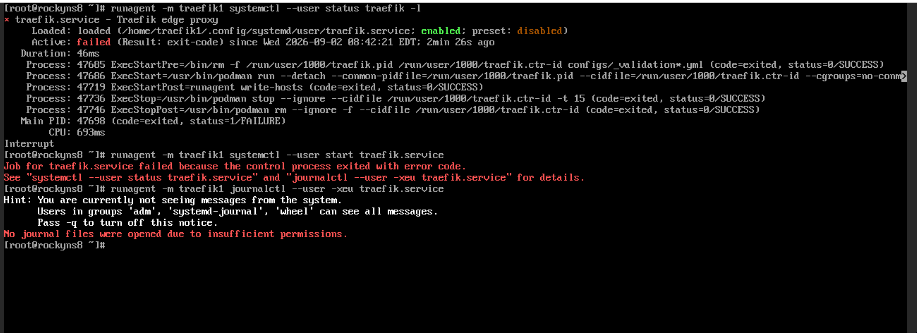
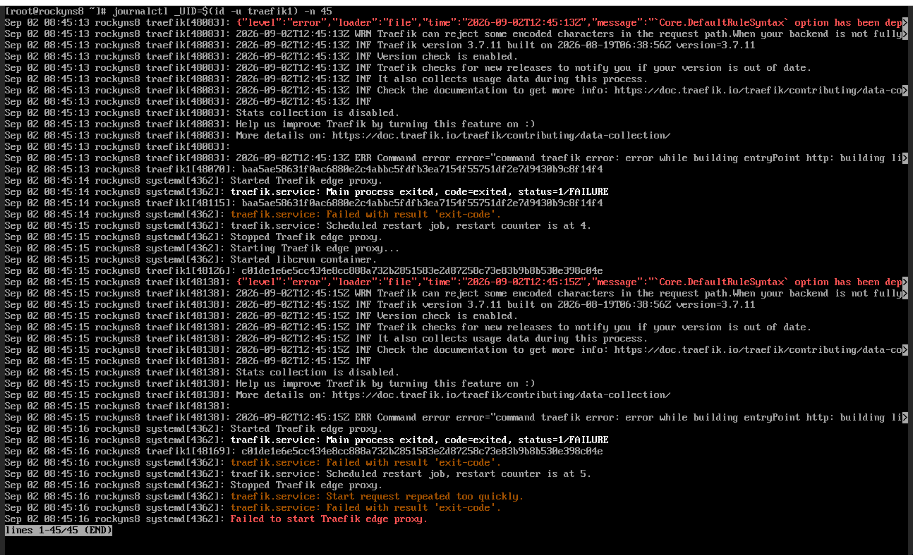
Diving deeper and looking at Traefik, I get the following from the Rocky 9 (Proxmox) VM at shell. This is a new install, using curl from the Rocky 9 VM shell, so I don’t understand why Traefik won’t start. What do I have to do to get journalctl working to view logs? Do I not need to use runagent to use journalctl?
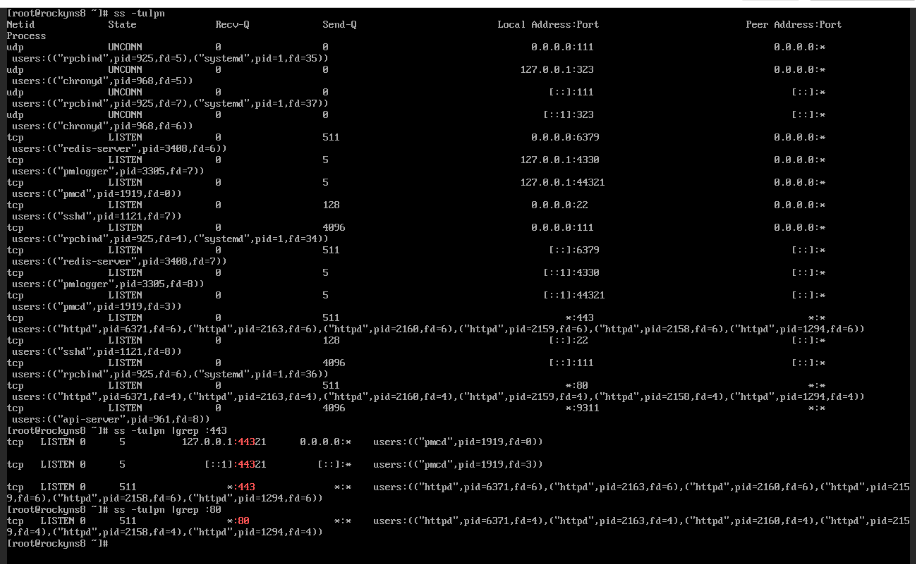
I can’t read the full error reason in the Traefik log excerpt. However, in the 2nd screenshot I see an httpd process running, holding port 443. Traefik startup is likely failing due to the port conflict.
Since the standard installation procedure didn’t work, I suggest creating a new VM with the NS8 prebuilt image.
Apache httpd was installed. Should that not have happened when setting up Rocky 9 during the install? If I stop httpd, I get ‘Unable to connect - try again’ when attempting to access the UI in a browser.
The Apache/Httpd distro standard package is not compatible with NS8. Additional software can be installed only in special cases, as explained in System requirements | NethServer 8 documentation.