Hi @transocean,
probably I’ve found the error: if you have a file with character like “:” Webtop goes in error. I suggest you to rename this file and all should be works properly.
In fact:
-
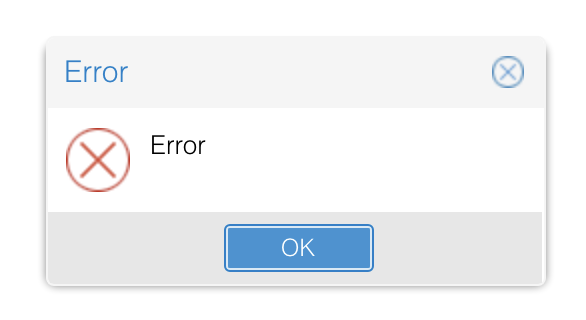
I get an “Error” into Webtop interface
-
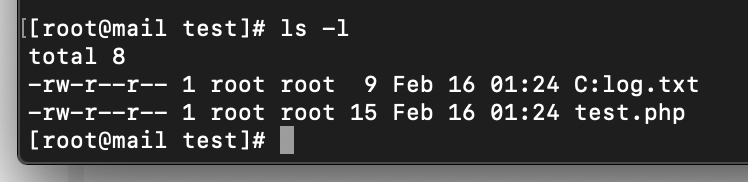
Into my files there is a file named
C:log.txt
-
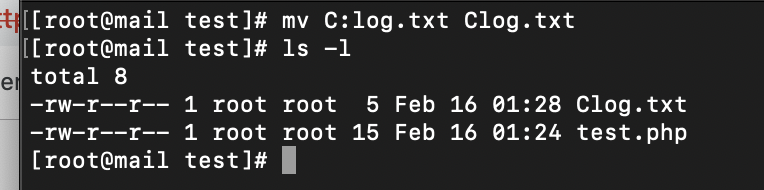
I rename the file named C:log.txt into Clog.txt
-
Webtop returns working properly

Probably you have uploaded a file with “:” from SFTP and not from Webtop interface that block the upload. To find files that contains “:” you can use these commands:
find /var/lib/nethserver/webtop/domains/NethServer/com.sonicle.webtop.vfs/mydocuments/*/ -name '*:*'
and
find /var/lib/nethserver/webtop/domains/NethServer/images/ -name '*:*'
Then you can rename found files with mv command.
If are not “:” you have to search some others special characters.
@lucag @webtop_team Maybe we can add an error description when log contains
[ERROR] com.sonicle.webtop.vfs.Service - Error in ManageStoresTree org.apache.commons.vfs2.FileSystemException: Could not find files in “file:///var/lib/nethserver/webtop/domains/NethServer/com.sonicle.webtop.vfs/mydocuments/myuser”.
and
Caused by: org.apache.commons.vfs2.FileSystemException: Invalid descendent file name “Y:”.
that suggest to user to contact SysAdmin because there is an error with file names and he have to check it.
Wait for feedback.
Regards.