jos
October 8, 2025, 9:15am
21
Hi stephdl,
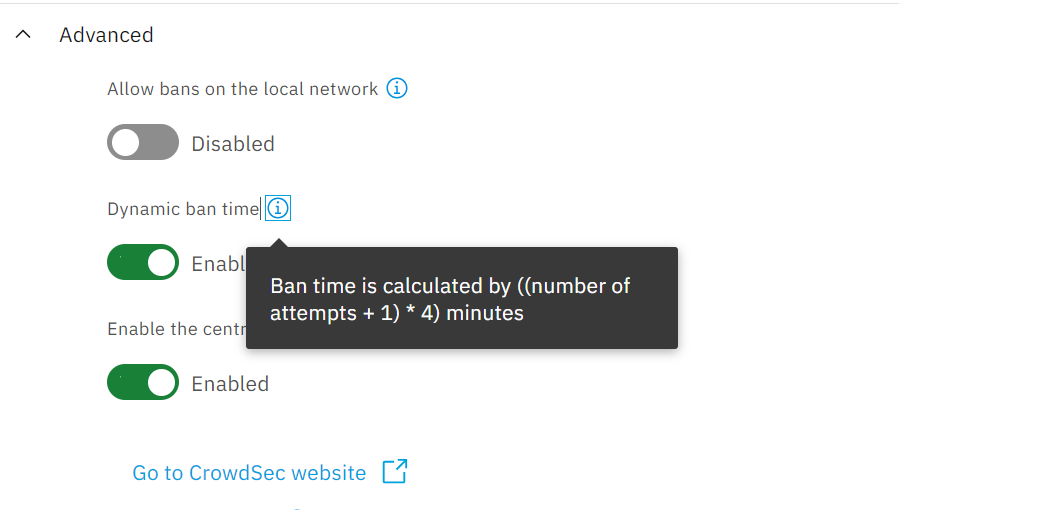
Thanks for your answer. Sounds like a perfect solution, however when I enable dynamic ban time in the GUI, the slider to set ban time disappears and the info icons shows:
which lead me to believe that i cannot change the ban time. Am I missing something ?
Sorry if that is a ignorant question, I’m still discovering NS8.
stephdl
October 8, 2025, 9:29am
22
oups you are right
you cannot customize in the UI but it could be done by modify a custom file, but the update will remove it
          name: default_ip_remediation
          #debug: true
          filters:
           - Alert.Remediation == true && Alert.GetScope() == "Ip"
          decisions:
           - type: ban
             duration: {{bantime}}
          {% if dyn_bantime %}
          # we math a (number of ban + 1) * 4 (units of `duration_expr` comes from `duration`)
          duration_expr: Sprintf('{{dyn_ban_value}}', (GetDecisionsCount(Alert.GetValue()) + 1) * 4)
          {% endif %}
          {% if email %}
          notifications:
           - email_default  # Set the required email parameters in /etc/crowdsec/notifications/email.yaml before enabling this.
          {% endif %}
          on_success: break
1 Like
jos
October 8, 2025, 9:36am
23
Yep, and when crowdsec is restarted this file is overwritten. So alas….
For now I fear I have to stick to my crappy workaround.
Again thanks for your followup.
stephdl
October 8, 2025, 9:37am
24
you can modify the time by disabling the dynamic ban, set the max time you want, then enable the dynamic time again
[root@ns8-leader ~]# cat /var/lib/nethserver/crowdsec3/state/crowdsec_config/profiles.yaml.local
name: default_ip_remediation#debug: truefilters:
we math a (number of ban + 1) * 4 (units of duration_expr comes from duration)
duration_expr: Sprintf(‘%dm’, (GetDecisionsCount(Alert.GetValue()) + 1) * 4)
notifications:
1 Like
stephdl
October 8, 2025, 9:38am
25
either a hidden feature or a bug I need to fix in the UI
1 Like