I usually create VPN user access via a separate WireGuard appliance (in my case, via OpenWRT VM), which allows me to granularly define permissions for which destinations, services, or ports each WG user can access on the local network. Unfortunately, this is sometimes a bit cumbersome, but for a few users, it’s still practical.
Therefore, I recently looked into the “WireGuard” Easy plugin, which makes setting up such access extremely easy.
Unfortunately, it seems that WG-Easy then reaches all hosts on the internal or external network that the NS8 host can also reach on the network. While WG-Easy uses its own corresponding network range internally, my firewall router on the local network doesn’t register the corresponding source addresses (of the WG-Easy container) and therefore can’t process them in a regulatory manner.
Is this a general behavior for all NS8 containers? Are the corresponding access permissions/blocks defined centrally in NS8 somehow? The NS8 firewall has been externalized, but there will also be certain access rules internally?
In any case, this was a showstopper for me at first and leaves me somewhat perplexed. I like to keep web services (websites/web services) accessible from the internet as separate as possible from other services or hosts. And with external VMs, this can be achieved using conventional methods. But how exactly does this work at the level of the NS8 containers themselves?
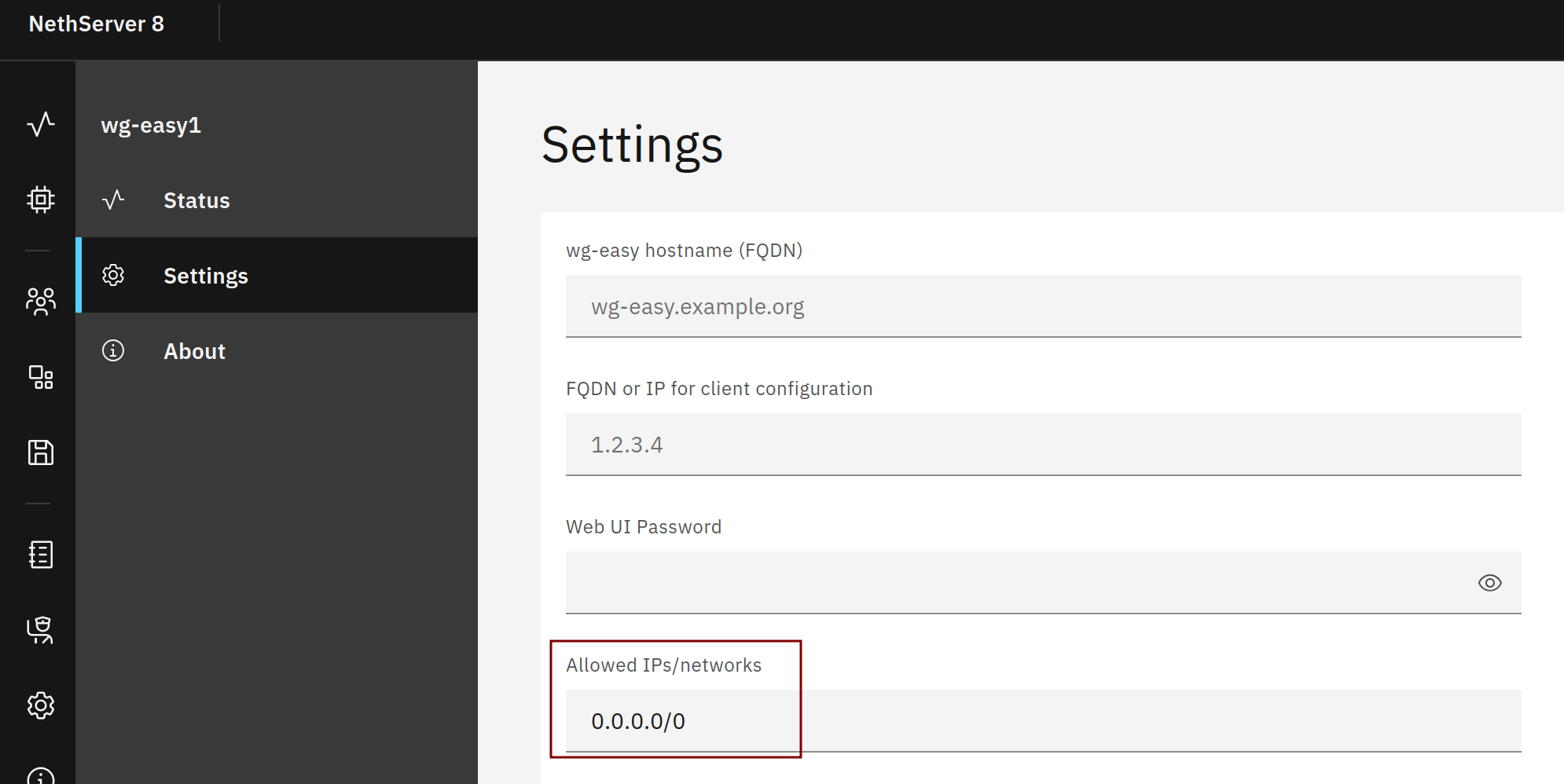
No, it’s specific to the wireguard app and can be managed with the “AllowedIPs” setting AFAIK which defaults to “0.0.0.0/0” so all client traffic is sent via wireguard and everything is reachable.
Is this setting identical to the WireGuard-specific setting for “allowed IPs”? (AllowedIPs = ) Each client could change this themselves.
My question was about server-defined control of accessible networks. If the setting you showed is something like that, that would be a possible approach. However, this always affects all clients; granular client-specific control is not possible.
Especially regarding blocking instead of allowing, because usually you have to selectively block instead of allowing, for example, to avoid completely cutting off internet communication.
Yes, it’s identical. Every wireguard peer can set allowed ips but for example the client can not set the servers allowedips. The server setting “AllowedIPs” sets up the clients routing table so if set to 0.0.0.0/24 all traffic goes over wireguard and is then routed to the local network. If you just define the host 192.168.0.10/32 in “Allowed IPs” then just that host is reachable.
YEah, i think Defguard would be a wonderful Addition to Advanced VPN functionality on NS8, and the recent version even includes Multi VPn network Support Releases · DefGuard/defguard