We are pleased to announce the release of NethSecurity 8.7.2.
This version includes all updates already released for version 8.7.1, some new features not yet released and the system rebase on OpenWrt 24.10.5.
Update now 
 Release highlights
Rebase to the latest version of OpenWrt (24.10.5) which updates several packages and introduces security fixes.
 New features
 DPI engine update and scanning mode
The DPI engine has been updated to version 5.2 and a new scanning mode has also been introduced that significantly improves performance.
This also brings a substantial increase in efficiency, with up to a 90% reduction in workload for DPI inspection activities.
The new engine also integrates advanced features that made it possible to develop new tools such as Live Flows, and opens the way to further evolutions in traffic control and reporting capabilities.
 Live Flows
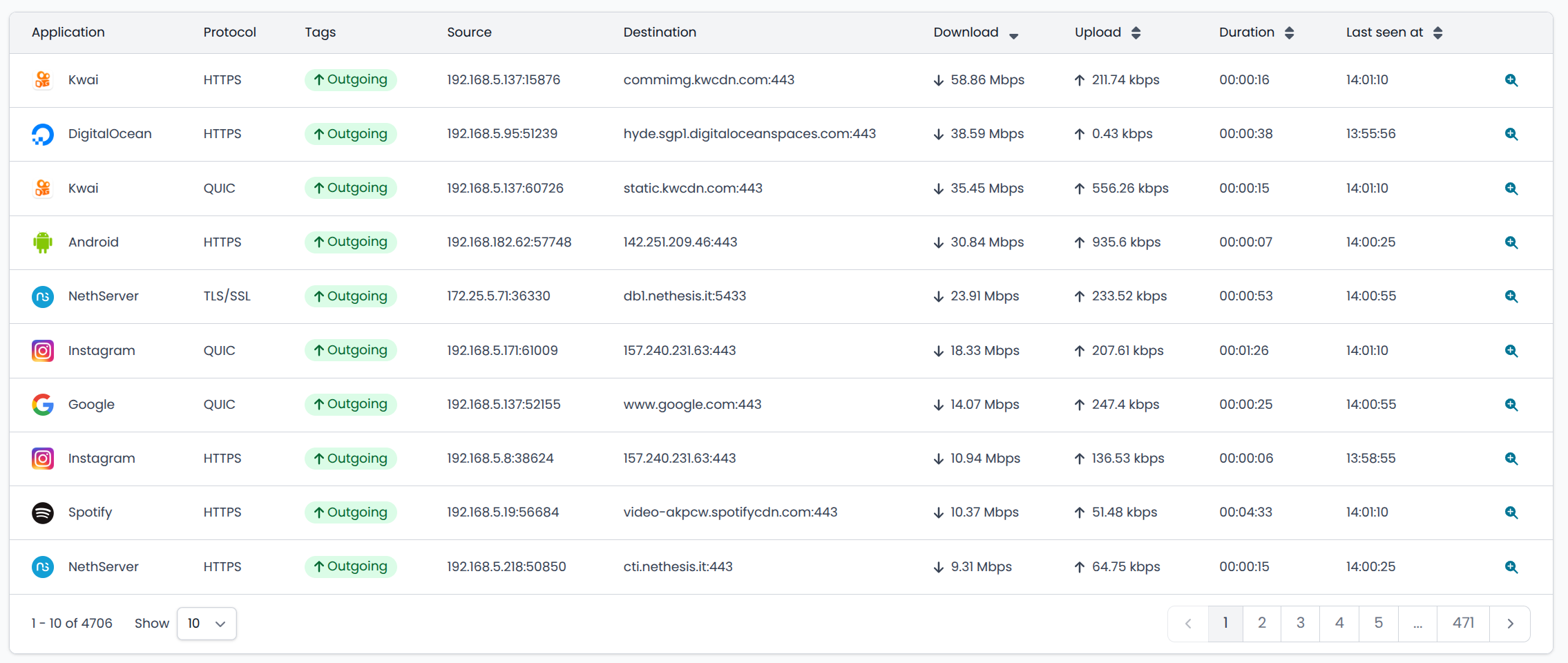
In the Monitoring section, Live Flows are now available, allowing real-time monitoring of all traffic crossing the firewall, providing details on IPs, ports, applications and much more.
Live Flows allow you to:
-
immediately identify hosts generating the most traffic
-
identify the type of traffic they are generating, providing destination host, protocol and application
-
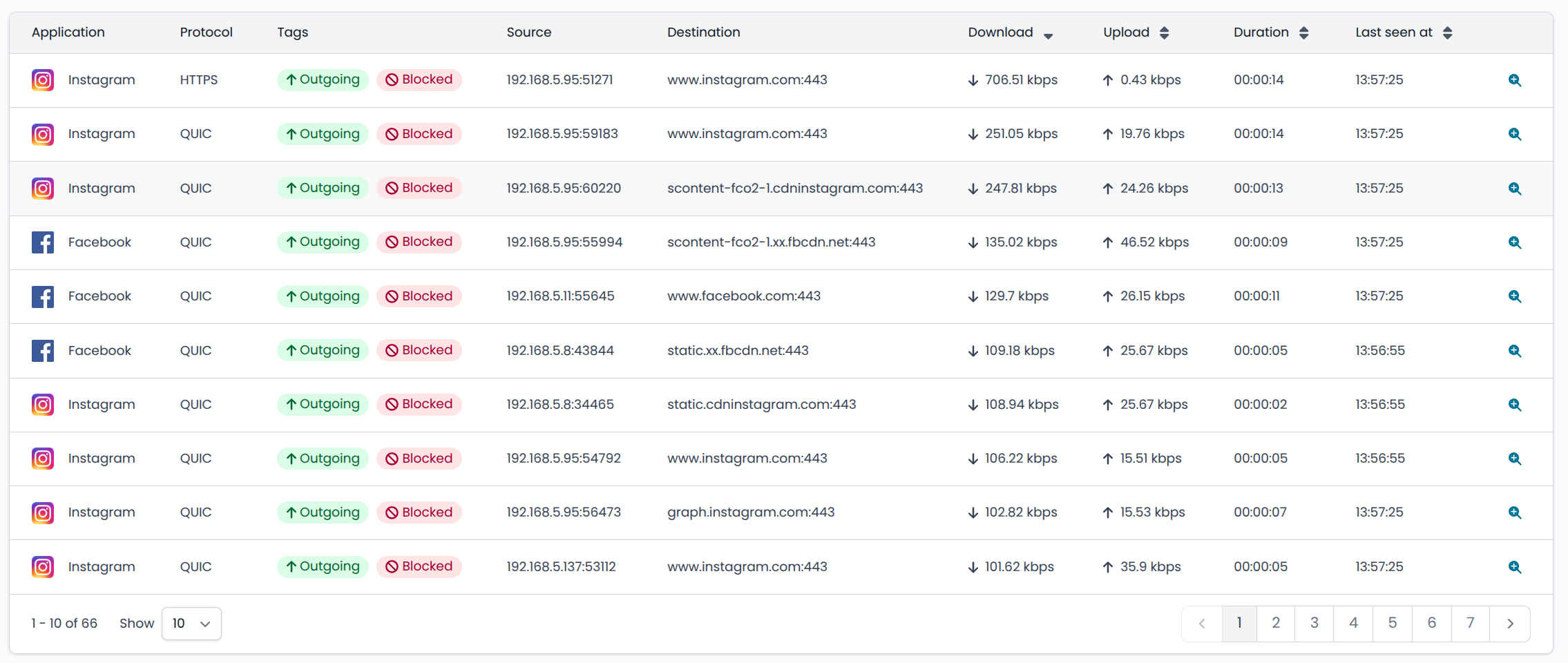
view DPI filter blocks
Live Flows also show blocks performed by the DPI filter
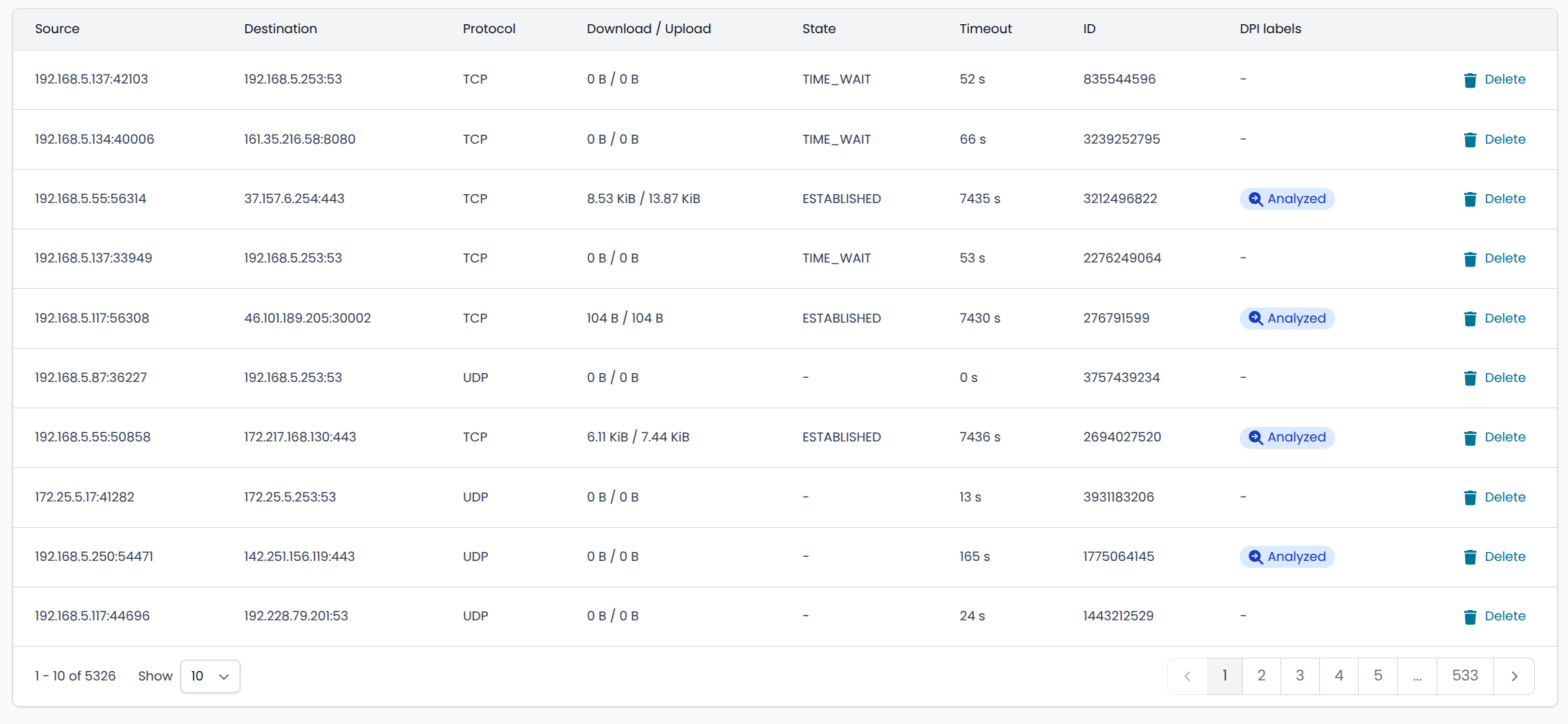
From Flows it is possible to trace back to the corresponding connection reported in conntrack, which has also been enriched with a label related to flows
 Improved certificate management in OpenVPN
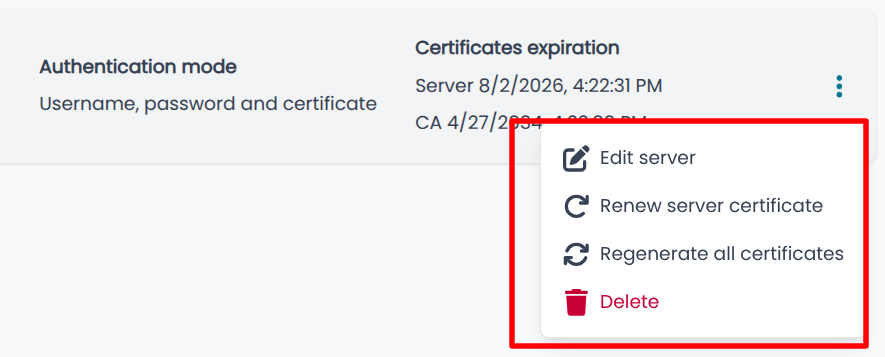
OpenVPN Roadwarrior now displays validity dates, start dates and expiration warnings of Certification Authority (CA) and server certificates, for better certificate lifecycle management.

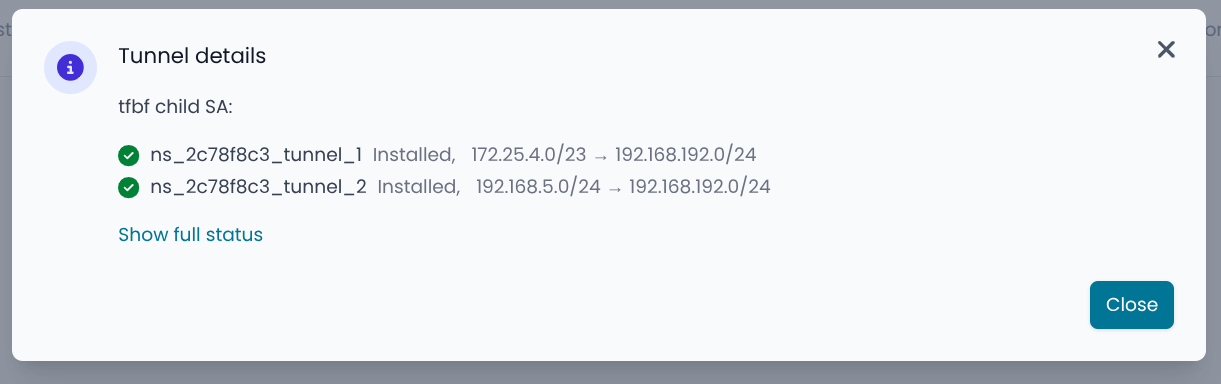
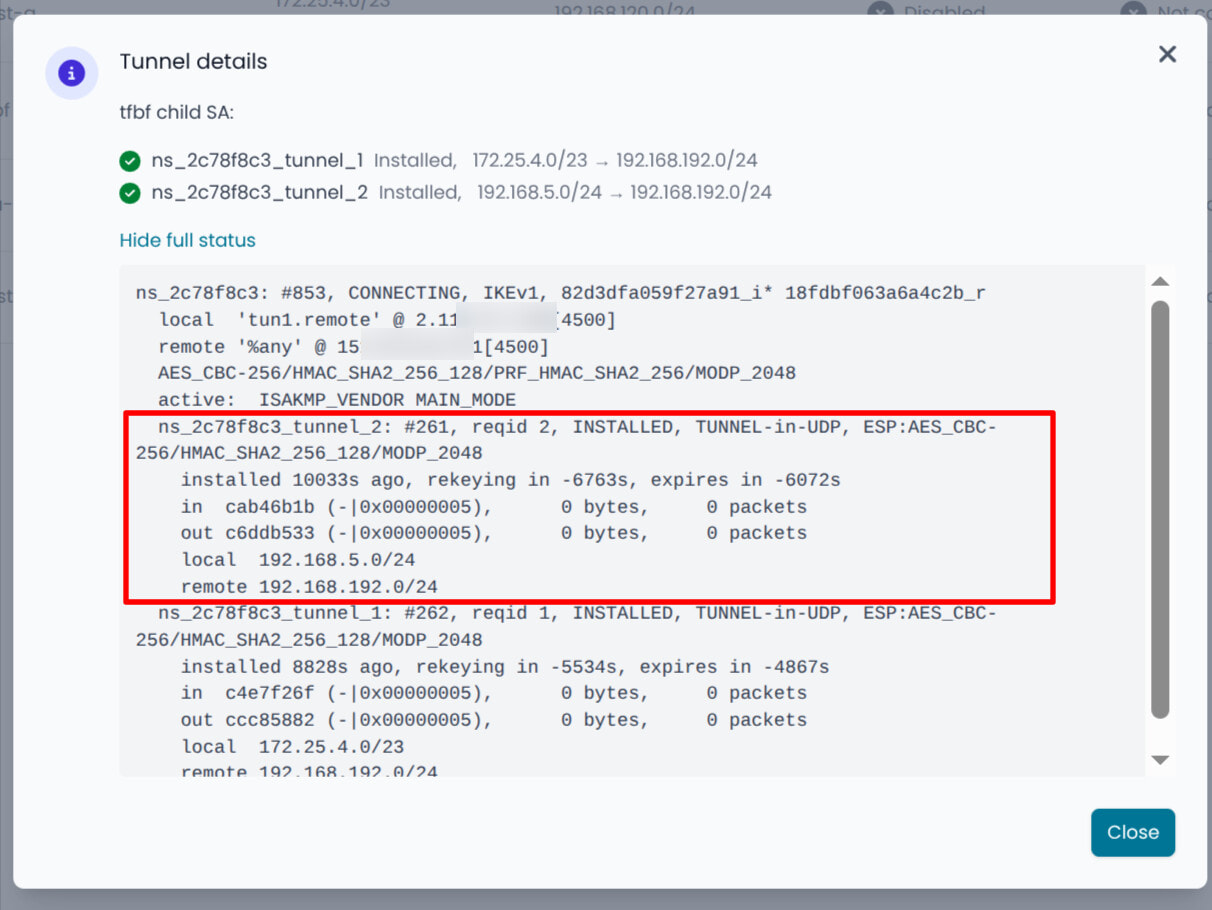
VPN IPSEC: Tunnel details
For each IPsec tunnel, the status of individual Security Associations (SA) is shown, with direct access to the full status output.
This makes it possible to have clearer information in the presence of tunnels with multiple networks.

- IPSec “Close action”: in the IPSec tunnel configuration it is now possible to choose a specific close action (previously always “none”).
 Reverse Proxy
The reverse proxy now supports listening on both HTTP (port 80) and HTTPS (port 443), with optional redirection from HTTP to HTTPS for each instance.
 IPS
IPS
Bypass management has been unified: configured IP addresses are now excluded both as source and destination.
DHCP and Network
The DHCP server now allows the firewall’s IP address to be included within the DHCP range. Although it is generally recommended to keep the firewall’s interface IP outside the DHCP pool, this option can be particularly useful during migration scenarios (as was allowed in version 7), enabling a smoother transition without requiring changes to the existing network configuration.
Port Forward
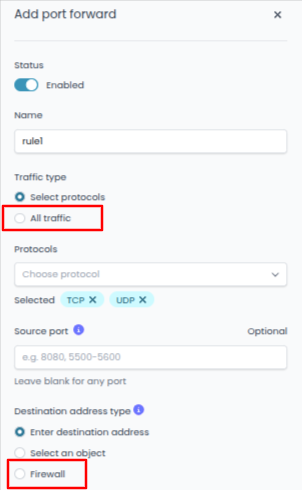
The port forward interface has been improved in case you want to redirect all traffic to a host, with a dedicated option now available.
A specific option is also present for traffic destined to the firewall.
Persistent additional packages
A mechanism has been introduced that allows persistence of manually installed additional packages.
Packages installed via CLI are now automatically reinstalled at first boot after an image upgrade.
 Bug fixes
-
Fixed an issue in MultiWAN rules that did not preserve source and destination after modification.
-
Fixed an error in LAN QoS upload/download bandwidth limits, which were reversed.
-
Fixed sorting of static and dynamic DHCP leases by IP address.
-
Resolved
pppdcrashes with SIGILL (illegal instruction) during PPPoE negotiation with some ISPs. -
Fixed
home_netconfiguration in Snort, which was not updated after changes to LAN interface network settings. -
Aligned IPSec tunnel status between UI, API and CLI after configuration changes, without requiring service restart.
-
Fixed an intermittent authentication error in the backup screen (“Unable to retrieve subscription information”) at first access after firewall reboot.
Known Bugs
The full list of known bugs is available here.
How to update NethSecurity 
- Go to the System → Updates section in the UI
- The UI should show a new available version (NethSecurity 8.7.2)
- Click Update system (the update includes automatic device reboot)
 What is NethSecurity?
NethSecurity is a powerful, open-source Linux firewall designed to simplify network security deployment. It offers full-featured protection and an easy-to-use interface.
Choose your preferred Subscription Plan
A NethSecurity subscription ensures that your deployment is backed by top-tier technical expertise and the support necessary to maintain your organization’s security infrastructure.
Subscribing also grants exclusive access to the Enterprise repository, which includes Automatic Updates and VPN integration with LDAP/AD user databases.
It also provides advanced DPI-based application and protocol detection, with over five times more applications and protocols recognized compared to the Community version.
 Get your subscription
Help shape NethSecurity’s future
Your feedback is invaluable as we continue to refine and enhance NethSecurity. Please share your thoughts, report issues, and suggest features by opening a new topic in the NethSecurity category, using tags like Feature, Bug, or Support.
