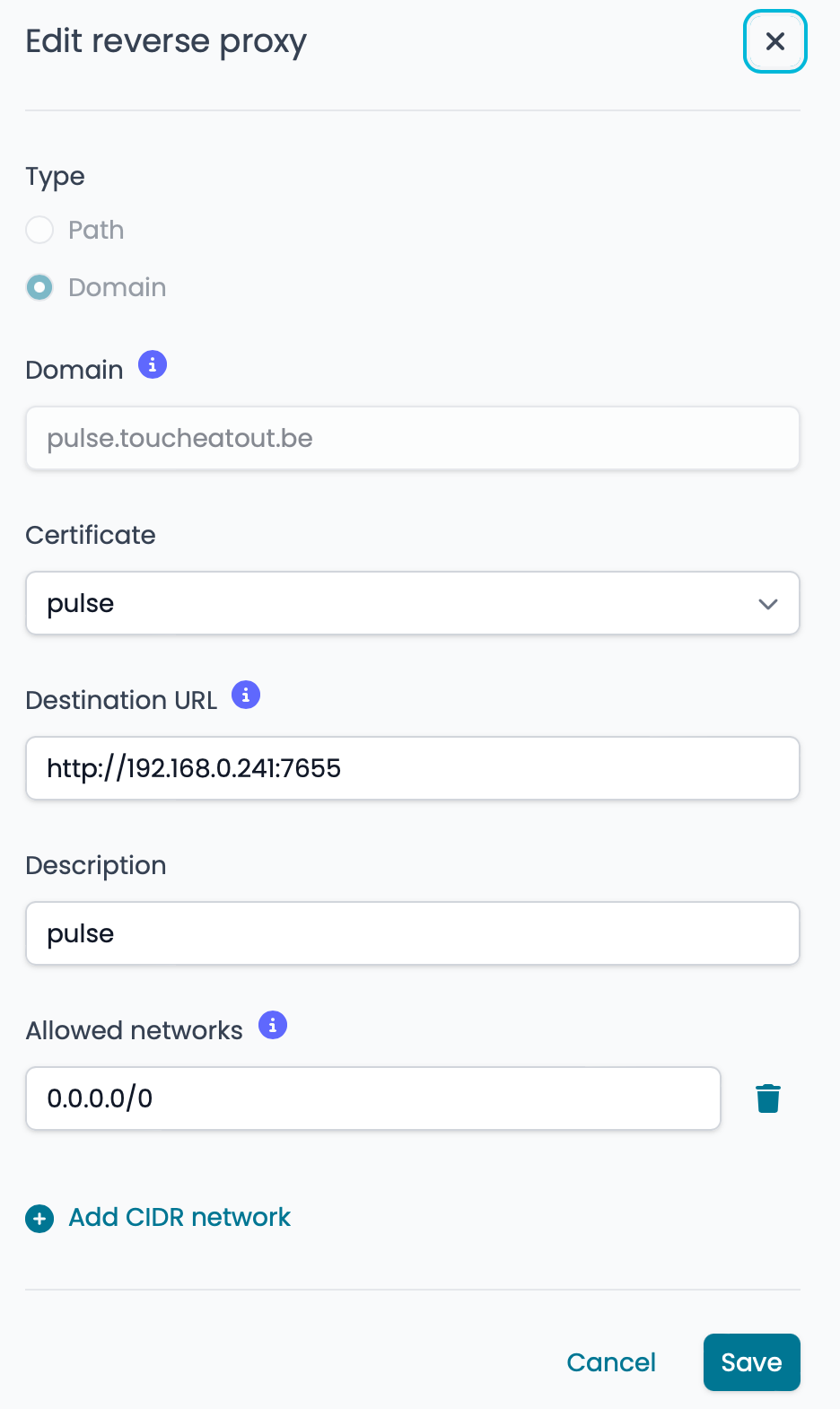
Nethsec / WebSocket support

Hi,

Release : NethSecurity 8 24.10.0-ns.1.6.0

I try to configure a reverse proxy for this nice Proxmox monitoring app : GitHub - rcourtman/Pulse: A responsive monitoring application for Proxmox VE that displays real-time metrics across multiple nodes

The requirements are the following (see Pulse/docs/REVERSE_PROXY.md at main · rcourtman/Pulse · GitHub):

Important Requirements

WebSocket Support Required - Enable WebSocket proxying
Proxy Headers - Forward original host and IP headers
Timeouts - Increase timeouts for long-lived connections
Buffer Sizes - Increase for large state updates (64KB recommended)

Right now it doesn’t work :

What’s the status and capabilities of the reverse proxy module of nethsec at the moment ? I know that the doc states that WebSocket support: all reverse proxies automatically support WebSockets but I must admit that I’ve doubts regarding my recent experiences.

Thanks !

Matthieu

@giacomo @Tbaile

I tried to debug with the help of GPT. Here are our findings:

Topology

  • Client → NethSecurity reverse proxy (nginx)Pulse backend at http://192.168.0.241:7655

  • Public WS endpoint: wss://pulse.toucheatout.be/ws

What works

  • Direct to backend: ws://192.168.0.241:7655/ws → 101 Switching Protocols (Safari DevTools).

What fails

  • Via reverse proxy: wss://pulse.toucheatout.be/ws → 403 Forbidden.

    • Response headers show Server: nginx/1.25.2 (i.e., the proxy), not the app.

    • websocat:

      • Without cookies: 401 (expected—app requires a session).

      • With valid cookies: still 403 when going through the proxy.

Conclusion

  • The reverse proxy blocks /ws before it hits the backend.

  • Likely causes:

    • /ws is handled by a generic location / that applies auth/ACL/WAF, so the WS handshake is rejected.

    • And/or the proxy route for /ws does not perform HTTP → WebSocket upgrade (missing proxy_http_version 1.1, Upgrade, Connection), so nginx returns 4xx.

What do you think :sweat_smile: ?

Fix (expected)

Add a path-specific rule for /ws in the NethSecurity reverse-proxy config that:

  • Targets upstream http://192.168.0.241:7655

  • Enables WebSocket/HTTP upgrade

  • Disables auth/middlewares on /ws

  • Sends required headers and long timeouts

Hello Matthieu, could you share with me the reverse proxy configuration on the firewall?
Websocket request upgrade, headers with original IP and buffer size are already turned on by default, the only thing that could hinder your application is the timeout, but in case of a WS switching, shouldn’t be a problem.

The config is user-first, so your edits should override the webui.

2 Likes

Thanks Tommaso,

Here is the config. Nothing special actually, there are no particular settings.

# cat ns_ae5f1a1b.proxy
location / {
  proxy_http_version 1.1;
  proxy_set_header X-Forwarded-For $proxy_add_x_forwarded_for;
  proxy_set_header X-Real-IP $remote_addr;
  proxy_set_header Upgrade $http_upgrade;
  proxy_set_header Connection "upgrade";
  proxy_set_header Host pulse.toucheatout.be;
  client_max_body_size 1024m;
  resolver 127.0.0.1;
  proxy_pass http://$upstream;
  allow 0.0.0.0/0;
  deny all;
  set $upstream 192.168.0.241:7655;
}

I tried to add some lines to the ns_ae5f1a1b.proxy file but they were scratched as soon as I did a ngninx reload.

I confess that I don’t really know what I’m doing here, not used at all at ngninx configuration files so I might perfectly do something dumb. Apologies if it is the case. Ready to try any suggestion to get this working.

I saw your PR regarding the webscocket issue. Here’s GPT’s comment (it might of course perfectly be complete bs) :

Why the 403 persists

  1. Upgrade headers ≠ auth bypass.
    The PR enables WS upgrade on all locations, but if your vhost/path also has auth/middlewares enabled, nginx will still reject /ws with 401/403 before it ever upgrades. WebSockets don’t survive an auth challenge. You still need a path rule that excludes auth on /ws.

For the record I had similar problems getting a collabora instance to work behind this reverse proxy. It did work with NS7.

Matthieu

in nginx.conf

config location 'ns_da58acd0'
	option proxy_http_version '1.1'
	list proxy_set_header 'X-Forwarded-For $proxy_add_x_forwarded_for'
	list proxy_set_header 'X-Real-IP $remote_addr'
	list proxy_set_header 'Upgrade $http_upgrade'
	list proxy_set_header 'Connection "upgrade"'
	list proxy_set_header 'Host pulse.toucheatout.be'
	option client_max_body_size '1024m'
	option uci_server 'ns_ae5f1a1b'
	option location '/'
	option resolver '127.0.0.1'
	option proxy_pass 'http://$upstream'
	list allow '0.0.0.0/0'
	list set '$upstream 192.168.0.241:7655'
1 Like

The following should make pulse work:

Edit /etc/config/nginx and adapt the reverse proxy for pulse:

Following options are different on your side, don’t overwrite it

  • The hostname pulse.domain.tld
  • ns_420c686 and ns_1737df38
  • The upstream IP 192.168.3.141
config location 'ns_420c686c'
        option proxy_http_version '1.1'
        list proxy_set_header 'X-Forwarded-For $proxy_add_x_forwarded_for'
        list proxy_set_header 'X-Real-IP $remote_addr'
        list proxy_set_header 'Upgrade $http_upgrade'
        list proxy_set_header 'Connection "upgrade"'
        list proxy_set_header 'Host pulse.domain.tld'
        option uci_server 'ns_1737df38'
        option location '/'
        option resolver '127.0.0.1'
        option proxy_pass 'http://$upstream'
        list set '$upstream 192.168.3.141:7655'
        list proxy_set_header 'X-Forwarded-Proto $scheme'
        list proxy_connect_timeout '7d'
        list proxy_send_timeout '7d'
        list proxy_read_timeout '7d'
        list proxy_buffering 'off'
        list proxy_buffer_size '64k'
        list proxy_buffers '8 64k'
        list proxy_busy_buffers_size '128k'

Generate config:

nginx-proxy-gen

Restart nginx:

/etc/init.d/nginx restart

Show nginx config:

nginx -T -c '/etc/nginx/uci.conf'

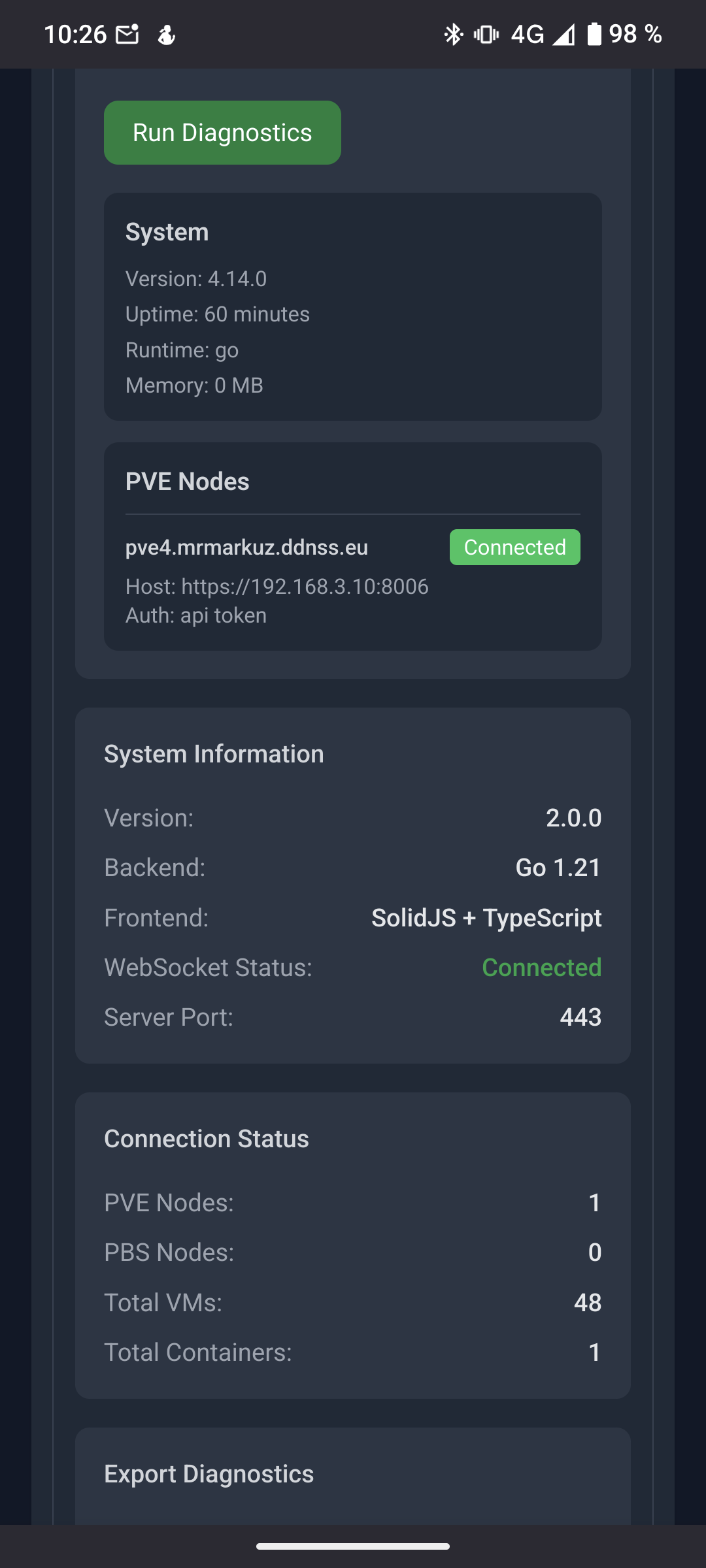
Now it should work and pulse looks like

See nginx | NethSecurity for more info.

2 Likes

How did you install pulse?
The install script on a pve node didn’t work for me so I installed it on NS8 using scratchpad and it just worked using podman so I’m going to add an ns8-pulse app soon.

1 Like

GREAT

Thanks @mrmarkuz

Is there anything we can do to support this kind of scenario out of the box ?

Just using the bash script. There was some difficulties as I remember but nothing difficult.

2 Likes

I’m not sure, we would need to add a lot of nginx options in the advanced section of the UI to support different scenarios but NethSecurity aims to be a simple to use firewall so I think it’s best to customize manually when needed.

I didn’t manage to install it, do you use Proxmox 8 or already 9?

1 Like

I know nothing about this but I’m not sure there is anything special in the way Pulse works ? Beside this, there is nothing wrong to add a field to the UI in order to ease the customisation.

I didn’t manage to install it, do you use Proxmox 8 or already 9?

Nope, version 8. I’m afraid you should post a request in the Support section :joy:

2 Likes

Since I know NethServer it aims to be easy-to-use and to support common cases instead of corner cases.

It’s about 8 fields to add for Pulse and there may be more to support other scenarios/apps.

I’m not against adding fields to the UI but in this case it may get complex. Maybe we could find a good compromise.

I face another similar problem : I try to create a reverse proxy for an instance of uptime-kuma (yes, I’m into monitoring these times :wink:) somewhere on the internet. I only get a white page.

You can try yourself : https://status.lebrass.be which points to http://mattlabs.gaillet.be:3001/status/lebrass

The reverse proxy doc states that the following config should be used :

 location / {
    proxy_set_header   X-Real-IP $remote_addr;
    proxy_set_header   X-Forwarded-For $proxy_add_x_forwarded_for;
    proxy_set_header   Host $host;
    proxy_pass         http://localhost:3001/;
    proxy_http_version 1.1;
    proxy_set_header   Upgrade $http_upgrade;
    proxy_set_header   Connection "upgrade";
  }
```

Which looks completely the same as the config file generated by nethsec.

Any idea ?

I feel that the this reverse proxy is much more sensitive than the one of NS7. I never have had such difficulties to get it working in the past. Maybe it’s by chance, I don’t know.

Actually I was considering a single text field that would contain the customised config lines. But sure that’s probably not that easy to handle.

1 Like

How/where did you install uptime-kuma? On NS8 or some virtualization?

Does it help to just point to http://mattlabs.gaillet.be:3001 without the path /status/lebrass ?

Or point to the IP instead of the name?

It runs under docker.

Actually I tried that before but left the leading slash. I just tried without it and it works.
Isn’t it a supported scenario ?

Not a big deal anyway, I’m happy it works now. Thanks again :slight_smile:

1 Like

Leaving the slash is a wrong configuration. Great that it works now!

My bad. Maybe that should be handled by the UI :wink:

BTW : all my reverses proxies are configured WITH a leading slash :scream: ! That may explain some other difficulties I have had…

1 Like

I think there are also (rare) cases where a slash could be needed so unfortunately it’s not possible to guess the right setting.