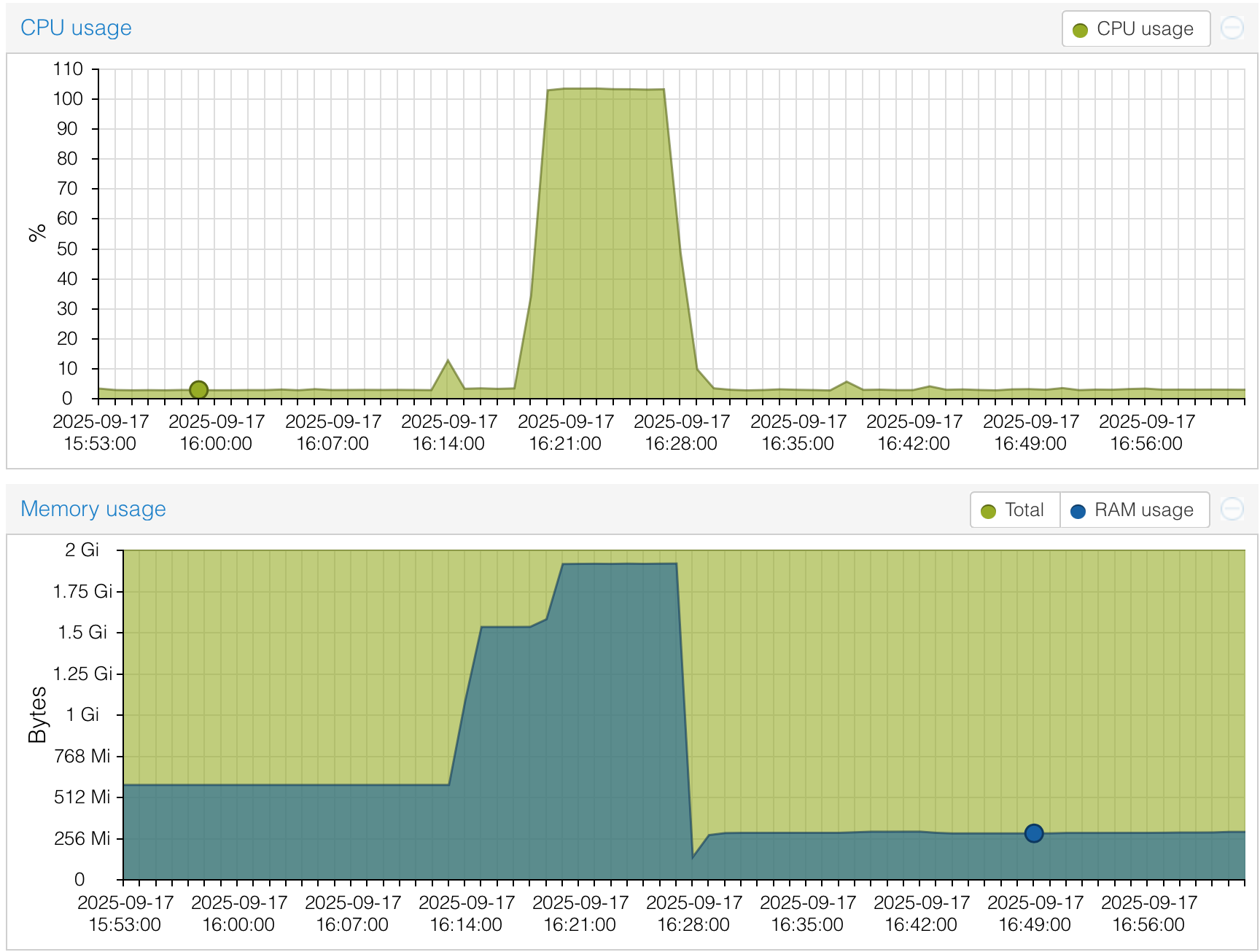
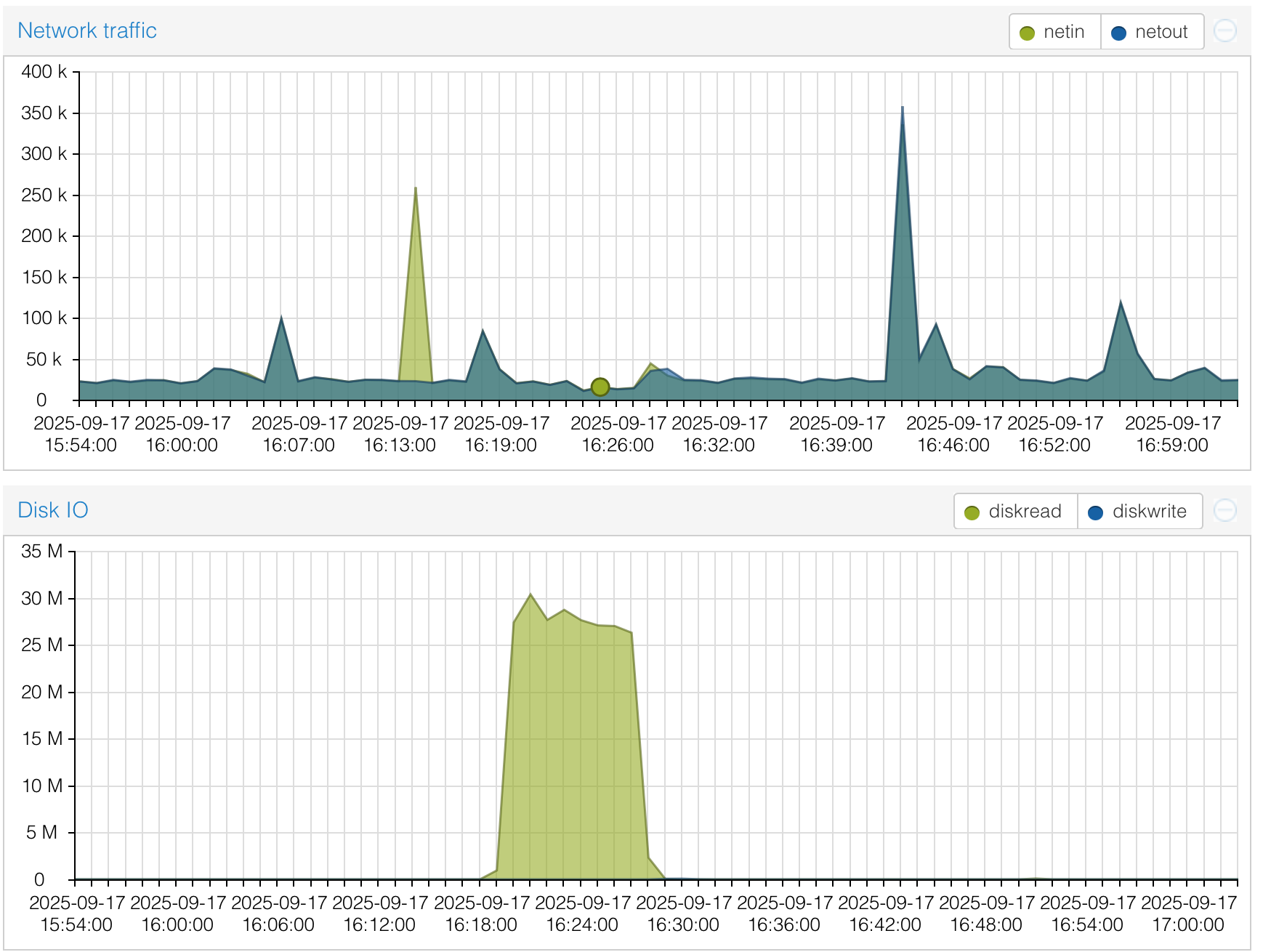
After running flawlessly for two months, my NethSec instance suddenly went critical: CPU, memory, and disk I/O were completely maxed out.
Unfortunately, all logs were lost after the reboot, so I couldn’t investigate what happened.
Why are logs not persisted across reboots?
Any idea what could have caused such a resource spike?
This is how openwrt in the current configuration works, everything non-configuration is lost upon restart/update. This ensures the system is always clean and performant.
You can achieve persistent logs by enabling Persistent Storage if you have a disk/partition free to use. If you go with the controller, this will indeed extend farther the data retention of the firewall.
Any idea what could have caused such a resource spike
Could be anything, do you have IPS enabled on the firewall? High CPU/MEM usage is usually correlated to the security software that analyzes the traffic.
IPS is not enabled, nor any packet inspection module.
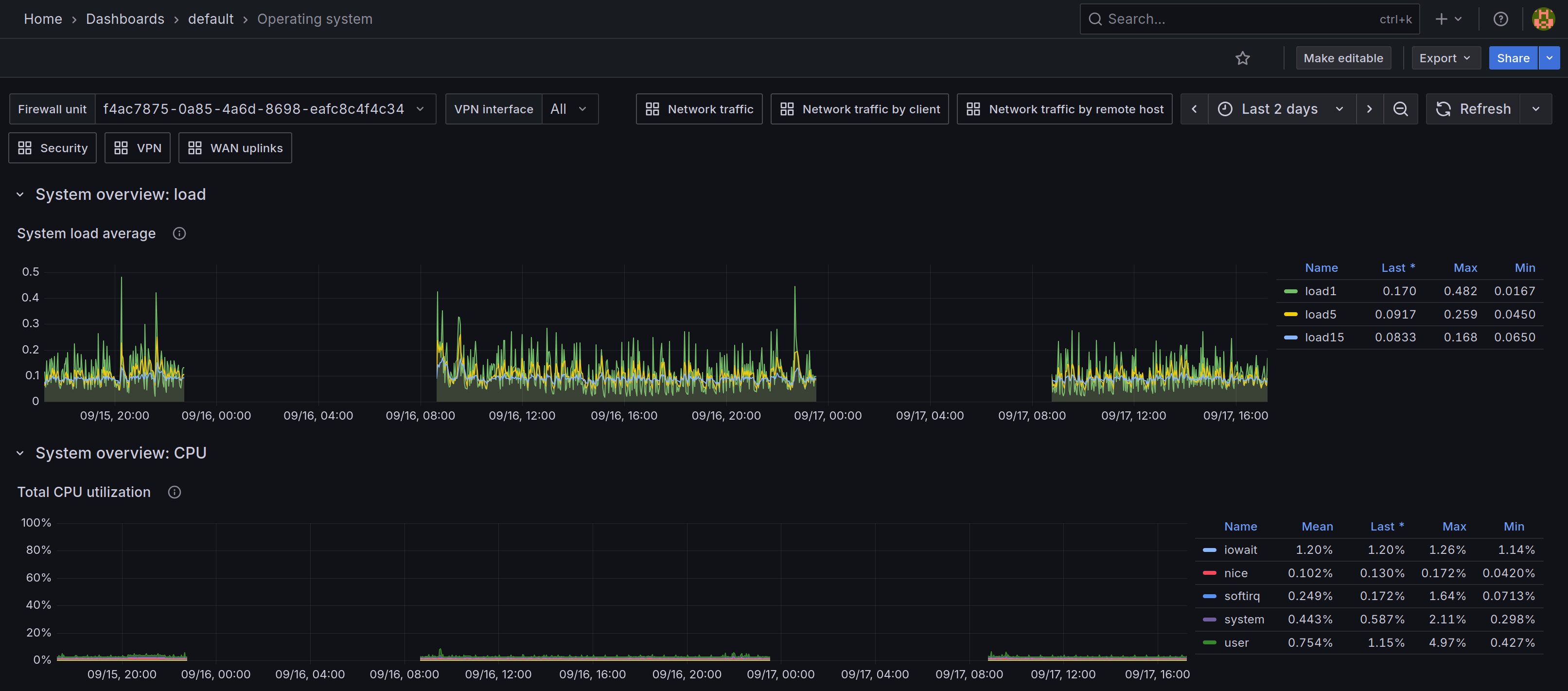
I configured the controller and will have access to the logs if it happens again, which is not the case up to now. The disk IO is indeed very unusual in this case.