Hi everyone, I wanted to have some advice about nagios client. I should monitor the nethserver server with another nagios server. Is it sufficient to install the plugin nrpe-plugins and nrpe-server? Thanks for any information.
1 Like
Hi
As a longtime Nagios User:
You can install nrpe stuff, they should work. You’ll need to adapt the internal firewall of Nethserver. Templating should not be needed.
You could also just use SNMP monitoring from Nagios, together with some external checks…
Or you could move on from Nagios, like I did and use Zabbix. Not a collection of monitoring tools, like Nagios has become, with a lot of update dependencies, but all in one package.
Zabbix is completly free like NethServer (FOSS).
Zabbix is used by quite a few BIG companies / institutions, and it’s not that companies like Dell or T-Online (German Telecom) don’t have the know-how for Nagios… 
Clients (From their Web Page.

A few tasters…
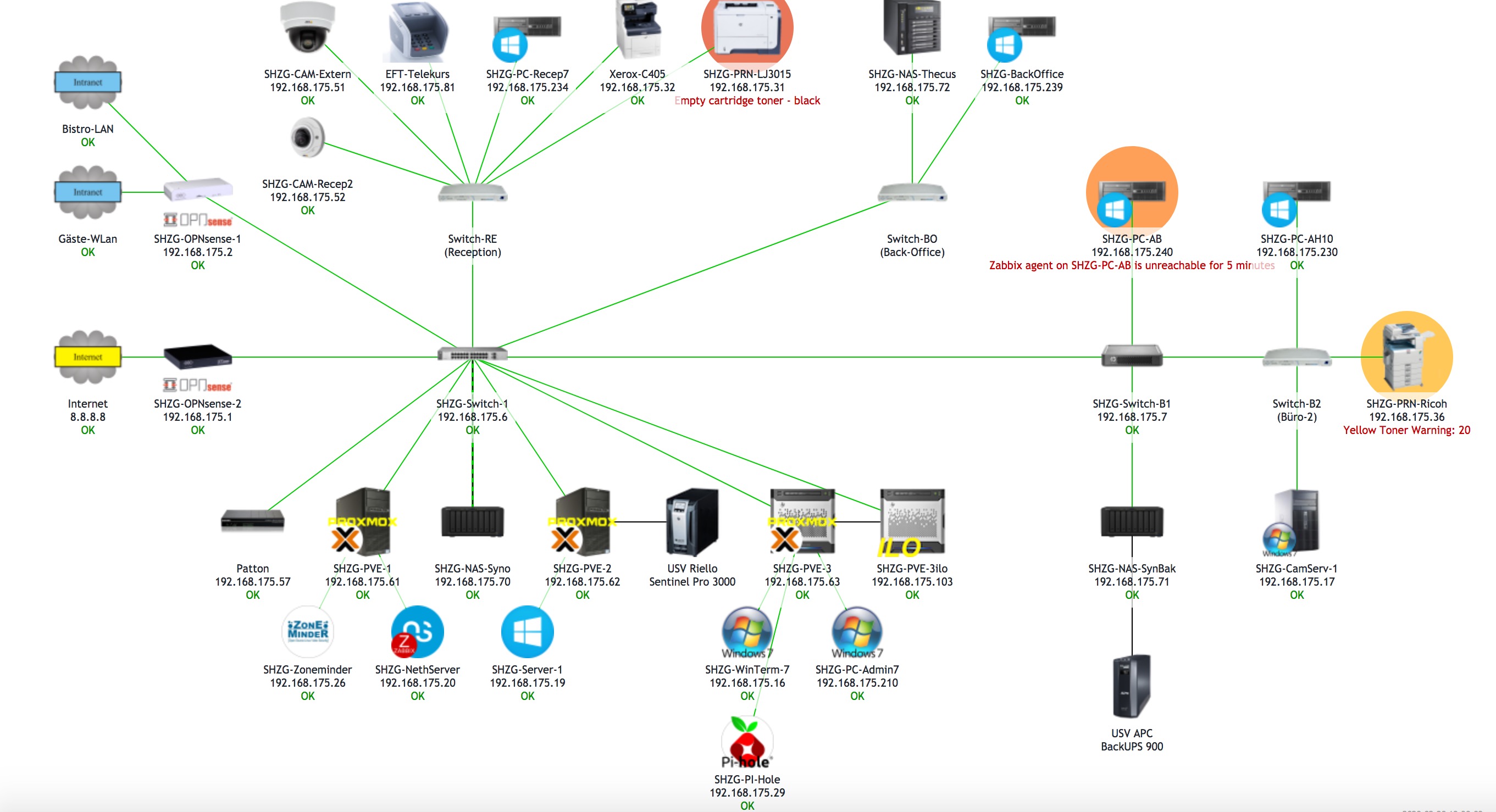
Live Cam views…
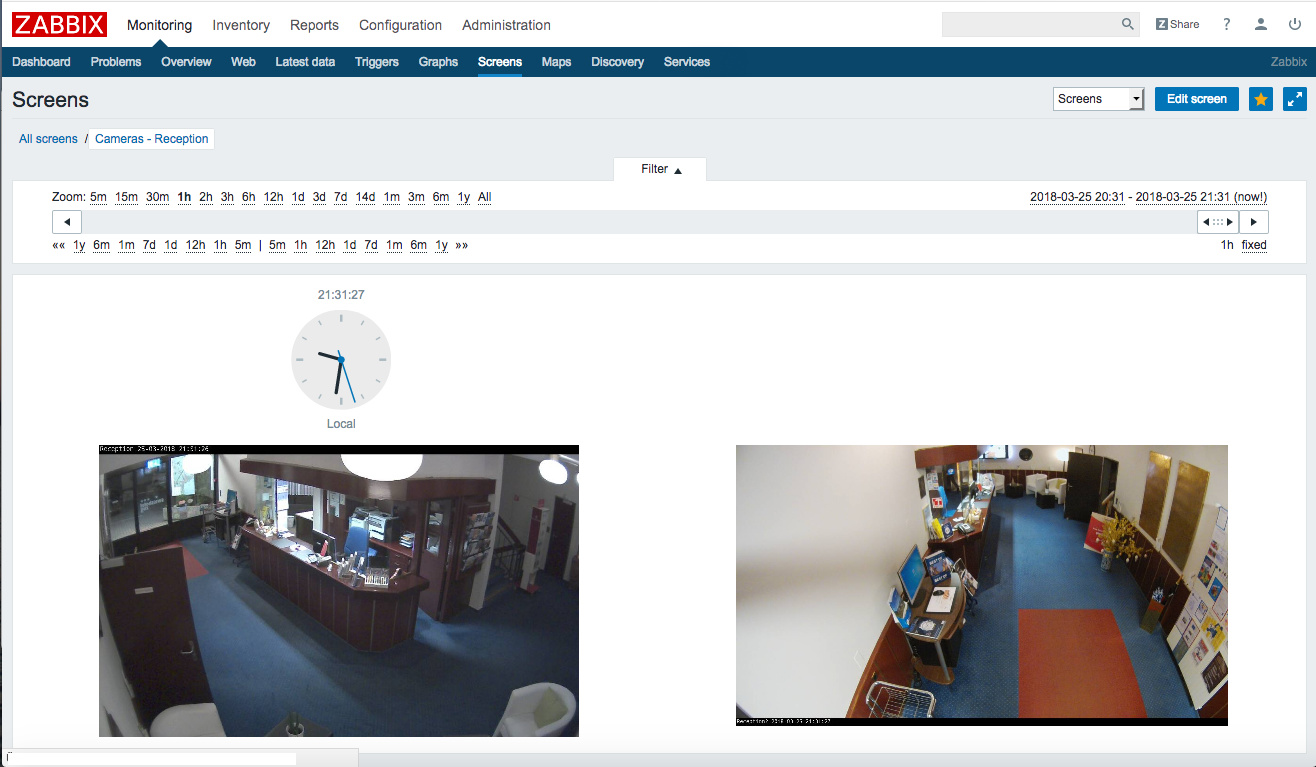
Nice Graphs…
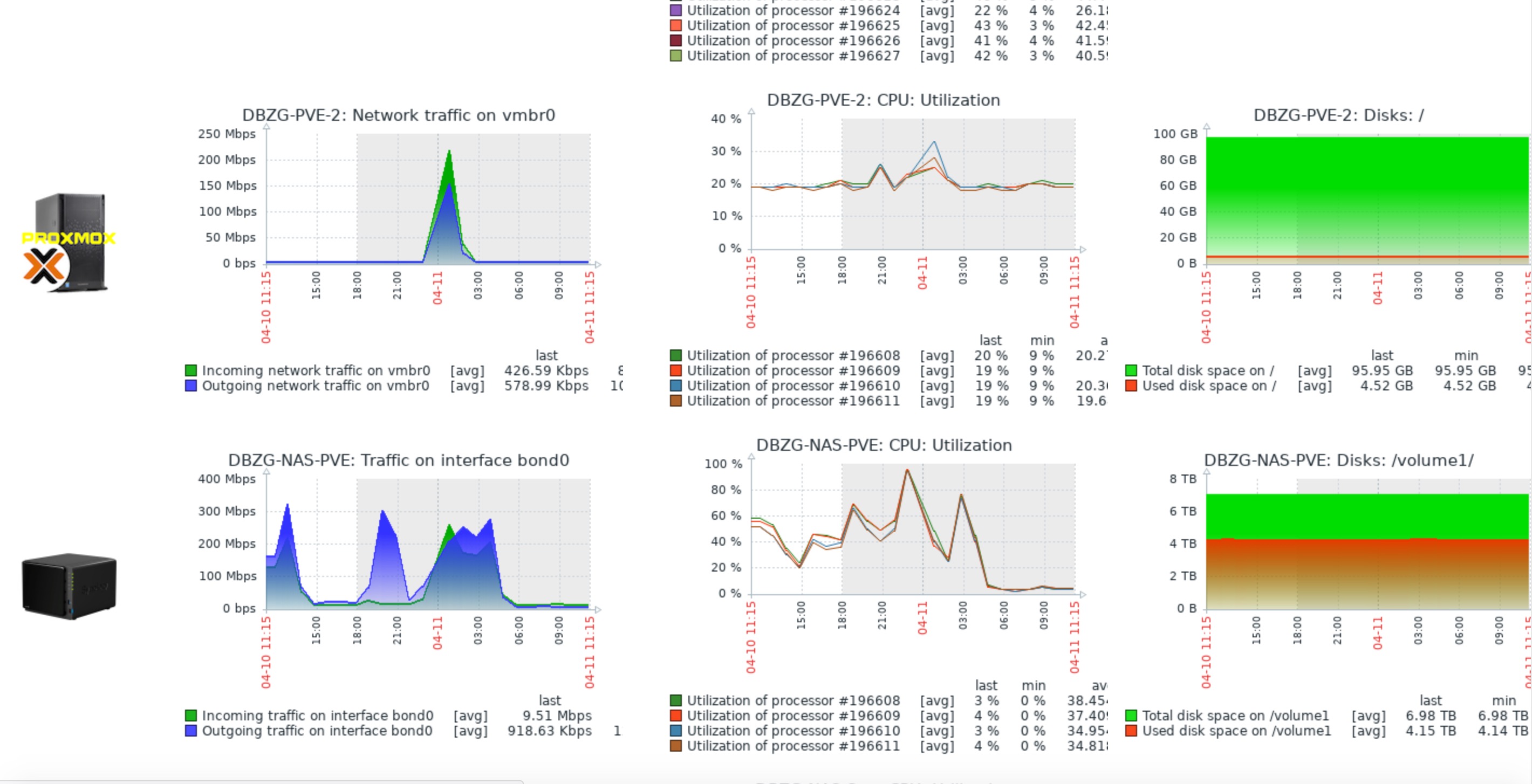
Best of all, it runs easily on your NethServer, there’s even a module for it…
My 2 cents
Andy
2 Likes
Hello and thank you thank you. Yes, I have seen the functions that Zabbix offers, but Nagios is installed on an existing server and consequently I should connect the neth server. Thanks for the additional information or the monitoring with snmp.
If using SNMP, don’t forget to adapt the /etc/snmp/snmpd.conf (with templating) to suit your requirements. The problem is usually access issues. I adapt the /etc/snmp/snmpd.conf using a simple custom-template.
At the end, my snmpd.conf just contains the three needed lines:
rocommunity public
syscontact Admin
syslocation YOUR-SITE
My 2 cents
Andy
1 Like
Yes, nrpe does the job. Don’t forget to open the relevant ports in Nethserver firewall.
An alternative would be check_by_ssh. As Nethserver provides SSH, you don’t need firewall settings or a client on Nethserver.
1 Like
Hi Andy, I tried to activate snmp, in the discovery client to server neth server works. The information I find myself is limited. Could you give me some indications on the queries to be inserted in snmp to get the list of AD users, the detailed status of the services, etc. Thank you
Hi Francesco
I can’t give you specifics for Nagios, as I stopped using that a few years ago, after an almost 10 year usage.
But generic pointers for SNMP, and how you can get the information you want / need - even if SNMP can’t give you that info out of the box…
SNMP on Linux supports SNMP Extension. I can show you an example from my Raspberry, which I use for NUT / UPS monitoring. NUT does support SNMP, but I couldn’t get it to work…
So in came SNMP-Extensions…
See eg here for more info about this:
http://net-snmp.sourceforge.net/wiki/index.php/Net-snmp_extensions
The Raspberry can output it’s CPU temperatur with a CLI command, but not with SNMP…
So here’s the solution:
/etc/snmp/snmpd.conf (On Raspberry)
rocommunity public
syscontact Admin
syslocation YOURSITE, LOCATION
extend ups-nut /etc/snmp/ups-nut.sh
extend cpu-temp /etc/snmp/snmp-cpu-temp.sh
The contents of the extensions are as follows:
ups-nut.sh:
#!/usr/bin/env bash
UPS_NAME=‘ups’
PATH=PATH:/usr/bin:/bin TMP=(upsc $UPS_NAME 2>/dev/null)
for value in “battery.charge: [0-9.]+” “battery.(runtime.)?low: [0-9]+” “battery.runtime: [0-9]+” “output.voltage: [0-9.]+” “output.voltage.nominal: [0-9]+” “input.voltage.nominal: [0-9.]+” “input.voltage: [0-9.]+” “ups.load: [0-9.]+” “ups.temperature: [0-9.]+”
do
OUT=$(echo $TMP | grep -Eo “$value” | awk ‘{print $2}’ | LANG=C sort | head -n 1)
if [ -n “$OUT” ]; then
echo $OUT
else
echo “Unknown”
fi
done
Contents of cpu-temp.sh:
#!/usr/bin/env bash
PATH=$PATH:/usr/bin:/bin
cat /sys/class/thermal/thermal_zone0/temp
As you can see, the concept of SNMP-Extension is very similiar to NRPE… What the system doesn’t report, you add in…
On NethServer, you would need to create your own snmpd.conf template to achieve this.
You could eg copy over the folder & files in /etc/e-smith/templates/etc/snmp to
/etc/e-smith/templates-custom/snmp, and then add in your customizations (in snmpd.conf).
After you’ve customized the snmpd.conf template folder, you’d need to run
expand-template /etc/snmp/snmpd.conf
and then
systemctl restart snmpd
You should now be able to verify that data comes thru snmp with a simple snmpwalk from Nagios…
A few ideas: Shares, AD-Users, current logged users (Linux users).
These can all be retrieved with some commands - so pipe this as illustrated to snmp…
Then, when the data appears in snmp (snmpwalk) setup your display, graphs or whatever in Nagios…
See also this example:
Your mileage may vary…
Andy
1 Like
Thanks Andy for the directions you provided.