However, my mail server is still serving the old cert, which expired earlier today. Kind a problem that in over a month, it hasn’t reloaded the cert. How can I fix this?
A possible cause could be an old Mail version that wasn’t aware of the certificate change event or had authorization issues with the get-certificate action. Did you update Mail after the cert renewal event? What versions were involved? The logs should say it.
If you go back in logs to the certificate change date you might find some clues.
Otherwise, just wait February 16 to see what happens and save the relevant logs.
It should be closer to January 16, as the cert would renew 30 days out.
Searching for “certificate” in the mail app logs with a window of 1 Nov - today gave no results. The mail app is currently version 1.7.4, but of course that doesn’t address what it was a month ago. I’d bet it was the same then, though–if it had upgraded in the interim, I’d expect the restart would have picked up the new cert.
No; the only other cert that mentions mail at all is for webmail.
Now, a previous update (maybe at 8.6?) changed how certificates were handled. It’s possible that I’d previously had a separate cert for mail., but I can’t say for sure, nor when that would have changed. But not too long after installing that update (which was automatic), I used the “delete obsolete certificates” to accomplish that task.
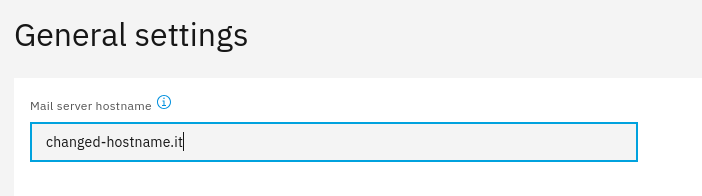
Interesting It looks like a UI bug, thank you for pointing it out. However, do not expect Mail server hostname to be a list selector, as it is actually a free text input field. Only its disabled state is wrong: after the dialog is loaded, it should become editable.
They’re chunked by default at 10 items/page, that default can’t be edited, and changes (e.g., selecting 25/page) don’t persist to the next time you browse to that list.

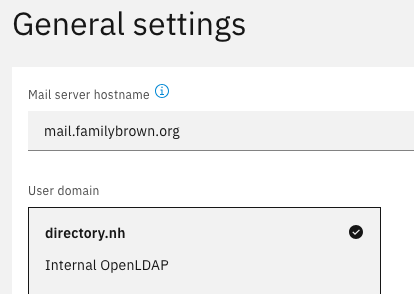
 It looks like a UI bug, thank you for pointing it out. However, do not expect Mail server hostname to be a list selector, as it is actually a free text input field.