Today, the Core update arrived again for NS8, which updated Samba. After the update, I could not log in to LAM (LDAP Account Manager) with the previously created admin user.
I tried to log in to LAM Configuration but it did not let me, the lam user password was reset to the default lam password, which I finally managed to log in with.
I saw again that the Server address and List of valid users settings under Server settings had changed.
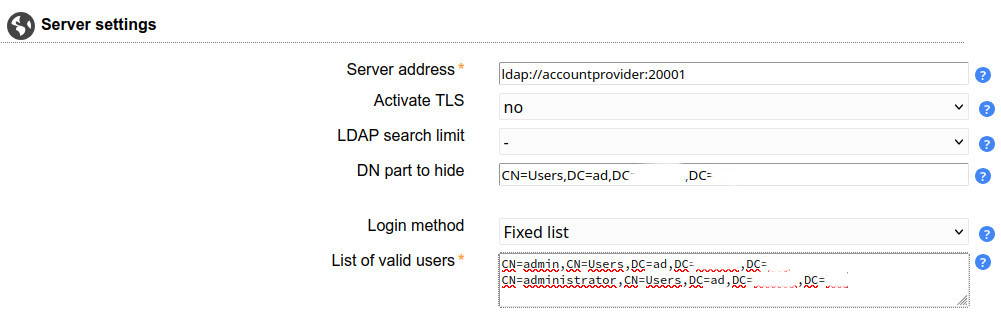
Originally, these were the parameters I set before the update:
The problem is that the Server address changes (from ldap://accountprovider:20001 to ldap://ldap:389) and the admin user set under List of valid users disappears, leaving only the default administrator user, which has no password set by default…
This is very dangerous, because if LAM becomes accessible from the internet with the default password, it could be a serious security problem.
Couldn’t this problem finally be solved more than a year after it was discovered? Who should be told about this?
I couldn’t reproduce the issue after an update of samba or openldap but when the ldap domain is changed in the NS8 lam settings, the passwords are reset to the default ones because the config files are rewritten.
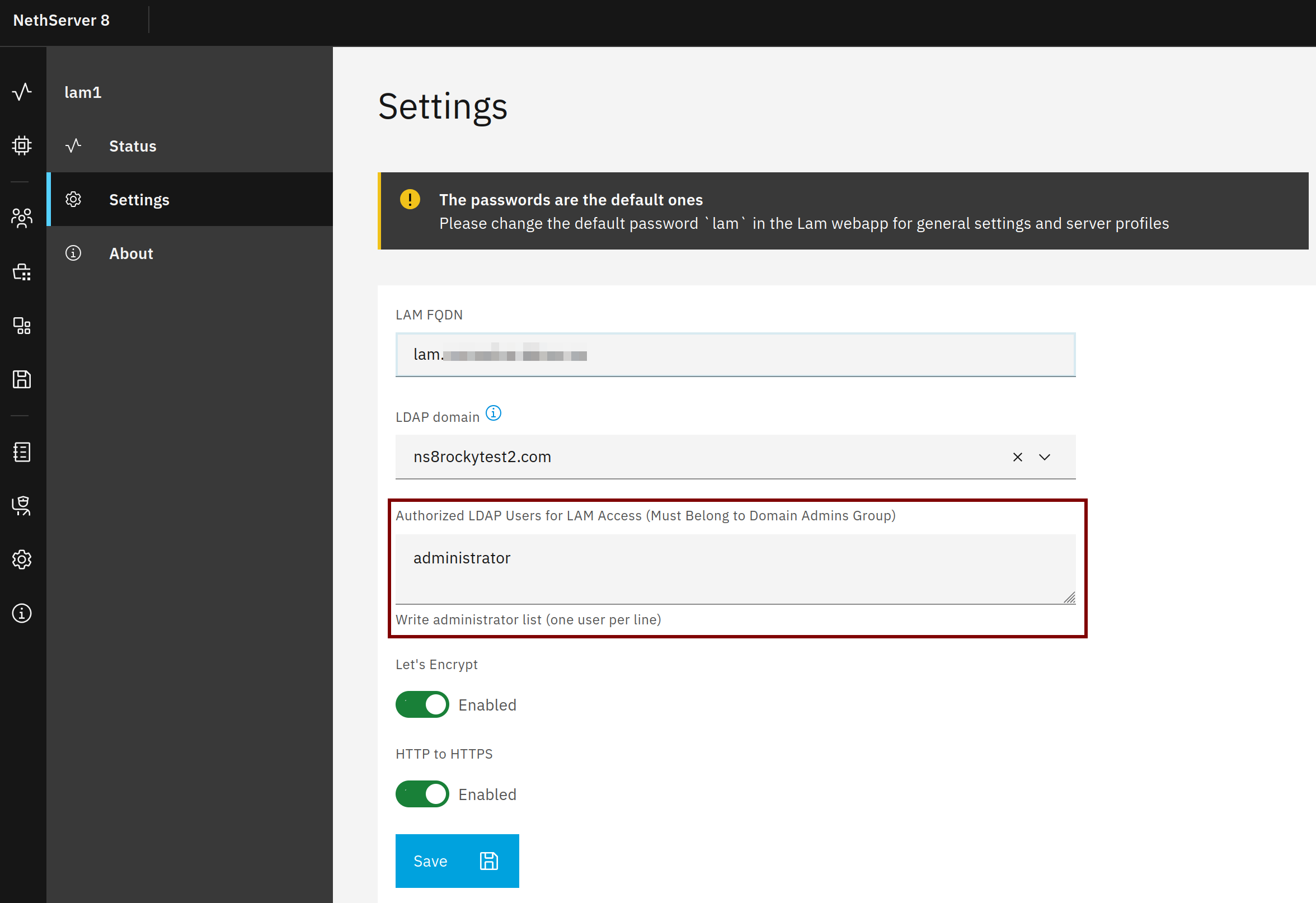
It’s intended to edit the admin users in the NS8 LAM settings. If you edit it directly in LAM it may be overwritten when LAM is reconfigured.
This is an ongoing problem. I have described in detail what happened and how the settings changed after the NS8 Core Samba update. After the update, users were unable to log in to SOGo.
After I restored the settings before the update, users were able to log in to SOGo again. I have attached a picture of everything.
I don’t know why and why you can’t reproduce it, I can reproduce it by changing the LAM settings.
The point is that when Samba updates, the LAM settings are overwritten, but I won’t be able to solve the reason for this. I just suspect that the Samba pod configuration is overwritten every time I update…
I need to find the cause of the problem, because both of my NS8 servers have the same error and therefore cannot be used safely.
Both. I couldn’t log in to SOGo, so I tried logging in to LAM because according to my previous experience, which I wrote in the forum earlier, in such cases the settings in LAM have changed and I wanted to check this. But I couldn’t log in to LAM with the password I set, so I tried with the default (lam) password and it worked.
After logging in, I saw that the settings had indeed changed after the Samba update. I have attached a picture of the settings I made previously and the ones that changed after the update.
If I configure the changes in LAM after the update, users cannot log in to SOGo and LAM can only be logged in with the lam password… Set the ldap://ldap:389 route under Server Address in LAM and you will see… The other details can also be tested…
I don’t understand why the Server Address path changes, the user added under the List of valid users is deleted, and the password set for the lam user is reset to the default during the Samba update. Someone explain this.
You are changing the server profile in LAM itself but when the ns8-lam app is configured, it recreates the server profile for LAM and therefore overwrites your changes and users. This could occur on updates or domain changes too.
But I don’t understand how that affects SOGo…are there any errors in the logs to hopefully better understand why the login isn’t working anymore?
not linked to lam, relative to the SOGo, we use ldap too, probably it does not use the good port of ldap proxy, but I repeat, lam is not guilty nor responsible
For SOGo you can check the configuration files in state
I have this PR to simplify the code, I find a way to not create the default configuration at the container starts, now I have no default conf that could happen, only what I have built
I don’t think LAM is the problem either, but something is overwriting the settings in LAM when updating Samba.
I don’t think this will be the solution, because it will overwrite the settings when Samba is updated. I think we should find out what exactly is modifying the settings and prevent it.
Unfortunately I can’t check this because it would require a new Samba update.
I updated LAM, I’ll be able to test it when there’s a new Samba update. After updating LAM, the settings haven’t changed, users can log in to SOGo, LAM users and passwords are fine, it doesn’t reset to default. That’s all I can say for now.
Thanks for the help, I hope this will be good, although I’m skeptical…