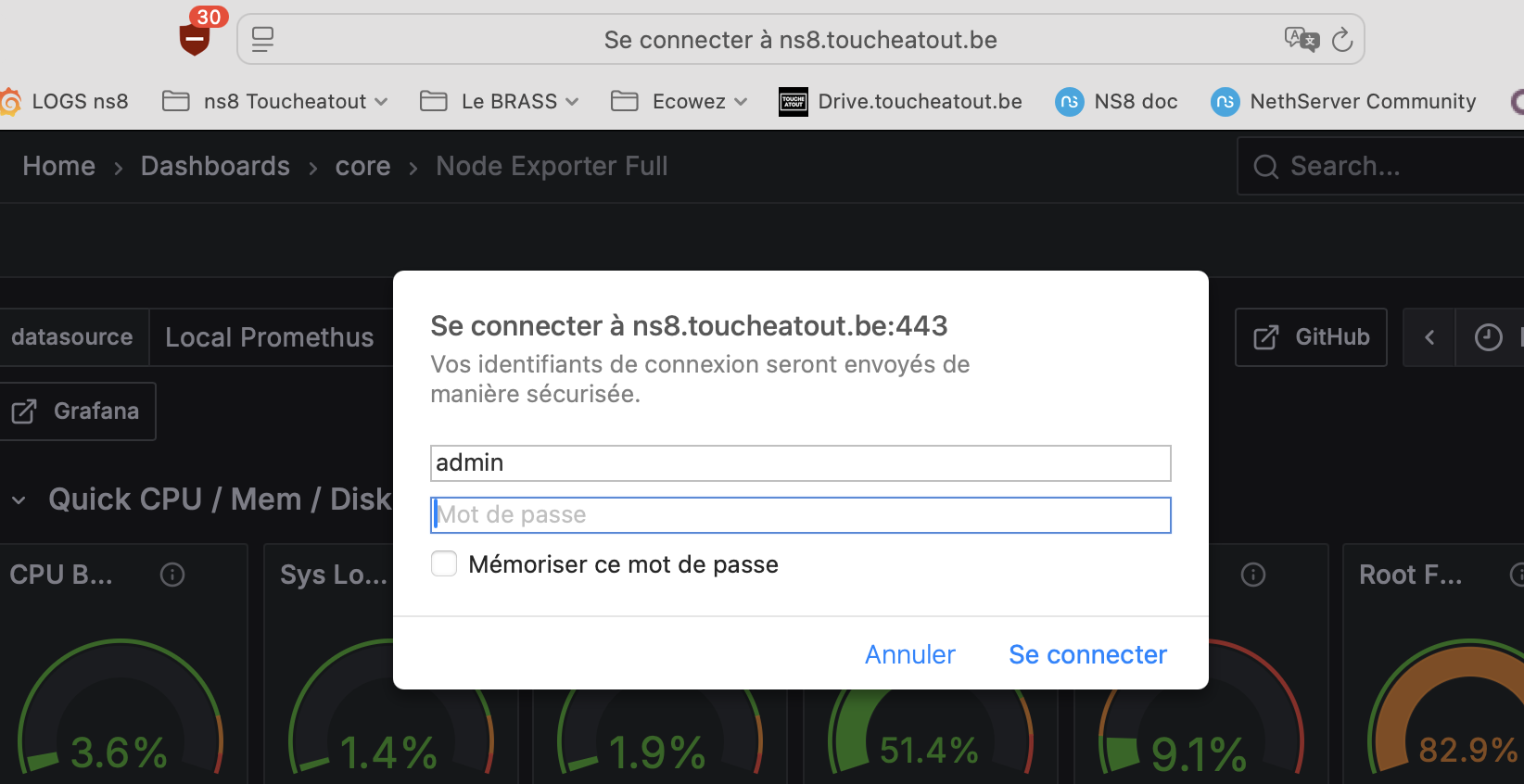
On NS8 installations, Grafana is currently wrapped behind a Traefik Basic Authentication middleware, which forces browsers to display an HTTP auth popup before reaching Grafana’s own login page. This mechanism brings usability issues: password managers on macOS and other platforms cannot fill the credentials, autofill does not work, and users end up typing passwords manually every time. Worse, this friction often encourages users to fall back on weaker or easy-to-type passwords just to get past the popup.
Allowing administrators to disable this Basic Auth middleware—or disabling it by default—would greatly enhance user experience while keeping access control intact.
I tested Grafana using OpenLDAP and it worked. With following config only domain admins can login to Grafana with username or mail address.
Grafana config file ../etc/grafana.ini:
[auth.ldap]
# Set to `true` to enable LDAP integration (default: `false`)
enabled = true

# Path to the LDAP specific configuration file (default: `/etc/grafana/ldap.toml`)
config_file = /etc/grafana/ldap.toml

# Allow sign-up should be `true` (default) to allow Grafana to create users on successful LDAP authentication.
# If set to `false` only already existing Grafana users will be able to login.
allow_sign_up = true
LDAP config file ../etc/ldap.toml:
[[servers]]
# Ldap server host (specify multiple hosts space separated)
host = "127.0.0.1"
# Default port is 389 or 636 if use_ssl = true
port = 20002
# Set to true if LDAP server should use an encrypted TLS connection (either with STARTTLS or LDAPS)
use_ssl = false
# If set to true, use LDAP with STARTTLS instead of LDAPS
start_tls = false
# The value of an accepted TLS cipher. By default, this value is empty. Example value: ["TLS_ECDHE_ECDSA_WITH_AES_256_GCM_SHA384"])
# For a complete list of supported ciphers and TLS versions, refer to: https://go.dev/src/crypto/tls/cipher_suites.go
# Starting with Grafana v11.0 only ciphers with ECDHE support are accepted for TLS 1.2 connections.
tls_ciphers = []
# This is the minimum TLS version allowed. By default, this value is empty. Accepted values are: TLS1.1 (only for Grafana v10.4 or earlier), TLS1.2, TLS1.3.
min_tls_version = ""
# set to true if you want to skip SSL cert validation
ssl_skip_verify = false
# set to the path to your root CA certificate or leave unset to use system defaults
# root_ca_cert = "/path/to/certificate.crt"
# Authentication against LDAP servers requiring client certificates
# client_cert = "/path/to/client.crt"
# client_key = "/path/to/client.key"

# Search user bind dn
bind_dn = "cn=ldapservice,dc=ns8rockytest2,dc=com"
# Search user bind password
# If the password contains # or ; you have to wrap it with triple quotes. Ex """#password;"""
bind_password = "secret"
# We recommend using variable expansion for the bind_password, for more info https://grafana.com/docs/grafana/latest/setup-grafana/configure-grafana/#variable-expansion
# bind_password = '$__env{LDAP_BIND_PASSWORD}'

# Timeout in seconds. Applies to each host specified in the 'host' entry (space separated).
timeout = 10

# User search filter, for example "(cn=%s)" or "(sAMAccountName=%s)" or "(uid=%s)"
# Allow login from email or username, example "(|(sAMAccountName=%s)(userPrincipalName=%s))"
search_filter = "(|(uid=%s)(mail=%s))"

# An array of base dns to search through
search_base_dns = ["dc=ns8rockytest2,dc=com"]

# group_search_filter = "(&(objectClass=posixGroup)(memberUid=%s))"
# group_search_filter_user_attribute = "distinguishedName"
# group_search_base_dns = ["ou=groups,dc=grafana,dc=org"]

## Group search filter, to retrieve the groups of which the user is a member (only set if memberOf attribute is not available)
group_search_filter = "(&(objectClass=posixGroup)(memberUid=%s))"
## An array of the base DNs to search through for groups. Typically uses ou=groups
group_search_base_dns = ["ou=groups,dc=ns8rockytest2,dc=com"]
## the %s in the search filter will be replaced with the attribute defined below
group_search_filter_user_attribute = "uid"

# Just allow the domain admins group to login
[[servers.group_mappings]]
group_dn = "cn=domain admins,ou=Groups,dc=ns8rockytest2,dc=com"
org_role = "Admin"
grafana_admin = true

# Specify names of the LDAP attributes your LDAP uses
[servers.attributes]
member_of = "memberOf"
email = "mail"
username = "uid"