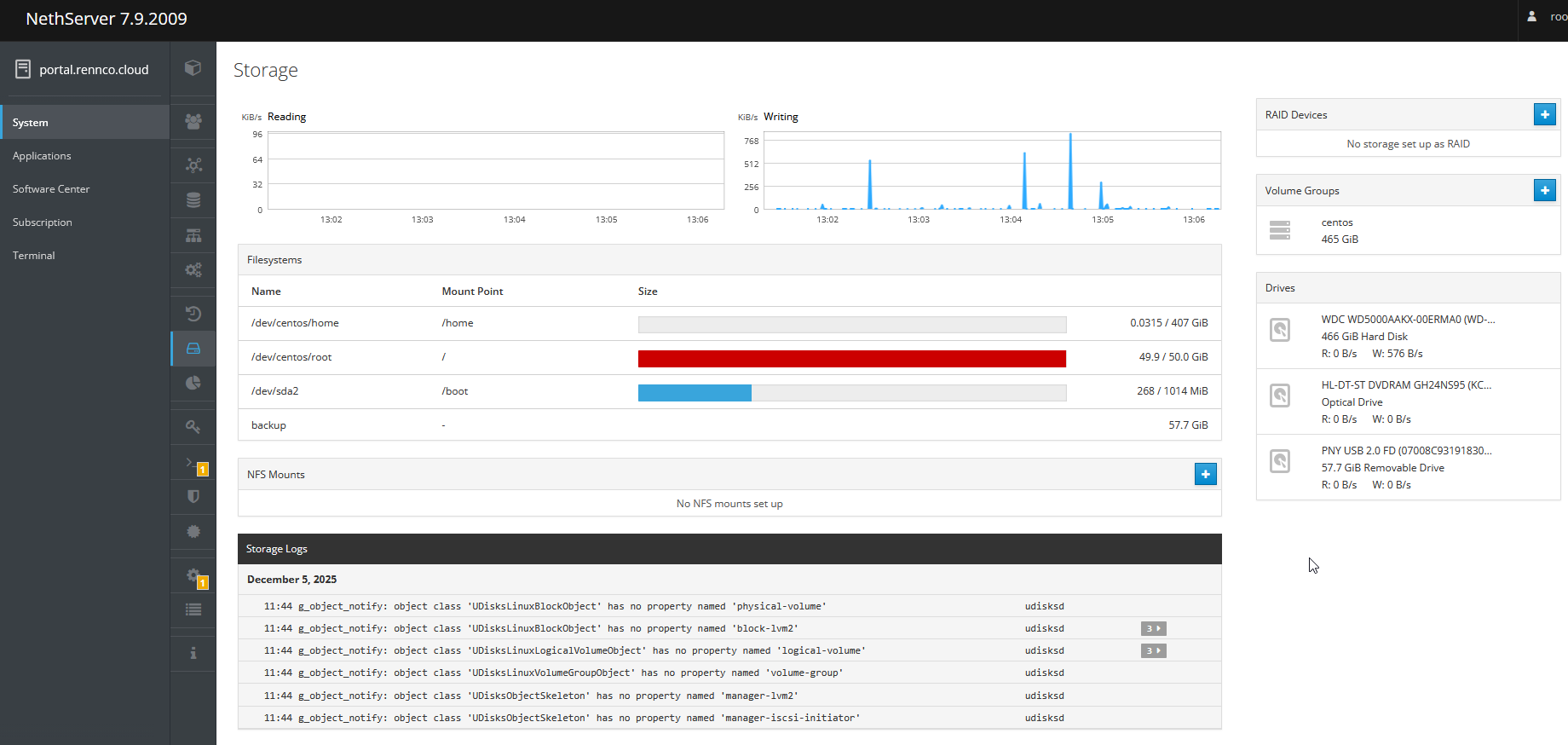
I know, I’m totally not with the program, but I’ve got an existing Nethserver 7 box with Nextcloud, that we share files with customers on. You can see below that my problem is I’ve run out of space at mount point /, but the SSD has 400GB available at mount point /home. Since Nextcloud data is stored at /var/lib/nethserver/nextcloud, my customer’s files are taking up a lot of space and we’ve capped it now. I have never reallocated space, so I don’t know how. Is there a way to reallocate that 400GB and give a bunch more space to /var/lib/nethserver/nextcloud? Thanks for any help you can offer. I plan on getting a new box going with the latest Nethserver and Nextcloud, in the new year, but that doesn’t help me now.
I was reading your link, Markus, and it got me wondering…Do you think there will be a permissions issue with the data in the /home directory? That it could be an obstacle to users transferring files?
In my tests with the symlink newly created users had no example files but for existing users it worked. It was possible to create new files.
I recommend a backup before you try something.
Well, it’s working after doing Markus’ suggestions. If it ain’t broke…However, when I go to storage in NS7 Cockpit’s System config, then try to add an LV, the most it will let me add is 4MB.Would I need to get rid of the /Home volume to free up more, then add it to the / (root) volume? I plan on going to a Nextcloud install on an NS8 VM, on Proxmox, first part of ‘26, so I’m just needing to get by until then. That’s provided those installs go smoothly and I get them running sooner than later. I’d rather not mess things up in the meantime. Thanks for the input tho.
actually you need to add a volume to the volume group before (read : add storage). Then you can grow the LV which will span on the two volumes, and finally resize2fsor xfs_grow . That’s quite neat.
In your case I think you could simply remove the unused /home partition and affect the free space to the /root part using gparted as @mrmarkus said but that’s not a trivial task (did I mention the word backupS ?).
For Proxmox I would certainly choose ZFS. I at the blue pill this summer, it took me a lot of investment and experiments but that’s definitively worth it. I could help if you want and share my installation notes (bare metal, Debian, and proxmox on it from scratch - pretty exciting).