First of all, I would like to congratulate the developers of this project for their great work and all the users of this forum.
I installed Nethsecurity a few days ago and so far I have been able to configure everything without any problems using the documentation, but today I encountered a problem.Let me describe my situation:
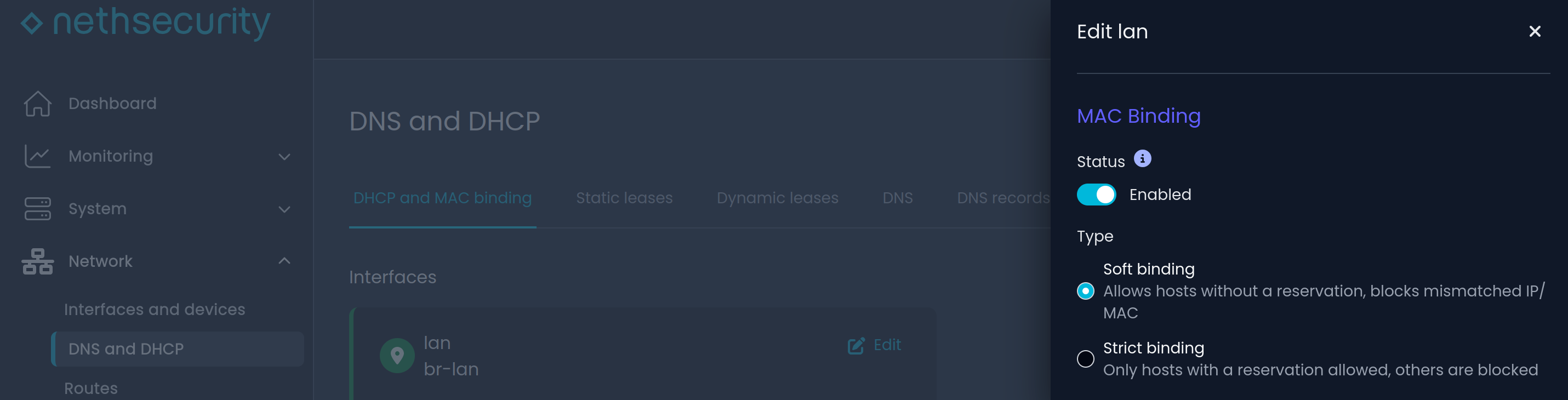
I have installed nethsecurity at a technical school, where students work both on the school’s computers and on their own laptops. The school’s computers have fixed IP addresses and are on a domain, but the laptops are assigned a dynamic DHCP address to connect. The problem is that the students, abusing our trust, also connect their other devices, especially their cell phones, which saturates the network and the 80 IP addresses that the DHCP server can assign, so that sometimes people who use laptops are left out.
We could register the MAC addresses of the laptops and only allow those, but it would be very messy. Plus, if the students change their laptop or tablet, they would be locked out.
My idea is that everyone can connect except for certain MACs to which the DHCP server would not assign an IP address, but honestly, I haven’t found that option in Nethsecurity.
Is it possible to configure this? Can any of you help me?
Basically, I’m looking for an option that my ISP’s router had that allowed me to block the MAC address of a specific device so that it wouldn’t be assigned an IP address.
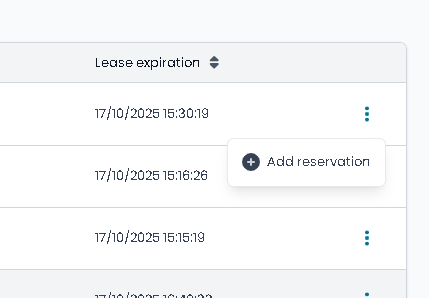
It would be great if in Dynamic Leases, when you click on the three dots, in addition to “Add reservation”, something like “Block MAC in DHCP” would appear.
I found another way to block DHCP conections using MAC on UI.
If you go to Static Leases and create a new reservation (“Add Reservation“), and you assign to the MAC a out of range IP, it seems to work (is not assigned to any interface). For example, if my LAN network is 192.168.1.x and I assign an IP address of, say, 192.168.10.x, those users will not be able to access the internet using that IP address.
I suppose it’s not the most correct way to do it, but I guess it will work.
I think it’s a good solution for now. I tried to change it using uci and it worked to set it to ignore instead of an IP but it destroys the UI view so I guess it’s not that easy to implement.
I also found that Android devices use a random MAC, don’t know about IPhones…
Hi @leillo1975 this is true a nice way to block, and it also brings another missing feature that NethSec needs:
When using pfsense or opnsense, there’s a way to set DNS for each device.
What this feature does is allows you set the IP of a particular user to use the same network, allows it to use resources on the LAN (printers) and it gives it a separate DNS where you can block or allow only resolutions to certain domains.
Hello!
The trick works fine I guess, however, for this feature I’d recommend switching the access points to dedicated VLANs.
This ensures the “external” devices have their own dedicated network and then you can allow specific access to some of the internal services IF you need it. Having an external device attached to a secure network, whether it’s a smartphone of a student or something else, is really not ideal due to security concerns, if a device doesn’t have an IP doesn’t mean it can’t hurt the network!