NethServer Version: NS8
Module: Core
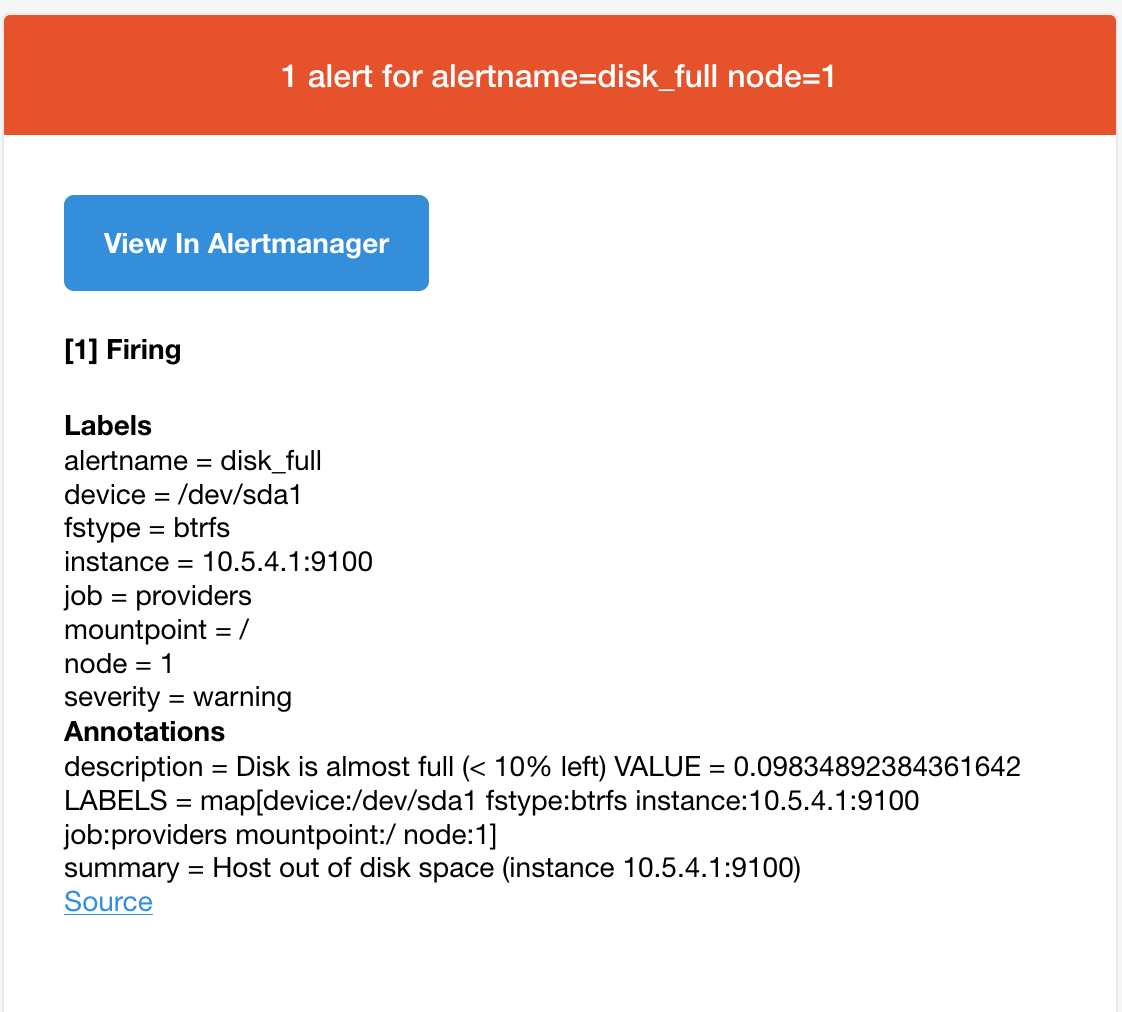
This afternoon I started getting alerts that my NS8 is running out of space. NS8 is running in a VM on an SSD with 80GB. There data files are all on a separate drive with 500GB space. It is the SSD that is now overflowing apparently. Since I have only have minimum on the SSD, I’m surprised that I’m getting a disk space error.
It’s been running along pretty well for a few weeks. Yesterday I did a core update and another this evening. The following error started showing up this afternoon and continues with the last core update.
Here is the error:
# du -h -d 1 /home | sort -hr
75G	/home
46G	/home/loki1
13G	/home/roundcubemail1
9.5G	/home/mail1
6.5G	/home/metrics1
675M	/home/traefik1
196M	/home/ldapproxy1
16K	/home/administrator
What I don’t understand is why loki1 is 46GB!!
# runagent -m loki1 podman system df
TYPE           TOTAL       ACTIVE      SIZE        RECLAIMABLE
Images         4           3           336.8MB     78.86kB (0%)
Containers     3           3           101.1MB     0B (0%)
Local Volumes  1           1           46.59GB     0B (0%)
#  df -i /run/user/$(id -u loki1)
Filesystem     Inodes IUsed  IFree IUse% Mounted on
tmpfs          306192    95 306097    1% /run/user/1004
# runagent -m loki1 podman system df
TYPE           TOTAL       ACTIVE      SIZE        RECLAIMABLE
Images         4           3           336.8MB     78.86kB (0%)
Containers     3           3           101.1MB     0B (0%)
Local Volumes  1           1           46.59GB     0B (0%)
# du -h -d 1 /home/loki1 | sort -hr
46G	/home/loki1/.local
46G	/home/loki1
164K	/home/loki1/.config
# du -h -d 1 /home/loki1/.local/share/containers/storage/volumes/ | sort -hr
44G	/home/loki1/.local/share/containers/storage/volumes/loki-server-data
44G	/home/loki1/.local/share/containers/storage/volumes/
# du -h -d 1 /home/loki1/.local/share/containers/storage/volumes/loki-server-data/_data/ | sort -hr
44G	/home/loki1/.local/share/containers/storage/volumes/loki-server-data/_data/chunks
44G	/home/loki1/.local/share/containers/storage/volumes/loki-server-data/_data/
28K	/home/loki1/.local/share/containers/storage/volumes/loki-server-data/_data/tsdb-index_cache
20K	/home/loki1/.local/share/containers/storage/volumes/loki-server-data/_data/tsdb-index
16K	/home/loki1/.local/share/containers/storage/volumes/loki-server-data/_data/boltdb-shipper-compactor
4.0K	/home/loki1/.local/share/containers/storage/volumes/loki-server-data/_data/boltdb-shipper-active
0	/home/loki1/.local/share/containers/storage/volumes/loki-server-data/_data/rules-temp
0	/home/loki1/.local/share/containers/storage/volumes/loki-server-data/_data/rules
0	/home/loki1/.local/share/containers/storage/volumes/loki-server-data/_data/boltdb-shipper-cache
My suspicion is the default loki retention has filled up the disk so I reduced the default (was 365) to 180 days. I think that is probably too much too. But that hasn’t fixed the issue and the disk usage is still at 46GB.
Edit:
I reduced the loki retention to 7 days in an attempt to clear out all the garbage. I waited 10 min which I believe is the compaction interval (I may be mistaken)
Then I rebooted the NS8 VM but it didn’t do anything.
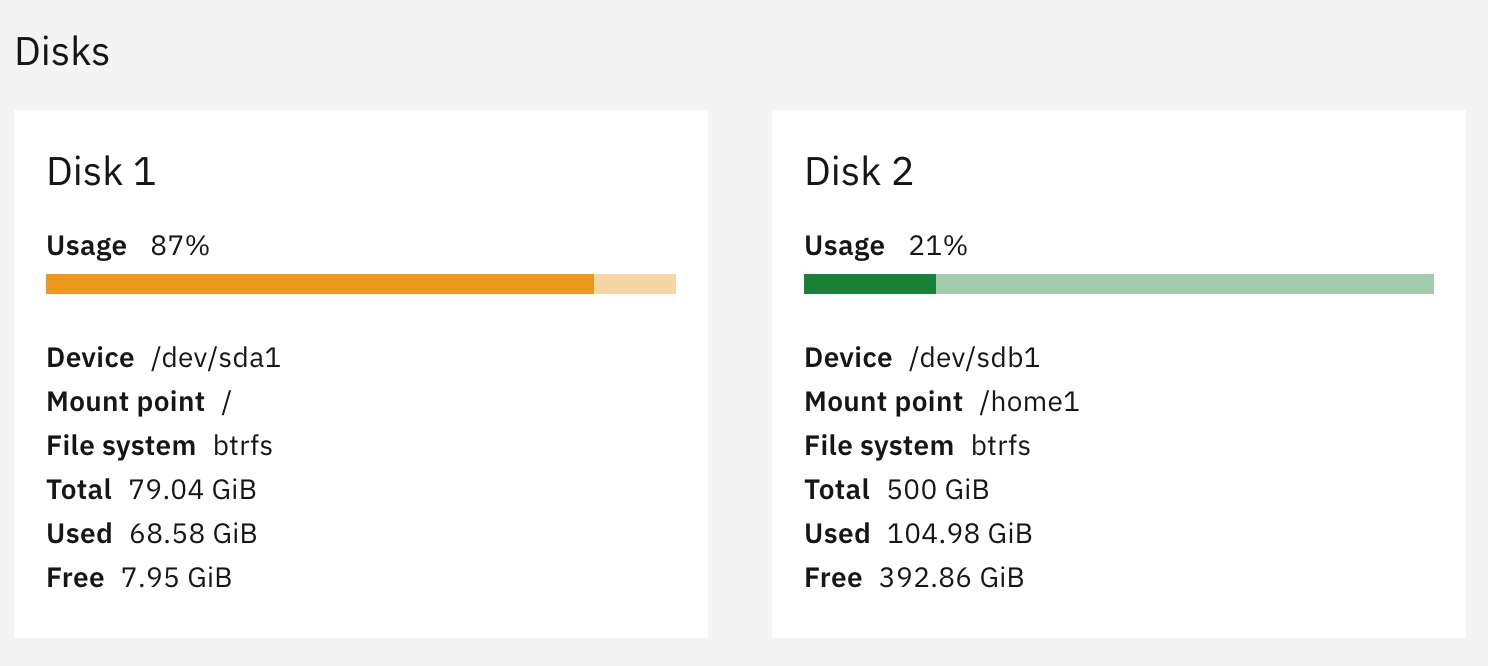
I’ve looked at everything I can figure out but am now stuck.
Any suggestions on how to debug and fix this before everything blows up is appreciated!
