Forcing DNS redirection using the Threat shield DNS is unsuccessful

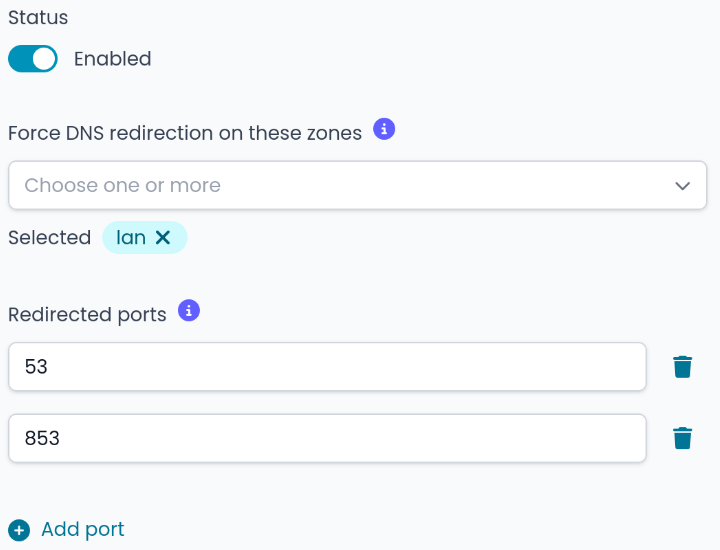
I thought that enabling force DNS redirection on the LAN zone would redirect the traffic from LAN to WAN for the ports 53 and 853 to the Threat shield DNS.
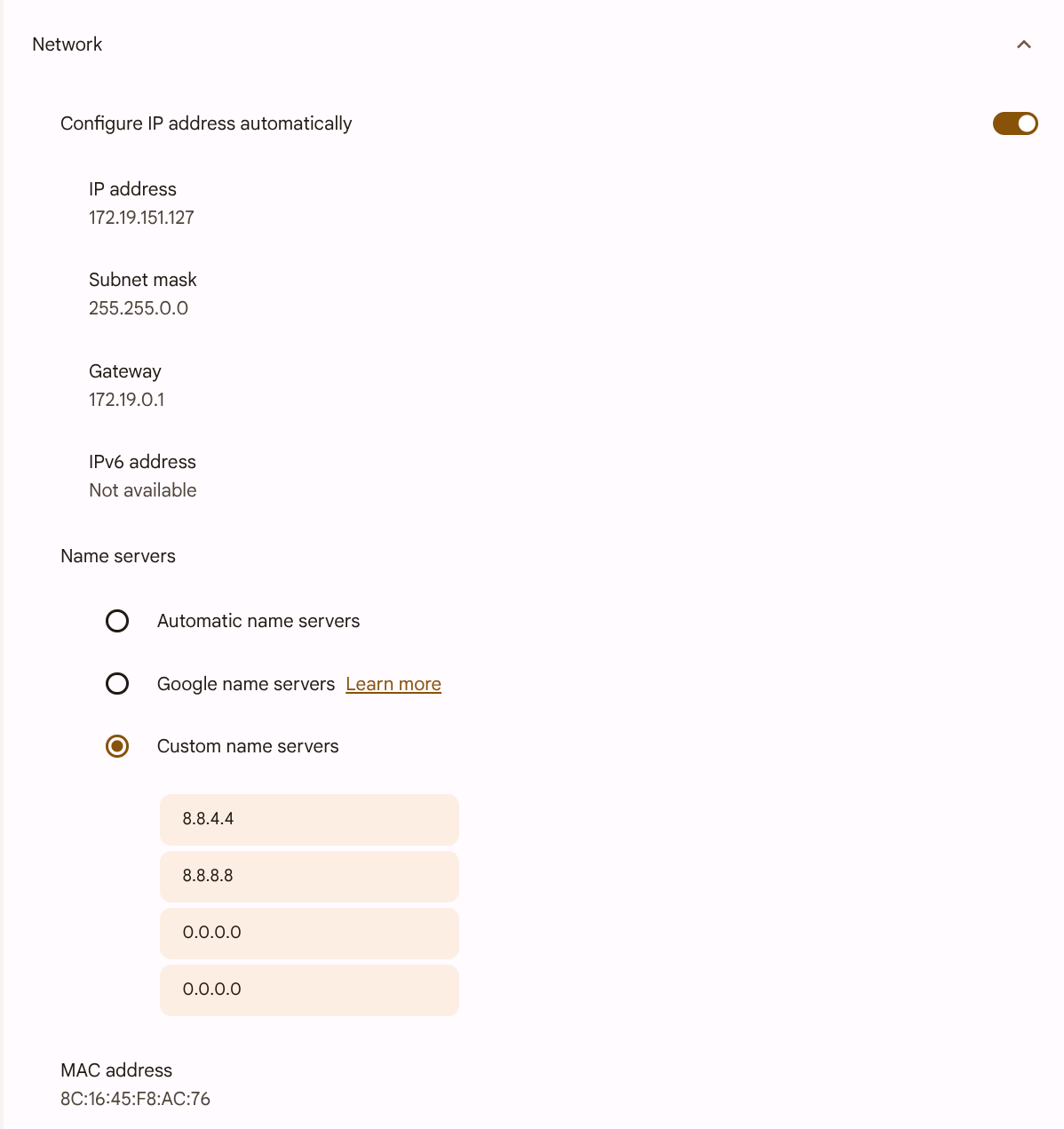
But setting a custom name server in the OS settings allows one to bypass the Threat shield DNS server.

ChromeOS for example:
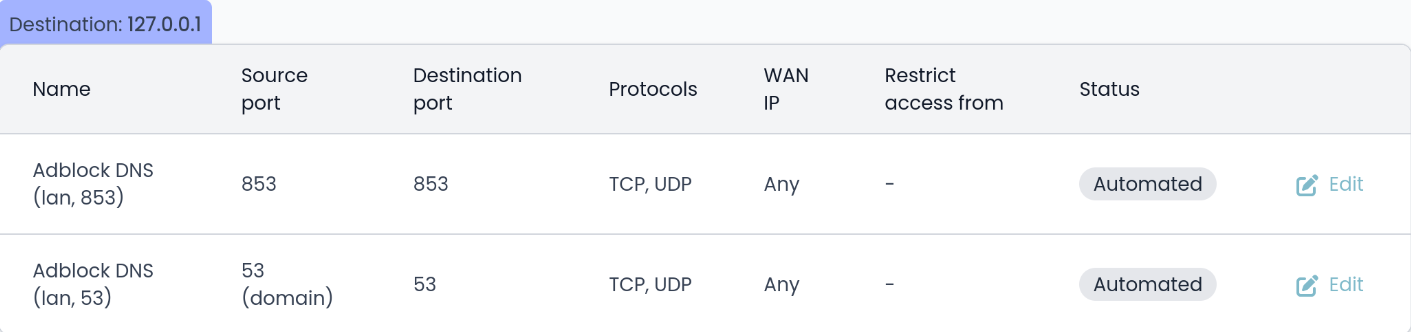
Afterward, the automatically generated port forward rules on Nethsecurity don’t seem to redirect DNS requests, and clients are not restricted by the Threat shield DNS.

Is this the expected behavior?

How should I debug this Issue? Thank you in advance.
I’m using a clean install with Threat shield DNS enabled, nothing else.
config defaults 'ns_defaults'
        option input 'REJECT'
        option output 'ACCEPT'
        option forward 'REJECT'

config include 'ns_user_include'
        option path '/etc/firewall.user'
        option fw4_compatible '1'

config include 'ns_hs_include'
        option type 'script'
        option path '/opt/icaro/dedalo/dedalo.user'
        option fw4_compatible '1'

config redirect 'adblock_lan853'
        option name 'Adblock DNS (lan, 853)'
        option src 'lan'
        option proto 'tcp udp'
        option src_dport '853'
        option dest_port '853'
        option target 'DNAT'
        option family 'any'
        option ipset '!tsdns_bypass'
        list ns_tag 'automated'
config ipset 'tsdns_bypass'
        option name 'tsdns_bypass'
        option match 'src_net'
        option enabled '1'

config zone 'ns_lan'
        option name 'lan'
        list network 'lan'
        option input 'ACCEPT'
        option output 'ACCEPT'
        option forward 'ACCEPT'

config zone 'ns_wan'
        option name 'wan'
        list network 'wan'
        option input 'REJECT'
        option output 'ACCEPT'
        option forward 'REJECT'
        option masq '1'
        option mtu_fix '1'

config forwarding 'ns_lan2wan'
        option src 'lan'
        option dest 'wan'

config rule 'ns_ping_wan'
        option name 'Allow-Ping'
        option src 'wan'
        option proto 'icmp'
        option icmp_type 'echo-request'
        option family 'ipv4'
        option target 'ACCEPT'

config rule 'ns_allow_ui'
        option name 'Allow-UI-from-WAN'
        option src 'wan'
        option dest_port '9090'
        option target 'ACCEPT'
        option ns_service 'custom'
        list proto 'tcp'
        option enabled '1'
        option log '0'

config redirect 'adblock_lan53'
        option name 'Adblock DNS (lan, 53)'
        option src 'lan'
        option proto 'tcp udp'
        option src_dport '53'
        option dest_port '53'
        option target 'DNAT'
        option family 'any'
        option ipset '!tsdns_bypass'
        list ns_tag 'automated'

Here the DNS Threat shield redirection is working.

As an example I blocked the domain orf.at and therefore it can’t be resolved from LAN devices when using NethSec DNS:

markus@asusminipc:~> nslookup orf.at
Server:		192.168.3.11
Address:	192.168.3.11#53

** server can't find orf.at: NXDOMAIN

…or Google DNS:

markus@asusminipc:~> nslookup orf.at 8.8.4.4
Server:		8.8.4.4
Address:	8.8.4.4#53

** server can't find orf.at: NXDOMAIN

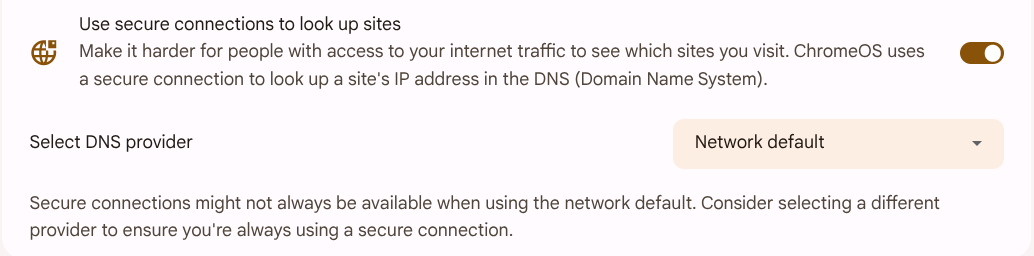
Does ChromeOS maybe use DNS over HTTPS?

I did the tests. Yes, ChromeOS uses DNS over HTTPS if available at default. And I think There is a similar function in Windows and MacOS… So this problem looks solved. Now the new problem is why the DPI filter doesn’t block DoH if enabled (without a subscribtion). This is being addressed in another thread.

Nethsecurity firewall:

  • download Nethsecurity 8.7.1
  • write to USB stick
  • boot Nethsecurity
  • enable Threat shield DNS (default settings - force DNS redirection on these zones: selected lan, redirected ports:53, 853)
  • add local blocklist orf.at

ChromeOS client:

  • network, name servers: Automatic name servers
  • nslookup orf.at → NXDOMAIN
  • network, name servers: Custom name servers (tried 1.1.1.1, 8.8.8.8 etc.)
  • nslookup orf.at → OK

Explanation:

If the ChromeOS “Use secure connections to look up sites” setting is enabled, ChromeOS will attempt to upgrade its DNS lookups to DNS-over-HTTPS (DoH) using your current internet service provider’s (ISP) DoH service, if available. This will bypass the port 53 and 853 redirecting and enforcing Threat shield DNS. Disabling (default is enabled) this feature restores the expected behavior (forcing Threat scheld DNS even with custom name servers).

This is an issue that we actually discussed with folks over Netifyd, and the quick response is: it seems that it doesn’t work properly. Some adjustments are being made with next netifyd release, but they are a work in progress on our end.

A solution is to enable ThreatShield DNS and enable doh_vpn_tor_proxy list, that should cover all basic cases.

1 Like

You should use Threat shield IP with GitHub - dibdot/DoH-IP-blocklists: This repo contains the domain names and the resolved IPv4/IPv6 addresses of public DoH server block-list to block DoH. Threat shield DNS is not enough, because you use IP not a domain name for the adress of the DoH DNS server…

1 Like

That’s something I just learned, so some DNS over HTTP use direct IP, never came across something like that.

You can indeed activate ThreatShield IP too and look for “public DoH-Provider”, it’s the same list.

Source: nethsecurity/packages/banip/files/banip.feeds at 149594b303673ffbcae74e797031103e9dd35e7f · NethServer/nethsecurity · GitHub

1 Like

DNS server addresses are almost always based on IP…. howto resolve the IP of the DNS server if you enter a domain name?

(a solution are bootstrap DNS servers and they must be entered by IP…)