I am probably one of the Few users that’s not using the Nethserver Webserver tool for hosting websites and Files, and tbh i don’t like it. The main and probably only reason i don’t like it, is because the current implementation of File Explorer and view is not that robust, missing alot of Features and functionalities, and tbh significantly underpowered for proper webhosting needs, compared to what solutions like cpanel, and controlwepanel(i helped implement) ships.
I came across this Nice tool, that i am sure would significantly be a nice addition for the Nethserver 8 Webserver, and many other use cases as well.
podman run --rm -it -p 3923:3923 -v "websites:/w:z" docker.io/copyparty/ac:1.19.1 -a user:secret -v /w::rw,user --usernames
The first -v "websites:/w:z" podman option mounts the websites volume to the containers /w directory.
The -a user:secret sets a user account with password in copyparty.
The -v /w::rw,user configures the /w directory to be accessible by user which has rw permissions.
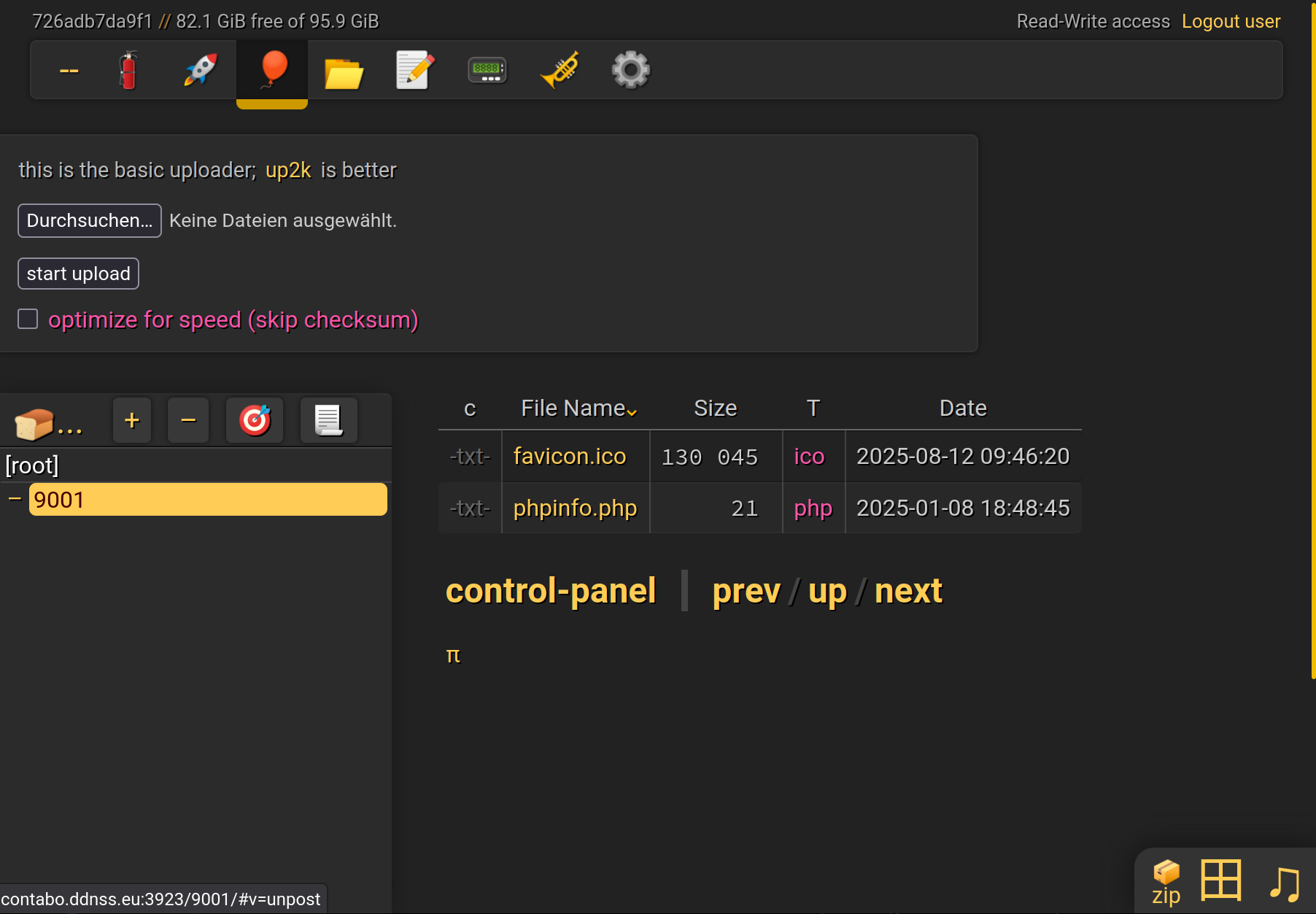
Browse to https://webserverurl:3923 and login with user user and password secret.
You should be able to upload files to the webserver vhost dirs, for example 9001.
Copyparty should be included in every container with a web server to make it easier to manage assets. The first things that come to mind are Dokuwiki and Wordpress.
yes wordpress could benefit alot, however we need a standardized config first, before we can start including it in containers, to prevent security issues, Also there should be a possibility to turn it off or on, or exposing it or not, otherwise we might have security issues where someoe forgets copypart exists
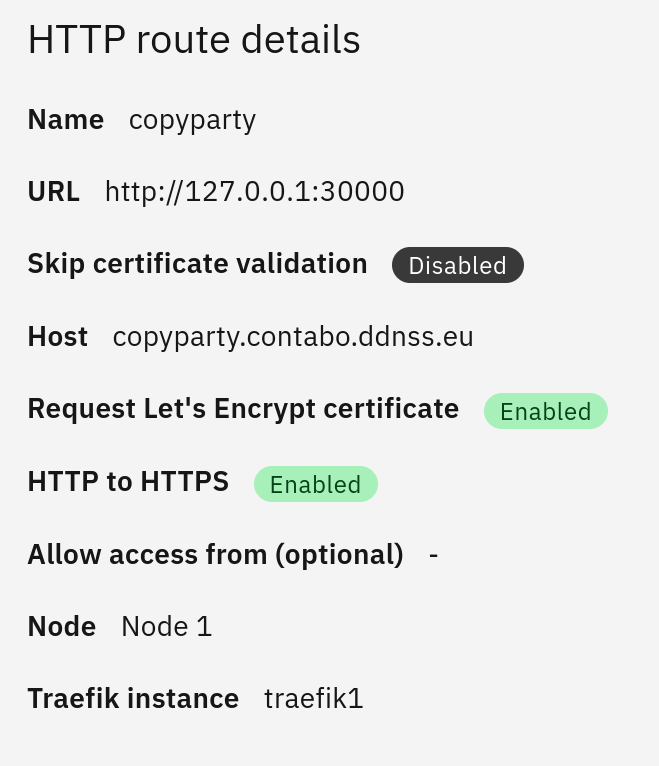
It’s also possible to use copyparty via traefik, this way we avoid opening the firewall port.
So it’s possible to run copyparty in any app and connect it to any volume and access it via HTTPS (including letsencrypt if wanted)
For now I’d prefer the way to just run copyparty manually as long as needed to upload files. This way there’s no security issue and no maintenance needed and it’s just a one-liner in the terminal.
Another way could be a script, so you can just run
i am thinking, considering our needs and use cases for NS8, we should work with a single script that we can wget into a podman container, ru necesary scripts for attaching the copyparty etc.
then this script could be used a sa baseline for apps like webser, that would need a constant fileserver available for them to be added as normal services, while still allowig standard utilization in other apps
Create a file ../bin/copyparty with following content:
#!/bin/bash
die(){
      	local volume="$1"
        local port=$2
        local username="$3"
        local password="$4"
        local e=$5
        echo $volume $port $username $password
        exit $e
}

# if not enough args displayed, display an error and die
[ $# -eq 0 ] && die "Usage: $0 volume port username password" 1

podman run --rm -it -p $2:3923 -v $1:/w:z docker.io/copyparty/ac:1.19.1 -a $3:$4 -v /w::rw,$3 --usernames
Set it executable:
chmod +x ../bin/copyparty
Now it’s possible to run:
copyparty websites 30000 user password
Still I’m thinking about how to make copyparty persistent so it’s still available after restart or update to also fulfill the use case of @capote
We could add another service file for copyparty and edit the Requires of the webserver.service file…