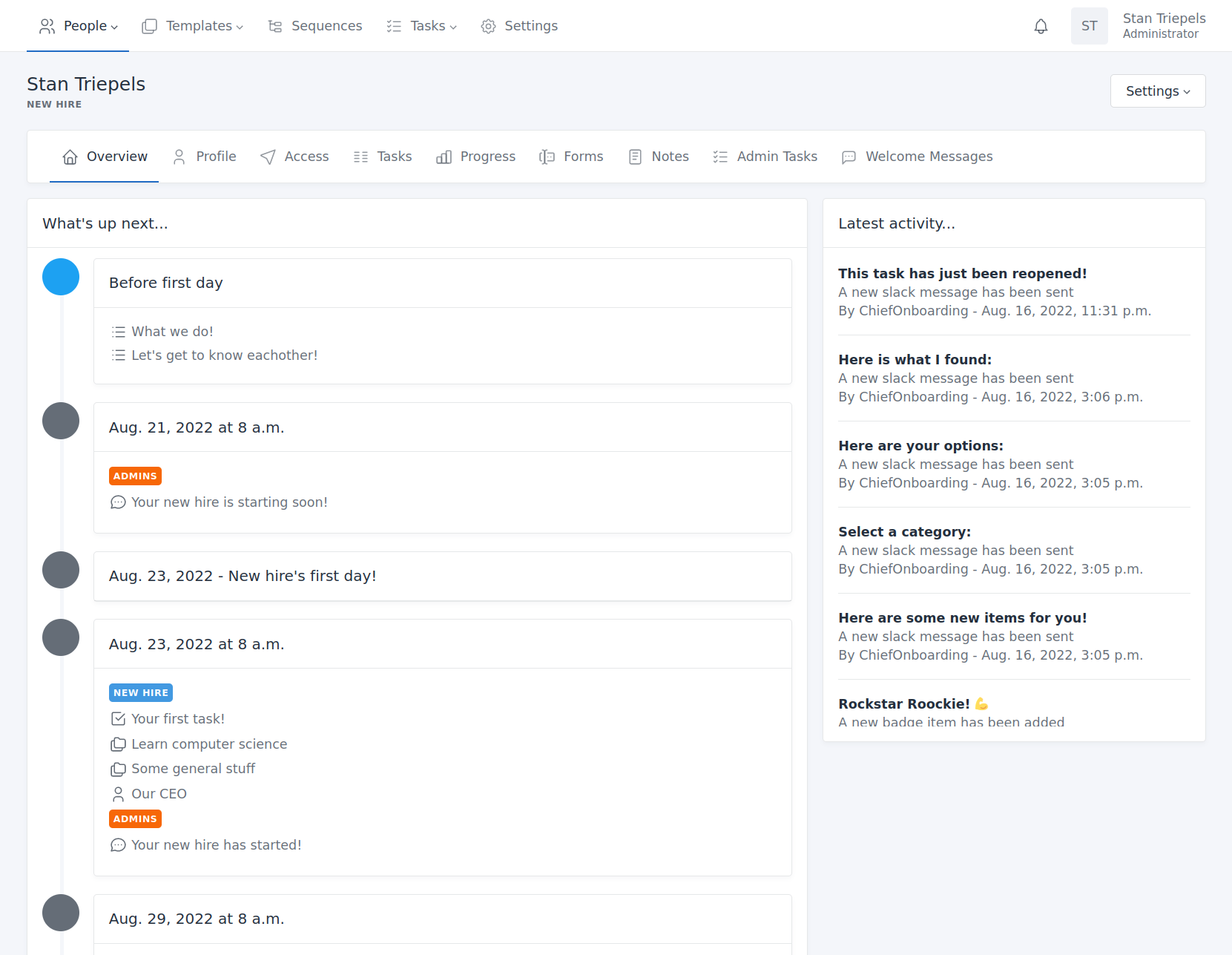
New, Small and Startup Businesses have challenges when it comes to onboarding new Employees.
Its an Apparent problem even for companies with working HR systems. ChiefOnboarding Aims to Solve that Problem for new hires in a company. Demo Video (youtube.com)
Here are more ChiefOnboarding features:
ToDo:
Implement OIDC Parameters.
Potentially Implement Default User and PWd via
If you want to specify your own login details, then specify a ACCOUNT_EMAIL (should be lowercase and an email address) and ACCOUNT_PASSWORD in the environment variables.
First test, like it ,but I would just like to report a bug derived from NS module creation: File upload fails. Supporting bots give a clue:
Upload failures in ChiefOnboarding usually stem from missing persistent storage volumes, restrictive file size limits, or incorrect file permissions in your self-hosted setup. [1, 2, 3]
Common Causes & Fixes
Missing Persistent Storage: If you deployed ChiefOnboarding via Docker or Kubernetes without mounting persistent volumes, uploaded files will vanish or cause errors.
Fix: Ensure a volume is mounted to the upload/media path (e.g., /app/media or /app/uploads) in your docker-compose.yml file. [1, 2]
Exceeded File Size Limit: Modern smartphones and cameras take very high-resolution photos and large documents. If the file exceeds the server’s allowed limit, the upload will fail.
Fix: Check your server configuration to increase the maximum allowed upload size. [1]
File Permissions: If your app container cannot write to the designated upload directory due to Linux permission constraints, the upload will fail with a “Permission Denied” error.
Fix: Adjust the folder permissions on your server (e.g., chmod -R 775 /path/to/upload/dir) so the web server or Docker process owns the directory. [1]