BruteForce and IPS Nethsecurity seems not working

Hi

I’ve create VM for doing some test on Nethsecurity security function, in specific the Bruteforce Protection and IPS Snort.

Test performed:

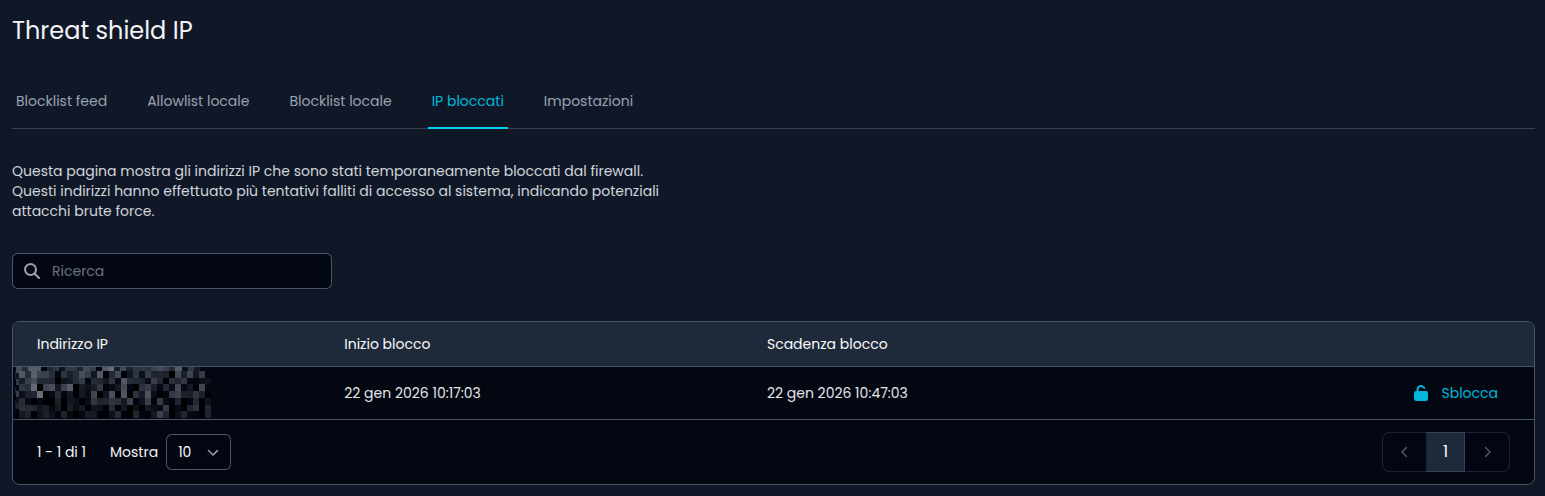
  • Several Loing Failed on SSH (But in the section “Banned IP” i don’t see anything
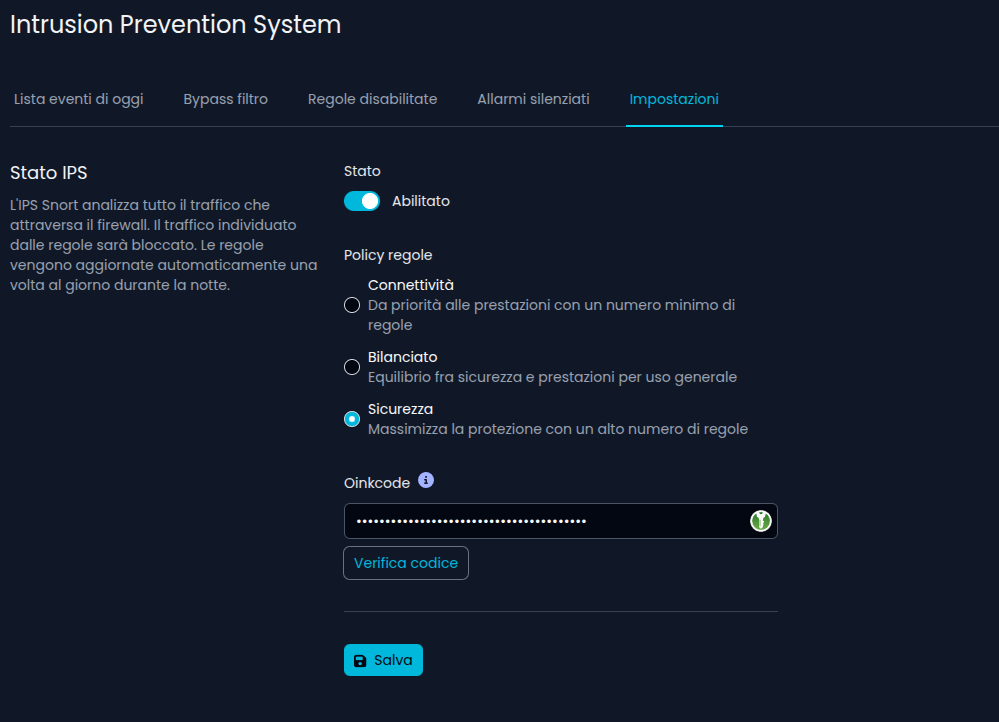
  • Server Port Scan using this command for Stealth Scan “sudo nmap -Pn -sS -p 2222” but IPS not show any alert.

Wait your reply, thanks.

It seems that LAN private addresses are not banned so if you’re testing using LAN IPs it doesn’t work.
If testing with a public IP it gets banned after some wrong SSH logins and is shown in “Banned IPs”

I also tested it from public ip address but in my case doesn’t work, you tested it now with the latest nethsecurity image?

Yes, 8.7.1 with latest updates.

EDIT:

This is the log entry when an IP is banned:

Jan 20 11:35:28 keepout banIP-1.0.1-r3[28730]: add IP '1.2.3.4' (expiry: 30m) to blocklistv4 set

Ok later i tested it again.

1 Like

You could enable the testing rules to check if snort is working, see snort3 | NethSecurity

A ping should be enough to trigger an alert with enabled testing rules.

Hi enable the testing rules, and try to ping the WAN IP but nothing appears in IPS Event

I think an internal device needs to ping some public IP to be shown, for example 1.1.1.1.

I have tested it on 8.7.1 with latest updates.
It took some time to be displayed in the web-UI.
But it works OK.
I was unable to trigger a event without the testing rules :person_shrugging:
And there newer occurred a event in operation,
but I believe it somehow works …

1 Like

After enable testing rules and ping from an host in the LAN, alert in IPS it’s showing:

2 Likes

which is the path for this log file?

It’s in /var/log/snort/, see snort3 | NethSecurity

I’m tryng to brueforce ssh from public ip address but i don’t get BAN, this is the entry in the /var/log/messages:

Jan 22 10:12:57 olnoffice-fw01 dropbear[7935]: Child connection from 1.2.3.4:56230
Jan 22 10:13:03 olnoffice-fw01 dropbear[7935]: Bad password attempt for ‘root’ from 1.2.3.4:56230
Jan 22 10:13:04 olnoffice-fw01 dropbear[7935]: Bad password attempt for ‘root’ from 1.2.3.4:56230
Jan 22 10:13:05 olnoffice-fw01 dropbear[7935]: Bad password attempt for ‘root’ from 1.2.3.4:56230
Jan 22 10:13:05 olnoffice-fw01 dropbear[7935]: Exit before auth from <1.2.3.4:56230>: (user ‘root’, 3 fails): Max auth tries reached - user ‘root’

Is it enabled in Threat Shield IP?

You need to do 9+ wrong logins because “Exit before auth from” is triggered after 3 wrong login attempts.

Yes:

I try several time but i dont’ get BAN
Nevermind now i get banned:

Might be because, now i’m reading this section “Download Rules”: snort3 | NethSecurity and i do this command in the CLI: ns-snort-rules

But is not enough enable IPS from the UI in the Settings TAB?

I need to Download Rules from CLI also to get operational?
Thanks.

Let’s check the banip status:

root@keepout:~# /etc/init.d/banip status
::: banIP runtime information
  + status            : active (nft: ✔, monitor: ✔)
  + version           : 1.0.1-r3
  + element_count     : 8013
  + active_feeds      : allowlistv4MAC, allowlistv6MAC, allowlistv4, allowlistv6, dshieldv4, etcompromisedv4, threatv4, greensnowv4, blocklistv4MAC, blocklistv6MAC, blocklistv4, blocklistv6
  + active_devices    : wan: eth2, eth1 / wan-if: wan2, wan, wan2, wan / vlan-allow: - / vlan-block: -
  + active_uplink     : 1.2.3.4/28, 1.2.3.4/24
  + nft_info          : priority: -100, policy: memory, loglevel: warn, expiry: 30m, limit (icmp/syn/udp): 10/10/100
  + run_info          : base: /tmp, backup: /tmp/banIP-backup, report: /tmp/banIP-report
  + run_flags         : auto: ✘, proto (4/6): ✔/✔, log (pre/inp/fwd/lan): ✘/✘/✔/✔, dedup: ✔, split: ✘, custom feed: ✔, allowed only: ✘
  + last_run          : mode: reload, period: 0m 3s, memory: 6903 MB available, 1920 KB max. used, cores: 4, log: tail, fetch: curl
  + system_info       : 2026-01-22 08:56:55, Default string Default string, x86/64, NethSecurity 8.7.1 r28872-daca7c049b

The ban should show up in /var/log/messages

grep "add IP" /var/log/messages

Yes is active

My active uplink shows my VPN and my public IP. In your case it’s a private LAN IP. Do you port forward SSH to your NethSecurity from another router/firewall?

Did you see my answer above?

I can confirm that the Bruteforce not ban private ip:

There are 8 pattern “Exit before auth from” and i don’t get ban