Thanks to everyone that has put in time and effort to make NS8 what it is today.
I am still mucking about with it in a lab and recently installed Odoo. I observe that the version of Odoo bundled with NS8 is Odoo 16. I have two questions I’d need some guidance with:
Is it possible for me to update my version to Odoo 17/18/19 Community Edition? I am doing some labs where I’m building some CTI with Asterisk and Odoo and would like to work with the most recent available version of Odoo.
Can I add custom modules (mostlyOdoo Community Association (OCA) modules on GitHub) to NS8 instance of Odoo? I’m looking to add some of the VoIP modules to test VoIP integration with Odoo CE.
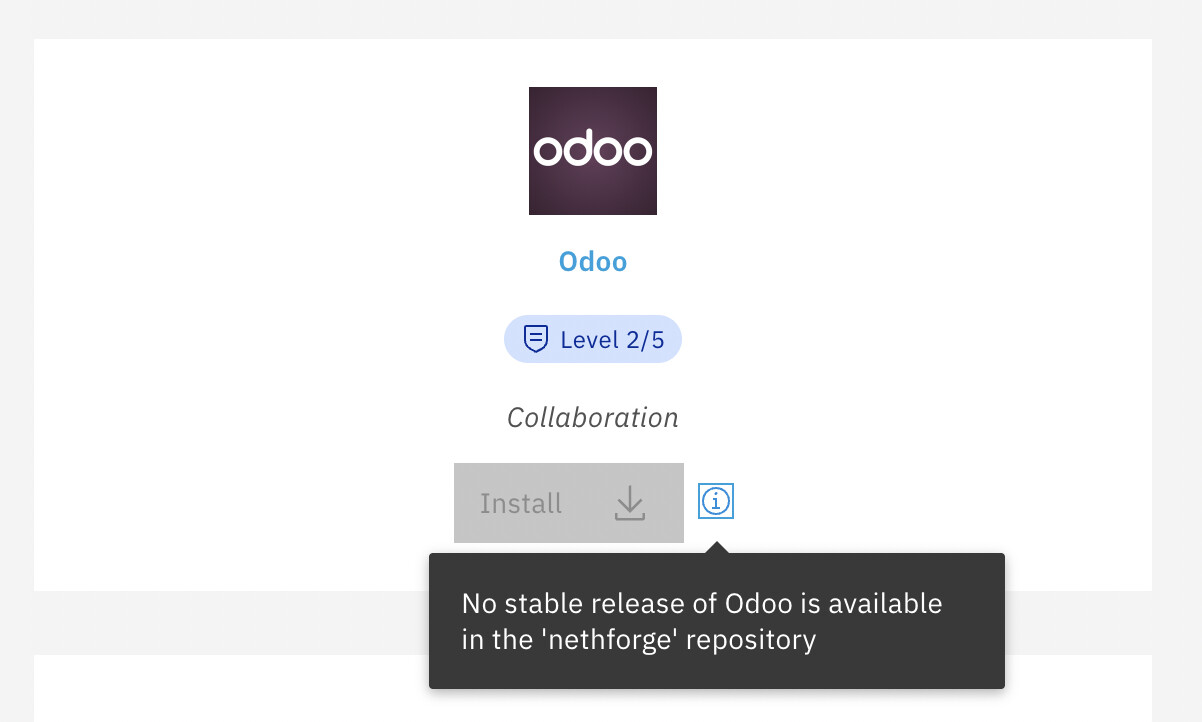
just to give some context from a recent discussion we had with Innovyou. The current Odoo 16 community app should be considered a one-off release and there is no plan for an automatic upgrade path on that base. This is mainly due to the well-known complexity of Odoo upgrades when addons and customizations are involved, where a blind in-place update would very likely break existing installations.
Innovyou confirmed their interest in continuing the project on NS8 and the focus is now on a new app based on Odoo 18, with the intention of keeping it maintained for the whole lifecycle of that major version. The goal is to make it again available through NethForge.
As for existing Odoo 16 installations, the discussion is around a possible manual and documented upgrade procedure, if it turns out to be technically feasible and reliable. In any case, automatic upgrades from 16 will be explicitly blocked to avoid unexpected disruptions.
Although Odoo 16 is end-of-life and its use is discouraged, it is still technically possible to install it on a specific cluster node from the command line. The node ID (for example, 2) can be found in the Nodes page. To install Odoo 16 on cluster node NODE_ID, you can run:
add-module ghcr.io/innovyou/odoo:1.0.2 NODE_ID
Innovyou is aware of the open questions in this thread. They should be able to provide more details and timelines as soon as their development plans are clearer.
I think this kind of wording is unnecessarily aggressive and does not help the discussion.
Please also note that Odoo is not a Nethesis product and no paid relationship exists in your case. Community integrations and compatibility discussions should not be interpreted as a commercial guarantee or endorsement.
Constructive feedback, technical details, and reproducible issues are always welcome. Personal attacks and legal threats directed at companies or individuals are not.
In other words, ‘you’ are not a Nethesis customer nor a partner.
It is not perfect world, just like the real world, but using wording like ‘agressive’, ‘personal attacks’ and ‘legal threats’ seem strategically chosen to set a artificial sentiment.
if you’re interested a great feature rich ERP solution for your business, kindly, consider erpnext, we have bene very consistent in upgrades, and have managed upgrades between major versions as well.
We even replicated the entire frappe cloud within Nethserver, if you’re daring enough, ad need to scale.
Other than that, Supporting a fully features erp system, is not as easy as you might think and alot of things could go wrong and break.
We are lucky and happy that we have afew paying customers, who enable is to continue supporting these kinds of efforts.
The challenge with ERPNext is the “high bar” to get started. You literally need to have a CoA setup and properly configured before you can start using it. With Odoo, you can get started with one module and when you see value, you can then consider a full scale accounting implementation. ERPNext is great, but that need for a CoA was and still is off putting for me
What one app do you mean, Frappe CRM, is seprate from erpnext, doesnt need Charts of Accounts.
same applies, to HelpDesk, and many other Apps.
Its when you need accounting, that you really need erpnext, ofcourse for proper accounting Charts of Accounts, needs to be properly configured. as with any system, including quickbooks. Default are always there, and you can link to them, but i doubt youd want to do that.
Friday is may day off - and I can use up my AI token for free rather wasting the daily limit … We (claude and I) would be willing to fill the gap:
The official Odoo app is marked obsolete on the wiki (“do not install”) and is
stuck on Odoo 16 (end of life). Rather than wait, we can offer an independent,
self-built community module for a current Odoo Community release.
We already ran an unpublished feasibility on our dev node and it works:
Odoo 19.0 Community from the official image, with PostgreSQL 16
a fresh database initialises cleanly and the web UI serves the login
a custom addons directory is picked up (a test module dropped into
/mnt/extra-addons was in Odoo’s addons_path immediately), so OCA and
in-house modules can be added — this was the second question in this thread
What the module would provide (v1.0.0, Odoo 19 Community):
one Odoo container + one PostgreSQL container, rootless like our other modules
a single Traefik route with Let’s Encrypt for the web UI, plus the
websocket/longpolling endpoint for live chat and notifications
persistent volumes for the database and the filestore
an admin master password for the database manager
a custom-addons folder the admin populates with OCA / own modules
backup and restore of the database and filestore in the NS8 backup
Scope and honesty:
Community edition only, self-built from the official image; unofficial, not
affiliated with Odoo or Nethesis, and clearly labelled as such. It would
coexist with any future official Odoo 18/19 app from Innovyou.
No automatic 16 → 19 upgrade. Odoo major upgrades with addons are fragile;
we deliver a clean current install, not an in-place migration.
LDAP login is an OCA/Enterprise topic in Odoo, so not in v1; it can be added
later through the addons folder.
Rough effort for a solid v1.0.0: about one working week, then published to our
repository like our other 18 modules, with pinned version and weekly upstream
checks.
If there’s interest, tell us which version you’d prefer (we lean to 19, 18 is possible, too) and any
must-have addons, and we’ll get the first build onto our repository.
 , it is still technically possible to install it on a specific cluster node from the command line. The node ID (for example,