When adding a peer, the ‘Pre-shared key’ option should be enabled by default to ensure post-quantum security (this should be already a standard).
Additionally, ‘Route all traffic’ should be enabled by default, as this is the standard behavior in similar applications and OpenWRT. If users only need to access specific subnets via the VPN, they should switch this option off and define them manually. Restricting the VPN only to the server network is more common in peer tunnel environment.
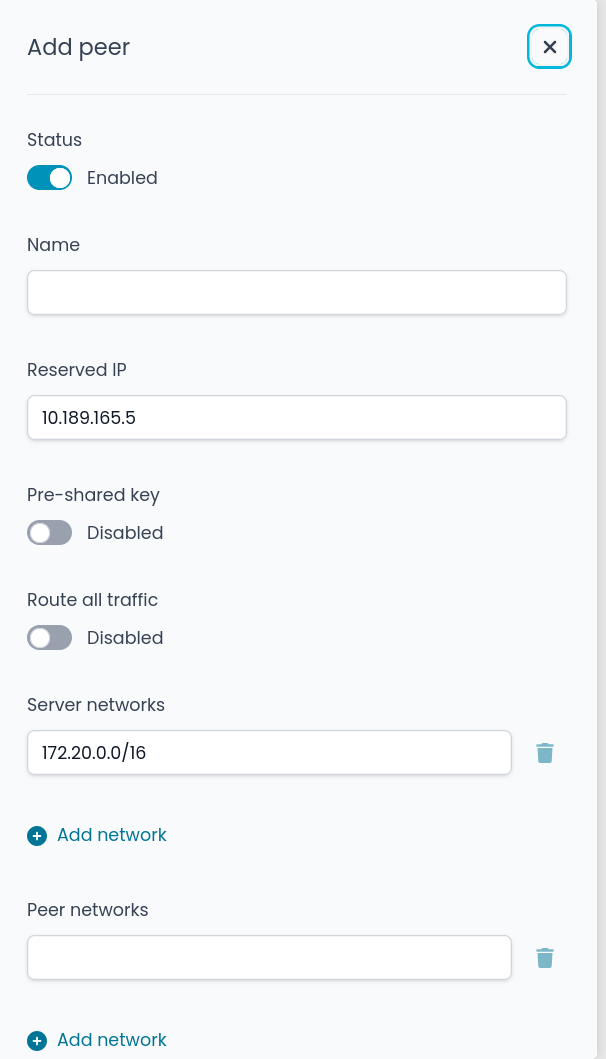
If you add a peer and enable ‘Route all traffic’ later, it results in a different configuration than if you had enabled it in the first step. This behavior is inconsistent, as the system should end up in the same state regardless of when the option is selected.
all_traffic: created without editing afterwards
server_networks: edited afterwards enabling Route all traffic
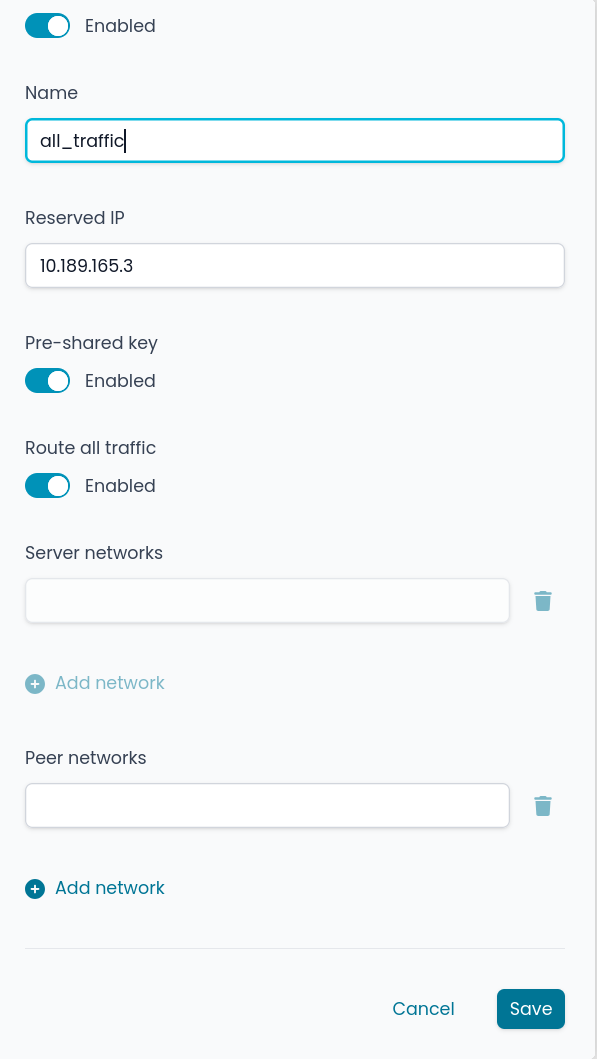
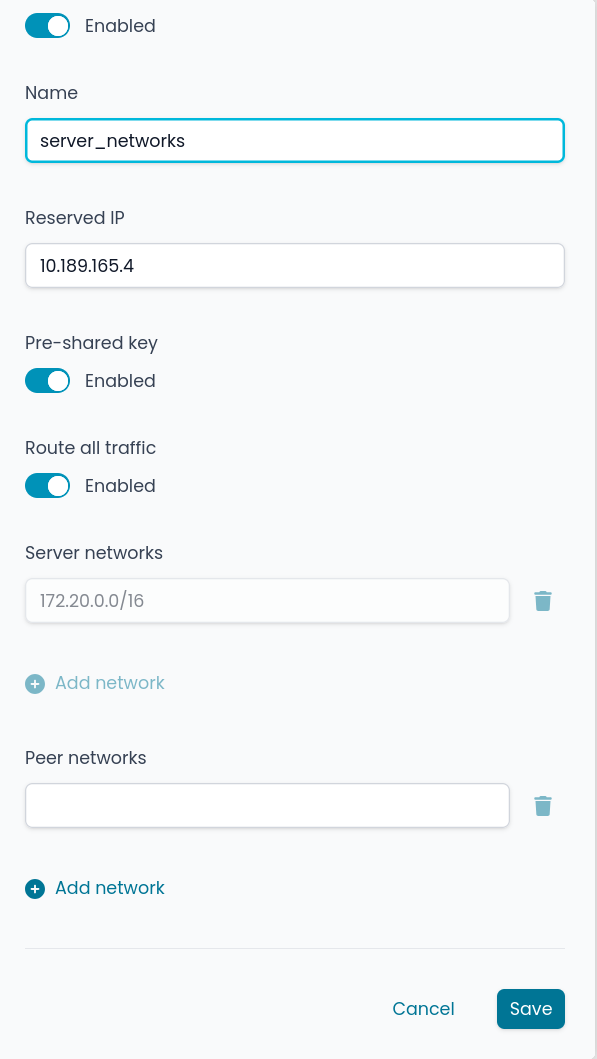
config wireguard_wg1 'wg1_ns_e31817d9_peer'
        option disabled '0'
        option ns_name 'all_traffic'
        option preshared_key 'xxx'
        option ns_route_all_traffic '1'
        list allowed_ips ''
        list allowed_ips '10.189.165.3/32'
        option ns_ip '10.189.165.3'
        option public_key 'xxx'
        option private_key 'xxx'
        option persistent_keepalive '25'
        option route_allowed_ips '1'
        option ns_link 'network/wg1'

config wireguard_wg1 'wg1_ns_c7911c95_peer'
        option disabled '0'
        option ns_name 'server_networks'
        option preshared_key 'xxx'
        option ns_route_all_traffic '1'
        list ns_local_routes '172.20.0.0/16'
        option ns_ip '10.189.165.4'
        option public_key 'xxx'
        option private_key 'xxx'
        option persistent_keepalive '25'
        option route_allowed_ips '1'
        option ns_link 'network/wg1'
        list allowed_ips '10.189.165.4/32'
I also noticed that a duplicate allowed_ips ‘’ list is always created if a peer is set up normally without being edited afterward. Maybe this is already reported… 

Last but not least.
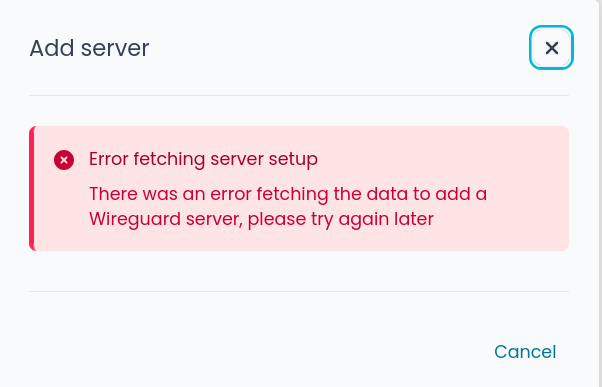
In the latest version of NethSecurity, I’m unable to add a second server tunnel. I’ll need to test this on a clean installation to confirm.
config interface 'wg1'
        option proto 'wireguard'
        option private_key 'xxx'
        option listen_port '51820'
        option ns_network '10.189.165.0/24'
        option ns_public_endpoint '147.231.81.33'
        option ns_name 'wg1'
        option disabled '0'
        option ns_type 'server'
        list addresses '10.189.165.1/24'
        list ns_dns '10.189.165.1
This is the first interface.
I am currently working on ironing out the bugs on the feature, so far I’ve solved:
- Empty allowed_ips when using route all traffic
- Removed persistent keepalive from server
- Added MTU field for the peers
- Status card on the dashboard
- Error on the server setup
Do you have ThreatShield DNS enabled? The last error might because the firewall cannot solve it’s external IP through opendns. You can check by executing dig +short +time=1 myip.opendns.com @resolver1.opendns.com, in case it fails you should add a whitelist for these domains: Wireguard public IP check: Fail silently if IP cannot be resolved · Issue #1443 · NethServer/nethsecurity · GitHub .
This is cause Wireguard tunnelling was planned as a tunnel to bridge firewalls, not for clients. This is because most of our userbase expects when adding a end-user tunnel to have password and OTP authentication which the protocol doesn’t support at all, so the option is disabled by default to avoid sending all traffic through one firewall to the other. If this kind of usage keeps being requested we might add an additional UI to handle user tunnelling something on the ropes of OpenVPN RoadWarrior
Looking into it, from what you’ve posted I might have forgot a delete somewhere
2 Likes
Thanks, this solved the problem.
Now I get it… Yes, I’m using it as a WireGuard Road Warrior. Btw, if you need 2FA with WireGuard, you have to involve something like a captive portal or a hotspot password. I know of two or three projects that do this.

I still believe the pre-shared key (PSK) should be a default setting
Yep, I know there are some out there (first that comes to mind is tailscale), but this implies that the process of VPN changes:
- application that authenticates with the firewall
- creates a peer on the fly and sends that to client
- client re-configures itself
While is a good approach, this needs native clients on the target device, hard to do at our scale, might consider alternatives to automate this, if you find some, feel free to share so I can keep notes
I still believe the pre-shared key (PSK) should be a default setting
It’s a mere UI boolean in the UI, will apply the change, the safer the better.
1 Like
I had simple solutions in my mind with default Wireguard protocol and clients.
This is typically addressed using a dynamic firewall or a Captive Portal.
The principle is as follows: The client connects using the standard WireGuard client, but the server initially restricts traffic to only one IP address (the login portal). Only after a successful login via a browser (password + 2FA) does the server “unlock” the rest of the network for that specific client’s IP address using nftables.
WAG (WireGuard Access Gateway) is an open-source project designed specifically for this purpose. It runs as an extension on top of WireGuard and functions as a registration and authentication portal. The user connects with a standard WireGuard client. Initially, they only have access to the WAG portal (a web page). There, they enter their username, password, and 2FA (TOTP – e.g., Google Authenticator). Upon successful verification, WAG dynamically grants them network access in the background.
WireGuard Portal (wgportal) primarily focuses on peer management, but in more advanced configurations or integrations with external identity providers (LDAP/OAuth), it is used to enforce authorization.Focus is on automating key management. It is often combined with a reverse proxy and external authentication layers. Unlike WAG, wg-portal focuses on automated peer management and identity lifecycle rather than enforcing MFA through dynamic nftables rules at the moment of connection.
OPNsense + WireGuard + Captive Portal supports this natively. The WireGuard interface is configured as a standard network interface within the system. You then apply the Captive Portal service to this specific interface. The user establishes a WireGuard connection → opens any page in a browser → is redirected to the OPNsense Captive Portal → logs in (supports LDAP, local users, 2FA/TOTP) → gains full access.
| Feature | WAG (WireGuard Access Gateway) | wg-portal (h44z) |
|---|---|---|
| Primary Focus | Security-First & Zero Trust (MFA) | Identity Management & Peer Lifecycle |
| Client Restriction Method | Dynamic Firewall (iptables/nftables): Drops all traffic by default except to the portal IP. Only “unlocks” access after successful MFA. | Key Management: Access is granted by valid keys. Restrictions are static and defined in the WireGuard config (AllowedIPs). |
| Captive Portal | Yes (Integrated): Enforces 2FA for every new session. | No: Web UI is only for key/profile management and downloads. |
| Authentication Sources | Local, OIDC, PAM | Deep Integration: LDAP/AD, OIDC, OAuth2 (Keycloak, Okta, etc.) |
| Device Management | Basic (Focus on session security) | Advanced: Device self-service, QR code generation, bulk management. |
| MFA Support | TOTP, WebAuthn (Security keys like Yubikey) | Typically relies on the external IdP (e.g., Keycloak) during key download. |
| Audit & Compliance | Audit logs focused on login/session events. | Comprehensive logging for peer changes and identity synchronization. |
| Automation | REST API for session/user control. | Extensive REST API & Webhooks for full lifecycle automation. |
| Configuration Style | Single binary, focused on being a “Gateway”. | Full-featured web application with a management dashboard. |
1 Like
I did the same with OpenWRT…
That might be a really good implementation! Never thought of that
Will take a ton of work to make, but will work well without third party applications, thank you for the tip. I wasn’t aware of WAG, and I cannot find it, do you have a link for that?
I did the same with OpenWRT
I am partially afraid that something big like this won’t work very well with OpenWRT, did you follow something specific? How the configuration in OpenWRT persist if it’s a go binary? It’s aware of UCI at all?
Not a ton of work, just simple and lightweight Wireguard with CoovaChilli captive portal (hotspot) as in OPNsense (No WAG). That’s it.
I myself used PacketFence on the Wireguard network… But the principle is the same.
1 Like