Thanks @mrmarkuz , it seems to work. This closes the ports, although I don’t understand why it didn’t work directly without specifying the port --service=mail1. I thought it would close the specified port on all interfaces. It seems the world has changed or I knew it wrong.
Sending mail works on port 587 with STARTTLS, but I’ll probably switch to using port 465 because it works too and seems more secure. I don’t know if it would work under NS7…
I’m currently testing fetchmail and I finally managed to download the emails to the NS8 mailbox with it. The problem is that it can’t connect to the local mailbox via localhost in the classic way. You have to specify the smtp NS8_IP_address option, then it works. It causes a little problem because in this case NS8 is running in the local network, but if it runs as a VPS on the service provider, then the public IP address of NS8 must be specified in fetchmail. This will not be a secure solution. Fetchmail used to work for me via localhost.
@mrmarkuz The MariaDB and Firebird databases are accessible via VPN and can be excluded from being accessible from the WAN side. Unnecessary mail ports can be closed, this was also successful.
I need to continue testing with the samba ports, I need to find out if each port is sufficient to be accessible via VPN and how to limit its availability to VPN.
I also need to change the ssh port, although I hope it will be relatively simple, but it needs to be tested.
What is very important is that I also need to limit the http and https routes to VPN, I need to test this separately under the HTTP route.
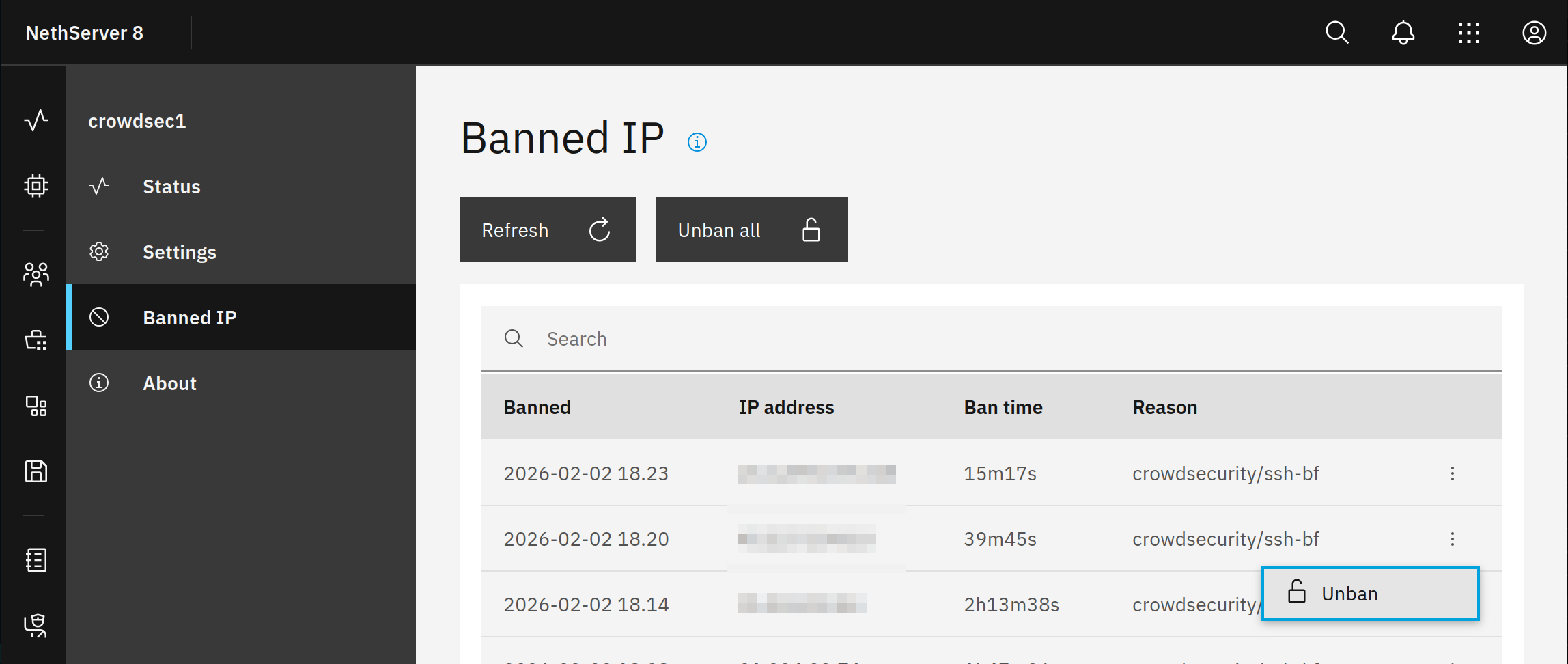
Finally, the Crowdsec settings also need to be tested, but I haven’t figured out how to manually unblock it, similar to fail2ban, if a false ban occurs…
I tested sending mail on TCP port 465 and it works fine. Mail retrieval with fetchmail also works, although I still don’t understand why the smtp NS8_Public_IP_address option is needed instead of the here option. I think this is not a secure solution. Fetchmail used to work for me via localhost.
Can’t localhost be used here too?
I have set the fetchmail FQDN hostname in the fetchmail module Settings. I created a DNS entry for it but it won’t load, I get the following error message:
NS8 uses podman containers so localhost points to the fetchmail container instead of the host like it was in NS7.
It’s still secure as you closed port 25 so others have no access.
The fetchmail app has no web UI. In a future version I’m going to remove the FQDN setting.
I’m trying to set up HTTP routes to restrict access to NS8 subdomains and routes from the internet.
It seems I’ve managed to close the LDAP account manager and phpmyadmin from the internet and restrict them to VPN.
I need to secure access to /cluster-admin, SOGo and nextcloud from the internet, but I hope this will be protected by Crowdsec and strong passwords. I’m still thinking about setting up 2FA.
My question is, is it useful to also restrict access to wg-easy, /rspamd and /users-admin/ad.domain.org to the VPN and block access to the internet?
Basically those services are password protected and made for being publicly available.
For sure it’s possible to increase security by restricting the access.