I tried but unable to make it work.
Going to Applications → Web Proxy and Filter → Filter: Configuration - Edit, within the global options we find:
Expressions : if enabled, allow regular expression on blacklists categories.
And linked to the Expressions control we find UrlBlacklist and UrlWhitelist text fields.
What is the purpose of having these fields linked to Expressions control?
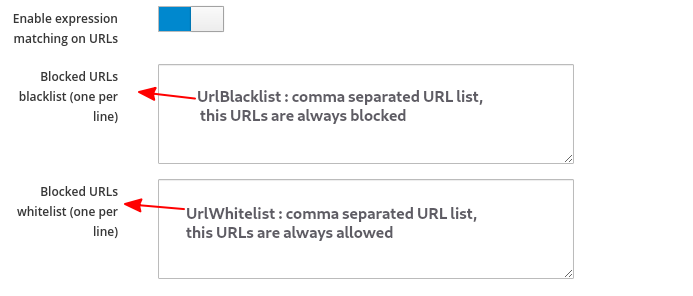
It seems that when “Enable expression matching on URLs” option is enabled then each filter category can make use of their own expression file, but I could be mistaken.
Was expression matching on URLs really implemented on the GUI or do we need to tweak some extra file(s)?
It is old but maybe it refreshes someone’s memory to come with a bright idea: