The NS8 Module Generator deserves more attantion!
Thank you @Stll0 ffor this brilliant tool. I’m absolutely thrilled.
1 Like
I’m really glad about that @capote
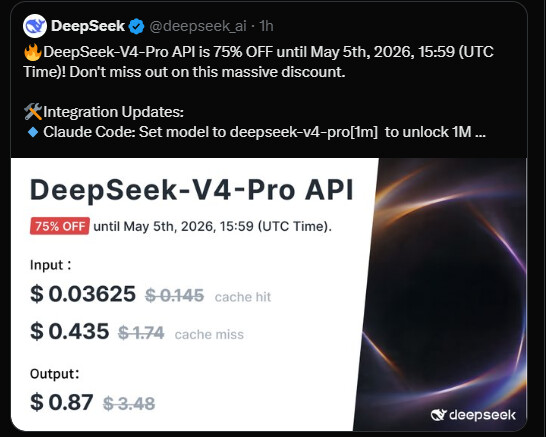
Which model are you using on Hermes?
I’ve opted for Deepseek v4 Pro because it’s currently within my budget,
1 Like
Just released a new version with Hermes v0.11.0
2 Likes
The update failed – the dashboard did not load.
I was able to resolve the issue myself using the Hermes bot. Please find attached the bug report I requested from the Hermes agent:
Bug Report: Dashboard unavailability after module update to 0.2.0
Environment
- NS8 Node: Debian 13 (Trixie)
- Module:
ghcr.io/stell0/hermes-agent:0.2.0(updated from 0.1.0 viaapi-cli run update-module)- Instances:
hermes-agent1- Hostname:
hermes.home.dargels.de- Auth backend: LDAP (Windows AD via
ad-ns8.home.dargels.de)Symptoms
- Login at
https://hermes.home.dargels.deworks (auth proxy responds, LDAP bind succeeds).- After login, the browser shows: “Assigned dashboard is temporarily unavailable.”
- After a restart of the whole module, the error changed to:
{"detail":"Invalid Host header. Dashboard requests must use the hostname the server was bound to."}Root Cause Analysis
Problem 1:
hermes-socket@1.servicefails after module updateAfter the module update from 0.1.0 → 0.2.0, the socket sidecar container was stopped but never restarted properly:
$ systemctl --user status hermes-socket@1.service
× hermes-socket@1.service - Hermes dashboard unix socket sidecar 1
     Active: failed (Result: exit-code) since Mon 2026-04-27 15:18:08 CEST
    Process: 5341 ExecStart=... (code=exited, status=143)
Logs show:
- The container was cleanly stopped via
ExecStop(signal 15 → exit 143)- systemd reports
Failed with result 'exit-code'Restart=on-failuredid not trigger, because exit 143 from a stop command is not treated as a failure by systemd in this context- The
/sockets/agent-1.sockfile was cleaned up and never recreated- Duration of downtime: the socket was dead for ~58 minutes until manually restarted
Relevant service definition:
KillMode=noneThis deprecated setting disables systemd’s process lifecycle management and likely contributed to the broken restart logic. systemd emits a deprecation warning for it (seen in journal).
Problem 2:
hermes-auth.servicestuck on old image (0.1.0)After the module update:
$ podman ps --filter name=hermes-auth --format "{{.Image}} {{.Status}} {{.Names}}"
ghcr.io/stell0/hermes-agent-auth:0.1.0   Up 19 hours ago   hermes-auth
All other containers had migrated to
:0.2.0, but the auth proxy was still running:0.1.0. The mismatch caused the “Invalid Host header” error — likely:0.2.0introduced a Host header validation that wasn’t present in:0.1.0.After manually restarting the auth service:
systemctl --user restart hermes-auth.serviceThe image was pulled and the container started on
:0.2.0. Dashboard then loaded correctly.Resolution Steps
Restart socket sidecar:
runagent -m hermes-agent1 systemctl --user restart hermes-socket@1.serviceRestart auth proxy (pulls new image):
runagent -m hermes-agent1 systemctl --user restart hermes-auth.serviceVerify all containers on correct version:
runagent -m hermes-agent1 podman ps --format "{{.Image}} {{.Status}} {{.Names}}"Expected: all images show
:0.2.0.Suspected Root Causes in the Module
Socket service fails to restart after update-module: The module update process stops the socket container, but the service unit stays
failedandRestart=on-failuredoes not re-activate it. Possible causes:
- systemd treats the post-stop exit (143) differently when
KillMode=none- The
PartOf=hermes@%i.servicedependency chain may not trigger restart for the socket when the parent is restarted during update- The
ExecStartPrecleanup (rm -f agent-1.sock) may race with the service restartAuth proxy image not updated: Unlike the socket and hermes containers which correctly pulled
:0.2.0, the auth proxy remained on:0.1.0. This suggests either:
- The
update-modulelogic does not update the auth proxy image reference- The auth service was not restarted as part of the module update sequence
- The
ExecStartPre=runagent sync-agent-runtimemay not updateHERMES_AGENT_AUTH_IMAGENo dependency or restart ordering between auth proxy and socket: After update, the socket must be running before the auth proxy can proxy dashboard requests to it. If both fail to restart, there’s no recovery without manual intervention.
Recommendations
- Ensure
update-modulerestartshermes-socket@%i.serviceandhermes-auth.service(or the entire pod) after pulling new images- Consider changing
KillMode=nonetoKillMode=mixedorcontrol-groupto restore proper systemd lifecycle management- Add a health check or
ExecStartPostthat verifies the socket file exists before declaring the service healthy- Pin or explicitly update auth proxy image reference in the environment during update-module
Workaround (for users hitting this)
# After update-module, restart both services:
runagent -m hermes-agent1 systemctl --user restart hermes-socket@1.service hermes-auth.service
Timestamps (CEST)
Event Time Module updated from 0.1.0 → 0.2.0 ~15:18 Socket container stopped and failed 15:18 Dashboard reported “temporarily unavailable” ~15:20 Socket restart attempted (user) 15:18 (no effect without auth restart) Auth proxy restarted to :0.2.0 16:19 Dashboard back online 16:19
Report generated by Hermes Agent running on the affected system. 2026-04-27.
1 Like

Thank you @capote, should be fixed now fix(update): restart on update · Stell0/ns8-hermes-agent@da68260 · GitHub
1 Like
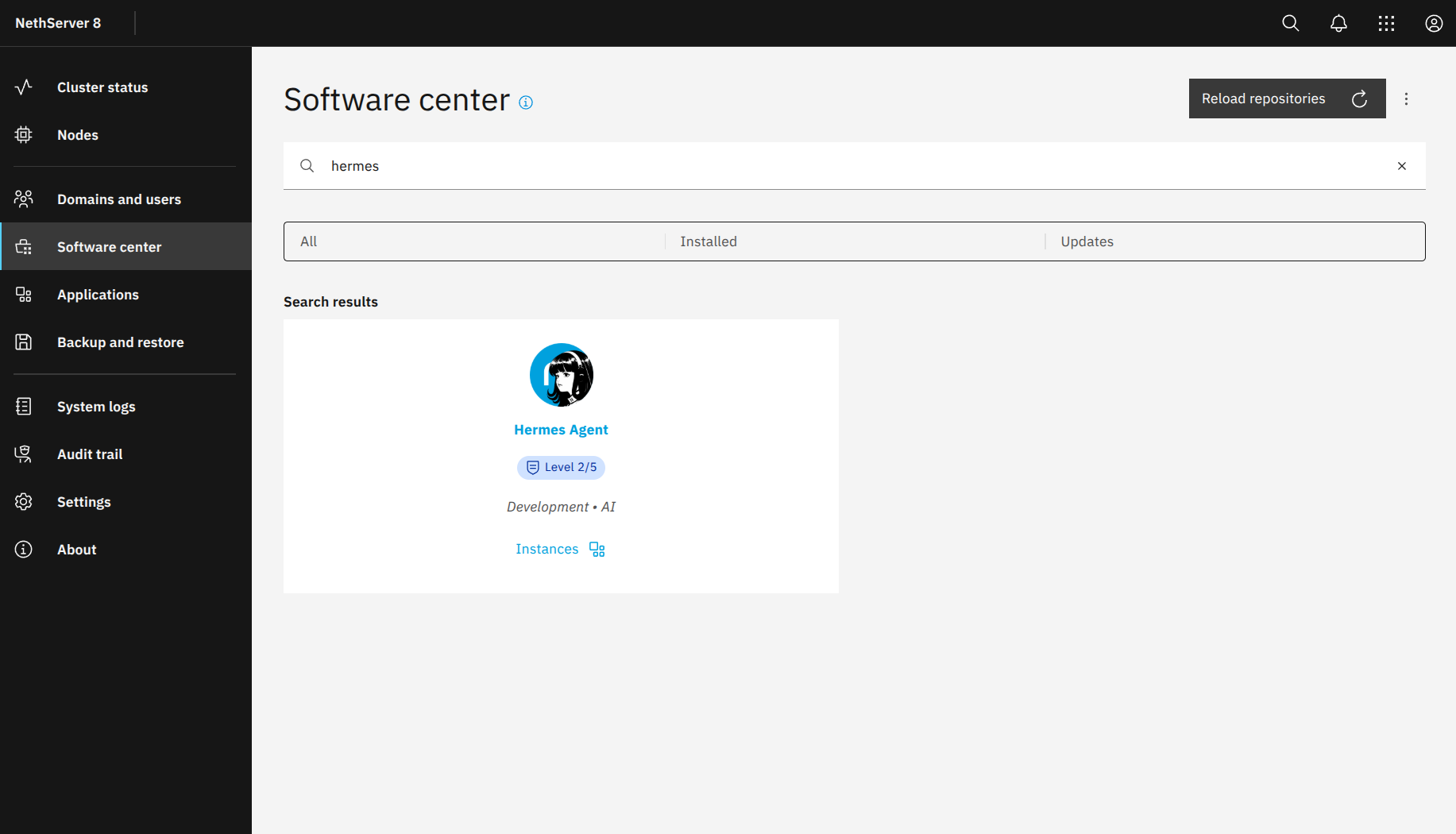
Updates
- Module is on NethForge!
- Hermes updated to v0.13.0 (v2026.5.7)
- NS8 Backup/restore fixed
- NS8 clone fixed
3 Likes
gain “Assigned dashboard is temporarily unavailable.”
I can’t fix that; I’ve no idea
:~# runagent -m hermes-agent1 systemctl --user restart hermes-socket@1.service
A dependency job for hermes-socket@1.service failed. See 'journalctl -xe' for details.
:~# journalctl -xe
░░ Automatic restarting of the unit UNIT has been scheduled, as the result for
░░ the configured Restart= setting for the unit.
Mai 12 22:22:22 daho-ns8 systemd[100774]: Stopped hermes@1.service - Hermes gat>
░░ Subject: A stop job for unit UNIT has finished
░░ Defined-By: systemd
░░ Support: https://www.debian.org/support
░░
░░ A stop job for unit UNIT has finished.
░░
░░ The job identifier is 4474 and the job result is done.
Mai 12 22:22:22 daho-ns8 systemd[100774]: hermes@1.service: Consumed 2.802s CPU>
░░ Subject: Resources consumed by unit runtime
░░ Defined-By: systemd
░░ Support: https://www.debian.org/support
░░
░░ The unit UNIT completed and consumed the indicated resources.
Mai 12 22:22:22 daho-ns8 systemd[100774]: Starting hermes@1.service - Hermes ga>
░░ Subject: A start job for unit UNIT has begun execution
░░ Defined-By: systemd
░░ Support: https://www.debian.org/support
░░
░░ A start job for unit UNIT has begun execution.
░░
░░ The job identifier is 4474.
lines 4446-4469/4469 (END)
What caused the problem?
The Hermes update had changed two things:
- Volume reset: The volume mount configuration was overwritten, and the
subpathparameter in the service unit was incompatible with Podman 4.3.1. - Missing owner mapping: The volume subdirectory
1was recreated with the wrong owner.
 W
W
hat was fixed?
- The
--mount type=volume,src=...,subpath=%iwas replaced by-v /home/hermes-agent1/.../(Bind mount). - Volume owner correctly set to sub-UID 568751.
- All services restarted in the correct order.
Tip for future Hermes updates : If the service unit is overwritten again, simply replace the mount line with a bind mount once more. In the long term, a fix in the Hermes packaging or in Podman would be desirable.
AgentZero found the solution:
Hermes Agent Recovery Report after Update
Date: May 12, 2026
Created by: Agent Zero on behalf of Marko
Host: daho-ns8.home.mydomain.de (NS8)
1. Problem Description
After an update of the Hermes Agent on the NS8 host
daho-ns8, the dashboard athttps://hermes.home.mydomain.de/displayed the message:Assigned dashboard is temporarily unavailable.
A manual restart of the services failed:
runagent -m hermes-agent1 systemctl --user restart hermes-socket@1.service
# A dependency job for hermes-socket@1.service failed.
The journal repeatedly showed the error:
Error: subpath: invalid mount option
hermes@1.service: Main process exited, code=exited, status=125/n/a
The service
hermes@1.servicewas caught in an infinite loop (restart counter 372).
2. Diagnostic Steps
Step 1: Check service status
hermes-socket@1.servicewasinactive (dead), dependency failure.
hermes@1.servicefailed to start with the mount error.Step 2: Inspect the service unit
The file
/home/hermes-agent1/.config/systemd/user/hermes@.servicecontained the following mount option:--mount type=volume,src=hermes-agents-home,dst=/opt/data,subpath=%iHere
%iis replaced by the agent ID (in this case1). Podman expects the directory1to exist within the volume and be accessible by the container user.Step 3: Volume inspection
podman volume inspect hermes-agents-homeMountpoint:
/home/hermes-agent1/.local/share/containers/storage/volumes/hermes-agents-home/_dataThe directory
1existed, but with the wrong owner:drwx------ 1 568751 568751 ... 1UID 568751 is the sub-UID of the rootless container; however, permissions were
0700.Step 4: Root cause identified
- Podman 4.3.1 on this host is incompatible with the
subpathoption of--mount.- After the update, the volume was recreated and the ownership of the subdirectory switched from sub-UID 568751 to host UID 1017 (
hermes-agent1).- The container process, running with sub-UID 568751, cannot access the directory owned by UID 1017.
- Even after manually setting ownership (as root) to 568751, the error persisted → definitive proof that the
subpathoption is unusable with this Podman version.
3. Attempted Solutions
Approach Description Success? Manually create subpath directory (via runagent)mkdir -p /path/.../1– owner remains UID 1017Set owner to 568751 with chownUsing root privileges – directory now owned by 568751 (mount error persists)
Use podman unsharepodman unshare mkdir ...– directory created in correct container namespaceBind mount instead of subpath -v /host/path/_data/%i:/opt/datain the service unitDecision: The
subpathmount was replaced by a direct bind mount.
4. Final Solution Implemented
4.1 Edit the service unit
The mount line in
/home/hermes-agent1/.config/systemd/user/hermes@.servicewas changed usingsed:sed -i 's|--mount type=volume,src=hermes-agents-home,dst=/opt/data,subpath=%i|-v /home/hermes-agent1/.local/share/containers/storage/volumes/hermes-agents-home/_data/%i:/opt/data|' /home/hermes-agent1/.config/systemd/user/hermes@.serviceResult:
- --mount type=volume,src=hermes-agents-home,dst=/opt/data,subpath=%i
+ -v /home/hermes-agent1/.local/share/containers/storage/volumes/hermes-agents-home/_data/%i:/opt/data
4.2 Fix volume ownership
The directory
1was directly set to sub-UID 568751 as root:chown -R 568751:568751 /home/hermes-agent1/.local/share/containers/storage/volumes/hermes-agents-home/_data/1 chmod -R 755 /home/hermes-agent1/.local/share/containers/storage/volumes/hermes-agents-home/_data/14.3 Reload systemd daemon and restart services
systemctl --user stop hermes@1.service hermes-socket@1.servicesystemctl --user daemon-reload(both user and system-wide)systemctl --user reset-failed hermes@1.service- Clean up pod and containers:
runagent -m hermes-agent1 systemctl --user stop hermes-pod@1.service runagent -m hermes-agent1 podman pod rm --force hermes-pod-1- Restart in the correct order:
runagent -m hermes-agent1 systemctl --user start hermes-pod@1.service
runagent -m hermes-agent1 systemctl --user start hermes@1.service
runagent -m hermes-agent1 systemctl --user start hermes-socket@1.service
5. Result
hermes-pod@1.service: active (exited)hermes@1.service: active (running)hermes-socket@1.service: active (running)- Dashboard : Reachable at
https://hermes.home.dargels.de/– no more error messages.
6. Recommendations for the Future
- For future updates: Check the service unit
hermes@.serviceto see if the mount line was reset tosubpath. If so, reapply the bind mount and rundaemon-reload.- Long-term solution: Report the issue to the Hermes Agent maintainer (NethServer) – Podman 4.3.1 appears to lack proper
subpathsupport. Upgrading to a newer Podman version could improve compatibility.- Automation script: A small script that replaces the mount line and corrects ownership after module updates could prevent future manual intervention.
7. Attachments
- Modified service unit:
/home/hermes-agent1/.config/systemd/user/hermes@.service- Container image used:
ghcr.io/stell0/hermes-agent-hermes:0.4.0- Host:
daho-ns8.home.mydomain.de(NS8)

Ps.: But at the moment it’s a brand-new system; all the data, configurations and integrations have been lost.
That is extremely regrettable.
1 Like
yes sorry, to enable backup some architecture needed to be changed. Depending on the version you were, your old istance has a different $HOME.
Your changes to systemd units will be overwritten at the next update. Maybe you could downgrade, launch hermes backup , update/reinstall and restore the generated .tar.gz
Now that we are on forge I’ll try to be more catious with updates.
1 Like
after update to Version 0.4.1 via Software Center : The same procedure as everyday.
Assigned dashboard is temporarily unavailable.
Fixing…
Steps taken
Step Action Result
1 Services stopped
2 Pod & container cleaned up
3 Mount line in /home/hermes-agent1/.config/systemd/user/hermes@.service replaced to:
→ -v /home/hermes-agent1/.local/share/containers/storage/volumes/hermes-agents-home/_data/%i:/opt/data \
		--tz=${TIMEZONE} \
4 Volume permissions set to UID 568751 (sub-UID): chown -R 568751:568751 .../1
5 daemon-reload + Restart in the correct order: hermes-pod → hermes@1 → hermes-socket
@capote was it the fresh install? If not, if you keep changing that line, at every update you’ll be in the same situation. If it is on the fresh install, help me reproduce your issue because I can’t
not a fresh installation..
The 1st (fresh) installation failed with such issue.
Ps.: Correction.
The problem first appeared with the first update following the initial installation
What version was installed at first? 0.3.0?
this one
Correction:
The problem first appeared with the first update following this initial installation
Ok, I think that only you encountered this, that’s why I told you to do another install. The fix for the volume in your systemd is overwritten at every update and the storage format changed, that’s why I told you to install a new one and do a backup/restore inside the hermes container to save your agent. If you keep fixing it, it will break at every update and you are in inconsistent state.
1 Like
I’ll do that.
Is it possible to export/import or back up/restore all existing customisations (skills, memory, etc.)?