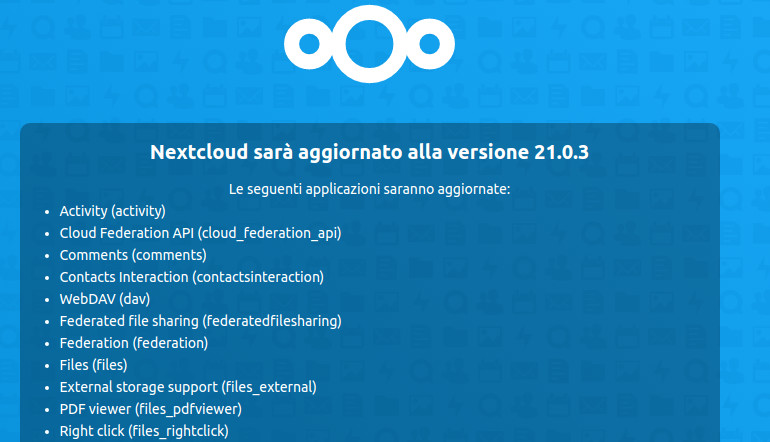
Setting log level to debug
Turned on maintenance mode
Exception: Updates between multiple major versions and downgrades are unsupported.
Update failed
Maintenance mode is kept active
Resetting log level
occ -V
Nextcloud or one of the apps require upgrade - only a limited number of commands are available
You may use your browser or the occ upgrade command to do the upgrade
Nextcloud 21.0.3
grep version /usr/share/nextcloud/config/config.php
‘version’ => ‘19.0.3.1’,
Has the nextcloud database been migrated to mariadb 10.5 by the nethserver-nextcloud update? (if it hasn’t been migrated that would be easier, or so I think).
It would seem so
systemctl status -l rh-mariadb105-mariadb@nextcloud.service
● rh-mariadb105-mariadb@nextcloud.service - MariaDB 10.5 database server
Loaded: loaded (/etc/systemd/system/rh-mariadb105-mariadb@.service; enabled; vendor preset: disabled)
Drop-In: /etc/systemd/system/rh-mariadb105-mariadb@nextcloud.service.d
└─nethserver.conf
Active: active (running) since Fri 2021-07-09 18:30:31 CEST; 43min ago
Docs: man:mysqld(8) https://mariadb.com/kb/en/library/systemd/
Process: 13176 ExecStartPost=/usr/bin/scl enable $RH_MARIADB105_SCLS_ENABLED – /opt/rh/rh-mariadb105/root/usr/libexec/mysql-check-upgrade --defaults-group-suffix=.%I (code=exited, status=0/SUCCESS)
Process: 13117 ExecStartPre=/usr/bin/scl enable $RH_MARIADB105_SCLS_ENABLED – /opt/rh/rh-mariadb105/root/usr/libexec/mysql-prepare-db-dir --defaults-group-suffix=.%I %n (code=exited, status=0/SUCCESS)
Process: 13083 ExecStartPre=/usr/bin/scl enable $RH_MARIADB105_SCLS_ENABLED – /opt/rh/rh-mariadb105/root/usr/libexec/mysql-check-socket --defaults-group-suffix=.%I (code=exited, status=0/SUCCESS)
Process: 13076 ExecStartPre=/usr/bin/scl enable $RH_MARIADB105_SCLS_ENABLED – /usr/bin/scl_enabled rh-mariadb105 (code=exited, status=0/SUCCESS)
Main PID: 13162 (mysqld)
Status: “Taking your SQL requests now…”
CGroup: /system.slice/system-rh\x2dmariadb105\x2dmariadb.slice/rh-mariadb105-mariadb@nextcloud.service
└─13162 /opt/rh/rh-mariadb105/root/usr/libexec/mysqld --defaults-group-suffix=.nextcloud --basedir=/opt/rh/rh-mariadb105/root/usr
Jul 09 18:30:30 pippo.pluto.local systemd[1]: Starting MariaDB 10.5 database server…
Jul 09 18:30:31 pippo.pluto.local scl[13117]: Database MariaDB is probably initialized in /var/opt/rh/rh-mariadb105/lib/mysql-nextcloud already, nothing is done.
Jul 09 18:30:31 pippo.pluto.local scl[13117]: If this is not the case, make sure the /var/opt/rh/rh-mariadb105/lib/mysql-nextcloud is empty before running mysql-prepare-db-dir.
Jul 09 18:30:31 pippo.pluto.local mysqld-scl-helper[13162]: 2021-07-09 18:30:31 0 [Note] /opt/rh/rh-mariadb105/root/usr/libexec/mysqld (mysqld 10.5.8-MariaDB) starting as process 13162 …
Jul 09 18:30:31 pippo.pluto.local systemd[1]: Started MariaDB 10.5 database server.
Then I would proceed with one of the “experimental” options (c or b, migration scripts) described in the wiki. Option a (package downgrade and step-by-step upgrade) could work as long as the config.php file keeps pointing to the new database (and rh-mariadb105… is not removed), but I’ve not tried.
As always, better to have some backup or VM snapshot.